
1. Product Overview
The OSCAL PowerMax 6000 is a high-capacity portable power station designed to provide reliable electricity for various applications, from home backup to outdoor adventures. It features a robust LiFePO4 battery, versatile output options, and advanced charging capabilities.
Key features include:
- 3600Wh High Capacity & 6000W AC Output: Capable of powering a wide range of appliances with 4 AC outputs and a 7200W surge capacity. Supports 120V/240V dual voltage output.
- Fast Charging: Achieves 0-100% charge in approximately 1.44 hours with 2200W AC input and 2400W solar input.
- Long-Lasting LiFePO4 Battery: Equipped with durable LiFePO4 batteries and an advanced eight-layer safety BMS, offering over 3500 charge cycles for extended lifespan.
- UPS Uninterruptible Power Supply: Features a rapid 5-8ms automatic switchover to battery power during outages, protecting sensitive electronics.
- Smart APP Control: Monitor power usage and control the power station remotely via a dedicated smartphone application.
- Portable Design: Designed with smooth wheels and telescopic handles for easy transport, similar to a trolley case.
Product Components
The PowerMax 6000 package includes:
- OSCAL PowerMax 6000 Power Station
- 400W Solar Panel (if included in package)
- AC Charging Cable
- Car Charging Cable
- Solar Charging Cable
- User Manual
- Warranty Card
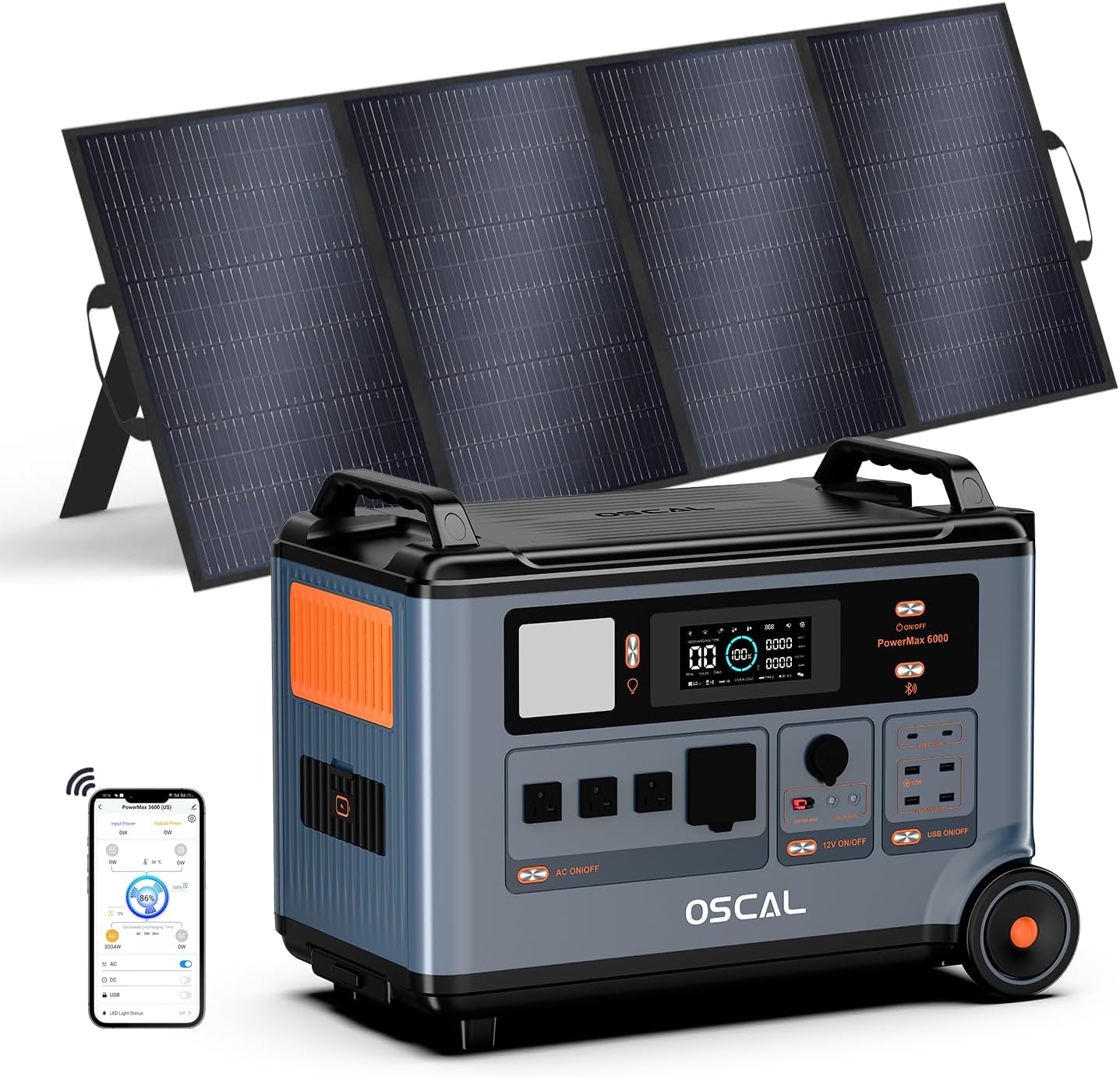
Image: The OSCAL PowerMax 6000 Solar Generator with its accompanying 400W solar panel.
2. Setup Guide
Initial Charging
Before first use, fully charge your PowerMax 6000. You can charge it via AC outlet or solar panels.
- AC Charging: Connect the provided AC charging cable to the power station's AC input port and then to a standard wall outlet. The display will indicate charging status.
- Solar Charging: Connect compatible solar panels (like the 400W OSCAL solar panel) to the power station using the solar charging cable. Ensure panels are placed in direct sunlight for optimal charging.

Image: The PowerMax 6000 being charged via both AC outlet and solar panels, demonstrating its versatile charging options.
APP Control Setup
For remote monitoring and control, download the OSCAL application on your smartphone. Follow the in-app instructions to pair your device with the PowerMax 6000.

Image: A smartphone screen displaying the OSCAL app interface, showing battery status and control options for the PowerMax 6000.
3. Operating Instructions
Powering On/Off
Press and hold the main power button on the unit to turn it on or off. The display screen will illuminate upon activation.
Using Output Ports
The PowerMax 6000 offers 14 output ports, including AC, USB-A, USB-C, Car Charger, DC 5521, and Anderson Output. Activate the desired output group (e.g., AC, DC, USB) using the corresponding buttons on the unit or via the APP.
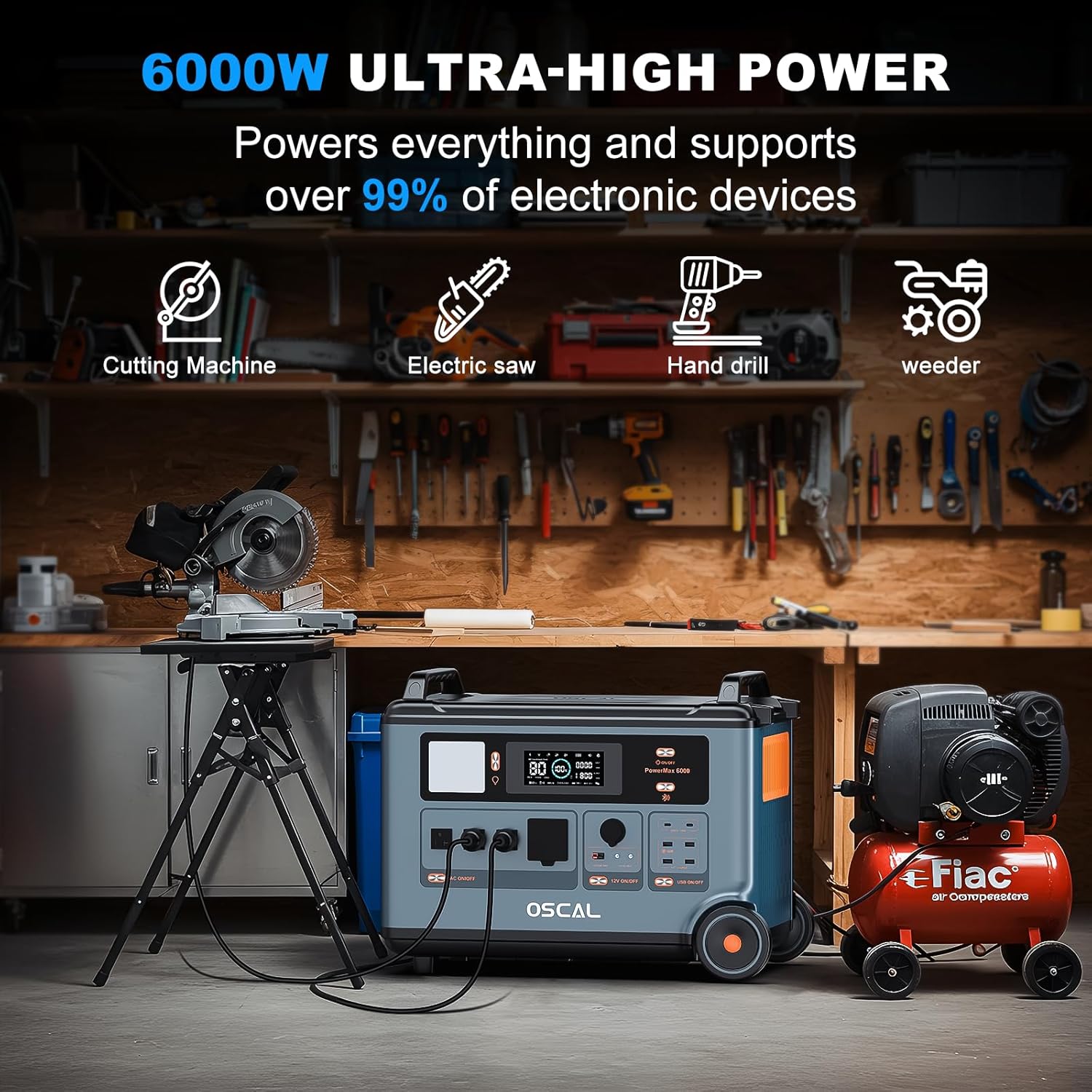
Image: The PowerMax 6000 connected to and powering various high-wattage tools like a cutting machine, electric saw, hand drill, and weeder, demonstrating its 6000W ultra-high power output.
UPS Functionality
When connected to an AC power source, the PowerMax 6000 functions as an Uninterruptible Power Supply (UPS). In the event of a power outage, it automatically switches to battery power within 5-8 milliseconds, ensuring continuous operation for connected devices.

Image: The PowerMax 6000 illustrating its UPS functionality, showing it can power essential devices like CPAP machines, home office setups, and emergency work equipment during power interruptions.
Parallel Connection (Optional)
The PowerMax 6000 can be expanded by connecting additional BP3600 batteries (sold separately) to increase its capacity from 3600Wh up to 57600Wh. Refer to the separate BP3600 battery manual for detailed parallel connection instructions.

Image: Multiple PowerMax 6000 units and BP3600 battery packs connected in parallel, demonstrating the expandable capacity for extended power supply.
Lighthouse-like Signal Light
The PowerMax 6000 features a unique signal light function controllable via the Smart APP. You can input content, and the light will blink in Morse code, representing numbers from 0 to 9 and alphabets from A to Z. This can be used for communication in various scenarios.
Video: Demonstrates the OSCAL PowerMax 6000's various charging methods, portability, versatile output ports, and the unique Morse code signal light feature for communication.
4. Maintenance
Proper maintenance ensures the longevity and optimal performance of your PowerMax 6000.
- Battery Care: For best battery health, avoid completely draining the battery frequently. Recharge it regularly, especially if storing for extended periods. The LiFePO4 battery is designed for long life, but consistent care will maximize its lifespan.
- Storage: Store the power station in a cool, dry place, away from direct sunlight and extreme temperatures. Ensure it is charged to at least 50% before long-term storage.
- Cleaning: Use a soft, dry cloth to clean the exterior of the unit. Do not use abrasive cleaners or immerse the unit in water. Keep ventilation openings clear of dust and debris.
5. Troubleshooting
If you encounter issues with your PowerMax 6000, please refer to the following general guidelines. For specific error codes or persistent problems, consult the full user manual or contact customer support.
- Unit Not Turning On: Ensure the battery is charged. If not, connect to an AC outlet for charging.
- No Output from Ports: Check if the specific output group (AC, DC, USB) is activated. Ensure the connected device's power consumption does not exceed the port's or unit's maximum output.
- Charging Issues: Verify that charging cables are securely connected. For solar charging, ensure panels are in direct sunlight and correctly oriented. Check for any error messages on the display.
- Overload Protection: If the unit shuts down unexpectedly, it might be due to an overload. Disconnect some devices and restart the unit.
6. Specifications
| Brand | ECOGREAT (OSCAL) |
| Model Name | PowerMax 6000 |
| Capacity | 3600Wh (Expandable up to 57600Wh) |
| AC Output | 6000W (7200W Peak), 120V/240V Dual Voltage, 4 AC Outlets |
| AC Charging Input | 2200W Max |
| Solar Charging Input | 2400W Max (12-60V/25A Max) |
| Battery Type | LiFePO4 (Lithium Iron Phosphate) |
| Cycle Life | 3500+ cycles to 80% capacity |
| UPS Switchover Time | 5-8 ms |
| Total Output Ports | 14 (AC, USB-A, USB-C, Car Charger, DC 5521, Anderson) |
| Dimensions (LxWxH) | 23.2" x 13.8" x 17.5" (590x350x441mm) |
| Net Weight | Approximately 97.9 lbs (44.5 kg) |
| Material | ABS, Plastic |
| UPC | 637609160820 |
7. Warranty and Support
Your OSCAL PowerMax 6000 comes with a 2-year warranty, ensuring peace of mind and satisfaction with your purchase.
For any questions, technical assistance, or warranty claims, please contact the ECOGREAT (OSCAL) customer support team. You can also utilize the support features within the OSCAL Smart APP for assistance.
For more information, visit the official OSCAL Store on Amazon.


