
1. Introduction
Thank you for choosing the OSCAL PowerMax 6000 Solar Generator. This powerful and versatile portable power station is designed to provide reliable electricity for various applications, from home backup and outdoor camping to commercial use. Featuring a 3600Wh LiFePO4 battery, 6000W AC output, and 120V/240V dual voltage support, the PowerMax 6000 ensures your essential devices and appliances remain powered. This manual provides detailed instructions for safe operation, setup, maintenance, and troubleshooting to help you maximize your product's performance and lifespan.
2. Safety Instructions
Please read all safety warnings and instructions carefully before using this product. Failure to follow these instructions may result in electric shock, fire, or serious injury.
- Do not disassemble, repair, or modify the unit. Incorrect reassembly may cause fire or electric shock.
- Do not place the unit near fire or expose it to heat. Keep out of direct sunlight.
- Do not charge, use, or store the unit in a bathroom or an area exposed to water or moisture.
- Use only the provided or approved accessories.
- Do not use the unit if it is damaged or has been dropped.
- Keep the unit out of reach of children and pets.
- Ensure proper ventilation during use and charging to prevent overheating.
- Do not insert foreign objects into the ports or openings.
- Handle with care; the unit is heavy (approximately 97.9 lbs / 44.5 kg).
- In case of fire, use a dry powder fire extinguisher. Water may cause electric shock.
3. Package Contents
Verify that all items are present in your package:
- OSCAL PowerMax 6000 Solar Generator
- AC charging cable
- Car charging cable
- Solar charging cable
- User Manual
- Warranty Card

Figure 3.1: Included Components and Product Dimensions
4. Product Overview
The OSCAL PowerMax 6000 is a robust portable power station designed for high-power demands. It features a durable casing, an intuitive display, and multiple output ports to accommodate a wide range of devices.

Figure 4.1: OSCAL PowerMax 6000 Main Unit
4.1. Key Features
- High Capacity: 3600Wh LiFePO4 battery, expandable up to 57.6kWh with additional BP3600 batteries.
- Powerful Output: 6000W AC output (7200W peak) with 120V/240V dual voltage support.
- Fast Charging: 2200W AC input, fully charges in 1.96 hours. Combined AC + Solar charging (2400W max) in 1.44 hours.
- Multiple Ports: 14 output ports including AC, USB-A, USB-C (100W max), Car Charger, DC 5521, and Anderson Output.
- EPS Function: Uninterruptible Power Supply with 5-8ms fast switchover.
- Smart Control: Monitor and control the unit via a dedicated smartphone application.
- Portability: Equipped with wide wheels and an ergonomic pull handle for easy transport.
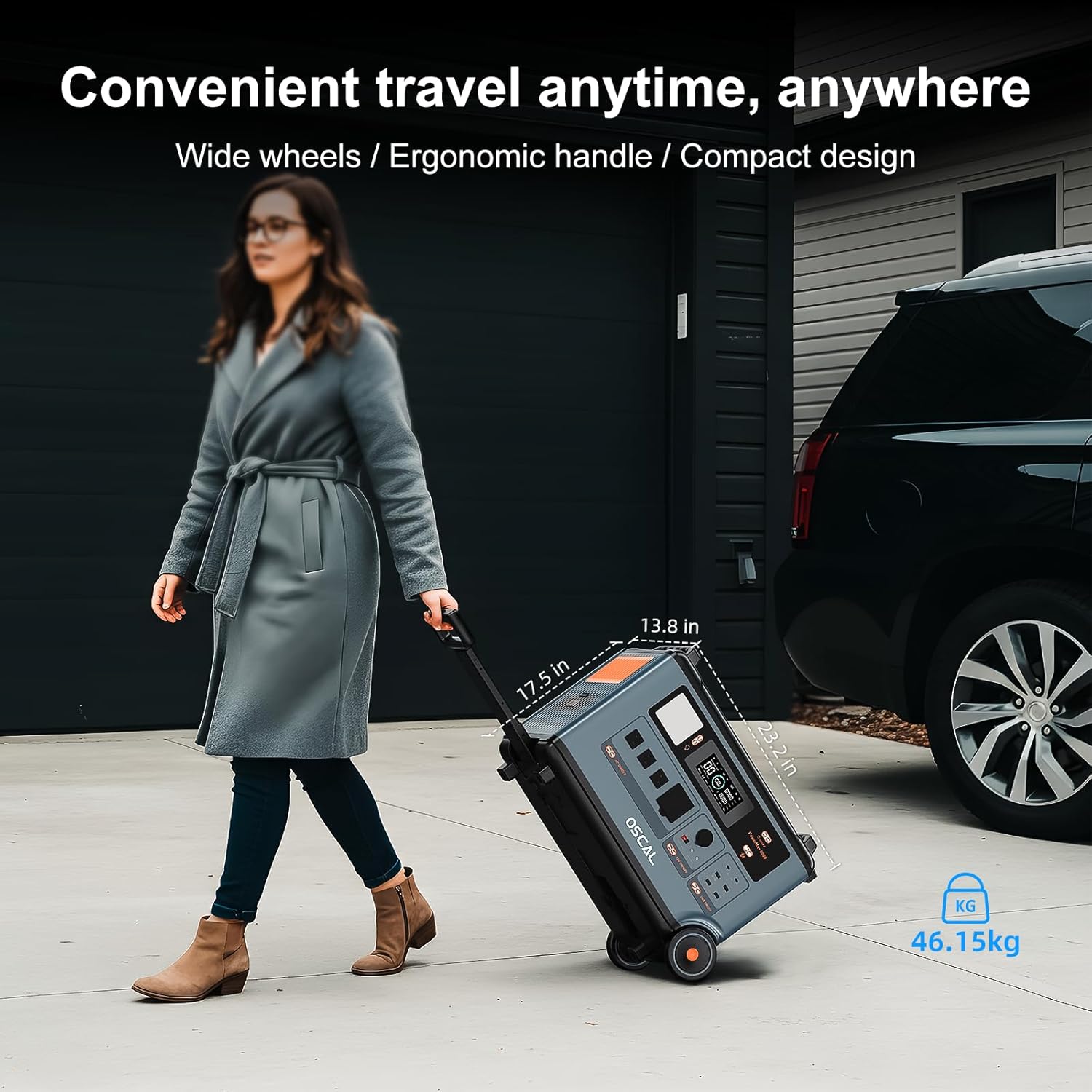
Figure 4.2: Portable Design with Wheels and Handle
5. Setup
5.1. Initial Charging
Before first use, fully charge your PowerMax 6000. You can charge it via AC wall outlet or solar panels.
- AC Charging: Connect the provided AC charging cable to the AC input port on the unit and then to a standard wall outlet. The unit supports 2200W fast charging, reaching 100% in approximately 1.96 hours.
- Solar Charging: Connect compatible solar panels (e.g., OSCAL solar panel 400W, sold separately) to the solar input port using the provided solar charging cable. The unit supports up to 2400W solar input. For fastest charging, combine AC and solar charging to achieve a full charge in about 1.44 hours.

Figure 5.1: 2200W AC High-Speed Charging

Figure 5.2: AC + Solar Panel Charging
5.2. Connecting to the App
Download the OSCAL application on your smartphone to monitor and control your PowerMax 6000 remotely. Follow the in-app instructions for pairing your device.

Figure 5.3: Intelligent Control via Mobile App
6. Operating Instructions
6.1. Turning On/Off
Press and hold the main power button to turn the unit on or off. The display will illuminate, showing battery status and output information.
6.2. Using Output Ports
The PowerMax 6000 offers 14 output ports. Activate the desired output group (AC, DC, USB) using the corresponding buttons on the unit's control panel.
- AC Outlets: Provides 6000W (7200W peak) pure sine wave AC power. Supports 120V/240V dual voltage. Ideal for home appliances, power tools, and other high-wattage devices.
- USB Ports: Includes USB-A and USB-C ports, with USB-C supporting up to 100W max per port. Suitable for charging smartphones, tablets, laptops, and other USB-powered devices.
- DC Ports: Includes Car Charger, DC 5521, and Anderson Output. Use for 12V DC devices.
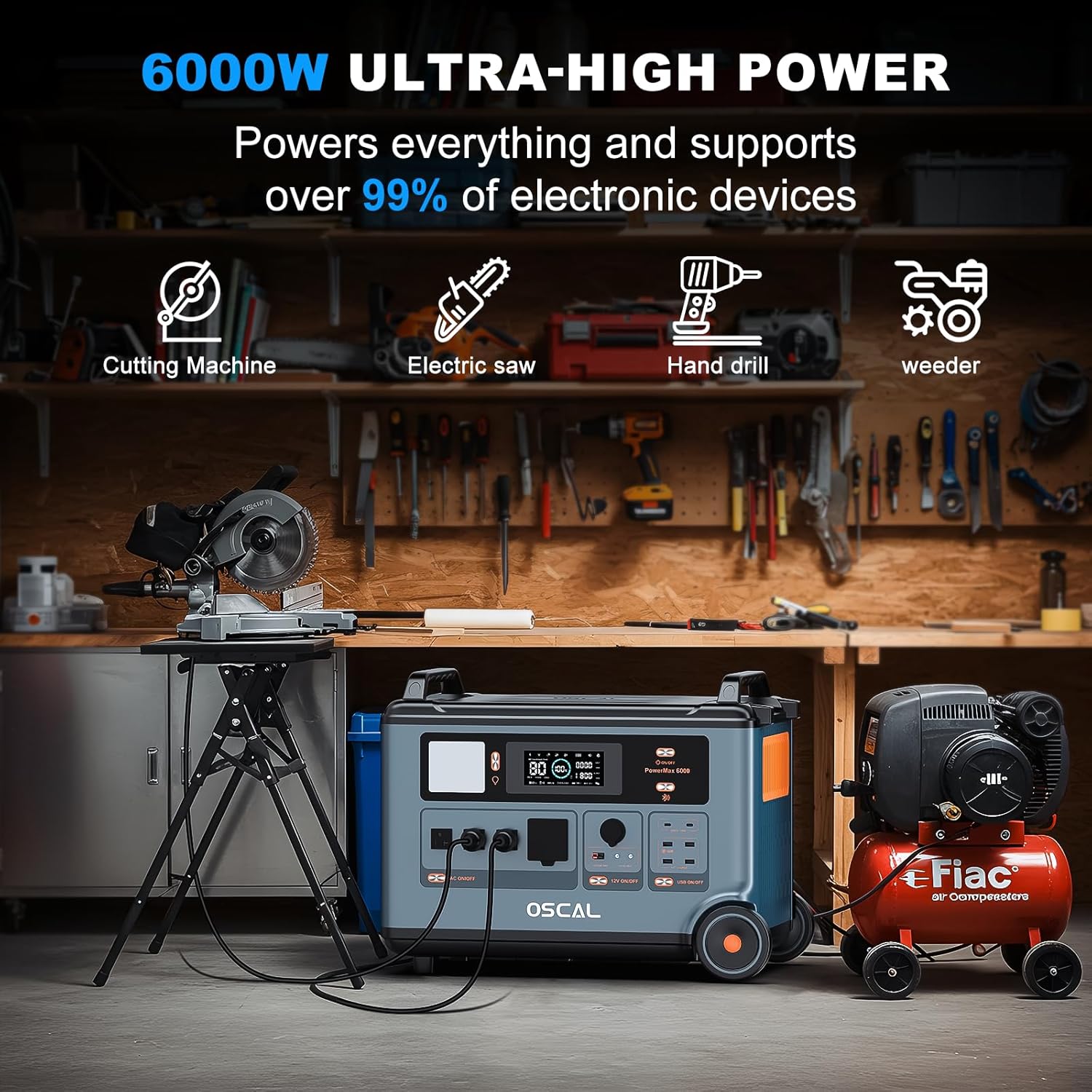
Figure 6.1: 6000W Ultra-High Power Output

Figure 6.2: 120V/240V Dual Voltage Output
6.3. EPS (Emergency Power Supply) Mode
The PowerMax 6000 features an EPS function. When connected to an AC wall outlet and simultaneously powering devices, if the grid power fails, the unit will automatically switch to battery power within 5-8 milliseconds. This ensures uninterrupted power for critical devices like computers, medical equipment (e.g., CPAP machines), and refrigerators.
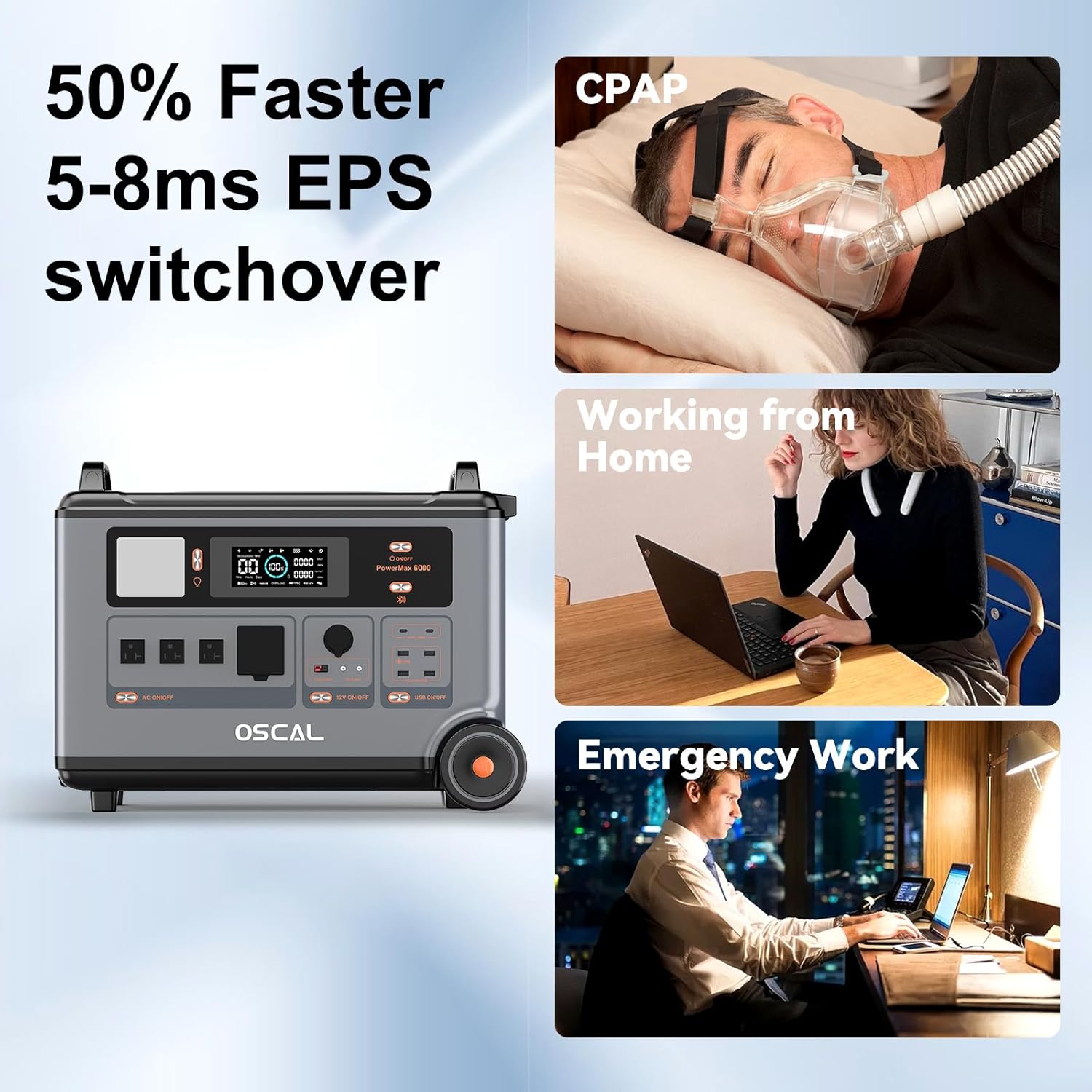
Figure 6.3: EPS Fast Switchover
6.4. Parallel Connection (Expansion)
The PowerMax 6000 can be expanded by connecting additional BP3600 batteries (sold separately) to increase its capacity from 3600Wh up to 57600Wh. This allows for extended power supply, suitable for whole-home backup or prolonged off-grid use. Refer to the BP3600 battery manual for specific parallel connection instructions.

Figure 6.4: Power Supply Supports Parallel Connection Function
7. Maintenance
7.1. Battery Care
The PowerMax 6000 uses a durable LiFePO4 battery, designed for 3500+ charge cycles, providing a service life of up to 25 years. To ensure optimal battery health:
- Avoid fully discharging the battery frequently.
- Recharge the unit at least once every 3-6 months if not in regular use to maintain battery health.
- Store the unit in a cool, dry place away from direct sunlight and extreme temperatures.
7.2. Cleaning
Use a soft, dry cloth to clean the exterior of the unit. Do not use abrasive cleaners or solvents. Ensure all ports are free of dust and debris.
7.3. Storage
When storing the unit for extended periods, ensure it is charged to approximately 50-80% capacity. Store in a well-ventilated area with temperatures between 14°F to 113°F (-10°C to 45°C).
8. Troubleshooting
| Problem | Possible Cause | Solution |
|---|---|---|
| Unit does not turn on | Battery is completely discharged; Power button not pressed long enough. | Charge the unit using the AC charging cable; Press and hold the power button for 3-5 seconds. |
| No output from AC/DC/USB ports | Output group not activated; Overload protection triggered; Cable not properly connected. | Press the corresponding AC/DC/USB button to activate; Reduce the load; Reconnect the cable securely. |
| Unit is overheating | Poor ventilation; Excessive load. | Ensure adequate airflow around the unit; Reduce the number or power of connected devices. |
| Charging is slow | Low input power; High ambient temperature. | Ensure the AC cable is fully plugged in or solar panels are optimally positioned; Move to a cooler environment. |
| App connection issues | Bluetooth/Wi-Fi off; Unit not in pairing mode; App outdated. | Ensure Bluetooth/Wi-Fi is enabled on your phone; Follow app instructions for pairing; Update the app to the latest version. |
9. Specifications
| Feature | Detail |
|---|---|
| Model Name | Powermax 6000 |
| Battery Type | LiFePO4 |
| Capacity | 3600Wh (Expandable to 57.6kWh) |
| AC Output | 6000W (7200W Peak), 120V/240V Dual Voltage |
| Total Power Outlets | 14 |
| AC Charging Input | 2200W (Fast Charging) |
| Solar Charging Input | Max 2400W (12-60V⎓25A) |
| Full Charge Time (AC) | 1.96 hours |
| Full Charge Time (AC + Solar) | 1.44 hours (Max 2400W) |
| EPS Switchover Time | 5-8 ms |
| Cycle Life | 3500+ cycles |
| Dimensions (LxWxH) | 23.2" x 13.8" x 17.5" (59x35x44cm) |
| Item Weight | 97.9 lbs (44.5 kg) |
| Material | ABS, Plastic |
| Special Features | 120/240V Dual Voltage, Fast Charging, Overload Protection, Portable, USB Port, APP Control |
10. Warranty and Support
The OSCAL PowerMax 6000 comes with a 2-year warranty, ensuring your satisfaction and peace of mind. This warranty covers defects in materials and workmanship under normal use.
For technical support, warranty claims, or any questions regarding your PowerMax 6000, please refer to the contact information provided on your warranty card or visit the official ECOGREAT/OSCAL website. You may also consider purchasing additional protection plans for extended coverage, such as the 3-Year or 4-Year Protection Plans available at the time of purchase.