
1. Introduction
This manual provides essential information for the proper installation, operation, and maintenance of your Tapo C400 KIT Outdoor Battery Camera with Solar Panel Base. The Tapo C400 KIT is designed to enhance your home security with its wireless, battery-powered camera and continuous charging solar panel. It features 1080P live view, color night vision, and intelligent person/vehicle detection for reliable monitoring. Please read this manual thoroughly before using the product.
2. Product Overview
2.1 Key Features
- Flexible Installation: Wireless design with a built-in rechargeable battery offering up to 180 days of performance on a single charge.
- Solar Panel Charging: Includes a solar panel for continuous power, reducing the need for frequent manual recharging.
- Intelligent Detection: Free person and vehicle detection with customizable activity zones to minimize false alerts.
- High-Definition Video: Crystal-clear 1080P Full HD live view.
- Color Night Vision: Advanced color night vision technology captures vivid footage in low-light conditions up to 30ft.
- Two-Way Audio & Alarm: Communicate remotely with visitors or deter intruders using the built-in microphone and speaker, along with custom light and sound alarms.
- Versatile Storage: Supports local storage via microSD card (up to 512GB, sold separately) and cloud storage with a Tapo Care subscription.
- Voice Control: Compatible with Amazon Alexa and Google Assistant for convenient control.
- Weatherproof Design: IP65 rating ensures reliable performance in various weather conditions.
2.2 What's in the Box
- Tapo C400 Camera ×1
- Solar Panel Base ×1
- Power Adapter ×1
- Mounting Template ×1
- Mounting Bracket ×1
- Mounting Anchors ×4
- Mounting Screws ×4
- Bracket Screws ×2
- Waterproof Seal ×1
- Waterproof Cable Attachments ×1
- Quick Start Guide ×1
2.3 Product Components

Figure 1: Tapo C400 KIT Outdoor Battery Camera and Solar Panel. This image shows the main camera unit and the accompanying solar panel, highlighting the complete security kit.

Figure 2: Adjustable Solar Panel Angle. The solar panel can be adjusted to a 45-degree angle to ensure optimal sun exposure for continuous charging of the camera battery.

Figure 3: 180 Days Battery Life. An illustration showing the internal battery of the Tapo C400 camera, emphasizing its long-lasting power of up to 180 days on a single charge.

Figure 4: Property Protection. This image displays the camera monitoring different outdoor environments, including a driveway, backyard, and a delivery person at a doorstep, demonstrating its versatile surveillance capabilities.

Figure 5: Year-Round Weather Protection. The camera is shown installed outdoors during a storm, illustrating its IP65 weatherproof design for reliable operation in all weather conditions.
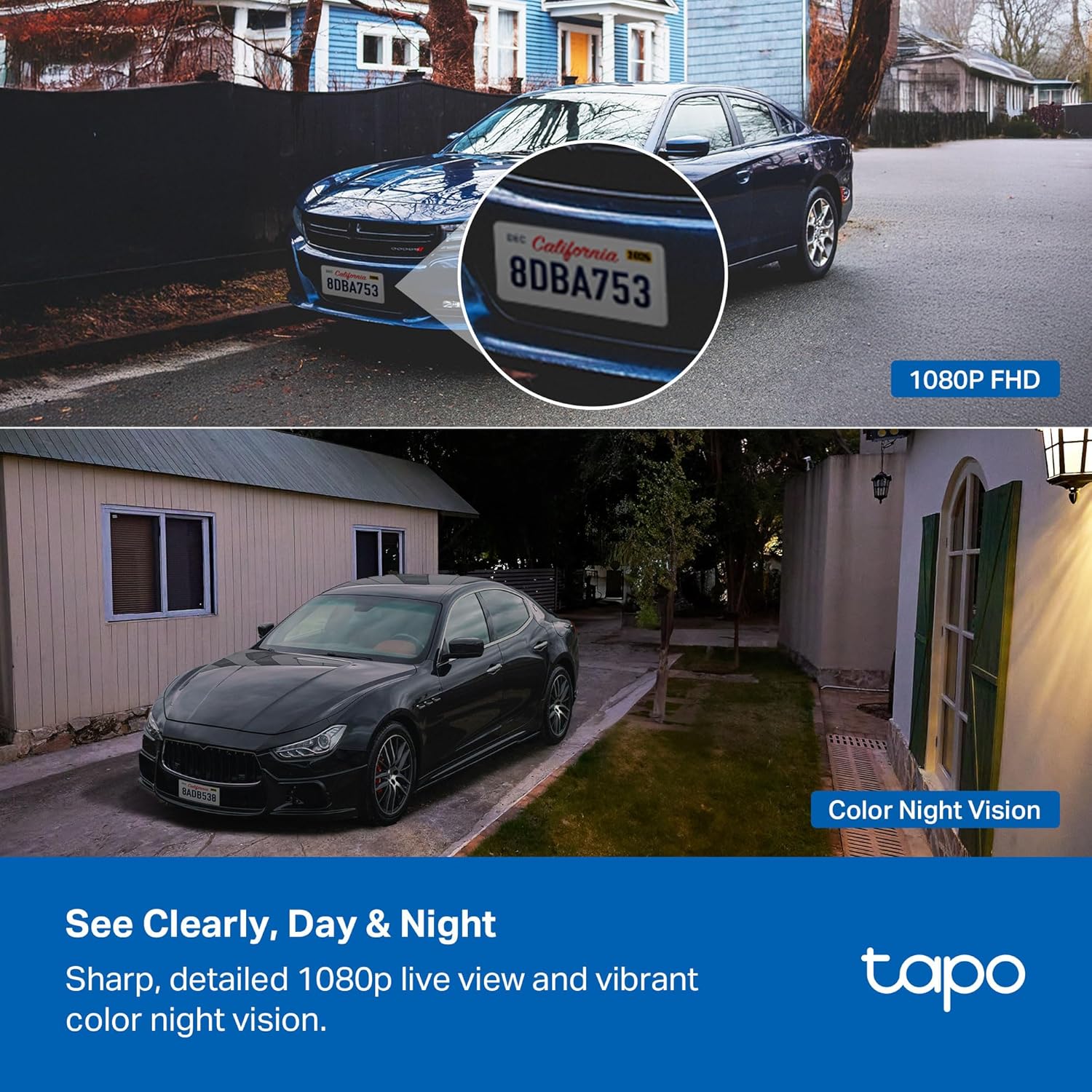
Figure 6: Person Detection. A smartphone screen displays the camera's live view with a person highlighted by the AI-powered detection feature, indicating real-time notifications without subscription fees.

Figure 7: Clear Day & Night Vision. This image demonstrates the camera's ability to provide sharp 1080p live view and vibrant color night vision, even in complete darkness, showing a car in both day and night settings.

Figure 8: Local & Cloud Storage. An illustration of the camera's microSD card slot, indicating support for up to 512GB local storage, alongside various surveillance scenes, and mentioning cloud storage options.
3. Setup Instructions
3.1 Initial Charging
Before first use, fully charge the camera battery using the provided power adapter. This ensures optimal performance and battery life from the start.
3.2 Download the Tapo App
- Download the Tapo app from the App Store or Google Play Store.
- Create a Tapo account or log in if you already have one.
3.3 Camera Pairing
- Follow the in-app instructions to add your Tapo C400 camera.
- Ensure your smartphone is connected to a 2.4 GHz Wi-Fi network during the setup process.
3.4 Mounting the Camera and Solar Panel
Use the provided mounting template, screws, and anchors to securely install the camera and solar panel in your desired outdoor location. Ensure the solar panel is positioned to receive maximum direct sunlight for efficient charging. The solar panel's angle can be adjusted for optimal sun exposure.
4. Operating Instructions
4.1 Live View and Playback
- Open the Tapo app to access the live view of your camera.
- Use the playback feature to review recorded footage stored on your microSD card or Tapo Care cloud.
4.2 Motion Detection and Alerts
- Configure activity zones within the Tapo app to specify areas for motion, person, or vehicle detection.
- Receive real-time notifications on your smartphone when activity is detected in the defined zones.
4.3 Two-Way Audio
Utilize the two-way audio feature in the Tapo app to speak through the camera's speaker and listen through its microphone, allowing for remote communication.
4.4 Voice Control Integration
Integrate your Tapo C400 with Amazon Alexa or Google Assistant for hands-free control. For example, you can ask Alexa to show the camera's live feed on a compatible display.
5. Maintenance
5.1 Battery Management
- Monitor the battery level through the Tapo app.
- Ensure the solar panel is clean and free from obstructions to maximize charging efficiency.
- If the camera is in a location with insufficient sunlight, periodically recharge the battery using the power adapter.
5.2 Cleaning
- Gently wipe the camera lens and solar panel surface with a soft, damp cloth to remove dust and dirt.
- Avoid using harsh chemicals or abrasive materials that could damage the surfaces.
5.3 Firmware Updates
Regularly check for and install firmware updates via the Tapo app to ensure your camera has the latest features and security enhancements.
6. Troubleshooting
6.1 Camera Not Connecting to Wi-Fi
- Ensure your Wi-Fi network is 2.4 GHz. The camera does not support 5 GHz Wi-Fi.
- Check that the camera is within range of your Wi-Fi router.
- Restart your router and the camera, then attempt to reconnect.
6.2 Short Battery Life
- Verify the solar panel is receiving adequate direct sunlight daily.
- Reduce the frequency of motion detection events or live view access, as these consume battery power.
- Ensure the camera's operating temperature is within the recommended range (-4°F to 113°F).
6.3 Motion Detection Not Working
- Check the activity zone settings in the Tapo app to ensure they cover the desired areas.
- Adjust the motion sensitivity settings.
- Ensure there are no obstructions blocking the camera's view.
6.4 Resetting the Camera
If issues persist, you may need to reset the camera to factory settings. Refer to the Quick Start Guide for specific instructions on how to perform a factory reset.
7. Specifications
| Feature | Detail |
|---|---|
| Model Name | Tapo C400 KIT |
| Indoor/Outdoor Usage | Indoor, Outdoor |
| Power Source | Battery Powered (2 Lithium Ion batteries included) |
| Connectivity Protocol | Wi-Fi (2.4 GHz) |
| Video Capture Resolution | 1080p |
| Color | White |
| Mounting Type | Wall Mount |
| Water Resistance Level | Waterproof (IP65) |
| Special Features | 2-Way Audio, HD Resolution, Local Recording, Motion Sensor, Night Vision |
| Storage Options | MicroSD card (up to 512GB, sold separately), Tapo Care cloud service |
| Compatible Devices | Smartphone, Tablet |
| Controller Type | Amazon Alexa, Android, Google Assistant, Tapo App |
| Product Dimensions | 3.19 x 1.89 x 2.3 inches |
| Item Weight | 1.54 pounds |
| Manufacturer | TP-Link |
8. Warranty and Support
8.1 Warranty Information
The Tapo C400 KIT comes with a manufacturer's warranty. Please refer to the warranty card included in your package or visit the official Tapo website for detailed warranty terms and conditions.
8.2 Technical Support
For technical assistance, troubleshooting, or any product-related inquiries, please contact Tapo customer support. You can find support resources, FAQs, and contact information on the official Tapo support website:


