
Veise KS04
Veise Keypad Door Lock with Handle (Model KS04) User Manual
Satin Nickel Finish
Introduction
This manual provides comprehensive instructions for the installation, operation, and maintenance of your Veise Keypad Door Lock with Handle, Model KS04. This electronic lock offers multiple access methods including keypad codes and physical keys, along with features like auto-locking and passage mode for enhanced convenience and security.

Image: The Veise Keypad Door Lock with Handle in Satin Nickel, shown with two physical keys.
Setup and Installation
The Veise Keypad Door Lock is designed for straightforward installation on standard US doors without requiring drilling, typically needing only a screwdriver. Ensure your door meets the following specifications before beginning installation.
Pre-Installation Door Requirements
- Door Thickness: 1-3/8" to 2" (35mm to 50mm)
- Hole Diameter: 2-1/8" (54mm)
- Backset: 2-3/8" or 2-3/4" (60mm or 70mm)
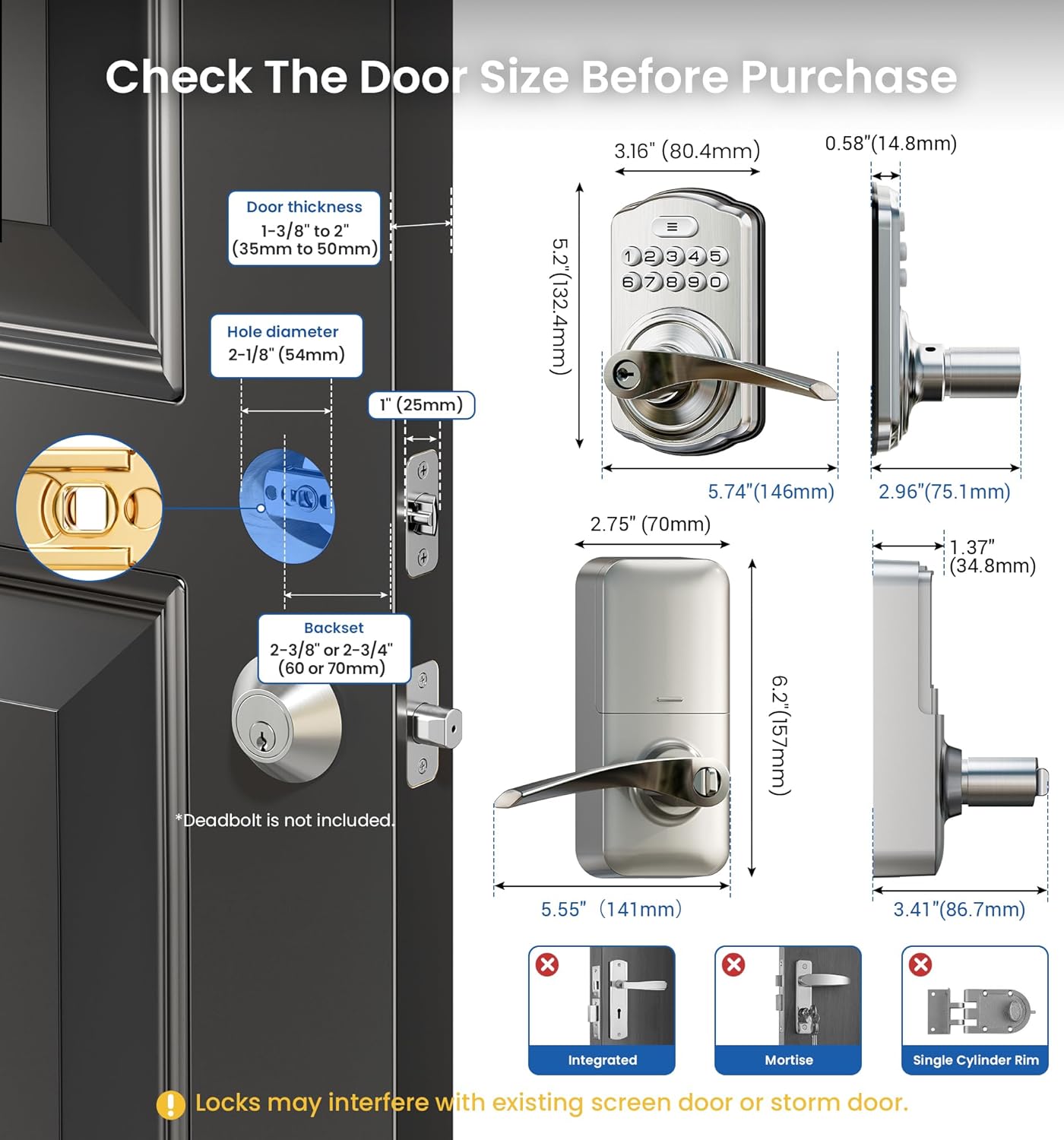
Image: Diagram illustrating required door dimensions and lock component measurements for proper fit.
Door Compatibility
The lock is compatible with both left- and right-handed standard US doors. It can be installed in various configurations:
- Installed on a single hole.
- Installed below an existing deadbolt.
- Installed above an existing deadbolt.
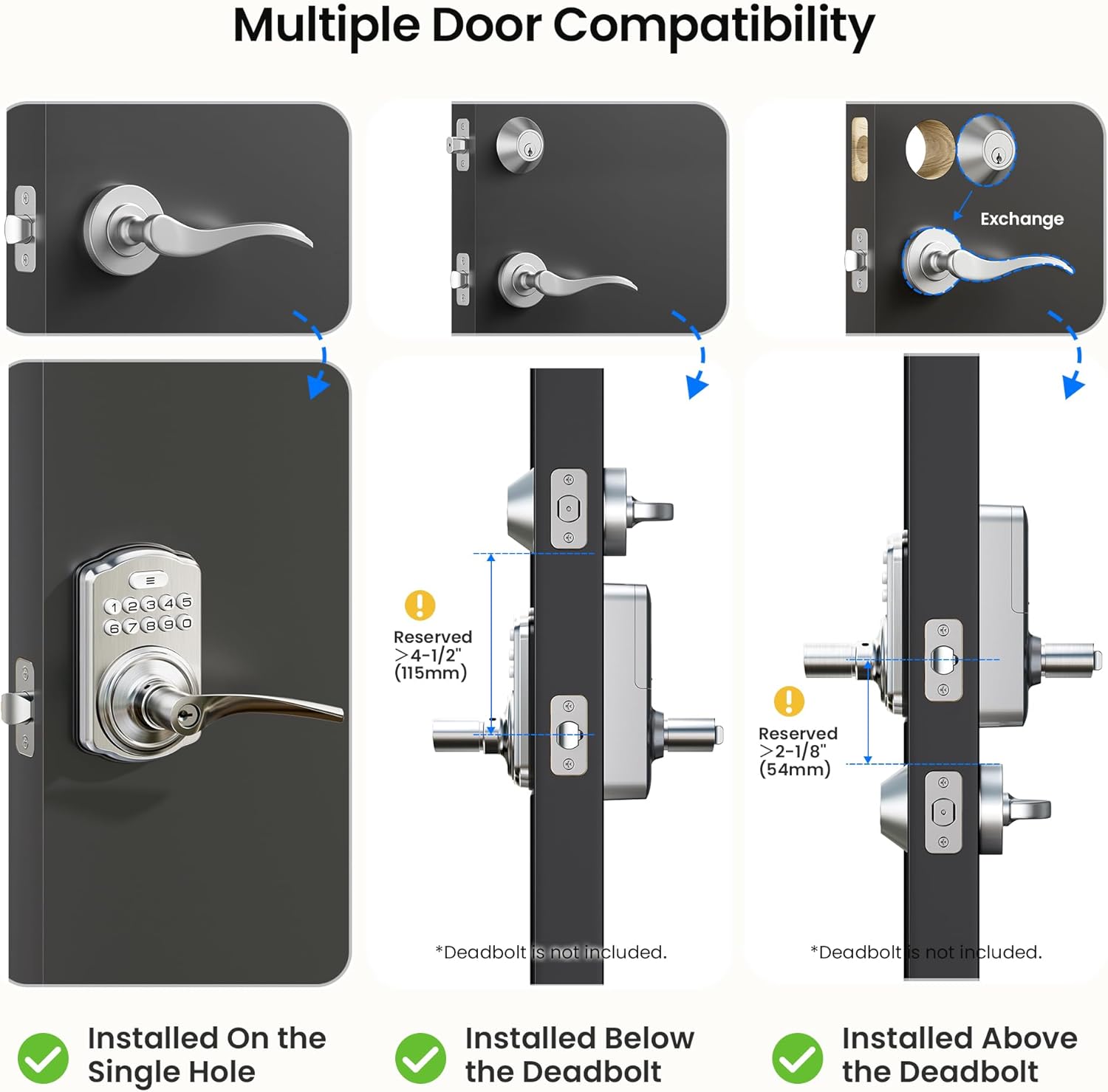
Image: Visual guide demonstrating different installation scenarios for the lock on various door types.
Installation Steps
- Prepare the door by ensuring it meets the specified dimensions.
- Install the latch into the door edge.
- Mount the exterior assembly, ensuring the spindle passes through the latch.
- Install the interior mounting plate.
- Connect the cable and install the interior assembly.
- Secure all components with the provided screws.
- Insert 4 AA batteries (not included) into the interior unit.
- Test the lock's functionality with a default code or physical key.
Refer to the included 'Installation Manual' for detailed, step-by-step visual instructions.
Operating Instructions
The Veise Keypad Door Lock offers multiple ways to access and secure your property.
Keyless Entry Options
- User Codes: Program up to 21 unique user codes for regular access.
- One-Time Codes: Generate temporary codes for visitors or service personnel, which expire after a single use.
- Anti-Peeping Code: Enhance security by entering random digits before or after your actual code to prevent others from guessing your entry sequence.

Image: Illustration of various keyless entry methods including master code, user codes, one-time pin, anti-peeping code, and physical keys.

Image: A person receiving a one-time code for house cleaning services, demonstrating temporary access.
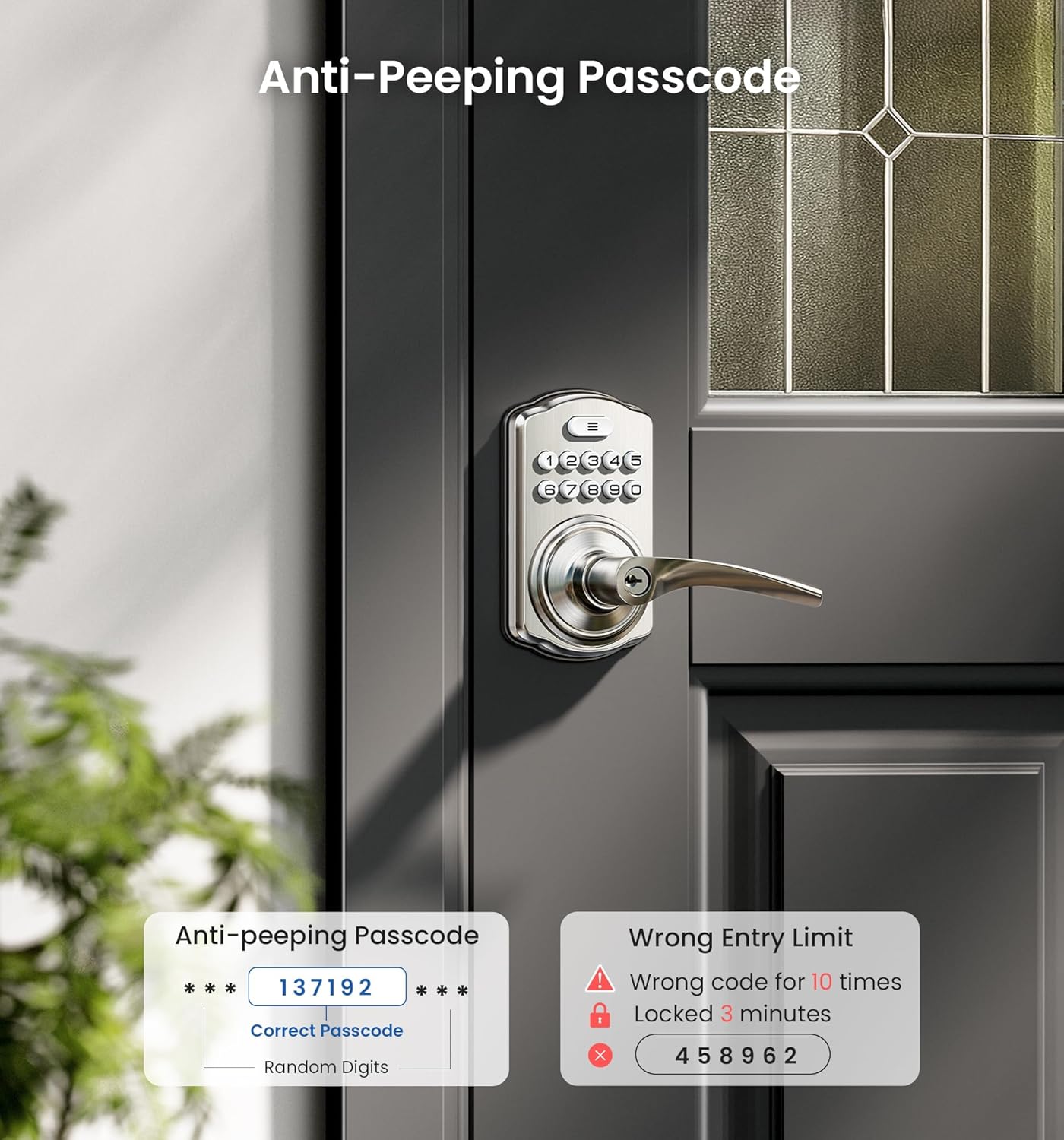
Image: Display showing the anti-peeping passcode feature, where random digits can be added before or after the correct code.
Locking and Unlocking
- Keypad Entry: Enter your programmed code on the keypad, then turn the handle to open the door.
- One-Touch Locking: Press any key on the keypad for 2 seconds to lock the door from the exterior.
- Interior Thumbturn: Use the interior thumbturn for quick locking and unlocking from inside.
- Physical Keys: Two spare physical keys are provided for traditional unlocking.
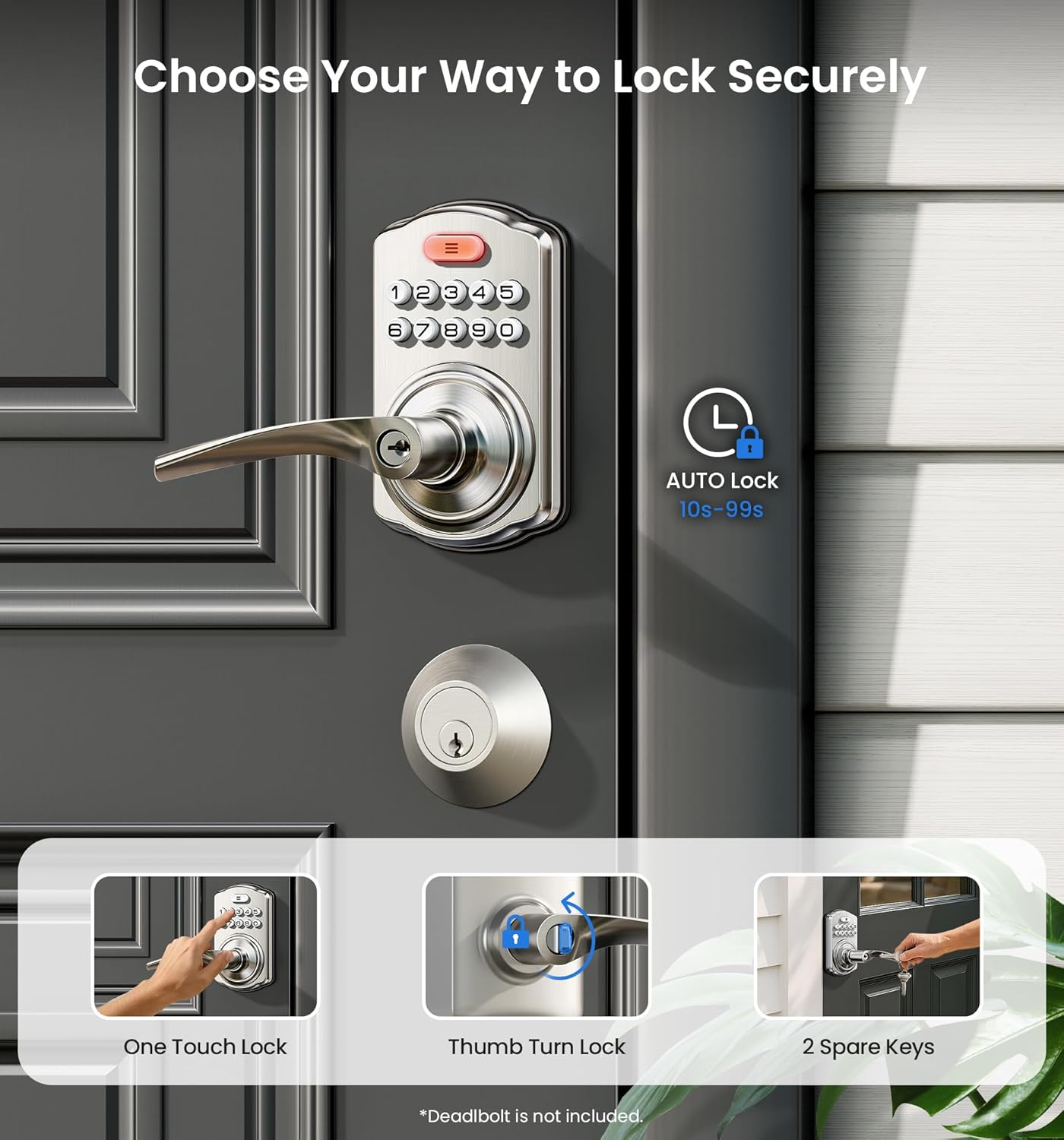
Image: Visual representation of one-touch lock, thumb turn lock, and physical key usage for securing the door.
Auto-Locking Feature
The auto-lock feature can be enabled or disabled through programming. When enabled, the lock will automatically re-lock after a set period (typically 10-99 seconds) once the door is closed. This provides added security and peace of mind.
Passage Mode
To activate Passage Mode, disable the auto-lock feature and turn the interior thumbturn. In this mode, the door remains unlocked, allowing continuous access without needing to enter a code. This is useful for periods when the door needs to be frequently opened, such as during moving or social gatherings.
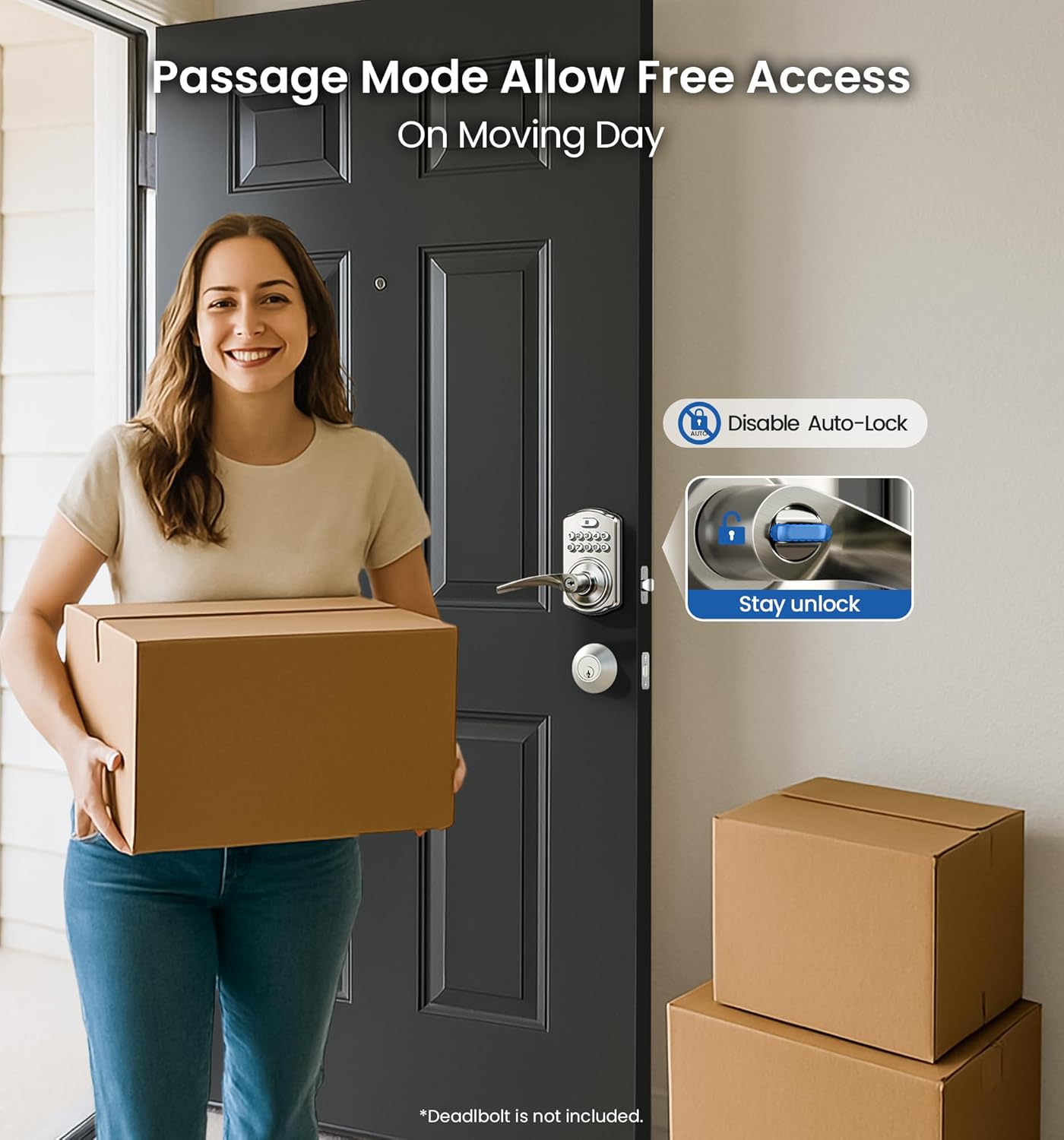
Image: A person carrying boxes, demonstrating the convenience of Passage Mode for free access.
Maintenance
Proper maintenance ensures the longevity and optimal performance of your Veise Keypad Door Lock.
Battery Management
- The lock requires 4 AA alkaline batteries (not included).
- Expect a battery life of 365+ days under normal usage.
- The lock features low-battery alerts to notify you when batteries need replacement. Replace all four batteries simultaneously for best performance.
Cleaning and Care
- Clean the lock's exterior with a soft, damp cloth. Avoid abrasive cleaners or solvents.
- Do not lubricate the lock cylinder with oil-based lubricants; use graphite powder if lubrication is necessary.
Environmental Protection
The lock is built with heavy-duty zinc alloy and has an IP55 rating, providing protection against dust and water splashes. It is designed to withstand various weather conditions.
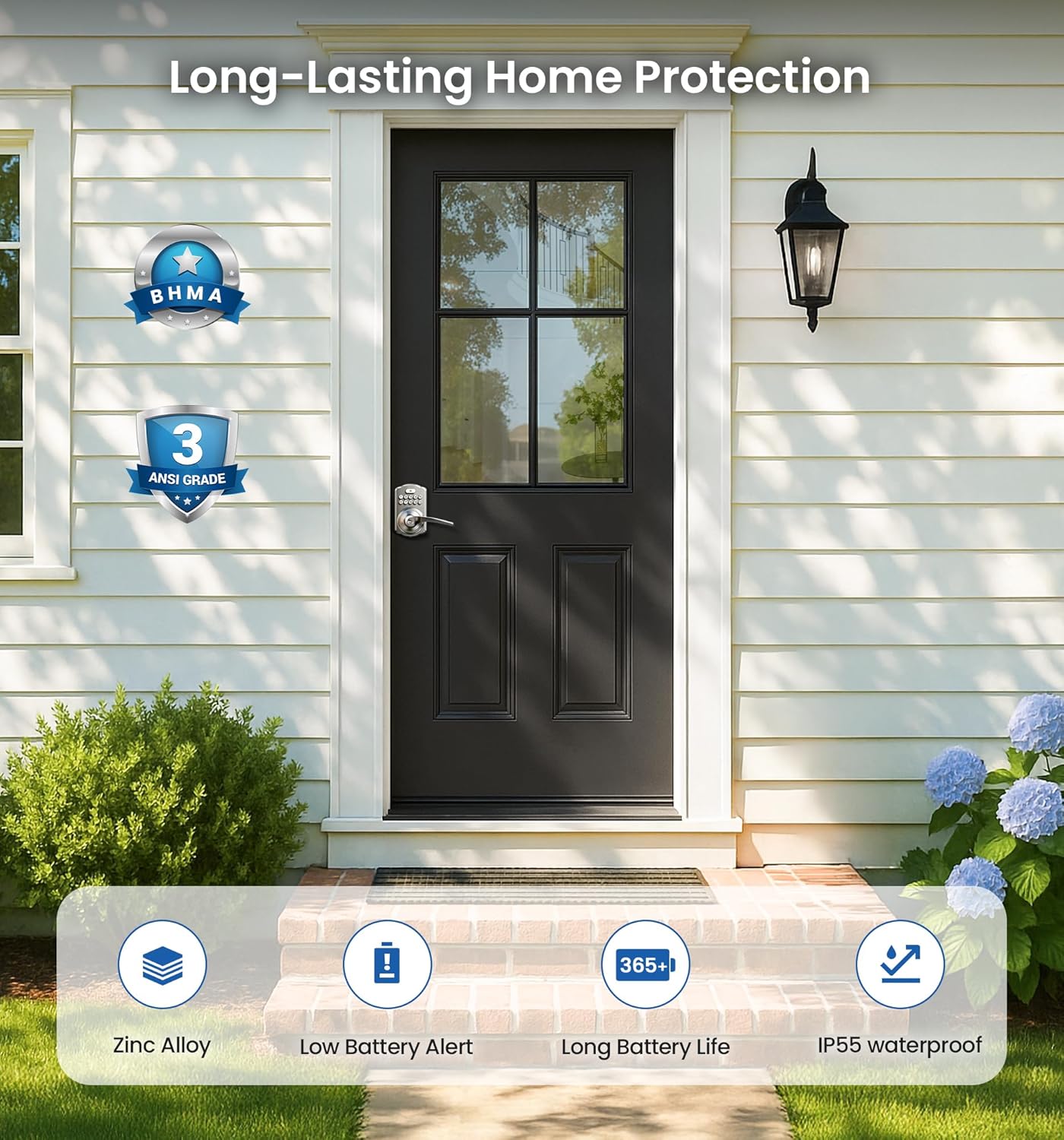
Image: Icons representing Zinc Alloy construction, Low Battery Alert, 365+ Day Battery Life, and IP55 Waterproof rating.
Troubleshooting
If you encounter issues with your Veise Keypad Door Lock, refer to the following common solutions:
- Lock Not Responding: Check battery levels. Replace batteries if low.
- Code Not Working: Ensure the correct code is entered. Try re-programming the code. If multiple incorrect attempts are made, the lock may temporarily disable the keypad. Wait a few minutes before trying again.
- Handle Not Turning: Verify that the lock is not in a jammed state. Ensure all installation screws are properly tightened.
- Auto-Lock Malfunction: Check if Passage Mode is active. Review programming settings for auto-lock duration.
For persistent issues or complex problems, please contact Veise customer support.
Specifications
| Feature | Detail |
|---|---|
| Brand | Veise |
| Model Number | KS04 |
| Lock Type | Keypad |
| Material | High-density Zinc Alloy |
| Finish Type | Satin Nickel |
| Item Dimensions (L x W x H) | 5.55 x 2.75 x 6.2 inches |
| Item Weight | 3.08 pounds (1.4 Kilograms) |
| Power Source | 4 AA Batteries (Alkaline recommended) |
| Special Features | Passage Mode, Auto Lock, One Touch Locking, Interior Thumbturn Locking, Anti-Peeping Code, Keyless Entry, One Time Code, Silent Mode, Backlit Keypad, Low Battery Alert, Left and Right Door Compatible, Easy Installation |
| Included Components | Keypad Door Lock with Handle, Screws, Latch, Strike, Mounting Plate, 2 Keys, Installation Manual, User Manual |
Warranty and Support
Veise is committed to providing reliable products and excellent customer service.
- Warranty: Your Veise Keypad Door Lock is covered by a 1-year warranty from the date of purchase.
- Customer Support: We offer lifetime online support for all our products. Our dedicated U.S.-based service team is available to assist you Monday through Friday, from 9 AM to 5 PM PST. 24/7 email assistance is also available for any post-purchase questions or support needs.
For assistance, please refer to the contact information provided in your product packaging or visit the official Veise website.
Related documentsKS04


Ask a question about this manual
Ask about setup, troubleshooting, compatibility, parts, safety, or missing instructions. Manuals+ will review the question and use this page’s manual context to help answer it.