
1. Introduction
Welcome to the Fastrack Volt S1 Smart Watch user manual. This guide provides detailed instructions on how to set up, operate, and maintain your new smartwatch. Please read this manual thoroughly to ensure proper usage and to maximize your device's potential.
Package Contents
- Fastrack Volt S1 Smart Watch
- Charging Cable
- User Manual (this document)

Image 1.1: Fastrack Volt S1 Smart Watch. This image displays the smartwatch with its vibrant display and silicone strap.
2. Setup
2.1 Charging the Smart Watch
Before first use, fully charge your Fastrack Volt S1 Smart Watch. Connect the provided charging cable to the charging port on the back of the watch and plug the USB end into a standard USB power adapter (not included) or a computer's USB port. The watch display will indicate charging status.
- A full charge typically takes approximately 2 hours.
- Battery life is up to 5 days depending on usage.
2.2 Power On/Off
- To Power On: Press and hold the side button until the Fastrack logo appears.
- To Power Off: Press and hold the side button, then select "Power Off" on the screen.
2.3 Pairing with Your Smartphone
To unlock all features, pair your Fastrack Volt S1 with the Fastrack Smart app on your smartphone.
- Download the "Fastrack Smart" app from your smartphone's app store (available for Android).
- Ensure Bluetooth is enabled on your smartphone.
- Open the Fastrack Smart app and follow the on-screen instructions to create an account or log in.
- Select "Add Device" or similar option within the app and choose your Fastrack Volt S1 from the list of nearby devices.
- Confirm the pairing request on both your watch and smartphone.
Once paired, the watch will synchronize time, date, and other data with your phone.
3. Operating Instructions
3.1 Display and Navigation
The Fastrack Volt S1 features a 1.83" TFT display with 240x284 pixel resolution and 500 Nits brightness for clear visibility. Navigate the watch interface using touch gestures:
- Swipe Up/Down: Scroll through menus and notifications.
- Swipe Left/Right: Access quick widgets or different functions.
- Tap: Select an item or confirm an action.
- Press Side Button: Return to the home screen or access the app menu.
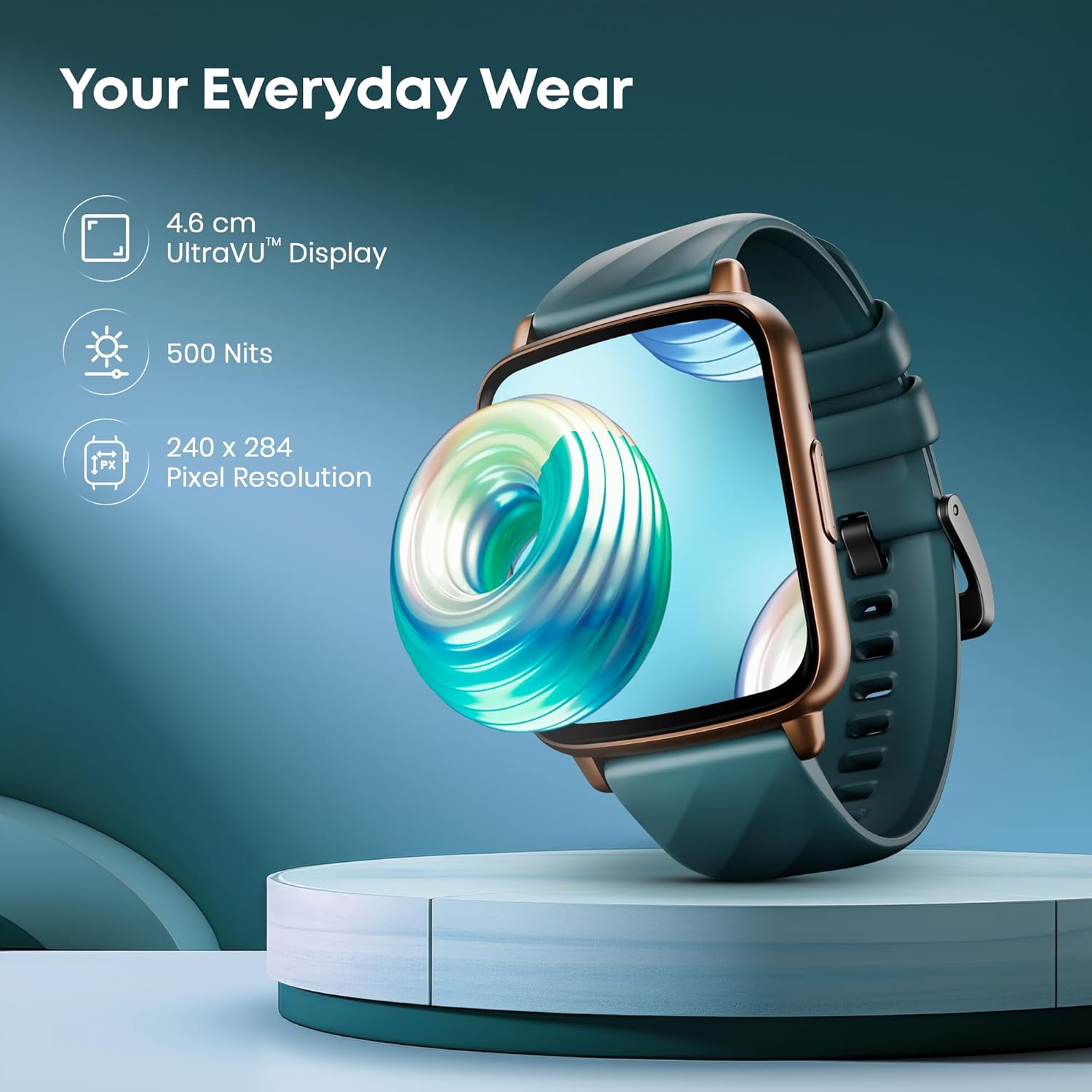
Image 3.1: Fastrack Volt S1 Display. This image highlights the 1.83-inch UltraVU display, 500 Nits brightness, and 240x284 pixel resolution.
3.2 Bluetooth Calling (SingleSync™)
The SingleSync™ Bluetooth Calling feature allows you to make and receive calls directly from your watch.
- Ensure your watch is connected to your smartphone via Bluetooth 5.3v.
- Access the dialer or contacts from the watch menu to initiate a call.
- Incoming calls will display on the watch, allowing you to accept or reject them.
- Quick replies are available for Android users.
- Utilize the integrated AI Voice Assistant for hands-free commands.
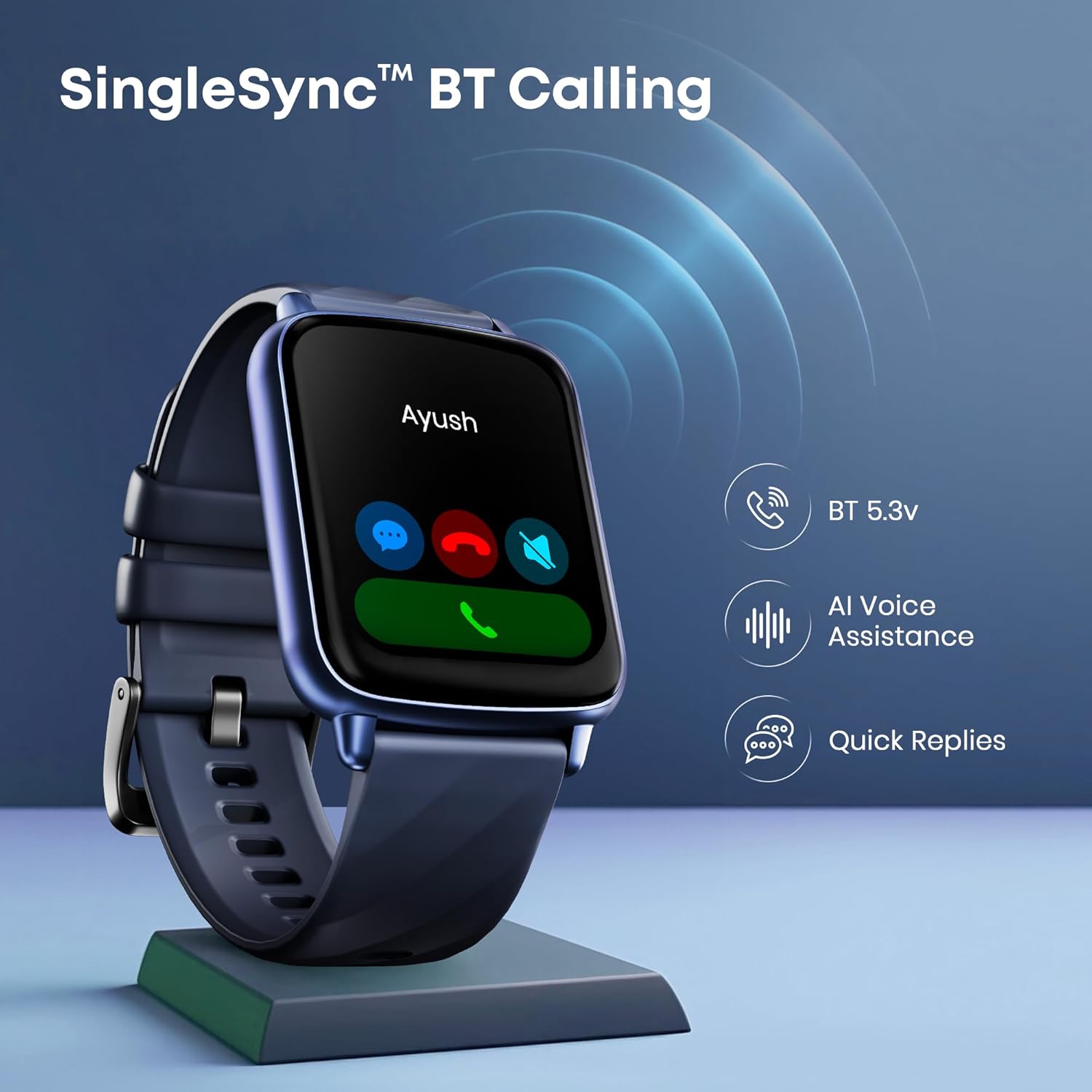
Image 3.2: Fastrack Volt S1 Bluetooth Calling. This image illustrates the Bluetooth calling function, showing an incoming call on the watch screen, along with icons for BT 5.3v, AI Voice Assistance, and Quick Replies.
3.3 Health Monitoring
The Volt S1 provides comprehensive health tracking features:
- Heart Rate: 24x7 heart rate tracking. View real-time data and historical trends in the app.
- SpO2 Monitoring: Measure your blood oxygen saturation levels.
- Sleep Tracking: Monitor sleep patterns, including deep sleep, light sleep, and wake times.
- Stress Monitor: Automatic stress level monitoring.
- Breathing Exercise: Guided breathing exercises to help manage stress.
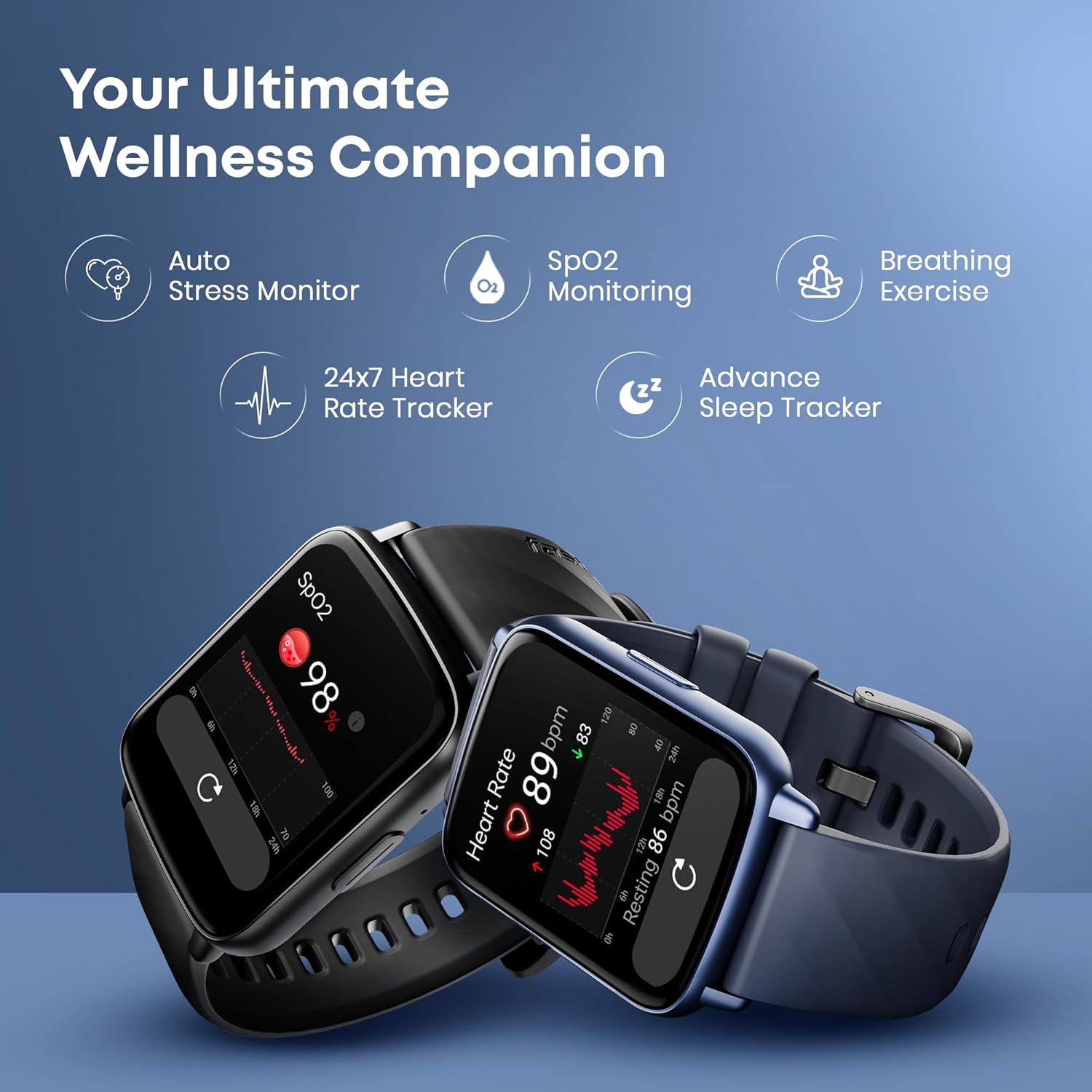
Image 3.3: Fastrack Volt S1 Health Monitoring. This image displays the watch showing heart rate and SpO2 readings, alongside icons representing auto stress monitor, breathing exercise, and advanced sleep tracking.
3.4 Sports Modes and Activity Tracking
Track your workouts with over 100 sports modes and automatic sports recognition.
- Access the "Sports" menu on your watch to select a specific activity.
- The watch can automatically recognize certain sports activities.
- View detailed sports records and performance metrics in the Fastrack Smart app.
- The watch also tracks daily steps, distance, and calories burned.

Image 3.4: Fastrack Volt S1 Sports Modes. This image shows a person running with the smartwatch, surrounded by icons representing various sports activities, indicating over 100 sports modes and auto sports recognition.
3.5 Smart Features
- Notifications: Receive alerts for calls, messages, and app notifications directly on your wrist.
- Music Control: Control music playback on your smartphone (play, pause, skip tracks).
- Camera Control: Use your watch as a remote shutter for your smartphone camera.
- AI Voice Assistant: Interact with your watch using voice commands.
- Calculator: A built-in calculator for quick computations.
- Built-in Games: Enjoy simple games directly on your watch.
- SOS Calling: A feature for emergency situations (requires setup in the app).
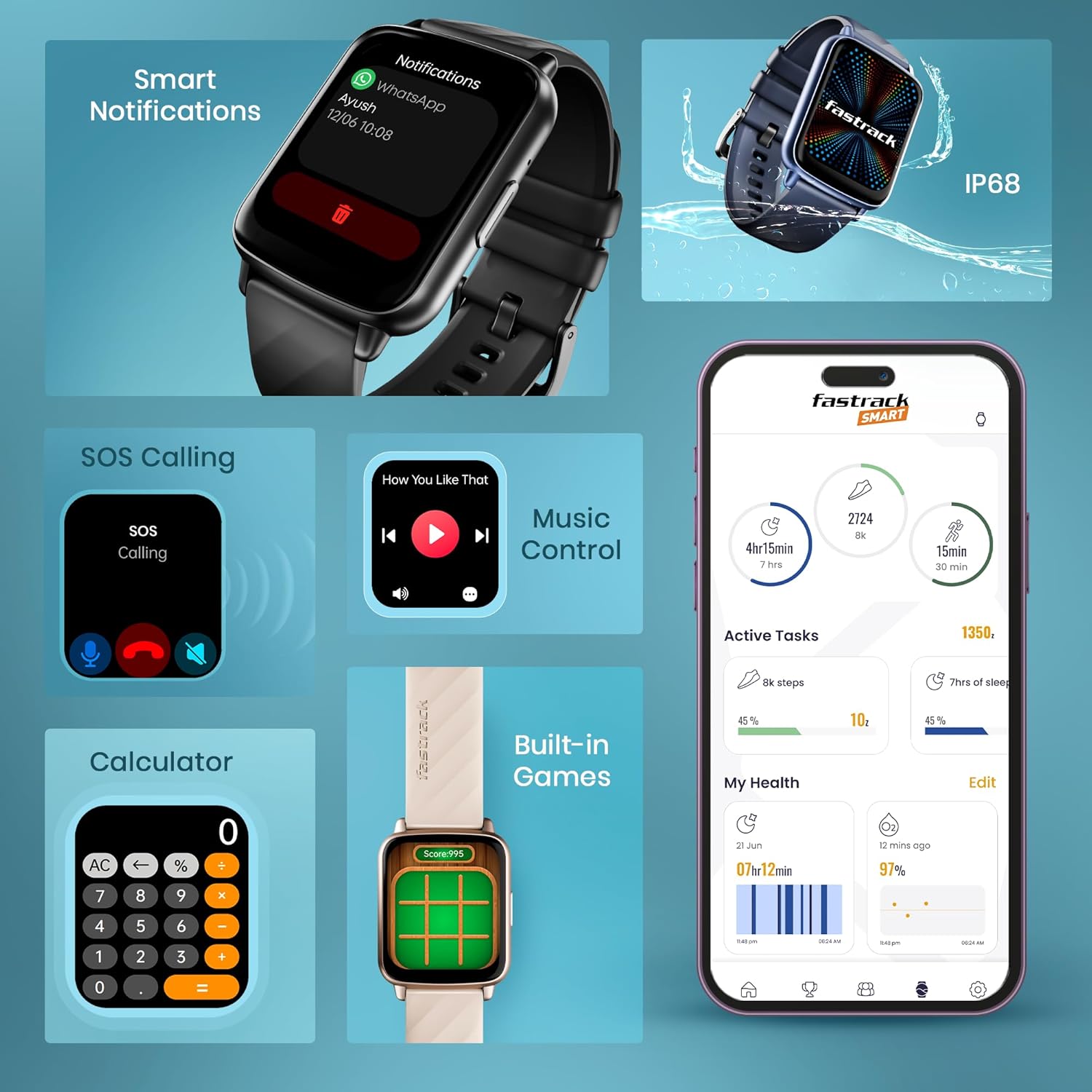
Image 3.5: Fastrack Volt S1 Smart Features. This collage image displays various smart features including notifications, SOS calling, music control, built-in games, calculator, active tasks, and health overview, along with an IP68 rating icon.
3.6 Watch Faces
Personalize your watch with over 100 watch faces available through the Fastrack Smart app.
- Long-press the watch screen to quickly change watch faces.
- Open the Fastrack Smart app to browse and download additional watch faces.

Image 3.6: Fastrack Volt S1 Watch Faces. This image showcases a variety of watch faces, demonstrating the customization options available for the device.
4. Maintenance
4.1 Cleaning Your Smart Watch
- Wipe the watch screen and strap with a soft, lint-free cloth.
- If necessary, dampen the cloth slightly with water. Avoid using harsh chemicals or abrasive materials.
- Ensure the charging contacts on the back of the watch are clean and dry for optimal charging.
4.2 Water Resistance (IP68)
The Fastrack Volt S1 is rated IP68 for water and dust resistance. This means it is protected against immersion in water up to 1.5 meters for up to 30 minutes. It is suitable for daily use and can withstand splashes, rain, and brief immersion.
Important:
- Do not use the watch in hot water, saunas, or steam rooms.
- Avoid pressing buttons underwater.
- Water resistance is not a permanent condition and may decrease over time with normal wear.
4.3 Battery Care
- Avoid fully discharging the battery frequently.
- Charge the watch regularly, even if not in use for extended periods.
- Store the watch in a cool, dry place when not in use.
5. Troubleshooting
| Issue | Possible Solution |
|---|---|
| Watch does not power on. | Ensure the watch is fully charged. Connect to the charging cable for at least 30 minutes. |
| Cannot pair with smartphone. |
|
| Inaccurate health data (HR, SpO2). |
|
| Notifications not received. |
|
| Short battery life. |
|
6. Specifications
| Feature | Detail |
|---|---|
| Brand | Fastrack |
| Model Name | Volt S1 |
| Model Number | 38136PP04K |
| Display Size | 1.83 Inches |
| Display Type | LCD (TFT) |
| Resolution | 240*284 Pixels |
| Brightness | 500 Nits |
| Connectivity | Bluetooth 5.3v (SingleSync™ BT Calling) |
| Battery Life | Up to 5 Days (Average Use) |
| Water Resistance | IP68 |
| Health Monitoring | Heart Rate, SpO2, Sleep, Stress, Breathing Exercise |
| Sports Modes | 100+ with Auto Recognition |
| Other Features | AI Voice Assistant, Calculator, Built-In Games, Music Control, Camera Control, Quick Replies (Android), Smart Notifications, SOS Calling |
| Compatible Devices | Smartphone (Android) |
| Item Weight | 42 g |
| Included Accessories | Charging Cable |
7. Warranty and Support
For warranty information and customer support, please refer to the official Fastrack website or contact their customer service. Keep your purchase receipt as proof of purchase for warranty claims.
Manufacturer: Titan Company Limited
Country of Origin: India
For further assistance, visit the Fastrack Store on Amazon.
8. Safety Information
- Do not attempt to disassemble or modify the watch.
- Keep the watch away from extreme temperatures and direct sunlight.
- Avoid exposing the watch to strong magnetic fields.
- This device is not a medical device. Health data is for reference only and should not be used for medical diagnosis or treatment.
- Dispose of the watch and its battery responsibly according to local regulations.


