
1. Introduction
The Alomejor Electric LCD Cycling Meter is designed to provide clear, high-definition cycling data for electric bikes and scooters. It features an inductive control panel with two NFC cards for convenient power management. Constructed with durable ABS housing, this display panel is weatherproof, operating effectively in temperatures ranging from -20°C to 60°C, and is resistant to daily water exposure (not suitable for immersion). Its universal design ensures compatibility with most handlebars, making installation straightforward.
This manual provides detailed instructions for the proper installation, operation, and maintenance of your Alomejor Electric LCD Cycling Meter. Please read it thoroughly before use to ensure optimal performance and longevity of the device.
2. Package Contents
Please verify that all items listed below are included in your package:
- 1 x Electric LCD Meter
- 2 x NFC Cards
- 1 x User Manual (this document)
3. Key Features
- Enhanced Riding Experience: Vibrant, high-definition LCD screen for clear cycling data.
- NFC Card Control: Two NFC cards for easy and secure power control.
- Weatherproof Design: Durable ABS housing, operational between -20°C to 60°C, with daily water resistance.
- Universal Fit: Designed with a universal stem diameter for compatibility with most electric bike and scooter handlebars.
- Efficient and Intuitive Operation: Inductive technology and NFC functionality for simple power on/off.
- Secure Connectivity: Equipped with a robust connector for stable performance in various weather conditions.
4. Setup and Installation
The Alomejor Electric LCD Cycling Meter is designed for easy installation on most electric bikes and scooters.
4.1 Mounting the Display
The display unit features a universal stem diameter clamp, allowing it to be securely attached to most standard handlebars. Position the display for optimal visibility while riding. Ensure the mounting screws are tightened firmly but do not overtighten.

Image: The Alomejor Electric LCD Cycling Meter shown mounted on a handlebar, demonstrating its universal compatibility with various electric bikes and scooters.
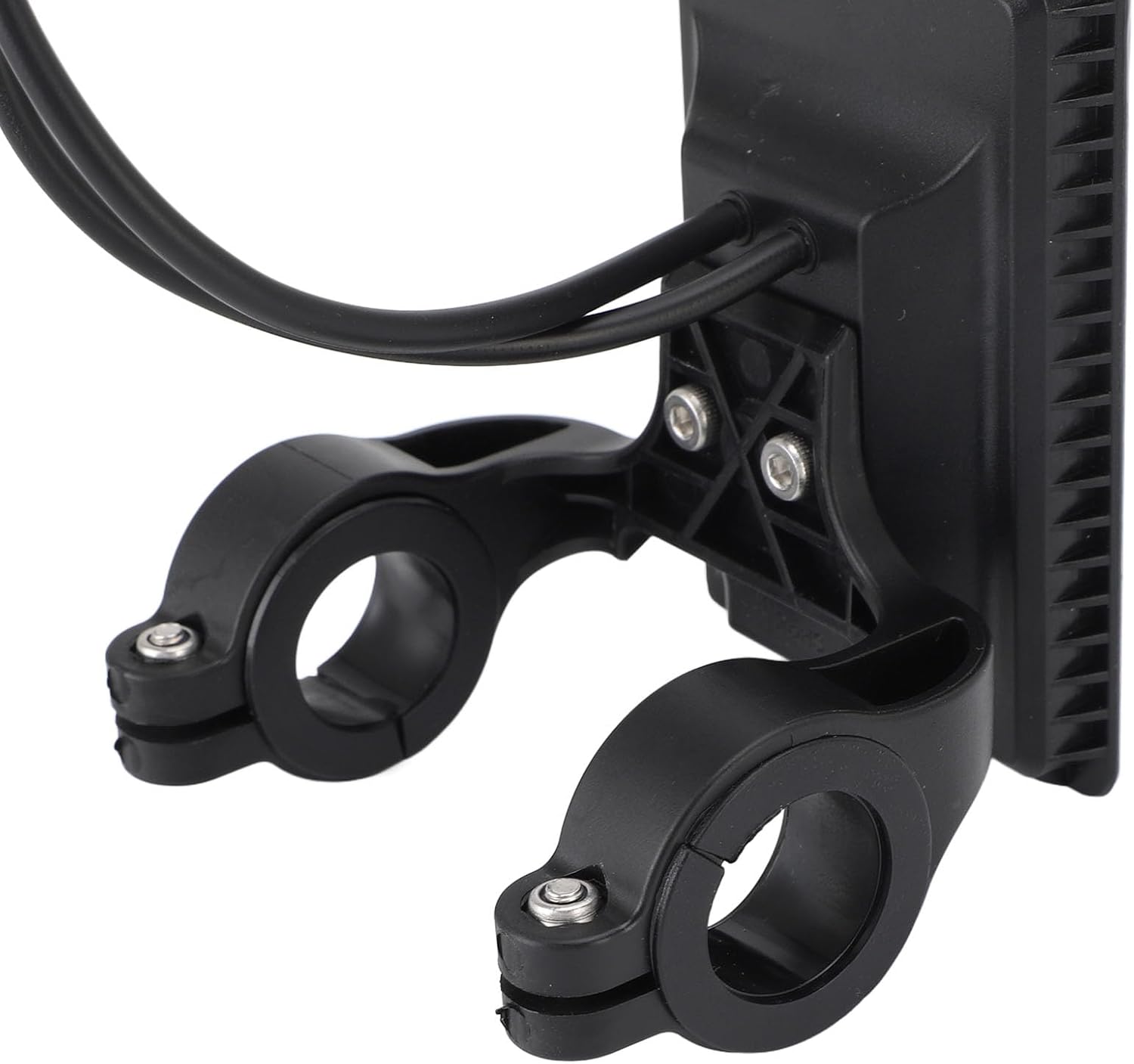
Image: A detailed view of the mounting bracket on the back of the Alomejor Electric LCD Cycling Meter, showing the clamps for handlebar attachment.
4.2 Connecting the Meter
Connect the meter's cable to the corresponding port on your electric bike or scooter. The meter is equipped with a secure connector to ensure stable performance.
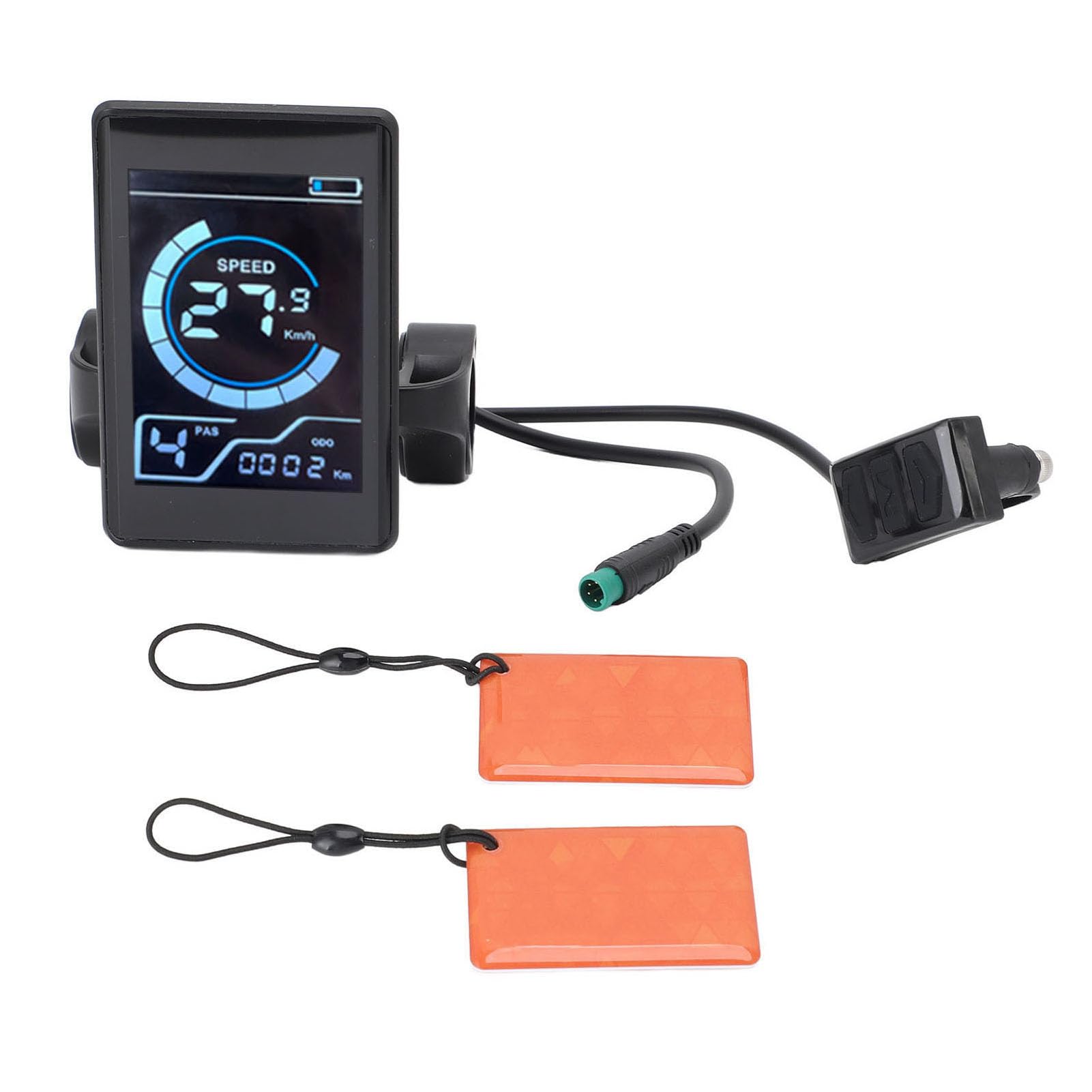
Image: The Alomejor Electric LCD Cycling Meter, showing the display unit, control buttons, and the green-tipped connector cable.
5. Operating Instructions
5.1 Powering On/Off with NFC Cards
The Alomejor Electric LCD Cycling Meter utilizes NFC (Near Field Communication) technology for convenient power control. To power on or off the device, simply bring one of the provided NFC cards close to the inductive area on the display panel. The inductive technology will detect the card and toggle the power state.

Image: A hand demonstrating the use of an NFC card to interact with the Alomejor Electric LCD Cycling Meter for power control.

Image: The Alomejor Electric LCD Cycling Meter with text overlay explaining its NFC function for inductive power on/off.
5.2 Display Information
The LCD screen provides clear, real-time cycling data. Key information displayed includes:
- Speed: Current riding speed (e.g., 27.9 Km/h).
- PAS Level: Pedal Assist System level (e.g., '4').
- ODO: Odometer, total distance traveled (e.g., 0002 Km).
- Battery Indicator: Shows remaining battery charge.

Image: The Alomejor Electric LCD Cycling Meter showing its clear LCD display with speed, pedal assist level, odometer, and battery indicator.
5.3 Control Buttons
The meter includes control buttons, typically located on a separate unit, to navigate through display modes or adjust settings. Refer to the specific instructions provided with your electric bike or scooter for detailed functionality of these buttons, as their operation may vary depending on the integrated system.

Image: The Alomejor Electric LCD Cycling Meter, showing the main display unit and the separate control button unit connected by a cable.
5.4 Product Video Overview
Video: An official product video from the seller, "Mon-K", providing an overview of the Electric Cycling Meter Inductive LCD Display Control Panel. This video demonstrates the product's features and general appearance.
6. Maintenance
6.1 Cleaning
To clean the display, use a soft, damp cloth. Avoid using abrasive cleaners or solvents, as these can damage the screen or housing.
6.2 Water Resistance
The meter features an ABS housing that provides daily water resistance, making it suitable for use in various weather conditions. Important: The device is not designed to be immersed in water. Avoid submerging the meter to prevent damage.

Image: The Alomejor Electric LCD Cycling Meter, highlighting its durable ABS housing and mentioning its daily water resistance.
7. Troubleshooting
If you encounter any issues with your Alomejor Electric LCD Cycling Meter, please consider the following:
- No Power: Ensure the meter is correctly connected to your bike/scooter's power system. Try using an NFC card to power it on again.
- Incorrect Readings: Verify that all connections are secure. If issues persist, consult your bike/scooter's manual for compatibility or contact support.
- Display Not Responding: Check for any physical damage. If none, try powering off and on using the NFC card.
For further assistance, please refer to the Warranty and Support section.
8. Specifications
| Feature | Detail |
|---|---|
| Model Name | Alomejorsxmwh674g2 |
| Product Material | ABS |
| Operating Temperature | -20°C to 60°C |
| Water Resistance | Daily water proof (not for immersion) |
| Package Dimensions | 4.33 x 3.94 x 3.54 inches |
| Package Weight | 190 Grams |
| Brand | Alomejor |
| ASIN | B0F5HN4P4Z |
9. Warranty and Support
9.1 Manufacturer's Warranty
This Alomejor Electric LCD Cycling Meter is covered by a manufacturer's warranty for 90 days from the date of purchase. This warranty covers defects in materials and workmanship under normal use. It does not cover damage caused by misuse, accidents, unauthorized modifications, or improper installation.
9.2 Customer Support
For technical support, warranty claims, or any questions regarding your product, please contact Alomejor customer service through the retailer where the product was purchased. Please have your model number (Alomejorsxmwh674g2) and proof of purchase ready when contacting support.