
Introduction
Thank you for choosing the eMjollRay 120cm Bike Lock with 110dB Alarm. This high-security chain lock is designed to protect your bicycle, electric scooter, motorcycle, and other valuables with its robust construction and integrated alarm system. This manual provides detailed instructions for proper setup, operation, and maintenance to ensure optimal performance and longevity of your lock.
Product Components
The eMjollRay bike lock package includes the following items:
- 1x eMjollRay Bike Lock with Integrated Alarm Unit
- 2x Remote Controls
- 3x Keys
- 1x USB-C Charging Cable
- 1x Silicone Protective Cover (for alarm unit)
- 1x Carrying Bag

Image: All components included with the eMjollRay bike lock, including the chain lock, alarm unit, remote controls, keys, USB-C cable, and carrying bag.
Setup
1. Initial Charging
Before first use, ensure the alarm unit is fully charged. The alarm unit has a built-in 700mAh rechargeable battery.
- Locate the USB-C charging port on the alarm unit.
- Connect the provided USB-C cable to the alarm unit and a suitable USB power source (e.g., wall adapter, power bank, computer USB port).
- The charging indicator light will illuminate. Once fully charged, the light may change color or turn off, depending on the unit's design.
- A full charge typically provides 1-2 months of standby use.

Image: The alarm unit connected to a power bank via a USB-C cable for charging. Ensure the unit is fully charged before initial use.
2. Attaching the Silicone Protective Cover
For added durability and weather resistance, place the silicone protective cover over the alarm unit.
- Carefully slide the silicone cover onto the alarm unit, ensuring all ports and buttons are accessible or properly covered as intended by the design.
Operating Instructions
1. Locking and Arming the Alarm
- Wrap the 120cm chain around your bicycle/scooter and a secure fixed object.
- Insert the lock pin into the alarm unit's locking mechanism.
- Turn the key to lock the chain. The alarm will automatically arm after a short delay, indicated by a beep.
- Alternatively, you can use the remote control: Press the Lock button on the remote to arm the alarm.

Image: Illustration of the alarm system detecting movement and the remote control with its five buttons: Lock, Unlock, Sensitivity, Volume, and Light.
2. Disarming and Unlocking
- To disarm the alarm, press the Unlock button on the remote control.
- To unlock the chain, insert the key into the lock cylinder and turn it.
3. Adjusting Alarm Settings (via Remote Control)
The remote control allows you to customize the alarm's volume and sensitivity.
- Volume Adjustment: Press the Volume button to cycle through three available volume levels.
- Sensitivity Adjustment: Press the Sensitivity button to cycle through two sensitivity levels. A higher sensitivity setting will trigger the alarm with less movement.
- Light Button: The Light button may activate a light feature on the remote or alarm unit, if present.
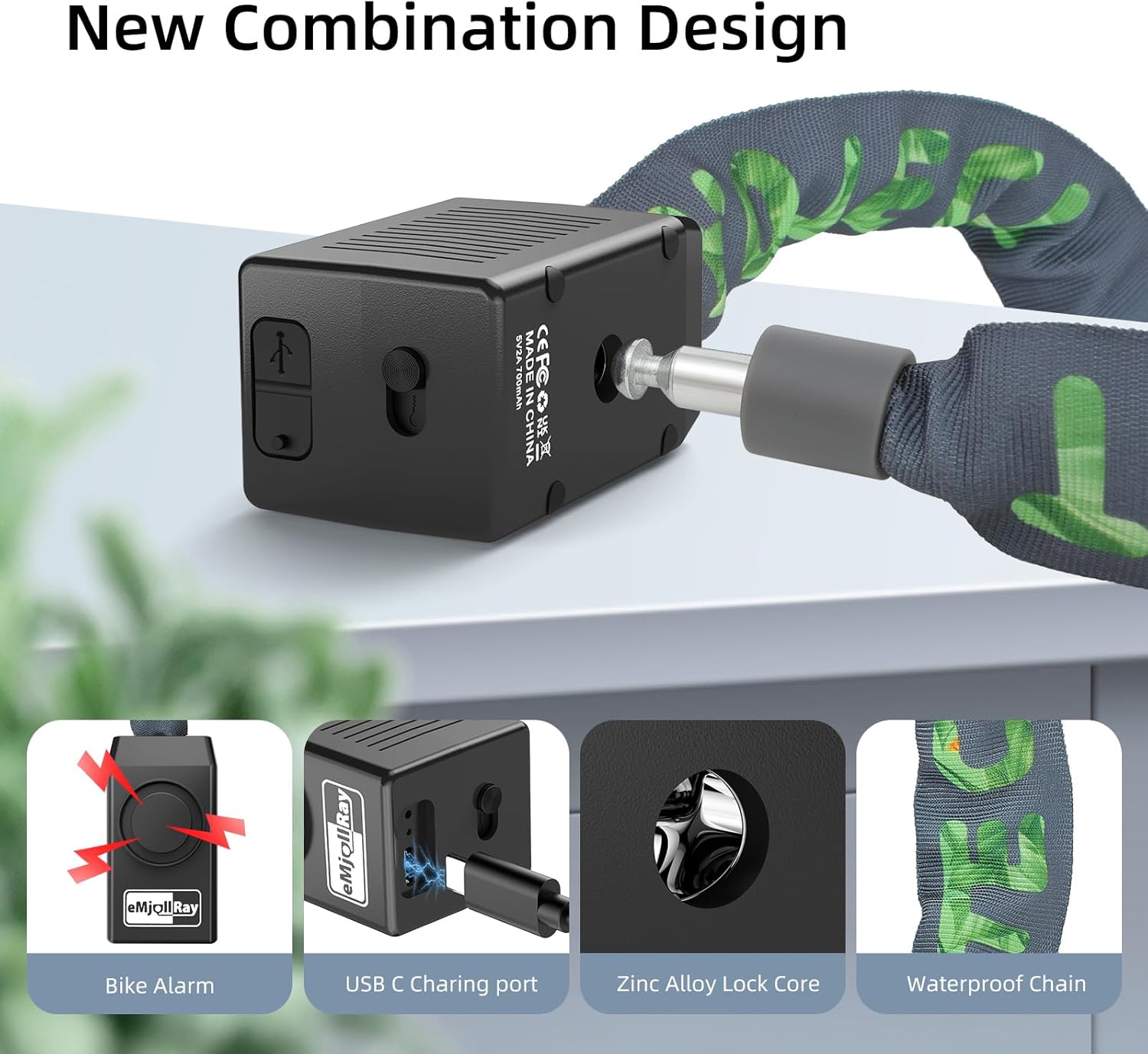
Image: Close-up of the alarm unit showing the USB-C charging port, zinc alloy lock core, and the waterproof chain design.
Maintenance
1. Lock Cylinder Maintenance
To ensure smooth operation and prevent seizing, lubricate the lock cylinder periodically.
- Apply a small amount of oil or butter to the lock cylinder every 2-3 months.
- After application, insert the key and turn it 2-3 times to distribute the lubricant evenly.

Image: Demonstrates applying lubricant (oil or butter) to the lock cylinder and turning the key for proper distribution.
2. Battery Maintenance
- Recharge the alarm unit when the battery is low. A low battery may be indicated by a specific sound or light pattern.
- Use the provided USB-C cable for charging.
- Avoid fully depleting the battery frequently to prolong its lifespan.
Troubleshooting
| Problem | Possible Cause | Solution |
|---|---|---|
| Alarm not arming/disarming with remote. | Remote battery low or out of range. | Replace remote battery (if applicable) or move closer to the alarm unit. Ensure the alarm unit is charged. |
| Alarm triggers too easily or not at all. | Sensitivity setting is too high or too low. | Adjust the sensitivity level using the remote control. |
| Lock mechanism is stiff or difficult to turn. | Lack of lubrication or debris in the cylinder. | Apply lubricant (oil or butter) to the lock cylinder and turn the key several times. Clean any visible debris. |
| Alarm unit not charging. | Faulty cable, power source, or unit. | Try a different USB-C cable or power source. Contact customer support if the issue persists. |
Specifications
- Model Number: TS-BJQ03
- Chain Length: 120 cm (approximately 47.2 inches)
- Chain Thickness: 8 mm
- Chain Material: A3 Hardened Steel Alloy
- Alarm Volume: 110 dB
- Battery Capacity: 700 mAh Lithium-polymer (included)
- Charging Port: USB-C
- Control Method: Remote Control, Key
- Special Features: Alarm, Adjustable Volume (3 levels), Adjustable Sensitivity (2 levels), Waterproof Chain, Zinc Alloy Lock Core
- Product Dimensions (L x W x H): 12.7 x 5 x 2.5 cm (alarm unit)
- Item Weight: 900 Grams
- Recommended Uses: Security for bicycles, electric scooters, motorcycles, gates, windows, fences, and more.
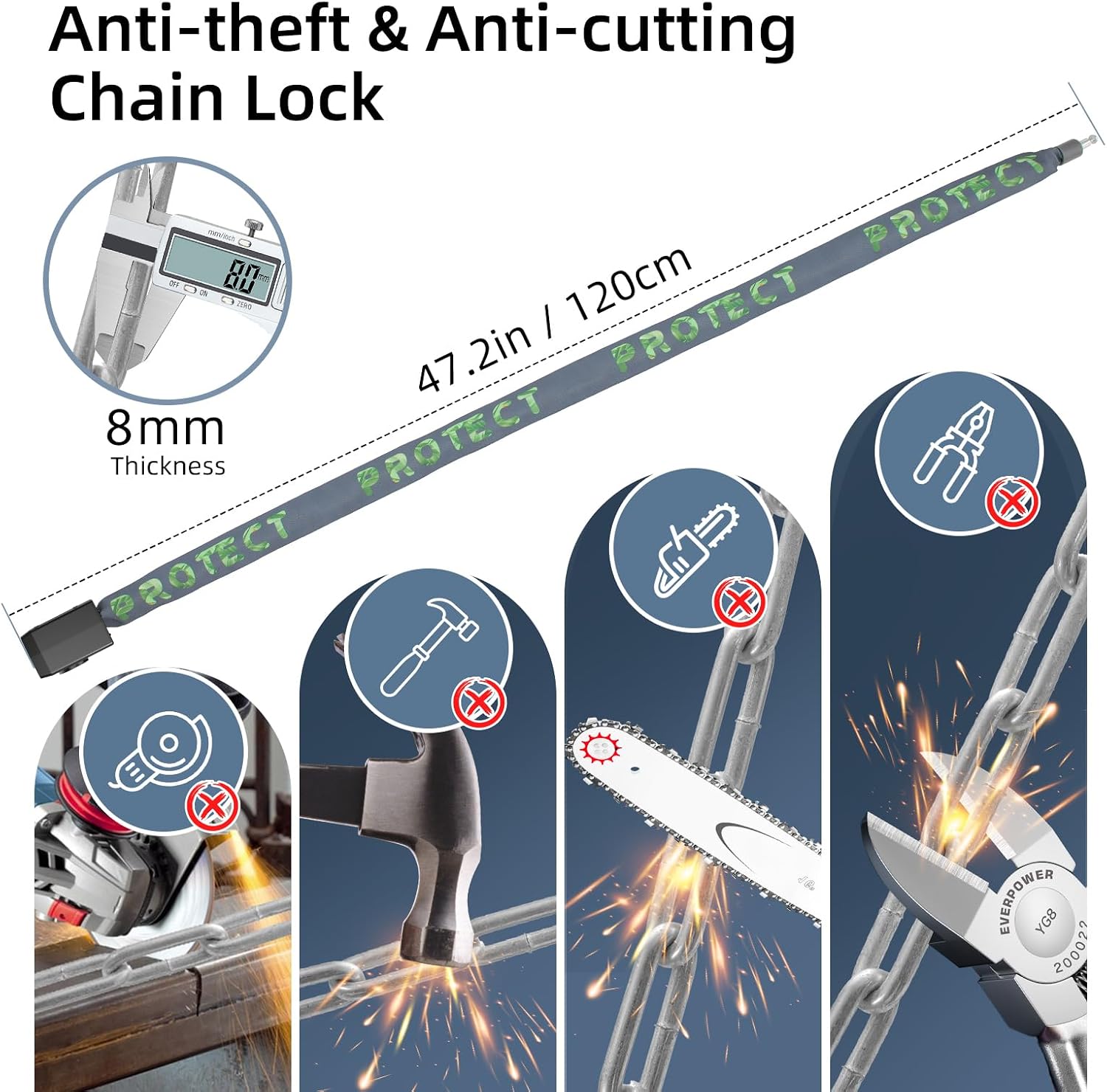
Image: Illustrates the 8mm thickness of the hardened steel chain and its resistance to various cutting tools like pliers, saws, and grinders.
Warranty and Support
For information regarding warranty coverage, please refer to the purchase documentation or contact your retailer. If you encounter any issues or have questions about your eMjollRay bike lock, please reach out to the seller or manufacturer's customer support for assistance.
Manufacturer: Shen Zhen Shi Tai Sheng Technology Co, Ltd