
1. Introduction
The Tsnam T7 USB Bluetooth Adapter is a versatile device designed to add Bluetooth functionality to a wide range of audio equipment. It operates in two primary modes: Transmitter (TX) and Receiver (RX), allowing you to either send audio wirelessly from non-Bluetooth devices or receive audio wirelessly on non-Bluetooth devices.
- TX Mode (Transmitter): Streams audio from devices like PCs, MP3 players, or TVs to Bluetooth headphones or speakers.
- RX Mode (Receiver): Receives audio from your phone or tablet and plays it through non-Bluetooth devices such as wired speakers, car stereos, or home stereo systems.
2. Product Overview
2.1 Components
The Tsnam T7 adapter features a compact design with essential components for easy operation.

Indicator Light: Displays the current mode (Red for TX, Blue for RX) and pairing status.

Multifunction Button: Used to switch between TX and RX modes, and to answer or hang up calls in RX mode.

3.5mm AUX Port: Connects to audio input/output of devices using the included 3.5mm AUX cable.
2.2 Key Features
- Bluetooth 5.0 Technology: Equipped with a smart chip for stable signal transmission and smooth audio.
- Wide Compatibility: Works with most devices featuring USB and 3.5mm AUX audio ports.
- Hands-Free Calling (RX Mode): Built-in microphone allows for hands-free calls when connected to a car stereo or speaker.
- Plug & Play: Automatically powers on and enters pairing mode when plugged into a USB port.

The Tsnam T7 adapter utilizes Bluetooth 5.0 for enhanced connectivity.
3. Setup and Pairing
The Tsnam T7 adapter is designed for easy setup. Ensure your Bluetooth device is in pairing mode before connecting.
3.1 TX Mode (Transmitter) Setup
Use TX mode to stream audio from your TV, PC, or other non-Bluetooth audio source to Bluetooth headphones or speakers.
- Plug the Tsnam T7 adapter into a USB port for power.
- Connect the adapter to your audio source (e.g., TV, PC) using the 3.5mm AUX cable.
- Press and hold the Multifunction button for 2 seconds to select TX mode. The indicator light will flash red.
- Put your Bluetooth headphones or speaker into pairing mode. The adapter will automatically search for and connect to them.
- Once connected, the indicator light will turn solid red.

Using the Tsnam T7 adapter in TX mode to connect a TV to Bluetooth headphones.
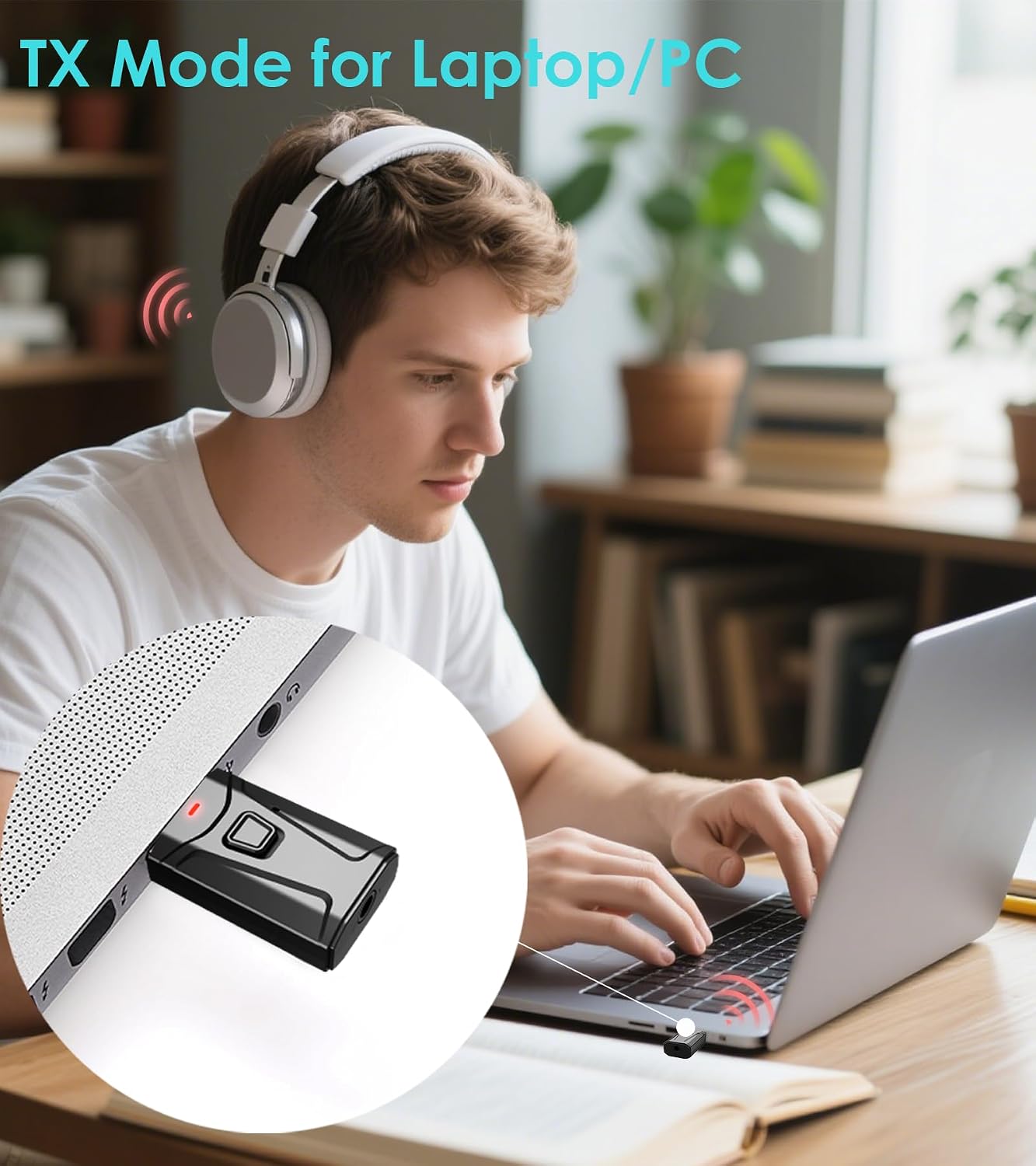
The adapter can also be used in TX mode with a laptop or PC.

Visual guide for TX mode setup and pairing.
3.2 RX Mode (Receiver) Setup
Use RX mode to receive audio from your phone or tablet and play it through non-Bluetooth devices like car stereos or wired speakers.
- Plug the Tsnam T7 adapter into a USB port for power.
- Connect the adapter to your audio output device (e.g., car stereo, old speaker) using the 3.5mm AUX cable.
- Press and hold the Multifunction button for 2 seconds to select RX mode. The indicator light will flash blue.
- On your phone or tablet, enable Bluetooth and search for "T7" in the device list. Select "T7" to connect.
- Once connected, the indicator light will turn solid blue.
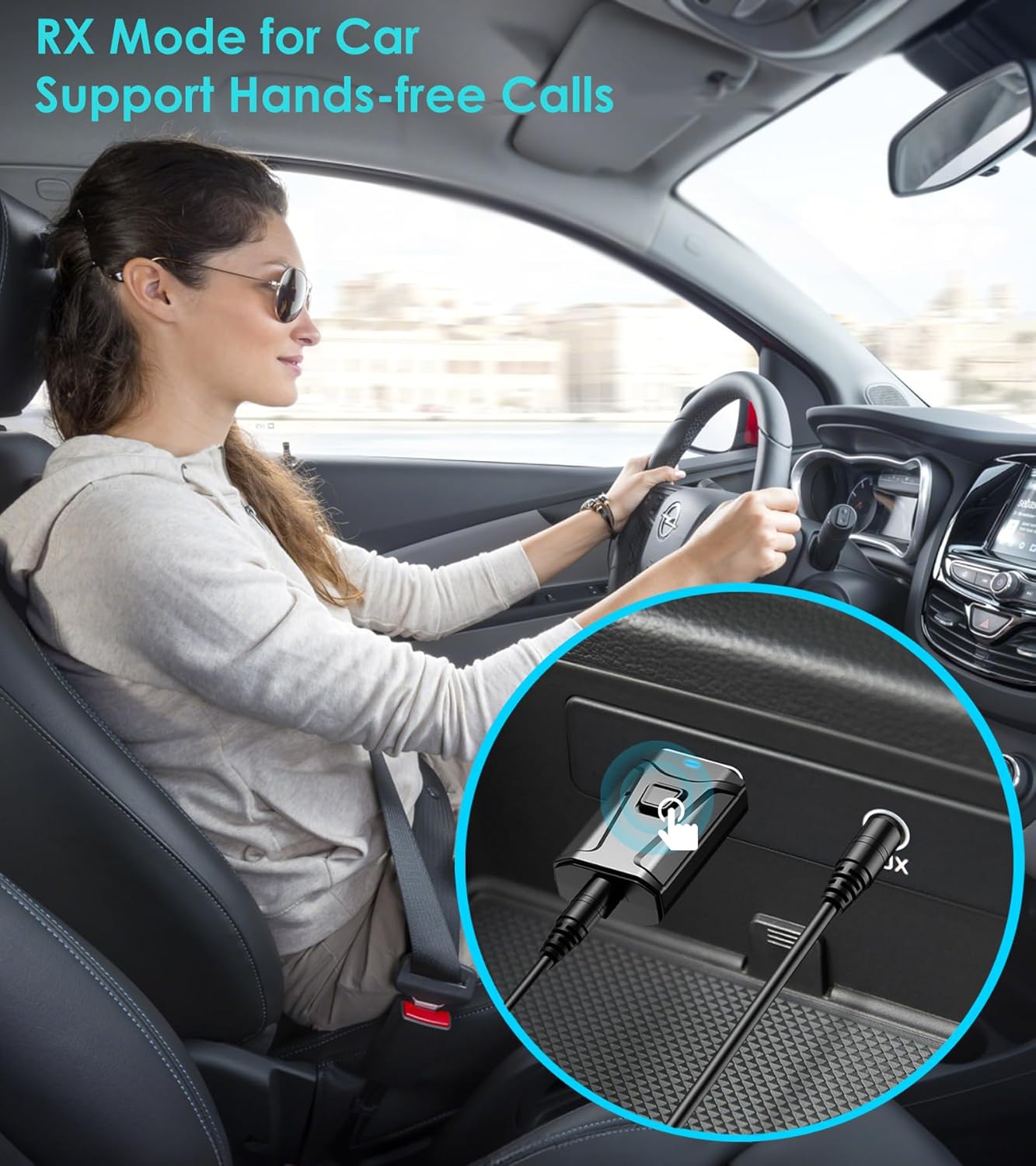
The Tsnam T7 adapter in RX mode for car audio and hands-free calls.

Connecting an old speaker to a phone via the Tsnam T7 adapter in RX mode.

Visual guide for RX mode setup and pairing.
4. Operating Instructions
4.1 Switching Modes
To switch between Transmitter (TX) and Receiver (RX) modes, press and hold the Multifunction button for 2 seconds. The indicator light will change color (Red for TX, Blue for RX) to confirm the mode change.

Press the Multifunction button to switch between TX (red light) and RX (blue light) modes.
4.2 Hands-Free Calling (RX Mode)
When the adapter is in RX mode and connected to your phone, you can use the built-in microphone for hands-free calls:
- Answer Call: Short press the Multifunction button.
- Hang Up Call: Short press the Multifunction button during a call.
- Reject Call: Press and hold the Multifunction button for 2 seconds.
5. Troubleshooting
If you encounter issues with pairing or connectivity, consider the following:
- Pairing Issues: Most pairing problems occur because Bluetooth earbuds or headphones are not in their active pairing mode. Ensure your receiving/transmitting Bluetooth device is actively searching for a connection.
- Interference: Ensure no other active Bluetooth devices are nearby that might interfere with the pairing process.
- Power Cycle: Unplug and re-plug the Tsnam T7 adapter to restart it and re-enter pairing mode.
- Device Compatibility: Verify that your audio source/output device has a functional USB port for power and a 3.5mm AUX audio port.
6. Specifications
| Feature | Detail |
|---|---|
| Model Number | T7 |
| Product Dimensions | 0.8 x 0.4 x 1.6 inches |
| Item Weight | 0.3 ounces |
| Bluetooth Version | 5.0 |
| Connector Type | Auxiliary, USB |
| Color | Black |
| Compatible Devices | iPhone, Samsung Galaxy, AirPods, Samsung, iPad, Mac Book, Skullcandy, JLAB, Bose, JBL, Sony, Google Pixel, OnePlus, etc. |

The compact size of the Tsnam T7 adapter for portability.
7. Official Product Video
This video demonstrates the functions and features of the Tsnam USB Bluetooth Adapter, including its indicator light, multifunction button, and 3.5mm AUX port.
8. Warranty and Support
For warranty information and technical support, please refer to the product packaging or contact Tsnam customer service directly. Keep your purchase receipt for any warranty claims.
