
Rraycom S-C363-P4
Rraycom 5G/2.4Ghz WiFi Security Camera User Manual
Model: S-C363-P4
Brand: Rraycom
1. Introduction
Thank you for choosing the Rraycom 5G/2.4Ghz WiFi Security Camera. This 2K battery-powered camera is designed for both indoor and outdoor home security, offering advanced features such as AI motion detection, spotlight, color night vision, and two-way audio. It is built to withstand various weather conditions and integrates seamlessly with smart home ecosystems like Amazon Alexa and Google Assistant. This manual provides detailed instructions for setup, operation, and maintenance to ensure optimal performance and security.

Image: The Rraycom 5G/2.4Ghz WiFi Security Camera, a white bullet-style camera with a black face, shown with water droplets, indicating its waterproof design. A smartphone screen next to it displays a live feed with a child and dog, highlighting 2K QHD resolution and 5G connectivity.
2. What's in the Box
Please verify that all components are present before proceeding with installation.
- 1 x Rechargeable Battery Camera
- 1 x Mount
- 1 x Screws Set
- 1 x USB Cable
- 1 x User Manual
3. Setup Guide
The Rraycom security camera is designed for easy DIY installation with a 1-tap setup process. Follow these steps to get your camera ready:
- Charge the Camera: Before initial use, fully charge the camera using the provided USB cable.
- Power On: Turn on the camera by pressing the power button.
- Download the App: Download the free "Tuya" app from your smartphone's app store (available for Android and iOS).
- Pair the Device: Open the Tuya app, enable your phone's Bluetooth, and follow the in-app instructions to add a new device. You will be prompted to enter your WiFi name and password. Ensure your camera is within range of your WiFi router.
- Mount the Camera: Choose a suitable location for mounting. Attach the base to the wall using the screws provided, then secure the camera to the mount.
- Start Viewing: Once paired, you can start viewing the live feed and configure settings through the app.

Image: A visual guide showing three steps for quick installation: 1) Turning on the camera, 2) Adding the device via the app and entering WiFi details, and 3) Starting to view the live feed.
4. Operating Instructions
4.1 Dual-Band WiFi Connectivity
The Rraycom camera supports both 5Ghz and 2.4Ghz WiFi networks, offering flexible connection options. 5Ghz provides faster transmission speeds for smoother live views and quicker alert notifications, while 2.4Ghz offers wider coverage and better penetration through obstacles.

Image: An illustration depicting the Rraycom camera mounted on a house, with concentric circles representing 5Ghz (faster speed) and 2.4Ghz (wider coverage) WiFi signals, emphasizing dual-band connectivity.
4.2 AI Motion Detection & Alerts
Equipped with advanced AI technology, the camera can accurately distinguish between various objects, including people, pets, vehicles, packages, and even flames. This significantly reduces false alarms caused by environmental factors. Upon detection, you will receive instant alerts on your smartphone via the Tuya app. You can also configure the camera to activate a spotlight and siren to deter unwanted visitors.

Image: A visual demonstrating smart PIR motion detection, showing a person approaching a door with a red detection zone. Icons for Spotlight Alarm, APP Push, and Siren Alarm are displayed above, indicating the camera's alert capabilities.

Image: An illustration showing the AI precision detection capabilities, categorizing detected objects such as People, Animals, Packages, Vehicles, and Flame, with a smartphone displaying a timeline of detected events.
4.3 2K HD Full-Color Night Vision
Experience clear 2K FHD resolution with full-color night vision. The camera captures vivid, detailed images and videos even in low-light conditions, ensuring you don't miss any important moments, day or night. This feature provides a significant improvement over traditional black-and-white infrared night vision.

Image: A comparison showing traditional black-and-white night vision versus 2K QHD color night vision, demonstrating the enhanced clarity and color detail provided by the Rraycom camera in low-light environments.
Video: A short clip demonstrating the camera's color night vision capability. The video shows a bear in a backyard at night, transitioning from black and white to full color, highlighting the camera's ability to capture clear, colored footage in low light.
4.4 Two-Way Audio
The built-in microphone and speaker enable two-way communication. You can talk to visitors at your door, warn package thieves, or communicate with family members within the camera's monitoring range directly through the app.

Image: An illustration showing the Rraycom camera with speech bubbles indicating two-way audio communication, demonstrating its ability to allow users to talk and listen.
4.5 Smart Home Integration
The camera seamlessly integrates with Amazon Alexa and Google Assistant. You can use voice commands to view your camera's live feed on compatible smart displays, such as an Echo Show.
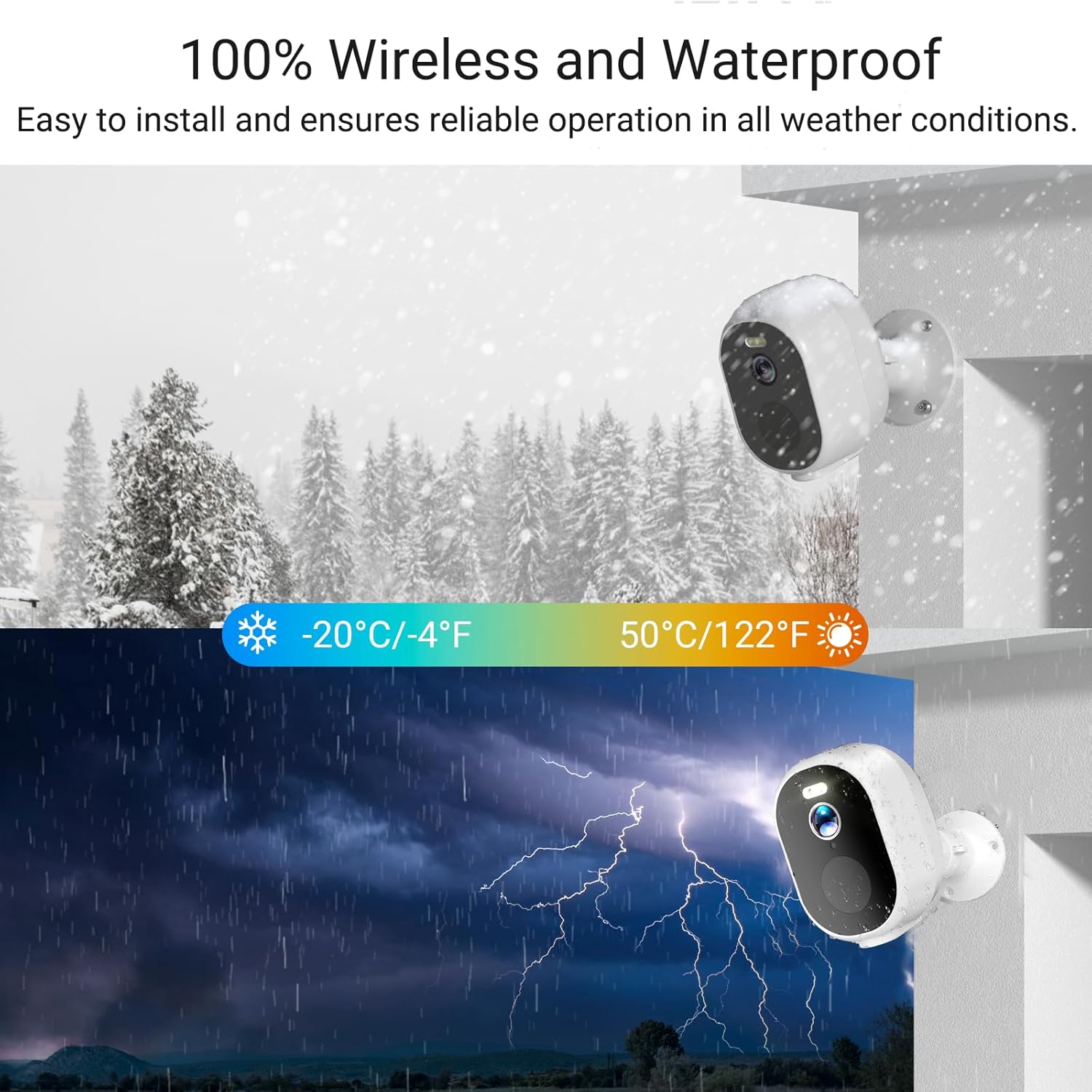
Image: A smart display showing the live feed from the Rraycom camera, with logos for 'Works with Alexa' and 'Works with the Google Assistant', illustrating its smart home compatibility.
4.6 Storage Options
The Rraycom camera offers flexible storage solutions without mandatory monthly fees. You can choose between secure local storage via a microSD card (up to 128GB, not included) or encrypted cloud storage options for backup. All data transmission is protected by bank-level encryption (TLS/SSL).

Image: A large '0' made of green foliage, with a dollar sign, symbolizing 'No Monthly Fees' for the camera's operation.
4.7 Camera Sharing
You can easily share access to your camera's live feed and recordings with family members through the Tuya app, allowing multiple users to monitor your property simultaneously.

Image: A collage showing different family members viewing the camera feed on their smartphones, illustrating the camera sharing feature.
5. Maintenance
5.1 Battery Management
The camera is powered by a rechargeable battery designed for long-lasting operation. Actual battery life varies based on usage, motion detection frequency, and environmental conditions. Recharge the camera using the provided USB cable when the battery level is low, as indicated by the app.
5.2 Weather Resistance
The Rraycom camera boasts an IP65 waterproof rating, ensuring reliable operation in various weather conditions, including rain, snow, and extreme temperatures ranging from -20°C (-4°F) to 50°C (122°F).

Image: A split image showing the Rraycom camera in snowy conditions and during a thunderstorm, emphasizing its 100% wireless and waterproof design for all weather conditions.
5.3 Cleaning
To maintain optimal image clarity, periodically clean the camera lens with a soft, dry cloth. Avoid using harsh chemicals or abrasive materials that could damage the lens or camera body.
6. Troubleshooting
If you encounter issues with your Rraycom security camera, please refer to the following common problems and solutions:
- Camera Not Connecting to WiFi:
- Ensure your WiFi network is 2.4Ghz or 5Ghz and stable.
- Check that the camera is within range of your router.
- Verify the WiFi password entered in the app is correct.
- Restart your router and the camera.
- Frequent False Alarms:
- Adjust the motion detection sensitivity settings in the app.
- Utilize the AI detection filters (e.g., only detect people) to minimize alerts from pets or vehicles if not desired.
- Ensure the camera's field of view is clear of moving branches or reflective surfaces.
- Poor Video Quality:
- Check your WiFi signal strength in the camera's location. A weak signal can affect streaming quality.
- Clean the camera lens to remove any dirt or smudges.
- Ensure there are no obstructions blocking the camera's view.
- Battery Drains Quickly:
- High frequency of motion detection events and live view access can consume more battery.
- Ensure the camera is fully charged.
- Extreme temperatures can affect battery performance.
For further assistance, please contact Rraycom customer support.
7. Specifications
| Feature | Detail |
|---|---|
| Model Name | S-C363-P4 |
| Brand | Rraycom |
| Indoor/Outdoor Usage | Indoor, Outdoor |
| Power Source | Battery Powered |
| Connectivity Technology | Wireless (Wi-Fi, Bluetooth) |
| WiFi Frequency | 5Ghz & 2.4Ghz Dual-Band |
| Video Capture Resolution | 2K |
| Effective Video Resolution | 3 MP |
| Viewing Angle | 130 Degrees |
| Night Vision Range | 100 Feet |
| Color Night Vision | Yes |
| AI Motion Detection | Yes (People, Pets, Vehicles, Packages, Flame) |
| Two-Way Audio | Yes |
| Smart Home Compatibility | Amazon Alexa, Google Assistant |
| Local Storage | Micro SD (up to 128GB, not included) |
| Cloud Storage | Optional (encrypted) |
| Water Resistance Level | IP65 Waterproof |
| Operating Temperature | -20°C to 50°C (-4°F to 122°F) |
| Item Dimensions (L x W x H) | 2.8 x 2.8 x 4.8 inches |
| Item Weight | 11.7 ounces |
| Material | Acrylonitrile Butadiene Styrene (ABS) |
| Included Components | Camera, Mount, Screws Set, USB Cable, User Manual |
8. Warranty Information
Specific warranty details for the Rraycom S-C363-P4 security camera are not provided in this manual. Please refer to the product packaging or contact Rraycom customer support for information regarding warranty coverage and terms.
9. Customer Support
For any questions, technical assistance, or support inquiries regarding your Rraycom security camera, please contact our customer service team:
Email: aftersale@rraycom.com

Image: A customer service representative wearing a headset, indicating available support for product inquiries.
Ask a question about this manual
Ask about setup, troubleshooting, compatibility, parts, safety, or missing instructions. Manuals+ will review the question and use this page’s manual context to help answer it.