
Introduction
This manual provides detailed instructions for the SOCICO Kids Digital Analog Watch. It covers essential information regarding the watch's features, setup, operation, maintenance, and troubleshooting to ensure optimal performance and longevity.
The watch combines both digital and analog displays, offering 7-color LED lights, a stopwatch, and an alarm function. It is designed to be 50M waterproof and features soft, durable bands suitable for children aged 4-12.
Product Features
- Dual Time Display: Features both digital and analog time for comprehensive time learning.
- 7-Color LED Backlight: Customizable backlight with seven color options.
- Stopwatch Function: Ideal for timing activities and games.
- Alarm Function: Helps with time management and daily routines.
- 50M Water Resistance: Suitable for hand washing, swimming, and rain exposure. Note: Do not press buttons or pull the crown underwater.
- Durable Construction: Robust ABS housing, soft strap, stainless steel clasp, and case back.
Setup Instructions
1. Setting Analog Time
To set the analog time, gently pull out the crown (the small knob on the side of the watch). Rotate the crown clockwise or counter-clockwise until the hour and minute hands display the correct time. Once set, push the crown back in firmly to secure the time and ensure water resistance.

Figure 1: Analog Dial with Clear Numbers and Luminous Hands. The crown for setting analog time is visible on the right side of the watch case.
2. Setting Digital Time, Date, and Alarm
The digital functions are controlled by the buttons located around the watch case. Refer to the "Multifunctional Buttons" image for button identification.

Figure 2: Multifunctional Buttons and Digital Display Features. This image illustrates the various buttons and their corresponding functions for the digital watch.
- Mode Button: Press the MODE button to cycle through different modes: Time Display → Stopwatch → Alarm Setting → Time/Date Setting.
- Setting Time/Date:
- From the Time Display, press the MODE button until the seconds start flashing.
- Press the RESET button to select the item you wish to adjust (seconds, hour, minute, month, date, day of week).
- Use the START button to increase the value.
- Press MODE again to confirm and exit the setting mode.
- Setting Alarm:
- From the Time Display, press the MODE button twice to enter Alarm Setting mode. The hour digits will flash.
- Press the START button to adjust the hour.
- Press the RESET button to switch to minute setting.
- Press the START button to adjust the minute.
- Press MODE to confirm and exit.
- To turn the alarm ON/OFF, in the Alarm Setting mode, press START and RESET simultaneously. An alarm icon will appear/disappear.
- 12/24 Hour Format: In Time Display mode, press the START button to toggle between 12-hour (AM/PM) and 24-hour formats.
Operating Instructions
1. Using the 7-Color LED Backlight
The watch features a vibrant 7-color LED backlight. To activate the backlight, press the LIGHT button (usually located on the top left side of the watch). To change the color, press and hold the LIGHT button for approximately 3 seconds. The color will cycle through the available options. Release the button when your desired color is displayed.

Figure 3: 7-Color LED Backlight in Use. This image demonstrates the various color options for the watch's backlight.
2. Using the Stopwatch
The stopwatch function allows for precise timing of activities.
- From the Time Display, press the MODE button once to enter Stopwatch mode. The display will show "00:00:00".
- Press the START button to begin timing.
- Press the START button again to pause the stopwatch.
- Press the RESET button to reset the stopwatch to "00:00:00".
- To return to Time Display, press the MODE button.
3. Alarm Activation and Deactivation
Once the alarm time is set (as described in the Setup section), you can activate or deactivate it.
- In Alarm Setting mode (press MODE twice from Time Display), press START and RESET buttons simultaneously to toggle the alarm ON or OFF. An alarm icon will indicate its status.
- When the alarm sounds, press any button to stop it.
Maintenance
1. Water Resistance Guidelines
This watch is rated 50M (5 ATM) water resistant, meaning it can withstand splashes, rain, and brief immersion in water such as during hand washing or swimming. However, it is crucial to follow these guidelines to prevent water damage:
- DO NOT press any buttons or pull the crown while the watch is submerged in water.
- DO NOT expose the watch to hot water, steam, or extreme temperature changes (e.g., hot showers, saunas), as this can compromise the seals.
- Ensure the crown is fully pushed in after setting the analog time.
- Avoid prolonged exposure to saltwater. If exposed, rinse with fresh water and dry thoroughly.
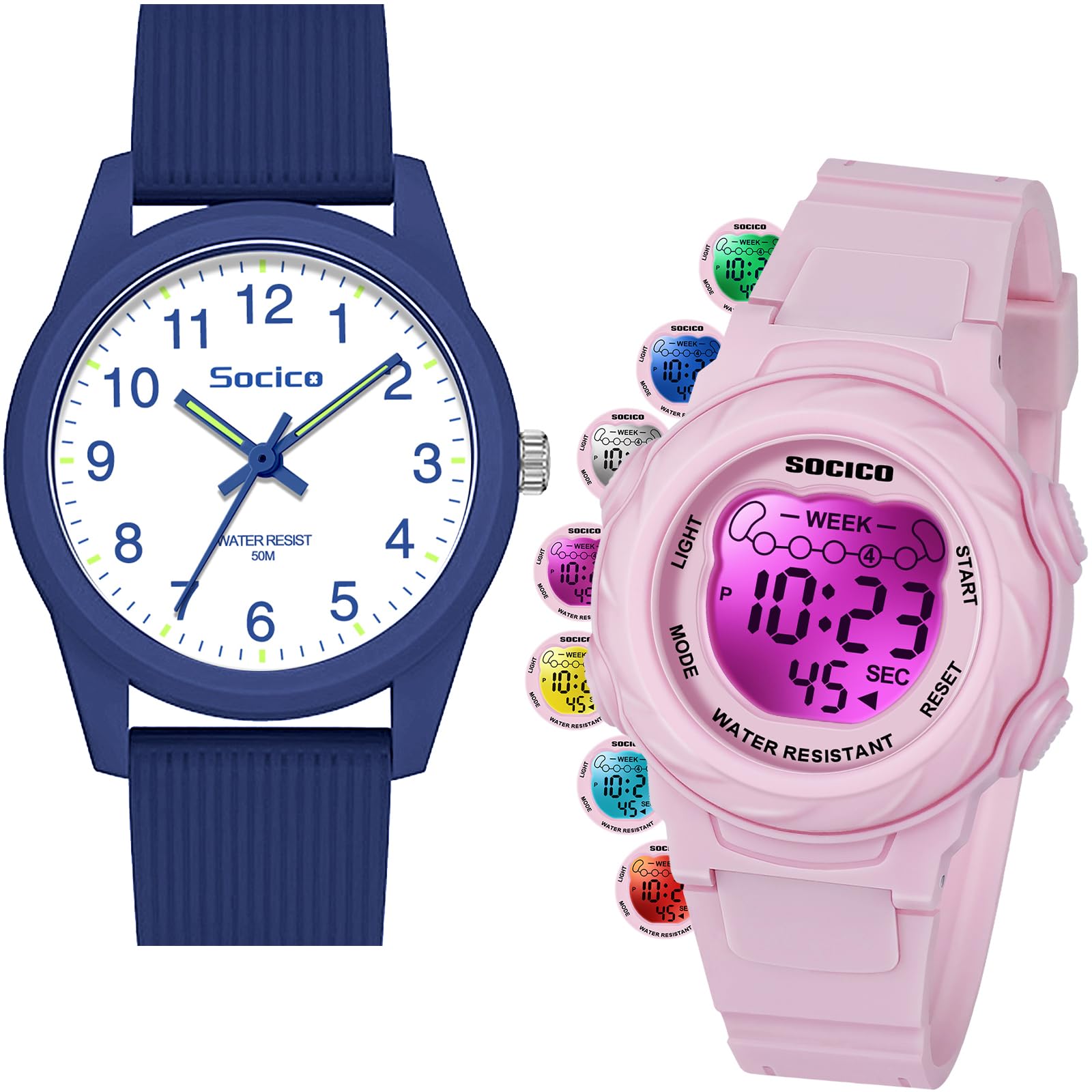
Figure 4: Water Resistance Information. This image visually explains the 50M waterproof rating and precautions.
2. Cleaning and Care
- Clean the watch case and strap with a soft, damp cloth. Avoid harsh chemicals or abrasive cleaners.
- Store the watch in a dry place away from direct sunlight and extreme temperatures when not in use.
- The watch features an anti-scratch protective film on the mirror. Avoid scratching or peeling this film.

Figure 5: Watch Construction Details. This image highlights the durable materials used in the watch's construction, including the anti-scratch film.
3. Battery Replacement
The watch uses a SR626SW battery. When the display dims or the watch stops functioning, the battery may need replacement. Battery replacement should ideally be performed by a qualified watch technician to ensure proper sealing and maintain water resistance.
Troubleshooting
- Watch not displaying time/functions: Check if the battery needs replacement. Ensure the crown is fully pushed in for analog watches.
- Digital display is dim or blank: This usually indicates a low battery. Replace the SR626SW battery.
- Water inside the watch: If water enters the watch, immediately stop using it and seek professional repair. Do not attempt to dry it with heat, as this can cause further damage. This often occurs if buttons were pressed underwater or the crown was not fully pushed in.
- Analog hands not moving: Ensure the crown is pushed in. If it is, the battery for the analog movement might be depleted, or there could be a mechanical issue.
- Alarm not sounding: Verify that the alarm is set correctly and the alarm icon is displayed on the screen, indicating it is active.
Specifications
| Feature | Specification |
|---|---|
| Brand | SOCICO |
| Model | Kids Digital Analog Watch B0F5H6CGQ3 |
| Case Diameter | 3.2 cm / 1.26 in |
| Case Thickness | 0.9 cm / 0.35 in |
| Bracelet Width | 1.4 cm / 0.55 in |
| Minimum Wrist Fit | 14.5 cm / 5.7 in |
| Maximum Wrist Fit | 19.5 cm / 7.67 in |
| Watch Weight | 17.2 g / 0.6 oz |
| Battery Model | SR626SW |
| Water Resistance | 50M (5 ATM) |
| Suitable Age | 4-12 years |

Figure 6: Detailed Watch Parameters. This image provides precise measurements and technical specifications of the watch.

Figure 7: Watch Size and Weight. This image provides additional size details and the recommended age range.
Warranty and Support
For any questions, concerns, or support regarding your SOCICO Kids Digital Analog Watch, please refer to the seller's contact information on the platform where the purchase was made. Please retain your proof of purchase for any warranty claims.
The standard return policy allows for returns within 30 days of purchase for refund or replacement, subject to the seller's terms and conditions.
For further assistance, you may visit the SOCICO Store on Amazon.