
Introduction
This manual provides comprehensive instructions for the safe and efficient use of your Ulefone Armor 27T Pro 5G Rugged Phone. Please read this manual thoroughly before operating your device to ensure optimal performance and longevity. Keep this manual for future reference.
Package Contents
Verify that your package contains the following items:
- Ulefone Armor 27T Pro 5G Rugged Phone
- Wireless Charger
- Power Adapter
- USB Cable
- SIM Ejector Tool
- User Manual (this document)
- Warranty Card

Image: The Ulefone Armor 27T Pro 5G Rugged Phone shown alongside its dedicated wireless charger.
Setup
1. Inserting SIM Cards and MicroSD Card
- Locate the SIM card tray on the side of the phone.
- Use the provided SIM ejector tool to open the tray.
- Carefully place your Nano-SIM cards and/or MicroSD card into the designated slots. Ensure correct orientation.
- Gently push the tray back into the phone until it clicks into place.
2. Initial Charging
Before first use, fully charge your device. Connect the USB cable to the phone's charging port and the power adapter, then plug the adapter into a wall outlet. Alternatively, place the phone on the wireless charger.

Image: The Ulefone Armor 27T Pro 5G Rugged Phone positioned on its wireless charging stand, indicating active charging.
3. Powering On and Initial Configuration
- Press and hold the Power button until the Ulefone logo appears.
- Follow the on-screen prompts to select your language, connect to Wi-Fi, and set up your Google account.
Operating Your Device
Display and Navigation
The Ulefone Armor 27T Pro features a 6.78-inch FHD+ display with a 120Hz refresh rate, protected by Corning Gorilla Glass. Navigate using touch gestures: tap, swipe, pinch-to-zoom.

Image: Visual representation of the phone's 6.78-inch FHD+ 120Hz display, highlighting its resolution, refresh rate, and brightness.
Camera System
Your device is equipped with a versatile camera system:
- Main Camera: 50MP Samsung ISOCELL GN1 sensor with F/1.65 aperture.
- Night Vision Camera: 64MP OMNIVISION OV64B with two infrared LEDs and NightElf Ultra 3.0 algorithm.
- Front Camera: 32MP Samsung GD1 sensor with 5P lens.
- Thermal Imaging: Integrated FLIR Lepton micro-camera for infrared detection, featuring MSX and VividlR image processing.

Image: Detailed breakdown of the phone's camera system, including the 50MP main, 64MP night vision, and 32MP front cameras.

Image: Illustrations of the thermal imaging features, showing temperature measurement, pixel resolution, and various color palettes.
Performance and Storage
Powered by the MediaTek Dimensity 6300 5G 8-core CPU, the phone offers 12GB of RAM (expandable with up to 12GB virtual RAM) and 256GB of internal storage, expandable up to 2TB via TF card.

Image: Diagram illustrating the MediaTek Dimensity 6300 5G processor and memory configurations, including 12GB RAM, 12GB virtual RAM, 256GB ROM, and 2TB expansion.
Battery and Charging
The device features a 10600mAh battery, supporting 33W flash charging, 30W wireless charging, and wireless reverse charging.

Image: Visuals demonstrating the 10600mAh battery capacity, 33W fast charging, 30W wireless charging, and wireless reverse charging capabilities.
Ruggedness and Durability
The Armor 27T Pro is designed for durability, meeting IP68/IP69K and MIL-STD-810H standards for water, dust, and drop resistance.
- Waterproof: Submersible up to 2 meters for 30 minutes.
- Dustproof: Fully protected against dust ingress.
- Drop-proof: Resistant to drops from up to 2 meters.
- Temperature Resistance: Operates in temperatures from -30°C to 55°C.
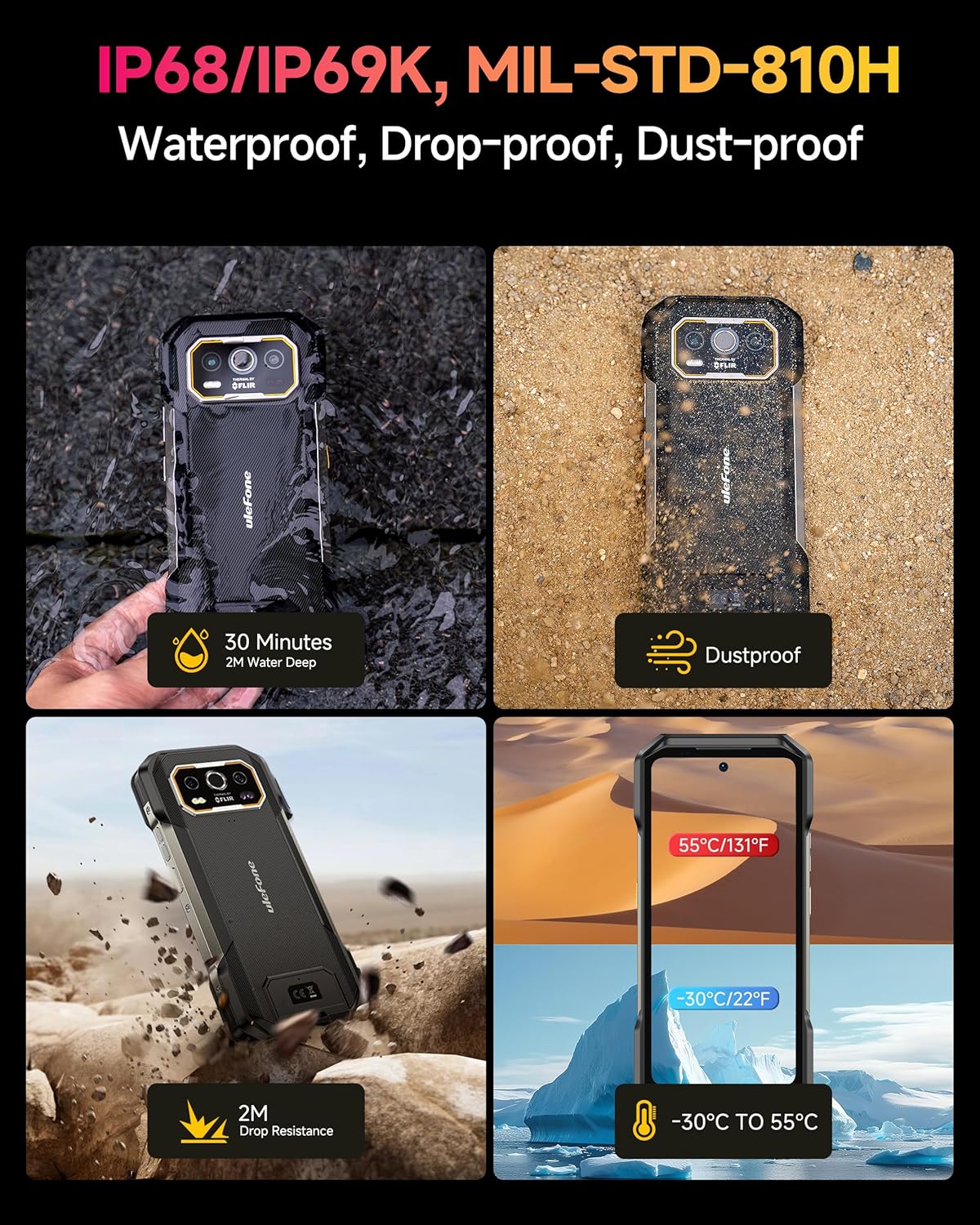
Image: Depictions of the phone's rugged features, including water immersion, dust resistance, drop resistance, and extreme temperature tolerance.
Operating System
The phone runs on Android 14 OS, offering enhanced personalization, security, and accessibility features.

Image: Screenshots showcasing the Android 14 operating system interface and its features on the Ulefone Armor 27T Pro.
Maintenance
- Cleaning: Use a soft, damp cloth to clean the phone's surface. Avoid harsh chemicals or abrasive materials.
- Port Care: Ensure all port covers are securely closed to maintain water and dust resistance.
- Software Updates: Regularly check for and install software updates to ensure optimal performance and security.
- Storage Management: Periodically clear unnecessary files and apps to free up storage space.
Troubleshooting
| Problem | Possible Solution |
|---|---|
| Phone does not power on | Ensure the battery is charged. Press and hold the Power button for at least 10 seconds to force a restart. |
| Cannot connect to network | Check SIM card insertion. Verify network settings. Restart the phone. Contact your service provider. |
| Wireless charging not working | Ensure the phone is correctly aligned on the wireless charger. Check if the charger is powered. Remove any thick cases. |
| Thermal camera not displaying correctly | Ensure the thermal camera lens is clean. Restart the thermal imaging application. |
| Device is slow or unresponsive | Close unused applications. Clear cache. Restart the device. Consider a factory reset if issues persist (back up data first). |
Specifications
| Feature | Detail |
|---|---|
| Model Name | Armor 27T Pro |
| Brand | Ulefone |
| Display Size | 6.78 Inches |
| Resolution | FHD+ (1080x2460) |
| Refresh Rate | 120Hz |
| Processor | MediaTek Dimensity 6300 5G (8-core, 2.4GHz) |
| RAM | 12 GB (up to 12GB virtual RAM) |
| Internal Storage | 256 GB |
| Expandable Storage | Up to 2 TB (TF card) |
| Main Camera | 50MP |
| Night Vision Camera | 64MP |
| Front Camera | 32MP |
| Thermal Imaging | FLIR Lepton (80x60 pixels, -10°C to 450°C) |
| Battery Capacity | 10600 mAh |
| Wired Charging | 33W Flash Charge |
| Wireless Charging | 30W Qi Wireless Charging |
| Operating System | Android 14 |
| Durability Ratings | IP68/IP69K, MIL-STD-810H |
| Connectivity | 5G, GPS, Wireless |
| SIM Card Slots | Dual SIM |
Warranty and Support
Your Ulefone Armor 27T Pro 5G Rugged Phone comes with a standard manufacturer's warranty. Please refer to the warranty card included in your package for specific terms and conditions, including warranty period and coverage details.
For technical support, troubleshooting assistance, or warranty claims, please contact Ulefone customer service through their official website or the contact information provided on your warranty card.
You can visit the official Ulefone store for more information: Ulefone Store


