
padom UF-10
AI Translation Smart Glasses User Manual
Brand: padom
Model: UF-10
Introduction
Welcome to the world of advanced communication with your new padom AI Translation Smart Glasses. These innovative glasses are designed to break language barriers and enhance your daily interactions, whether for travel, study, or business. Featuring real-time translation, AI assistance, and comfortable design, they integrate seamlessly into your lifestyle.

The padom AI Translation Smart Glasses, showcasing their sleek design and integrated app functionality.
What's Included
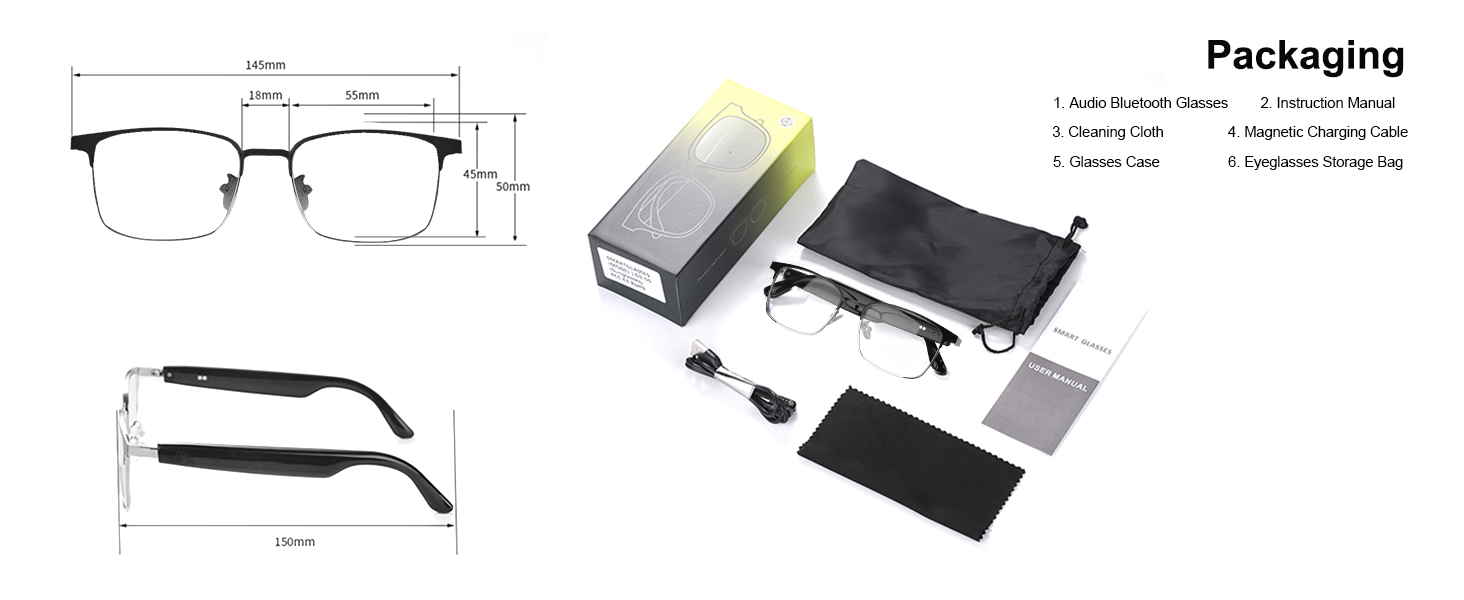
Your padom AI Translation Smart Glasses package contains the following items:
- Audio Bluetooth Glasses
- Instruction Manual
- Cleaning Cloth
- Magnetic Charging Cable
- Glasses Case
- Eyeglasses Storage Bag

All items included in the product packaging.
Product Overview & Features
The padom AI Translation Smart Glasses offer a range of functionalities designed for convenience and efficiency.

Overview of key features including Bluetooth 5.3, IPX5 waterproofing, touch control, voice assistant, noise reduction, and hands-free calling.
Key Features
- Real-Time Translation with Noise Reduction Technology: Filters background sounds for accurate voice recognition and real-time text/audio conversions when paired with the Nebula APP (requires pre-opened noise reduction).
- AI-Powered Multi-Functional Translation: Breaks language barriers with 160+ languages, featuring simultaneous interpretation, live recording, and face-to-face translation.
- Advanced AI Features: Powered by an AI Assistant to generate AI images, start natural language conversations, or activate AI Assistant for hands-free commands. The AI Agent feature helps with scheduling, reminders, or travel tips.
- Photochromic Lenses & Anti-Blue Light: UV400 photochromic lenses provide color-changing function (clear indoors, shaded outside) and block blue light and UV rays.
- IPX5 Waterproof & All-Day Comfort: Built for active lifestyles, resisting sweat, rain, or accidental spills. Lightweight frame design ensures comfort during workouts, commutes, or travel.
Detailed Features

Experience seamless connectivity and clear audio on the go.
High Definition Sound Quality Real-Time Translation

Supports 115+ languages with global deployment nodes, simultaneously recording source language and translation content accurately.
100% UV400 Polarized Lenses

Lightweight and comfortable, offering UV400 protection and blocking glare for eye comfort.
Face-to-Face Communication

Real-time translation facilitates communication without barriers.
AI Translation Accuracy

Our AI translation glasses boast 98% accuracy, offering clarity for calls and meetings.
AI Chat: Ask, Answer, and Communicate in Silence

Equipped with AI big model and high IQ, AI Chat is a precise and efficient way to answer your questions and solve puzzles, with an assistant in your ear.
4 AI Modes

Explore various AI modes for translation, recording, chat, and face-to-face communication.
Setup
Charging Your Glasses
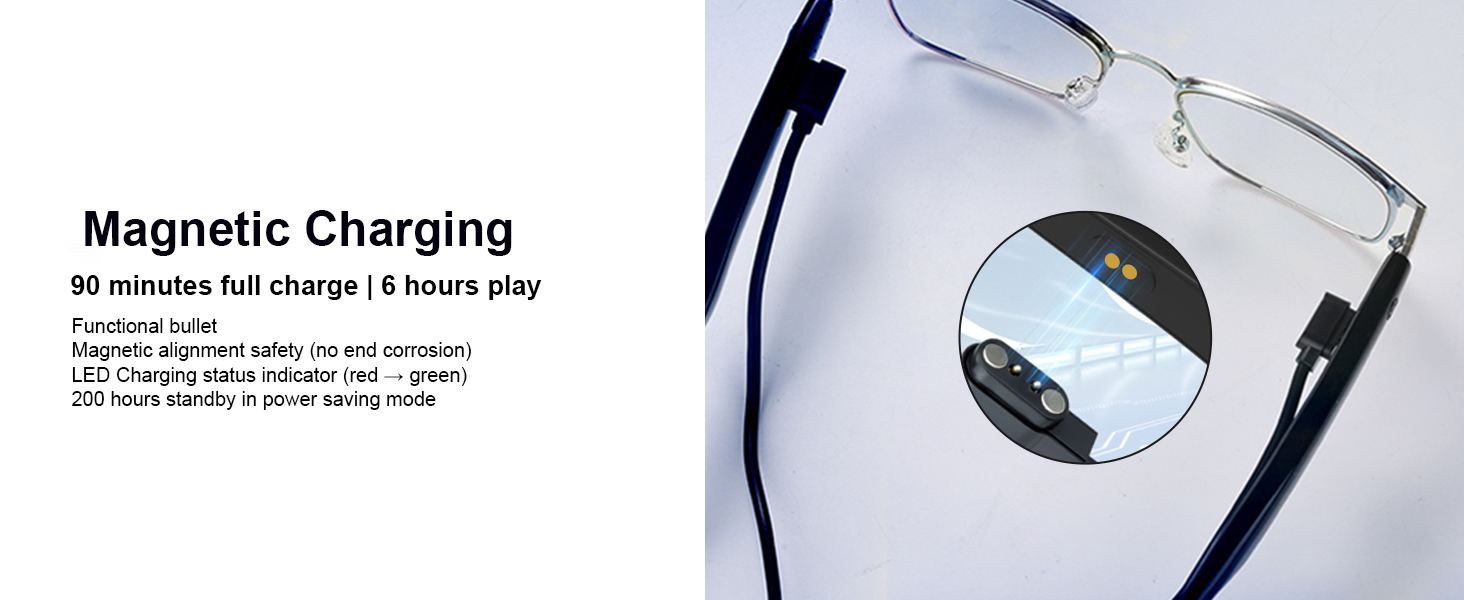
Before first use, fully charge your padom AI Translation Smart Glasses. A full charge takes approximately 90 minutes and provides up to 6 hours of play time or 200 hours of standby time in power-saving mode.
The magnetic charging cable connects securely to the charging points on the temples of the glasses.
App Download & Device Binding
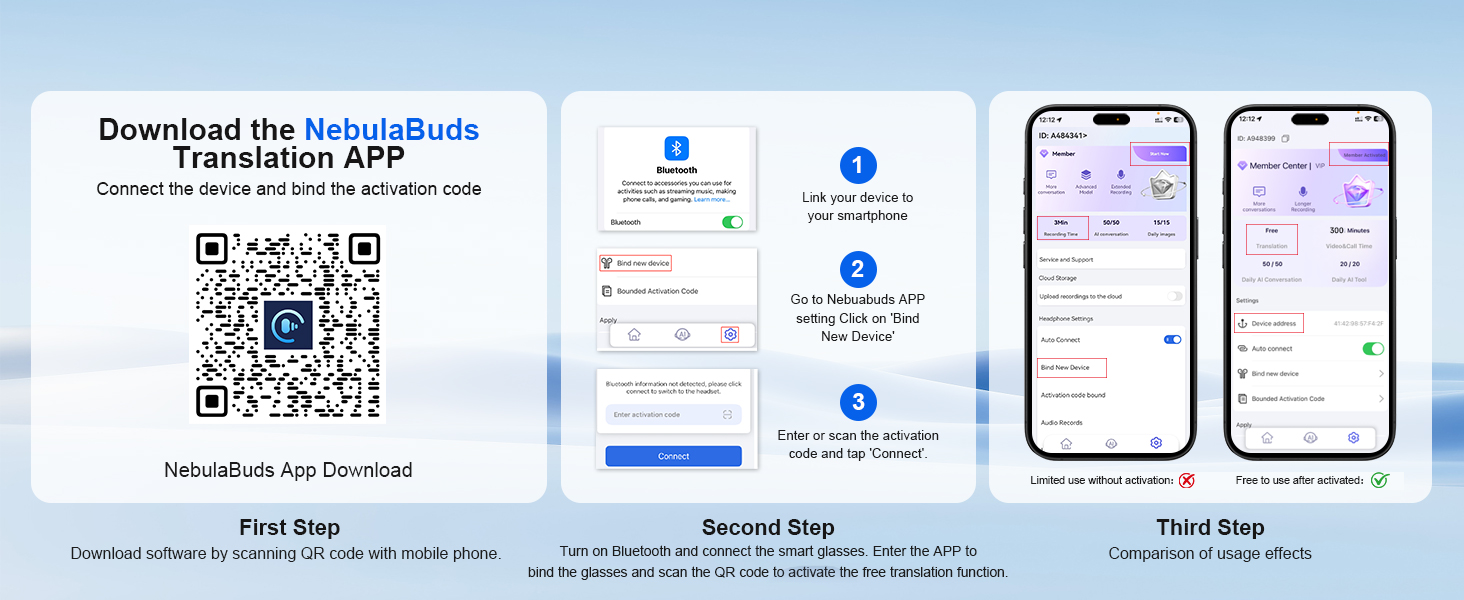
To unlock the full potential of your smart glasses, download and bind them with the Nebula APP.
- First Step: Download the NebulaBuds Translation APP by scanning the QR code provided in the manual or visiting the official website.
- Second Step: Turn on Bluetooth on your smartphone and the smart glasses. Enter the APP to bind the glasses.
- Third Step: Scan the QR code or enter the activation code to activate the free translation function.
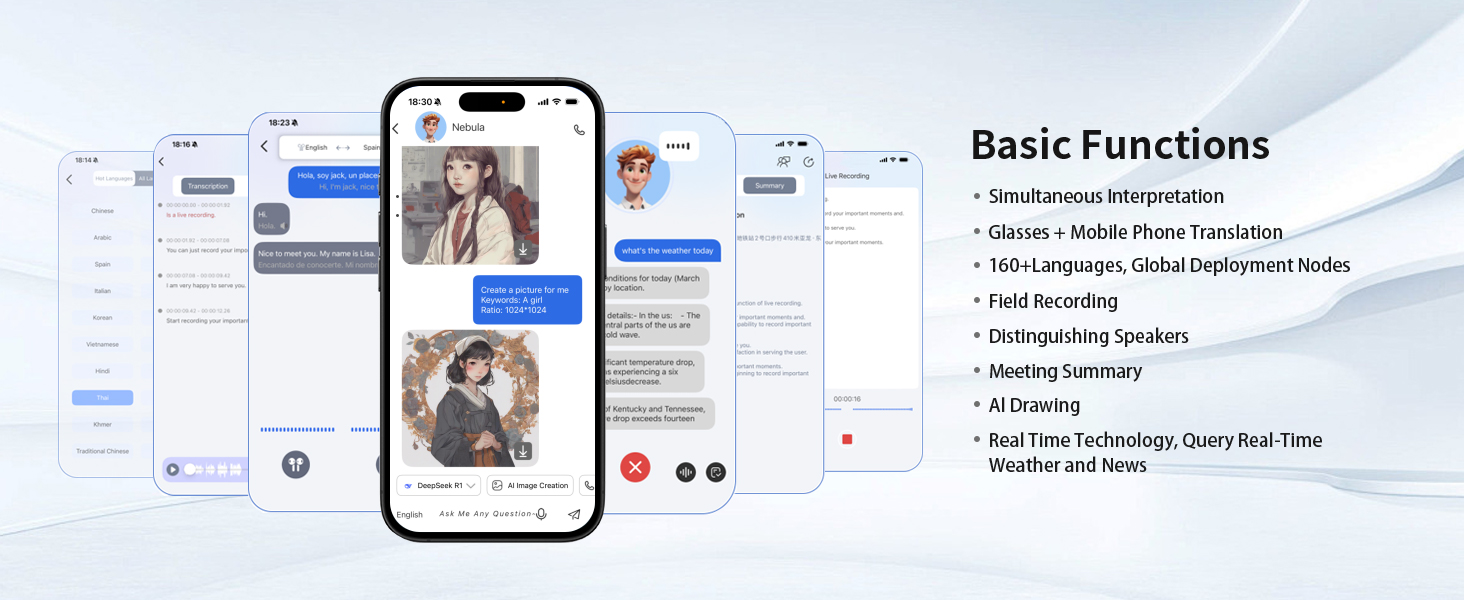
Follow these steps to download the NebulaBuds app and connect your smart glasses.
Download the NebulaBuds Translation APP: https://www.nebulabuds.com/download/index.html
Operating Instructions
Basic Controls
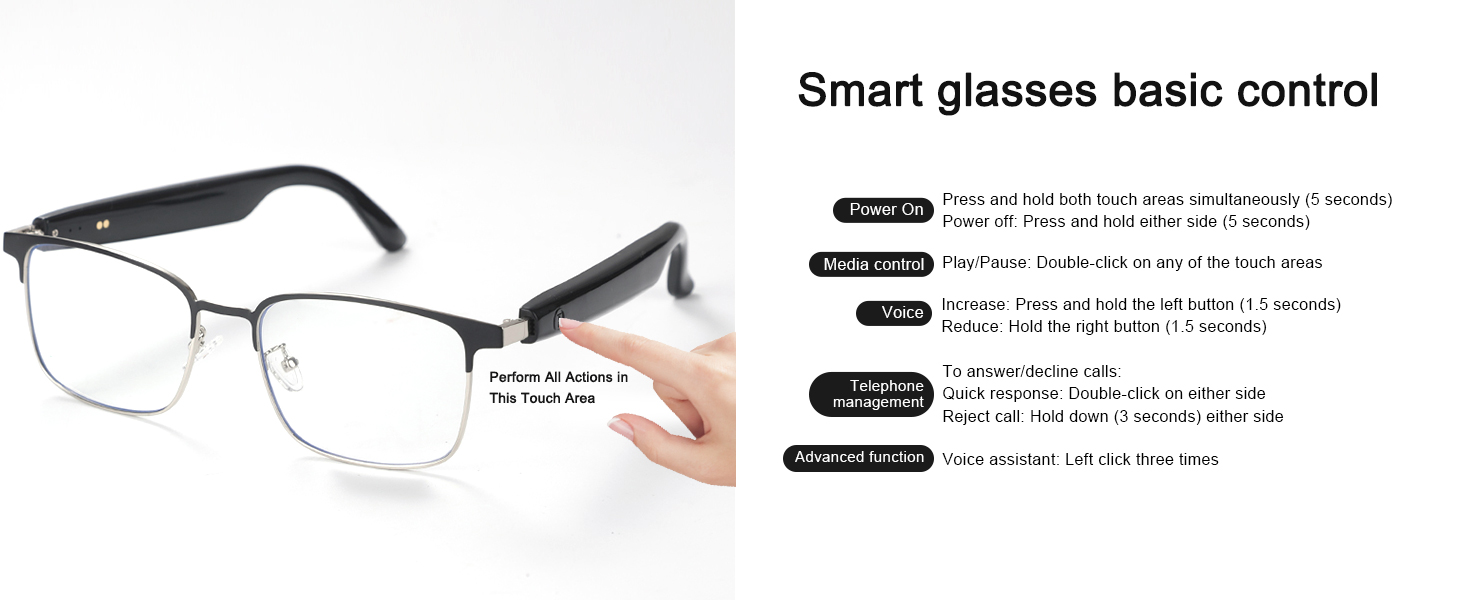
The smart glasses feature intuitive touch controls on the temples for various functions:
Perform all actions in the designated touch area on the temples.
| Function | Action |
|---|---|
| Power On | Press and hold both touch areas simultaneously (5 seconds) |
| Power Off | Press and hold either side (5 seconds) |
| Play/Pause | Double-click on any of the touch areas |
| Increase Volume | Press and hold the left button (1.5 seconds) |
| Reduce Volume | Hold the right button (1.5 seconds) |
| Answer/Decline Calls | Quick response: Double-click on either side |
| Reject Call | Hold down (3 seconds) either side |
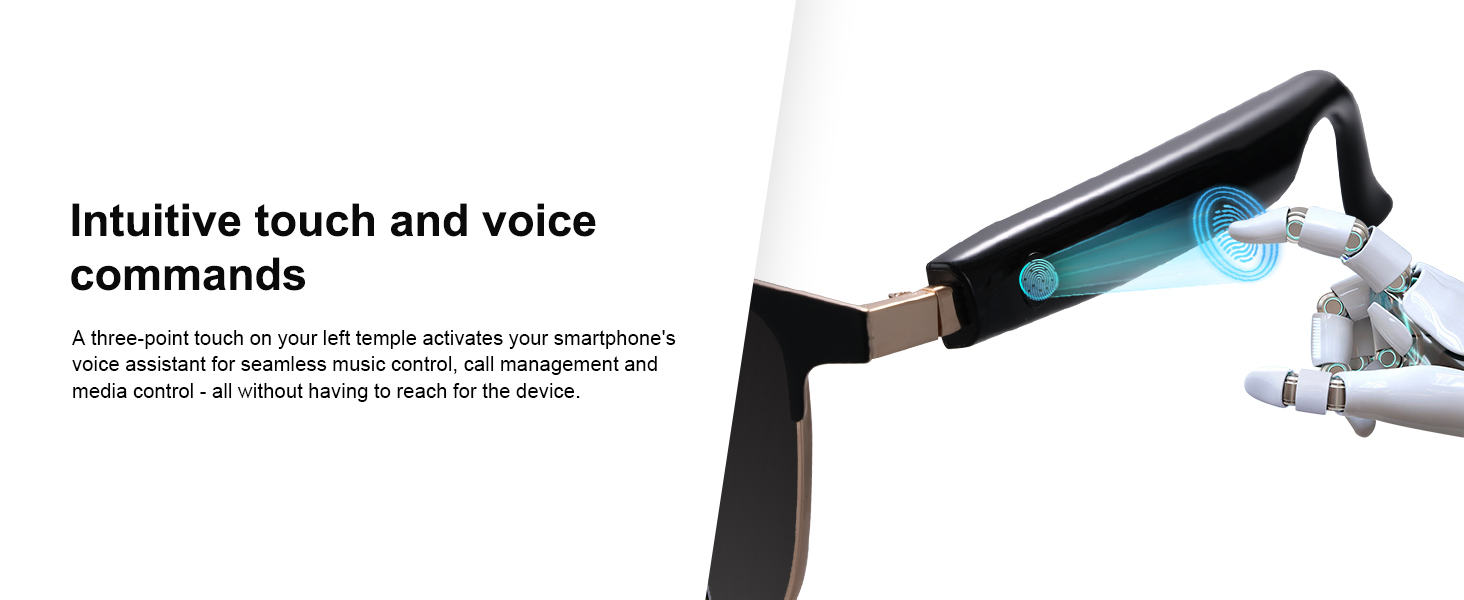
| Voice Assistant | Left click three times |
AI-Powered Noise Cancellation
These smart AI glasses filter background sounds during calls or conversations, ensuring accurate voice recognition for real-time text/audio conversions after paired with the Nebula APP (requires pre-opened noise reduction). Perfect for busy cafes, airports, or outdoor meetings.
Focus on conversations, not noise, with AI intelligent background noise filtering.
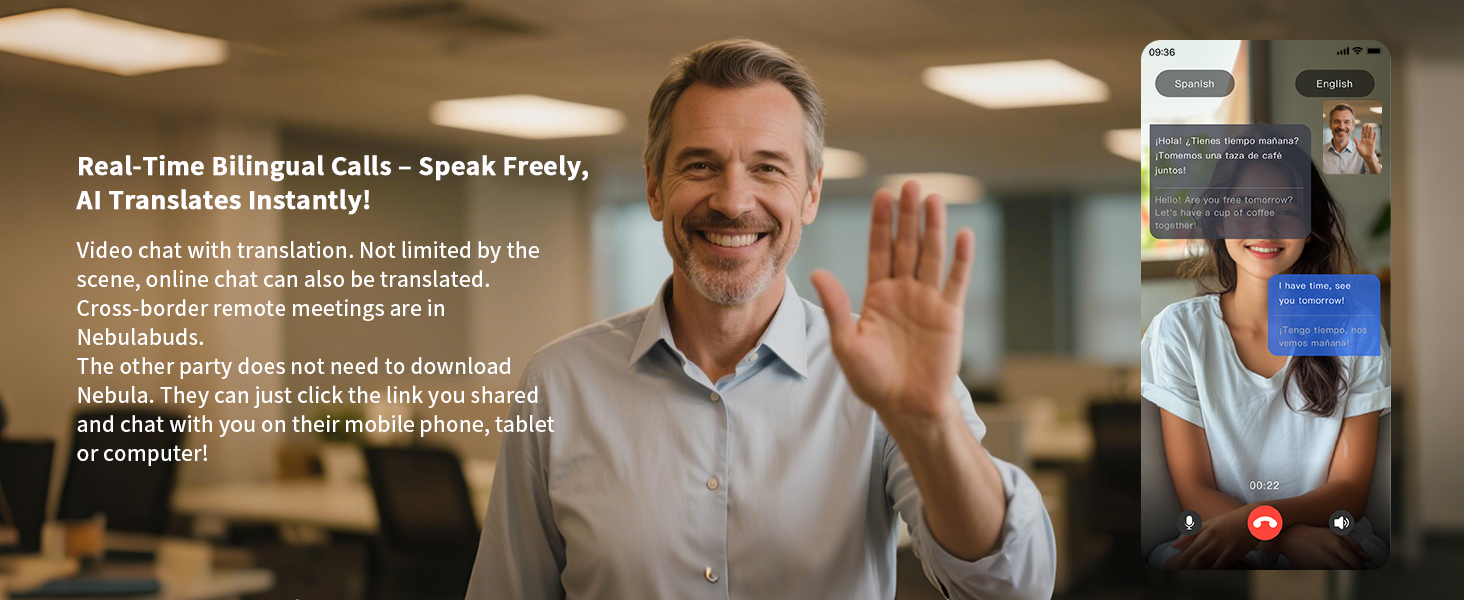
Real-Time Bilingual Calls
Video chat with translation is supported, not limited by the scene. Online chat can also be translated. Cross-border remote meetings are possible in NebulaBuds. The other party does not need to download Nebula; they can just click the link you shared and chat with you on their mobile phone, tablet, or computer.
Speak freely, AI translates instantly during real-time bilingual calls.
Wake & Talk: Your AI Companion Always Ready
Say "Xiao Mei, Xiao Mei" to start an AI dialogue, or "Simultaneous Interpretation" to start translation. Different wake words are matched with different tones to meet personalized user needs.
Activate your AI companion with simple voice commands.
Additional Basic Functions
Beyond translation, the glasses offer a suite of functions:
- Simultaneous Interpretation
- 160+ Languages + Mobile Phone Translation
- Global Deployment Nodes
- Field Recording
- Distinguishing Speakers
- Meeting Summary
- AI Drawing
- Real-Time Technology, Query Real-Time Weather and News

Explore the diverse functions available through the companion app.
Intuitive Touch and Voice Commands
A three-point touch on your left temple activates your smartphone's voice assistant for seamless music control, call management, and media control - all without having to reach for the device.
Effortlessly control your glasses with simple touch gestures.
Clear Audio, Designed for Motion
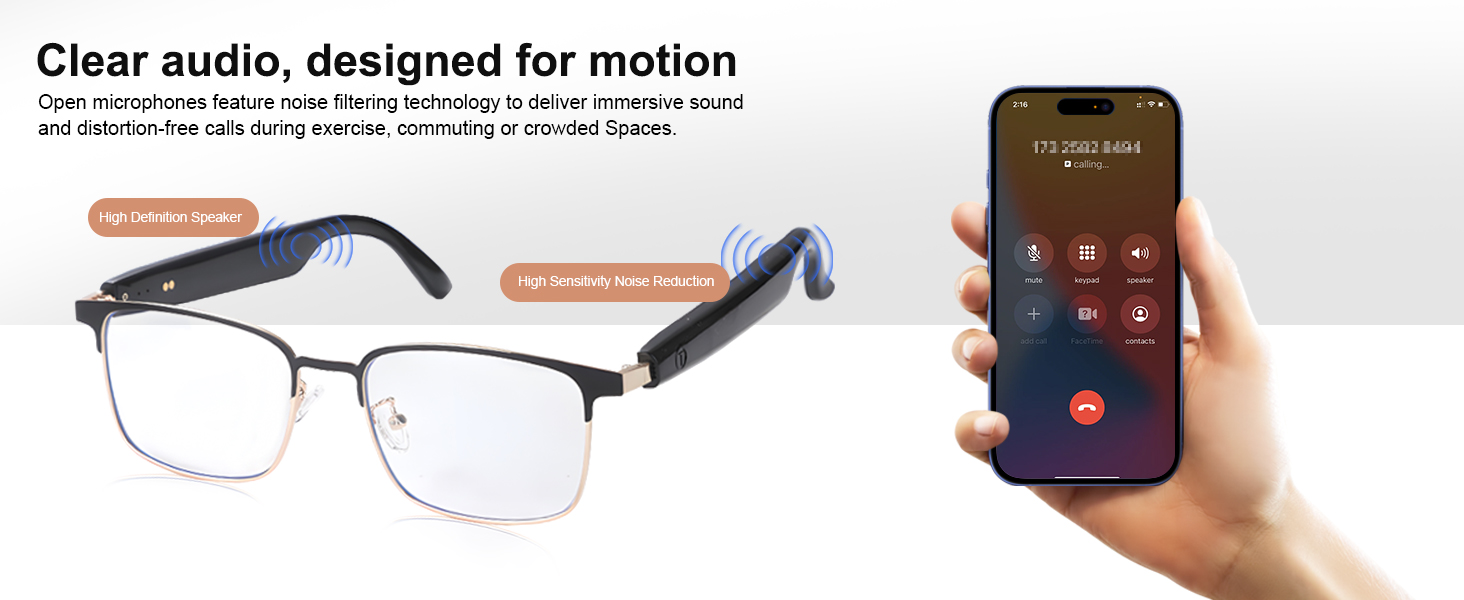
Open microphones feature noise filtering technology to deliver immersive sound and distortion-free calls during exercise, commuting, or crowded spaces.

Enjoy clear calls and audio even in noisy environments.
Maintenance
Durable and Moisture-Proof Design
The legs of these smart glasses are well sealed and designed to protect against sweat and moisture. Whether you're sweating during a workout or encountering unexpected drizzle, the lightweight frame ensures reliable performance while maintaining comfort.
The IPX5 rating ensures durability against sweat and light splashes.
To clean your glasses, use the provided cleaning cloth. Avoid harsh chemicals or abrasive materials that could damage the lenses or frame.
Troubleshooting
If you encounter any issues with your padom AI Translation Smart Glasses, please refer to the common problems and solutions below:
- Translation Not Working:
- Ensure the glasses are correctly paired with the Nebula APP.
- Verify that noise reduction is pre-opened in the app settings for optimal voice recognition.
- Check for any app updates and ensure your smartphone's operating system is compatible.
- Difficulty with Controls:
- Refer to the 'Basic Controls' table in this manual for precise tap and press-and-hold actions.
- Practice the gestures to become familiar with the touch-sensitive areas.
- Bluetooth Connectivity Issues:
- Ensure the glasses are fully charged.
- Power cycle both the glasses and your phone.
- If issues persist, unpair and then re-pair the device (UF-10) in your phone's Bluetooth settings.
- Audio Quality/Privacy:
- The open-ear design allows you to hear your surroundings, which may result in some sound leakage. Adjust volume for personal use in quiet environments.
- Ensure the speakers on the temples are not obstructed.
- Charging Issues:
- Ensure the magnetic charging cable is correctly aligned with the charging points on the temples.
- Check that your USB power source is functioning correctly.
Specifications

Approximate specifications based on manual measurements. Actual product details may vary slightly.
| Specification | Value |
|---|---|
| Package Dimensions | 6.65 x 5.79 x 1.85 inches |
| Item Weight | 1.16 ounces (33 Grams) |
| ASIN | B0F5GSDQFY |
| Item Model Number | UF-10 |
| Batteries | 2 Lithium Polymer batteries required (included) |
| Date First Available | April 18, 2025 |
| Department | Unisex Adult |
| Battery Cell Composition | Lithium Polymer |
| Shape | Rectangular |
| Brand | padom |
| Model Name | Uf-10 Ai Smart Glasses |
| Style | Ai Version Smart Glasses |
| Color | Silver Frame-black |
| Age Range (Description) | Adult |
Warranty and Support
Warranty Information
Please refer to the product packaging or contact padom customer support for detailed warranty information regarding your AI Translation Smart Glasses.
Customer Support
For further assistance, technical support, or inquiries, please visit the official padom website or contact their customer service channels as provided on the product packaging or official website.
Related documentsUF-10


Ask a question about this manual
Ask about setup, troubleshooting, compatibility, parts, safety, or missing instructions. Manuals+ will review the question and use this page’s manual context to help answer it.