
Introduction
Thank you for choosing the FLEXISPOT Big and Tall Office Chair. This manual provides essential information for the safe and efficient use of your new office chair. Please read it thoroughly before use and retain it for future reference.

Image: The FLEXISPOT Big and Tall Office Chair in an office setting.
Safety Information
WARNING: To avoid discomfort or strain, take regular breaks when sitting for extended periods. This chair is designed for users up to 600 pounds. Exceeding this weight limit may cause instability or damage to the chair.
Always ensure the chair is on a stable, level surface before use. Do not stand on the chair. Do not use the chair if any parts are damaged or missing. Keep children and pets away from the chair during assembly and adjustment.
Setup and Assembly
The FLEXISPOT Big and Tall Office Chair is designed for minimal assembly. This product is shipped fully assembled and does not require additional assembly steps upon arrival.
Upon unboxing, ensure all packaging materials are removed. Place the chair on a flat, stable surface. Verify that all components are securely attached and functional before first use.
Operating Instructions
Your FLEXISPOT office chair offers several adjustable features to customize your seating experience. Familiarize yourself with these adjustments for optimal comfort and ergonomic support.
1. Seat Height Adjustment
To adjust the seat height, locate the lever on the right side beneath the seat. While seated, pull the lever up to lower the seat. To raise the seat, stand up slightly and pull the lever up. Release the lever at the desired height to lock it in place.

Image: Illustration of seat height and recline adjustment mechanisms.
2. Lumbar Support Adjustment
The chair features adjustable dynamic lumbar support. Locate the knob or lever on the side of the backrest. Rotate or move this control to adjust the depth and position of the lumbar support to fit the natural curve of your spine. This provides targeted support to alleviate lower back pain and promote proper posture.

Image: Diagram illustrating the adjustable lumbar support conforming to the spine.
3. Tilt and Recline Function
The chair offers a tilt range of 90 to 130 degrees. To recline, pull the recline lever (often the same as the height adjustment lever, or a separate one) and lean back. Release the lever to lock the chair in your desired reclined position. To return to an upright position, lean forward and release the lever.
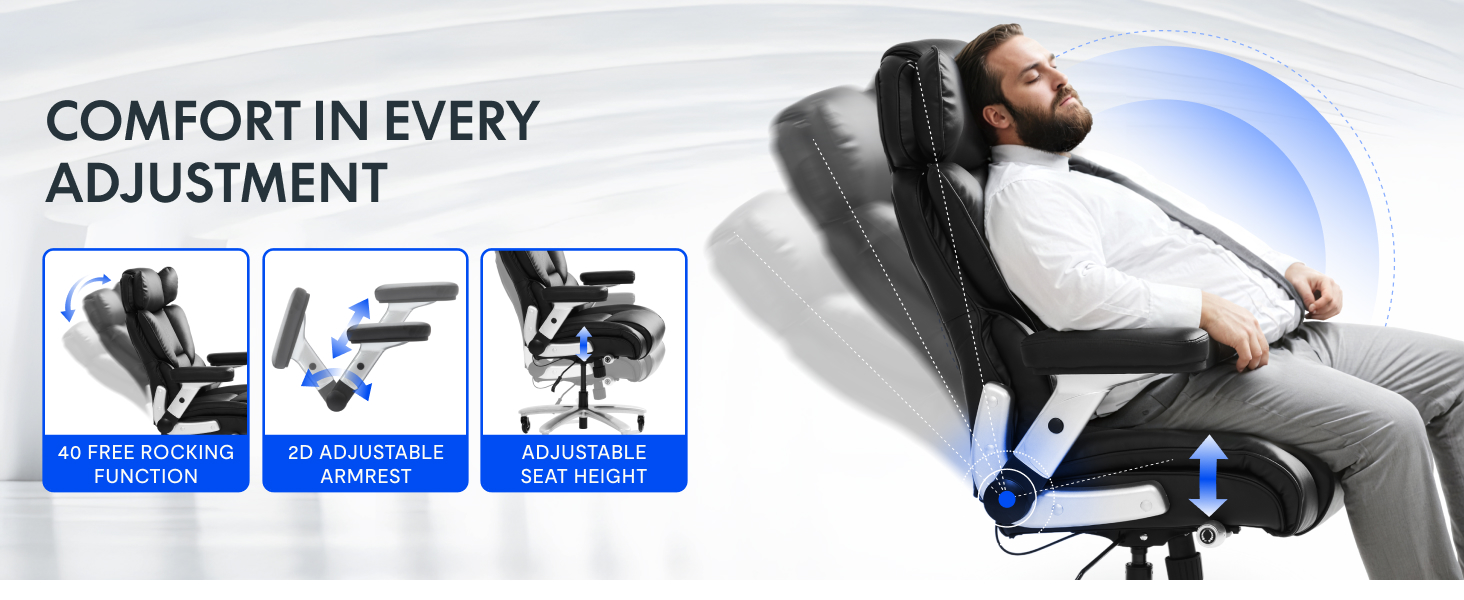
Image: Visual representation of the chair's reclining capability and other adjustments.
4. Armrest Adjustment
The chair features flip-up armrests. To raise or lower the armrests, locate the release button or lever on the side of each armrest. Press or lift it and move the armrest to the desired position. Ensure both armrests are at an even height for balanced support.
Maintenance
Regular maintenance will prolong the life and appearance of your FLEXISPOT office chair.
- Cleaning: For leather surfaces, wipe with a soft, damp cloth. For stubborn stains, use a mild leather cleaner according to its instructions. Avoid harsh chemicals or abrasive cleaners.
- Casters: Periodically check the casters (wheels) for hair, dust, or debris that may impede smooth movement. Clean them as needed.
- Hardware: Regularly inspect all screws and bolts to ensure they are tight. Re-tighten if necessary to maintain stability and prevent squeaks.
- Moving Parts: If any moving parts (like the gas lift or recline mechanism) become stiff, a small amount of silicone-based lubricant can be applied, avoiding contact with upholstery.
Troubleshooting
If you encounter issues with your chair, refer to the following common problems and solutions:
| Problem | Possible Cause | Solution |
|---|---|---|
| Chair does not stay at desired height (sinks) | Gas lift malfunction or damage. | Contact customer support for a replacement gas lift. Ensure the chair's weight capacity (600 lbs) is not exceeded. |
| Chair is wobbly or unstable | Loose screws or bolts; uneven floor. | Check and tighten all assembly screws. Ensure the chair is on a flat, stable surface. |
| Casters do not roll smoothly | Debris (hair, dust) caught in casters. | Turn the chair over and carefully remove any obstructions from the casters. |
| Squeaking noises | Loose connections or friction between moving parts. | Tighten all screws. Apply a small amount of silicone lubricant to moving metal parts, avoiding upholstery. |
Specifications
Key specifications for the FLEXISPOT Big and Tall Office Chair:
- Model Name: Office Chair
- Brand: FLEXISPOT
- Color: Black
- Material: Metal, Leather, Foam
- Product Dimensions (D x W x H): 20.8" x 28" x 49.6"
- Maximum Weight Recommendation: 600 Pounds
- Seat Depth: 20.8 inches
- Reclining Position Count: 1 (90 to 130 degrees tilt)
- Arm Style: Track (Flip-up)
- Leg Style: Wheels (Quiet Rubber Wheels)
- Special Features: Adjustable Height, Adjustable Armrest, Inflatable Adjustable Lumbar Support, Thickened Elastic Seat Cushion, Heavy Duty Base (SGS Class 4 certified pneumatic lift, BIFMA certified)
- UPC: 840460458108

Image: Detailed product dimensions.

Image: Material properties: Breathable, PU Leather, Elastic.

Image: Heavy-duty capacity of 600 LBS.
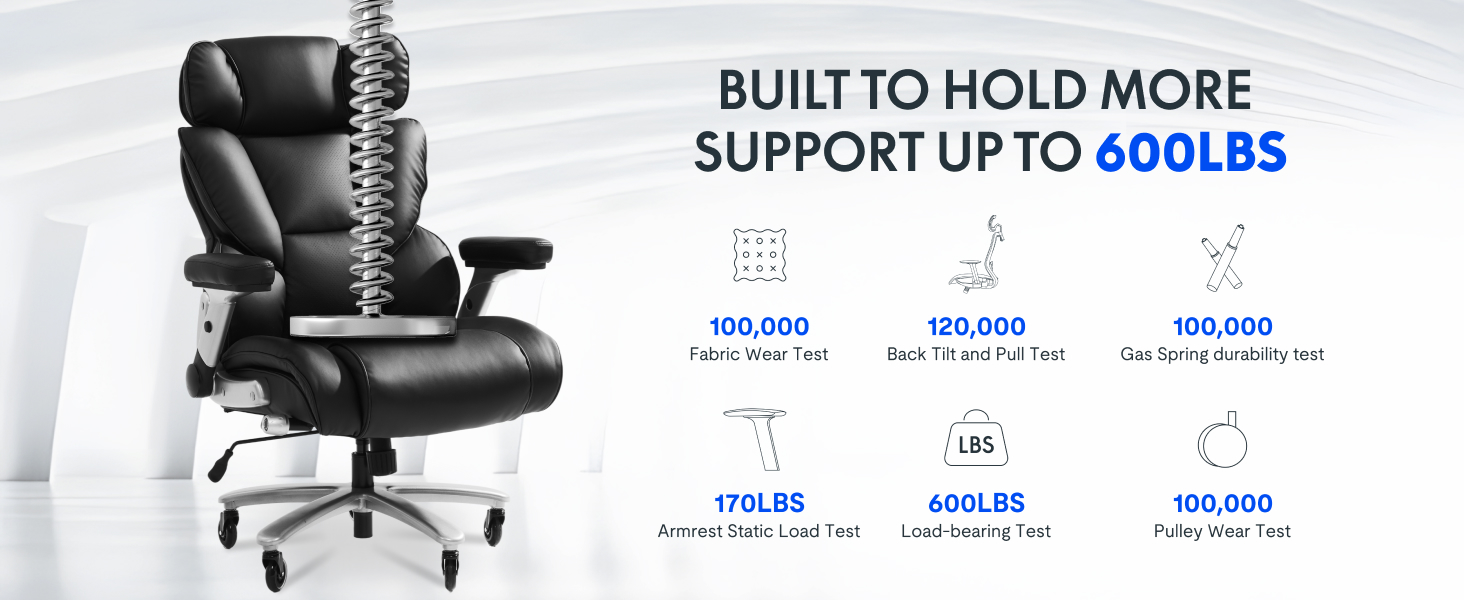
Image: Durability test results for the chair components.
Customer Support
For further assistance, warranty claims, or to report any issues not covered in this manual, please contact FLEXISPOT customer support. Refer to your purchase documentation or the FLEXISPOT official website for contact details.
Online Support: Visit the FLEXISPOT Store on Amazon


