
Introduction and Overview
The Voistek 885DZ-US Wireless Bluetooth Headset is designed for clear and comfortable communication in various environments, including home offices, traditional offices, and during travel. Featuring advanced noise-cancelling technology, extended battery life, and dual connectivity options, this headset ensures you stay connected and productive.
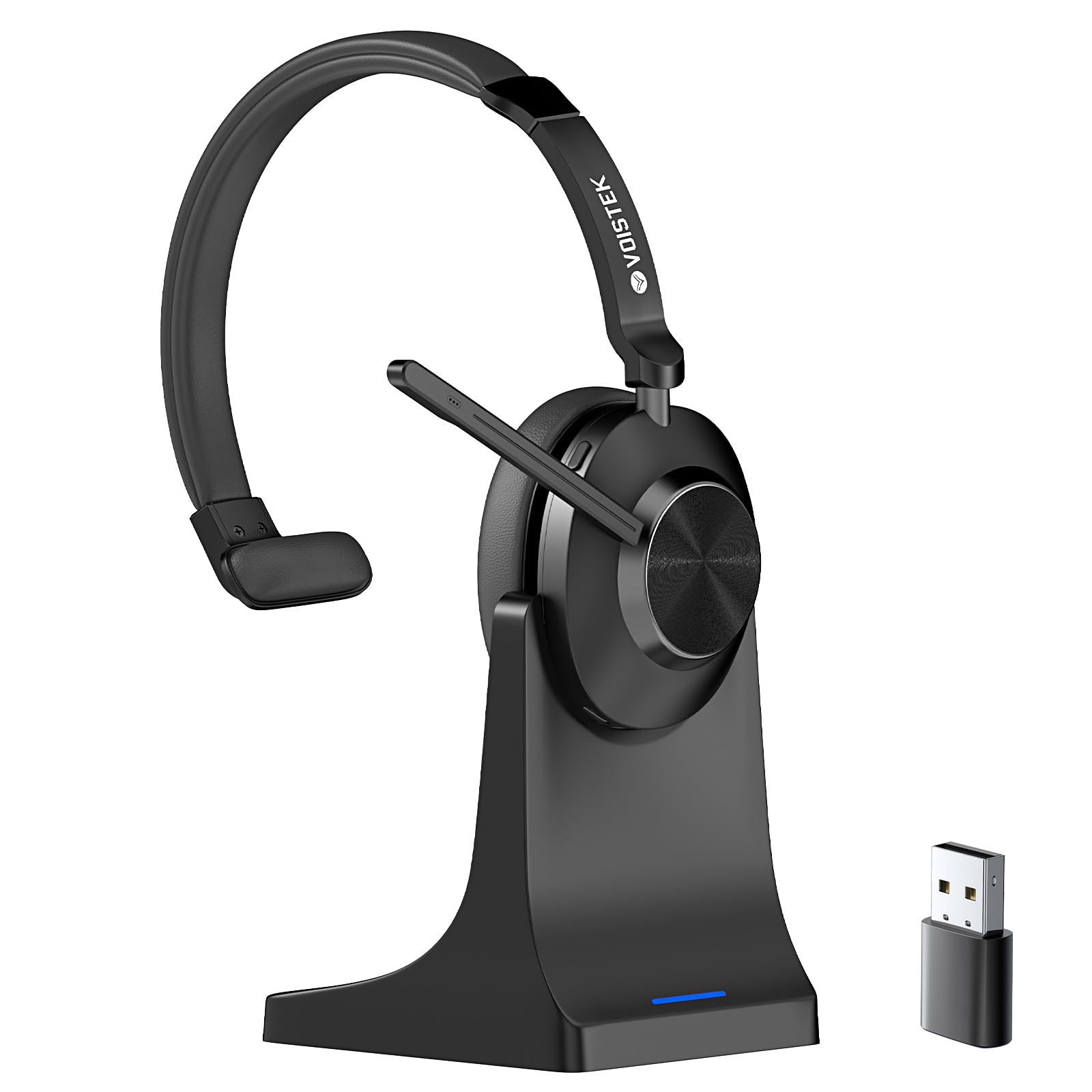
Image: A woman wearing the Voistek Wireless Bluetooth Headset while working on a laptop, with text overlay "Up to 45 Hrs battery life".
What's in the Box
Your Voistek 885DZ-US package includes the following items:
- Headset
- Charging Station
- User Manual (this document)
- USB Dongle (2.4GHz)
- USB A-C Adapter Cable

Image: The Voistek headset, charging dock, 2.4GHz USB Dongle, USB-C Charging Cable, and USB-C to USB-A Adapter Cable, labeled as "In the box".
Setup
Charging the Headset
Before initial use, fully charge your headset. The headset can be charged using the included charging station or directly via the USB-C port.
- Connect the USB A-C Adapter Cable to a power source (e.g., computer USB port, wall adapter).
- Connect the USB-C end of the cable to the charging station or directly to the headset's USB-C charging port.
- Place the headset on the charging station, ensuring the charging contacts align. The indicator light on the charging station will show charging status.
- A full charge takes approximately 2 hours. A quick 5-minute charge provides extra runtime for urgent calls.
Connecting via USB Dongle (2.4GHz)
For a stable and driver-free connection to your PC or laptop:
- Insert the USB Dongle into an available USB port on your computer.
- Power on the headset by sliding the ON/OFF switch.
- The headset will automatically pair with the dongle. An indicator light on the headset will confirm successful connection.
Connecting via Bluetooth 5.3
To connect to smartphones, tablets, or other Bluetooth-enabled devices:
- Ensure the headset is powered off.
- Press and hold the Multi-Function Button (MFB) until the indicator light flashes blue and red, indicating pairing mode.
- On your device, go to Bluetooth settings and search for "Voistek 885DZ-US" (or similar model name).
- Select the headset to pair. The indicator light will turn solid blue upon successful connection.
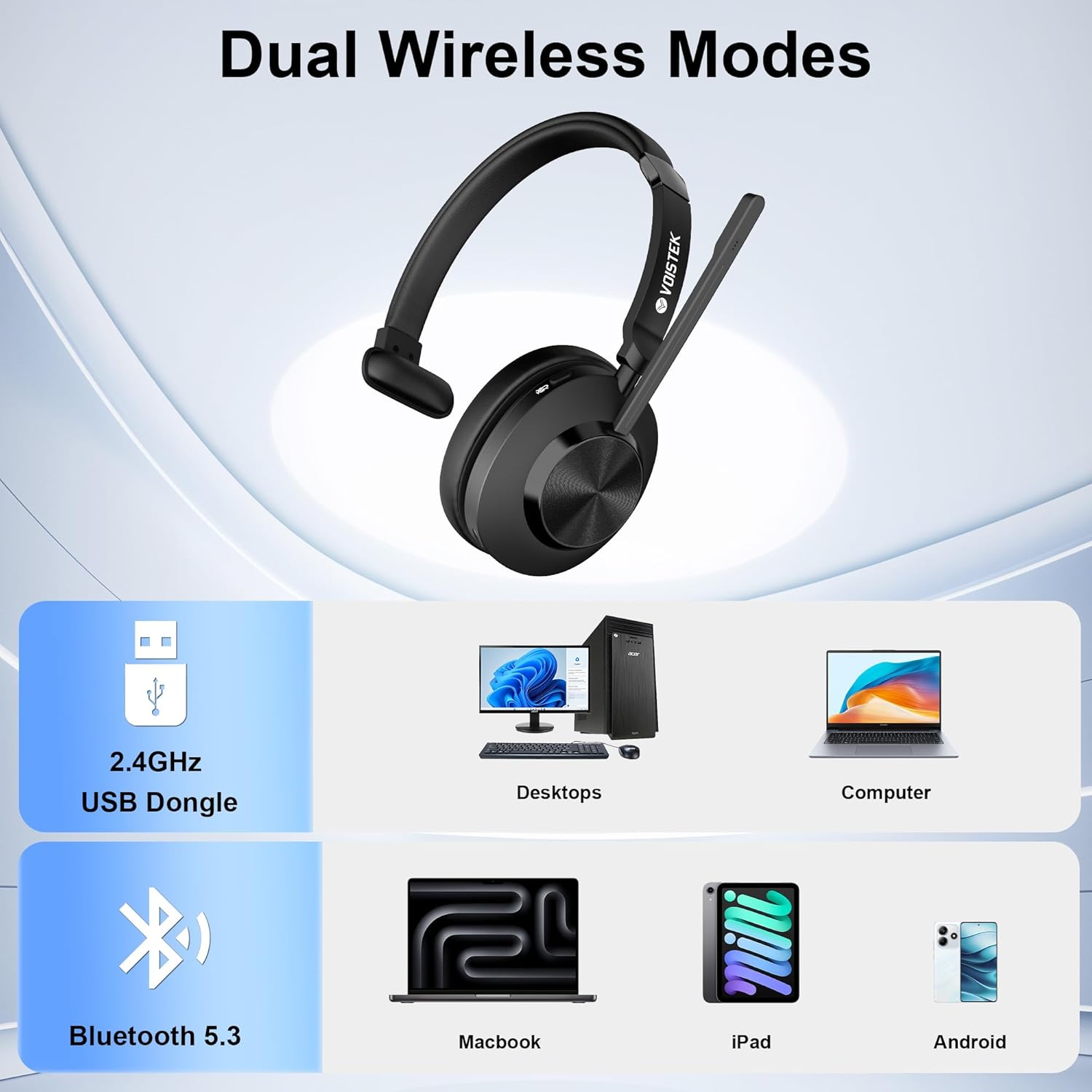
Image: The Voistek headset illustrating its "Dual Wireless Modes" for connectivity with various devices via 2.4GHz USB Dongle and Bluetooth 5.3.
Operating Instructions
Headset Controls
The headset features intuitive controls located on the earcup:
- Power On/Off: Slide the ON/OFF switch.
- Volume Up/Down: Use the dedicated volume buttons.
- Mic Mute: Press the Mic Mute button to quickly mute/unmute your microphone during calls.
- Answer/Reject Call/Siri: Use the Multi-Function Button (MFB) for call management and voice assistant activation.

Image: An annotated diagram of the Voistek headset, pointing out its various features and controls.
Microphone Usage
The flexible, noise-cancelling microphone can be adjusted for optimal voice pickup:
- Rotate the microphone arm up or down to position it comfortably near your mouth.
- The microphone features precision beamforming technology to reduce ambient noise, ensuring your voice is clear during calls.
- When not in use, the microphone arm can be rotated upwards and out of the way.

Image: A close-up view of the headset's microphone, emphasizing its noise-cancelling capability.
Features
- Noise-Cancelling Microphone: Equipped with a precision beamforming microphone that reduces ambient noise, ensuring your voice remains clear and natural.
- Single-Ear Comfort: Designed for one-ear use, allowing you to stay alert to your surroundings while maintaining hands-free communication.
- High-Quality Audio: Features a powerful 40mm driver with a custom-tuned diaphragm for clear sound during calls, meetings, or daily communication.
- Wireless Convenience: Instant pairing via Bluetooth or USB dongle. No drivers required. Seamlessly switch between PC, smartphone, tablet, or laptop.
- Extended Battery Life: Enjoy over 45 hours of talk time on a full charge (2 hours). Just 5 minutes of quick charge gives you extra runtime for urgent calls.
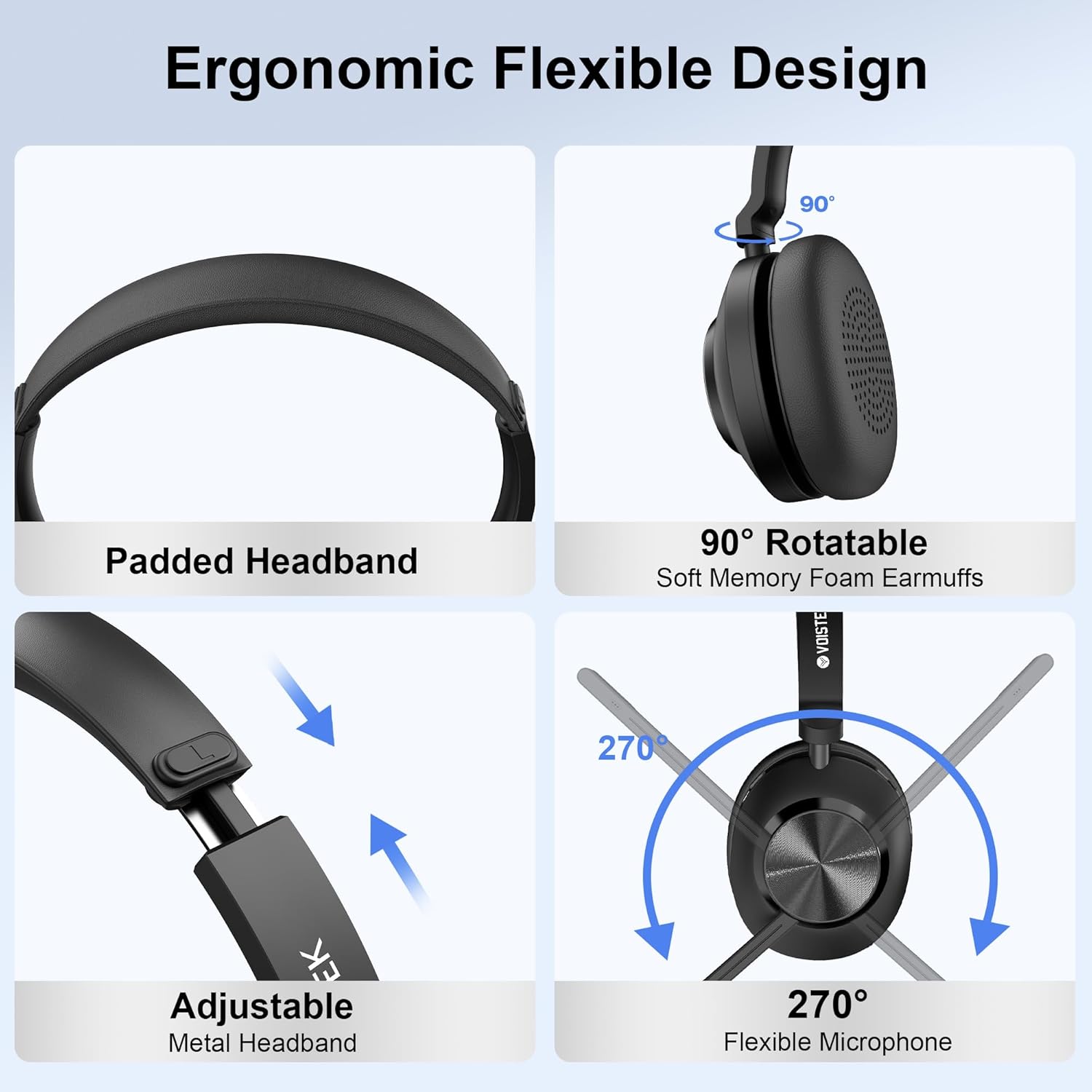
Image: The headset highlighting its ergonomic and flexible design for comfort and adjustability.

Image: The headset on its charging dock, with text "Ultra-lightweight design weighs only 127g for pressure-free all-day wear".

Image: A graphic emphasizing the "Great Battery Life 45HR" of the headset.
Specifications
| Feature | Detail |
|---|---|
| Model Number | 885DZ-US |
| Connectivity Technology | Wireless (Bluetooth 5.3, 2.4GHz USB Dongle) |
| Bluetooth Range | 10 Meters |
| Battery Life (Talk Time) | 45+ Hours |
| Charging Time | 2 Hours (full charge) |
| Audio Driver Size | 40 Millimeters |
| Microphone | Noise-Cancelling, Precision Beamforming, Flexible (270° rotation) |
| Weight | 150 Grams (approx. 5.3 ounces) |
| Ear Placement | On Ear (Single-Ear Design) |
| Compatible Devices | Cellphones, Desktops, Laptops, Tablets (Mac, Android, iOS, Teams, Zoom) |
Maintenance
- Cleaning: Use a soft, dry cloth to clean the headset and charging station. Avoid liquid cleaners.
- Storage: Store the headset in a cool, dry place when not in use. Utilize the charging station for convenient and safe storage.
- Battery Care: To prolong battery life, avoid fully discharging the headset frequently. Charge regularly.
- Avoid Extreme Conditions: Do not expose the headset to extreme temperatures, humidity, or direct sunlight. It is not water resistant.
Troubleshooting
- No Power: Ensure the headset is fully charged. Check the charging cable and power source.
- Cannot Pair:
- Ensure the headset is in pairing mode (flashing blue/red light).
- Make sure Bluetooth is enabled on your device and it's within range (10 meters).
- If using the USB dongle, ensure it's properly inserted and the headset is powered on.
- Try restarting both the headset and your device.
- Poor Audio Quality:
- Check the volume levels on both the headset and your connected device.
- Ensure the microphone is positioned correctly and not obstructed.
- Move closer to your connected device to improve signal strength.
- Verify that the correct audio output device is selected in your computer's or phone's settings.
- Microphone Not Working:
- Check if the microphone is muted (red indicator light on the mic mute button).
- Ensure the microphone is enabled and selected as the input device in your application settings (e.g., Zoom, Teams).
Warranty and Support
Voistek provides the following support for your headset:
- 30-Day Return and Refund Policy: If you are not satisfied with your purchase, you may return it within 30 days for a full refund.
- Lifetime Support: Our dedicated service team is available to help you resolve any issues swiftly and professionally. For assistance, please contact us via Amazon.
Product Videos
One Ear Headset with Noise Cancelling Microphone
Video: A seller demonstrating the features of the one-ear headset, focusing on its noise-cancelling microphone and comfortable design.
My new work headset!
Video: A seller reviewing the headset, highlighting its suitability for work and ease of use.