
PETLAYSON M1 Pro (LS-DFPL1210)
PET LAYSON M1 Pro Smart Cordless Pet Water Fountain User Manual
Model: M1 Pro (LS-DFPL1210)
Brand: PETLAYSON
1. Important Safety Instructions
- Read all instructions carefully before using the product.
- This appliance is intended for household use only. Do not use outdoors.
- Always unplug the fountain before cleaning or performing maintenance.
- Do not immerse the main unit or power adapter in water.
- Ensure the power adapter and cable are not damaged. If damaged, discontinue use immediately.
- Keep out of reach of children and pets when not in use or during charging.
- Use only original PET LAYSON replacement parts and accessories.
- The fountain supports 2.4GHz Wi-Fi networks only. 5GHz networks are not supported.
2. Product Overview
2.1 Components
The PET LAYSON M1 Pro Smart Cordless Pet Water Fountain includes the following components:
- Main Fountain Unit (Water Tank, Top Tray with Spout)
- Stainless Steel Drinking Tray
- Filter Cartridges (2 included)
- Nozzles (2 included, different styles)
- USB Charging Cable
- User Manual
2.2 Key Features
- Cordless & Rechargeable: Powered by a built-in 10,000mAh rechargeable battery for flexible placement.
- App Remote Control: Monitor water levels, set drainage intervals, and receive notifications via the dedicated app (2.4GHz Wi-Fi required).
- Three Smart Hydration Modes: Choose from Motion Sensor, Timer, or Continuous modes to suit your pet's needs.
- Pumpless Design: Eliminates cleaning blind spots and simplifies maintenance.
- 4-Layer Filtration System: Provides clean, oxygen-rich water by filtering hair, dust, heavy metal ions, and odors.
- Health Monitoring System: The app records hydration data and provides reports on your pet's drinking habits.
- UVC Light Sterilization: Integrated UVC light helps maintain water clarity and hygiene.
- Low Noise Operation: Operates at approximately 23 decibels for a quiet environment.
- Large Capacity: 3.6L (122oz) water tank capacity reduces the frequency of refills.

Figure 1: PET LAYSON M1 Pro Smart Cordless Pet Water Fountain.
3. Setup Guide
3.1 Assembly
- Unpack all components and ensure they are clean.
- Rinse the water tank, stainless steel tray, and nozzles thoroughly with water.
- Insert a filter cartridge into its designated slot in the top tray. Ensure it is seated correctly.
- Place the stainless steel drinking tray onto the main unit.
- Attach your preferred nozzle to the water spout.
- Fill the water tank with clean water up to the MAX fill line.
3.2 Initial Charging
Before first use, fully charge the fountain's internal battery.
- Connect the USB charging cable to the fountain's charging port and a suitable USB power adapter (not included).
- The Battery Indicator Light will show a breathing green light during charging and turn solid green when fully charged.
- A full charge can provide up to 30 days of power depending on usage mode.

Figure 2: Long-lasting 10,000 mAh battery.
3.3 App Installation and Wi-Fi Connection
- Download the PET LAYSON app from your smartphone's app store.
- Register or log in to your account.
- Follow the in-app instructions to add your M1 Pro fountain. Ensure your phone is connected to a 2.4GHz Wi-Fi network during setup.
- Note: App control features are only available when the fountain is plugged into a power source. When operating on battery power, only the Motion Sensor Mode is supported.

Figure 3: App Intelligent Remote Control.
4. Operating Instructions
4.1 Power On/Off and Mode Selection
The fountain features a Function Button on the control panel. Briefly pressing this button allows you to adjust the water output mode when plugged in.
- Motion Sensor Mode: When the device detects a pet passing by, it dispenses water for 45 seconds. This mode is available when operating on battery power.
- Timer Mode: Dispenses water for 60 seconds every 2 minutes. This mode extends pump life and ensures fresh water throughout the day when plugged in.
- Continuous Mode: Provides a steady flow of water when plugged in, ideal for multi-pet households.
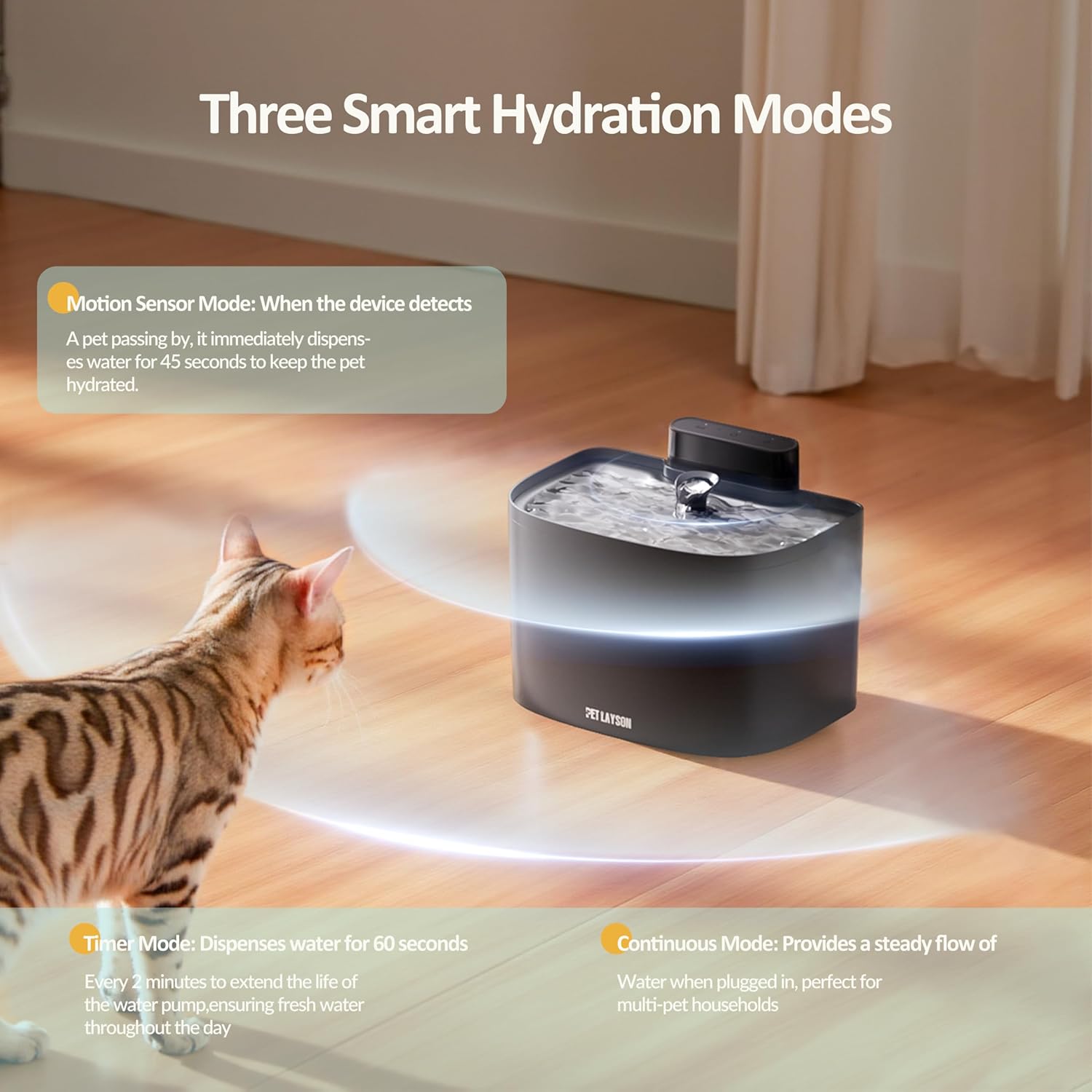
Figure 4: Three Smart Hydration Modes.
4.2 App Control Functionality
When the fountain is plugged into a power source and connected to Wi-Fi, the PET LAYSON app provides enhanced control and monitoring:
- Remote Monitoring: View fresh water tank and wastewater tank levels.
- Drainage Control: Set automatic drainage intervals or manually drain water.
- Mode Switching: Easily switch between Motion Sensor, Timer, and Continuous modes.
- Health Monitoring: Access daily drinking water data and reports to understand your pet's hydration habits.

Figure 5: App Records Daily Drinking Water Data.
4.3 Indicator Lights
The control panel features indicator lights for water level and battery status:
- Water Level Indicator:
- Solid Dark Green: Full Water
- Solid Light Green: Large Water
- Solid Red: Water is moderate
- Solid Dark Red: The water level is low
- Flashing Dark Red: Add water immediately
- Battery Indicator:
- Solid Green: The battery is fully charged
- Solid Orange: Medium power
- Solid Red: Low battery
- Flashing Red: Need to charge soon
- Breathing Green: The device is charging
5. Maintenance
5.1 Cleaning the Fountain
The pumpless and detachable design makes cleaning simple:
- Unplug the fountain from power (if connected) and remove the stainless steel tray.
- Disassemble the top tray, water tank, and any other removable parts.
- Wash all components (except the main control unit with electronics) with mild soap and water. Rinse thoroughly to remove all soap residue.
- Clean the UVC light area gently with a soft cloth.
- Ensure all parts are completely dry before reassembling.

Figure 6: Easy Disassembly for Cleaning.
5.2 Filter Replacement
The 4-layer filtration system requires regular filter replacement to ensure optimal water quality.
- Replace the filter cartridge every 2-4 weeks, or as indicated by the app/fountain's filter timer.
- To replace, remove the old filter and insert a new one into the designated slot.
- After replacing, long-press the 'Filter Timer Reset' button on the control panel for 3 seconds until the white light flashes to reset the timer.

Figure 7: Upgraded 4-Layer Filtration System.
6. Troubleshooting
| Problem | Possible Cause | Solution |
|---|---|---|
| Fountain not dispensing water. | Low water level; Battery depleted; Obstruction in spout; Incorrect mode. | Refill water tank; Recharge battery; Check for and clear any obstructions; Ensure correct operating mode is selected. |
| App not connecting to fountain. | Incorrect Wi-Fi frequency; Fountain not plugged in; App setup error. | Ensure your router is broadcasting 2.4GHz Wi-Fi; Plug the fountain into power; Re-attempt app setup process. |
| Water appears cloudy or has odor. | Filter needs replacement; Fountain needs cleaning. | Replace filter cartridge; Thoroughly clean all fountain components. |
| Fountain is noisy. | Low water level; Debris in water path. | Ensure water level is adequate; Clean the fountain and check for debris. |
7. Specifications
- Model: M1 Pro (LS-DFPL1210)
- Brand: PET LAYSON
- Capacity: 3.6 Liters (122 oz)
- Power Source: Rechargeable Battery (10,000mAh) / USB Power
- Material: Acrylonitrile Butadiene Styrene (ABS), Stainless Steel Tray
- Connectivity: 2.4GHz Wi-Fi
- Noise Level: Approximately 23 dB
- Item Weight: 3.41 pounds
- Dimensions (L x W x H): 10.6 x 8.5 x 7.6 inches

Figure 8: 3.6L Water Tank Capacity.
8. Warranty and Support
For warranty information, product support, or to purchase replacement parts and filters, please contact PET LAYSON customer service. Refer to the packaging or the official PET LAYSON website for contact details.
Please retain your proof of purchase for warranty claims.