
PETLAYSON M1 Pro
PETLAYSON M1 Pro Smart Cordless Pet Water Fountain User Manual
Model: LS-DFPL1210
1. Introduction
Thank you for choosing the PETLAYSON M1 Pro Smart Cordless Pet Water Fountain. This innovative device provides fresh, clean water for your pets with advanced features like app remote control, multiple hydration modes, and a pumpless design for easy maintenance. Please read this manual thoroughly before use to ensure proper operation and longevity of your product.
2. Safety Information
- For indoor use only.
- Keep out of reach of children and pets when not in use or during maintenance.
- Do not immerse the main unit (power base) in water.
- Use only the provided power adapter for charging.
- Ensure the fountain is placed on a stable, level surface.
- Unplug the device before cleaning or performing any maintenance.
- Do not attempt to disassemble or repair the device yourself. Contact customer support if issues arise.
3. Package Contents
- PETLAYSON M1 Pro Water Fountain Unit
- Stainless Steel Tray
- Filter Set (2 filters included)
- Nozzles (2 nozzles included)
- Power Adapter
- User Manual
4. Product Overview
The PETLAYSON M1 Pro features a modular design for easy assembly and cleaning. Key components include the water tank, stainless steel tray, pumpless water dispensing unit, and a smart control module.

Figure 4.1: PETLAYSON M1 Pro Smart Cordless Pet Water Fountain with accessories.

Figure 4.2: Water tank capacity of 3.6L (122oz).

Figure 4.3: Durable 304 Stainless Steel Tray.

Figure 4.4: Control Panel with Function and Reset Buttons.

Figure 4.5: Water Level and Battery Indicator Lights.
5. Setup Guide
5.1 Initial Assembly
- Unpack all components and ensure nothing is missing.
- Rinse the stainless steel tray and water tank thoroughly with water.
- Insert the filter into its designated slot in the water dispensing unit.
- Place the water dispensing unit onto the main unit (power base).
- Fill the water tank with clean water up to the MAX fill line.
- Place the stainless steel tray on top of the water dispensing unit.
- Connect the power adapter to the fountain and a power outlet to fully charge the battery before first use.
Video 5.1: Demonstrates the assembly and initial setup of the PETLAYSON M1 Pro water fountain, including placing the pumpless unit and filling the tank.
5.2 App Connection (Optional)
For remote control and monitoring features, download the PETLAYSON app from your device's app store. The fountain only supports 2.4GHz Wi-Fi networks. Follow the in-app instructions to connect your fountain.

Figure 5.2: App Intelligent Remote Control Interface.
6. Operating Modes
The PETLAYSON M1 Pro offers three smart hydration modes to suit your pet's needs. These modes can be selected via the app or by pressing the function button on the device (when plugged in).

Figure 6.1: Three Smart Hydration Modes for selection.
- Motion Sensor Mode: When the device detects a pet passing by, it immediately dispenses water for 45 seconds. This mode is ideal for conserving battery life and encouraging pets to drink when they approach. This is the only mode available when operating on battery power.
- Timer Mode: Dispenses water for 60 seconds every 2 minutes. This mode extends the life of the water pump and ensures a consistent supply of fresh water throughout the day.
- Continuous Mode: Provides a steady flow of water when the device is plugged in. This mode is perfect for multi-pet households or for continuous filtration.
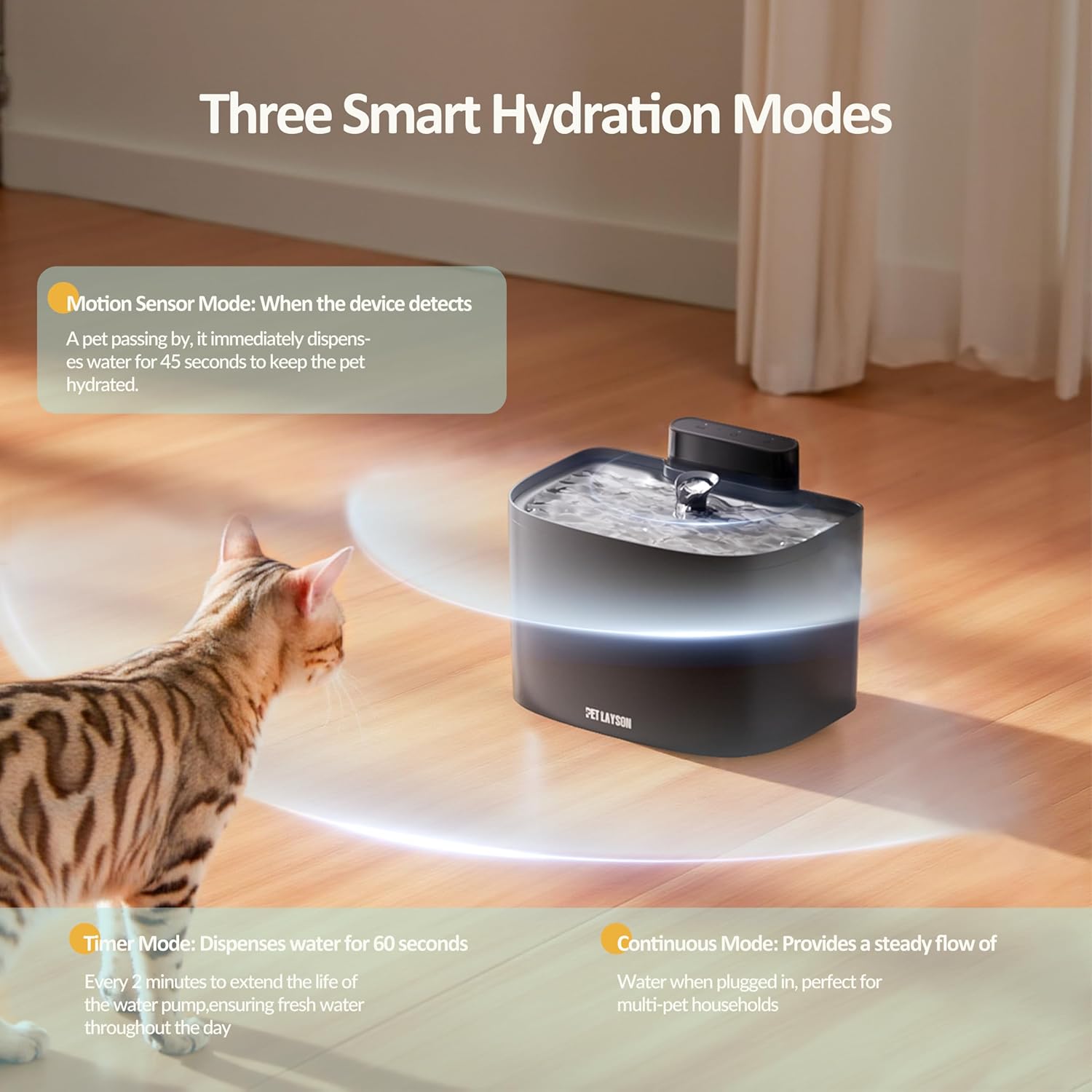
Figure 6.2: Visual representation of the three operating modes.
7. Battery Life and Charging
The PETLAYSON M1 Pro is equipped with a 10,000mAh rechargeable battery, offering extended cordless operation. Battery life can vary depending on the selected operating mode and frequency of use.

Figure 7.1: Long-lasting 10,000mAh battery.
The battery indicator light (Figure 4.5) will show the current battery status:
- Solid green: Battery fully charged.
- Solid orange: Medium power.
- Solid red: Low battery.
- Flashing red: Needs to charge soon.
- Breathing green: Device is charging.
For optimal performance, fully charge the fountain before its first use and whenever the battery is low. The app control features are only available when the fountain is plugged into a power source.
8. Maintenance
8.1 Cleaning the Fountain
The pumpless design of the PETLAYSON M1 Pro makes cleaning simple and thorough, as there are no submerged pump components to clean. Regular cleaning is essential for your pet's health.

Figure 8.1: Pumpless design for easy cleaning.
- Unplug the fountain from the power source if connected.
- Remove the stainless steel tray and the water dispensing unit from the main unit.
- Discard any remaining water.
- Disassemble all removable parts (tray, water dispensing unit, nozzle).
- Wash all parts (except the main unit/power base) with mild soap and water. Use a soft brush for hard-to-reach areas.
- Rinse thoroughly to remove all soap residue.
- Wipe the main unit (power base) with a damp cloth. Do not submerge it in water.
- Ensure all parts are completely dry before reassembling.
Video 8.2: Detailed steps for disassembling and cleaning the fountain components.
8.2 Filter Replacement
The fountain is equipped with an upgraded 4-layer filtration system to provide clean, oxygen-rich water. Filters should be replaced regularly, typically every 2-4 weeks, depending on water quality and pet usage.

Figure 8.3: Upgraded 4-Layer Filtration System.
- Remove the water dispensing unit.
- Locate the filter slot and remove the old filter.
- Rinse the new filter under running water before installation.
- Insert the new filter firmly into the slot.
- Press and hold the "Filter Timer Reset" button (Figure 4.4) for 3 seconds until the white light flashes to reset the filter timer.
9. Troubleshooting
| Problem | Possible Cause | Solution |
|---|---|---|
| Fountain not dispensing water. | Low water level; Battery low; Obstruction in nozzle/water path. | Refill water tank; Charge battery; Clean nozzle and water path. |
| App not connecting to fountain. | Not connected to 2.4GHz Wi-Fi; Fountain not plugged in (for app control); Incorrect Wi-Fi password. | Ensure 2.4GHz Wi-Fi; Plug in fountain; Re-enter Wi-Fi password in app. |
| Fountain making unusual noise. | Low water level; Foreign object in water path. | Refill water tank; Clean fountain thoroughly. |
| Water appears dirty or has odor. | Filter needs replacement; Fountain needs cleaning. | Replace filter; Clean all fountain components. |
10. Specifications
- Model Name: LS-DFPL1210 (M1 Pro)
- Brand: PETLAYSON
- Material: Acrylonitrile Butadiene Styrene (ABS)
- Water Tank Capacity: 3.6L / 122oz
- Battery Type: Lithium-Ion
- Battery Capacity: 10,000mAh
- Connectivity: 2.4GHz Wi-Fi (5GHz not supported)
- Noise Level: Approximately 23 decibels
- Item Weight: 3.41 pounds
- Package Dimensions: 10.6 x 8.5 x 7.6 inches
- Included Components: Stainless Steel Tray, 2 Filters, 2 Nozzles
- Specific Uses: Indoor
11. Warranty and Support
PETLAYSON products are designed for quality and durability. For warranty information, technical support, or any inquiries regarding your PETLAYSON M1 Pro Smart Cordless Pet Water Fountain, please contact PETLAYSON customer service through the contact information provided on the product packaging or the official PETLAYSON website. Please have your model number (LS-DFPL1210) and purchase details ready when contacting support.
For replacement filters and other accessories, please visit the official PETLAYSON store or authorized retailers.
Ask a question about this manual
Ask about setup, troubleshooting, compatibility, parts, safety, or missing instructions. Manuals+ will review the question and use this page’s manual context to help answer it.