
1. Introduction
This manual provides essential information for setting up, operating, and maintaining your Redmi Note 14 Pro 5G smartphone. Please read it carefully to ensure optimal performance and longevity of your device.
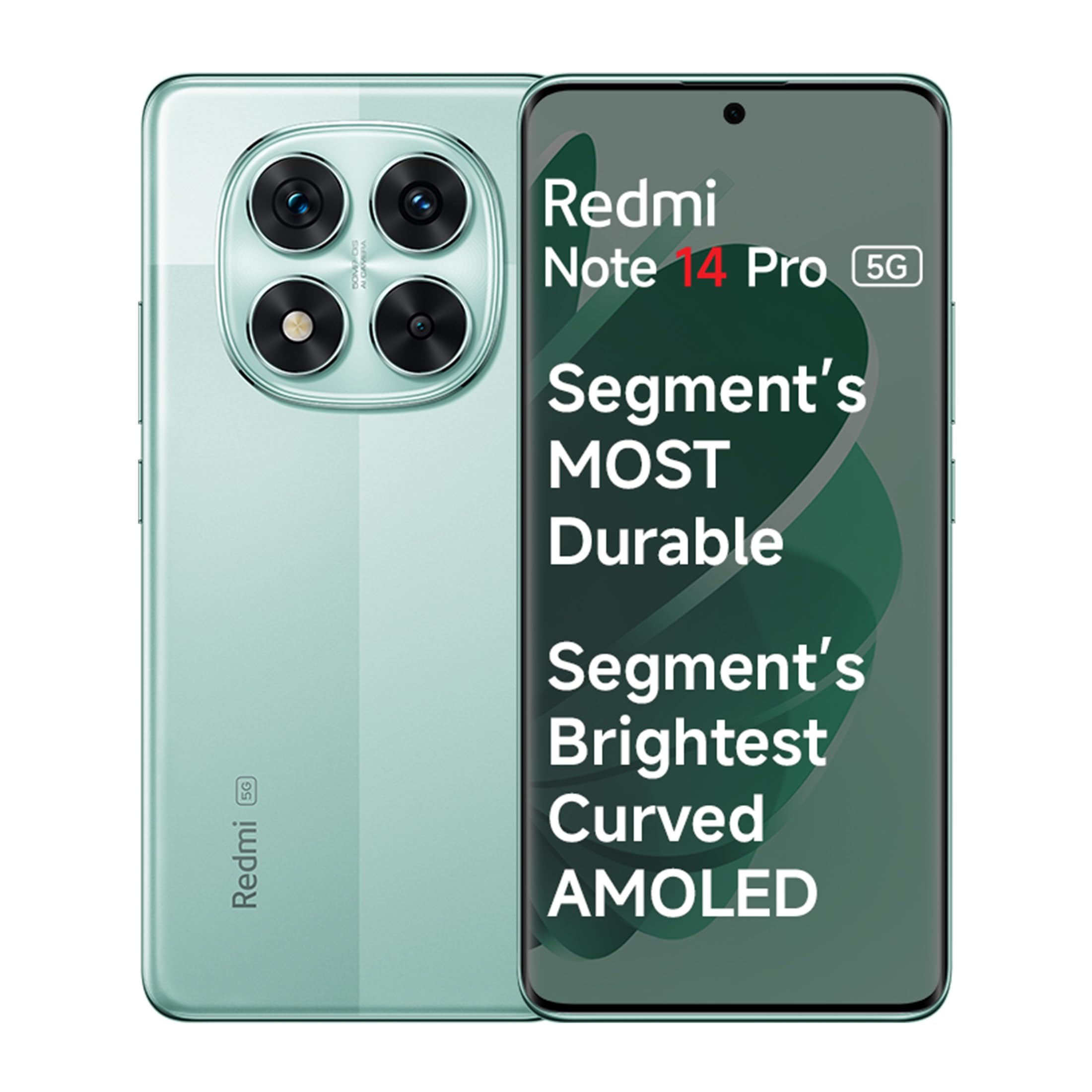
Image: The Redmi Note 14 Pro 5G smartphone, showcasing its sleek design.
The Redmi Note 14 Pro 5G features a 50 MP Sony Camera Setup, Corning Gorilla Glass Victus 2, a 1.5K 3D Curved AMOLED display, and is powered by the Mediatek Dimensity 7300-Ultra processor.
2. Setup
2.1. Package Contents
Ensure your package contains the following items:
- Redmi Note 14 Pro 5G Smartphone
- Charging Cable (USB Type-C)
- Power Adapter
- SIM Ejector Tool
- Quick Start Guide
- Warranty Card
2.2. Inserting SIM Cards
- Locate the SIM card tray on the side of your device.
- Insert the SIM ejector tool into the small hole next to the tray and press firmly until the tray pops out.
- Place your Nano-SIM cards into the designated slots on the tray. This device supports Dual SIM functionality.
- Carefully reinsert the tray into the phone.
2.3. Initial Power On and Configuration
- Press and hold the Power button until the Redmi logo appears.
- Follow the on-screen prompts to select your language, region, and connect to a Wi-Fi network.
- Set up your Google account or Mi Account.
- Configure security features such as a PIN, pattern, or password.
- Set up Fingerprint Recognition for quick and secure unlocking. Navigate to Settings > Password & Security > Fingerprint Unlock to register your fingerprints.
3. Operating Your Device
3.1. Basic Navigation
Your Redmi Note 14 Pro 5G operates on MIUI 14, offering an intuitive touchscreen interface. Use gestures or navigation buttons to move between apps, access recent applications, and return to the home screen.
3.2. Connectivity
The device supports 5G cellular technology for high-speed internet access. Ensure your SIM card and network provider support 5G services in your area. For audio, a 3.5mm headphone jack is available, alongside dual stereo speakers for an enhanced multimedia experience.

Image: The Redmi Note 14 Pro 5G display showcasing its multimedia capabilities.
4. Camera Features
The Redmi Note 14 Pro 5G is equipped with a versatile camera system designed for high-quality photography and videography.
4.1. Rear Camera System
- Main Camera: 50 MP Sony LYT-600 sensor with Optical Image Stabilization (OIS) for sharp, detailed photos.
- Additional Lenses: Includes Ultra-Wide and Macro lenses for diverse shooting scenarios.
- Shooting Modes: Access various modes such as Night Mode, Portrait, and HDR for optimized results in different lighting conditions.
4.2. Front Camera
- Front Photo Sensor Resolution: 20 MP for clear selfies and video calls.
4.3. AI Photography Features
Leverage advanced AI features to enhance your photos:
- AI Erase Pro: Remove unwanted objects from your images with precision.
- AI Image Expansion: Expand scenes in your photos to create wider compositions.
- AI Cutout: Easily cut out subjects from photos to create fun stickers or for editing.

Image: Demonstration of the AI Erase Pro feature, removing an object from an image.
4.4. Video Recording
Record high-quality videos with support for 4K resolution at 60 frames per second (fps).
5. Display Features
The Redmi Note 14 Pro 5G features a premium display for an immersive viewing experience.
- Display Type: 1.5K 3D Curved AMOLED display.
- Refresh Rate: 120 Hz for smooth scrolling and fluid visuals.
- Brightness: Up to 3000 nits peak brightness for excellent visibility even in bright conditions.
- Color Accuracy: Supports 68 Billion+ colors and Dolby Vision for vibrant and accurate color reproduction.
- Eye Protection: TÜV Triple Eye Protection helps reduce eye strain during prolonged use.
- Durability: Protected by Corning Gorilla Glass Victus 2, offering enhanced resistance against drops and scratches.

Image: The Redmi Note 14 Pro 5G display showcasing its vibrant colors and curved design.
6. Battery Management
Your device is equipped with a high-capacity battery for extended usage.
- Battery Capacity: 5500 mAh (typical) Lithium-ion battery.
- Charging: Supports 45W Turbo Charge for rapid recharging.
- Battery Life: Designed to provide approximately 1.34 days of usage on a single charge under typical conditions.

Image: An illustration highlighting the 5500mAh high-density battery of the Redmi Note 14 Pro 5G.
7. Maintenance
7.1. Water and Dust Resistance
The Redmi Note 14 Pro 5G features IP68 and IP69 support, providing resistance against dust and water splashes. While resistant, avoid intentional submersion or exposure to high-pressure water jets.

Image: The Redmi Note 14 Pro 5G shown partially submerged in water, illustrating its IP68/IP69 water resistance.
7.2. Cleaning Your Device
Use a soft, lint-free cloth to clean the screen and body of your phone. Avoid using harsh chemicals or abrasive materials that could damage the finish or screen coating.
7.3. Software Updates
Your device runs on Xiaomi HyperOS. Regular software updates will be provided, including 3 years of OS updates and 4 years of security updates, to enhance performance, security, and introduce new features. Ensure your device is connected to Wi-Fi and has sufficient battery before performing updates.

Image: The Xiaomi HyperOS logo, indicating 3 years of OS and 4 years of security updates.
8. Troubleshooting
If you encounter issues with your Redmi Note 14 Pro 5G, consider the following common solutions:
- Device Not Responding: Press and hold the Power button for about 10-15 seconds to force a restart.
- Battery Draining Quickly: Check background app usage in Settings > Battery. Reduce screen brightness and disable unnecessary features like GPS or Bluetooth when not in use.
- Apps Lagging or Freezing: Clear the cache of the problematic app (Settings > Apps > Manage Apps > [App Name] > Clear Cache). Ensure your device has enough free storage.
- Overheating: Avoid using the phone while charging or during intensive tasks for extended periods. Close background applications. If overheating persists, contact support.
- Network Connectivity Issues: Toggle Airplane Mode on and off. Restart your device. Check if your SIM card is properly inserted.
For more complex issues, refer to the official Redmi support website or contact customer service.
9. Specifications
| Feature | Specification |
|---|---|
| Brand | Redmi |
| Model | Note 14 Pro 5G |
| Operating System | Miui 14 (upgradable to Xiaomi HyperOS) |
| Processor | Mediatek Dimensity 7300-Ultra (2, 2.5 GHz) |
| RAM | 8 GB |
| Storage | 128 GB (variant specific, up to 256 GB) |
| Display | 6.67 Inches 1.5K 3D Curved AMOLED, 120 Hz Refresh Rate, 3000 nits peak brightness, 2400 x 1080 Resolution, Corning Gorilla Glass Victus 2 |
| Rear Camera | 50 MP (Sony LYT-600, OIS) + Ultra-Wide + Macro (Total 3 cameras) |
| Front Camera | 20 MP |
| Battery | 5500 mAh Lithium-ion, 45W Turbo Charge |
| SIM Card | Dual Nano SIM |
| Connectivity | 5G, USB Type-C, 3.5mm Headphone Jack |
| Water Resistance | IP68, IP69 Water Resistant |
| Dimensions | 16.2 x 7.4 x 0.8 Centimeters |
| Weight | 187 Grams |
10. Warranty and Support
10.1. Warranty Information
Your Redmi Note 14 Pro 5G comes with a domestic warranty:
- Handset: 1 year warranty from the date of purchase.
- Accessories: 6 months warranty for included accessories.
Please retain your proof of purchase for warranty claims.
10.2. Customer Support
For technical assistance, service, or warranty claims, please contact Xiaomi Customer Care:
- Manufacturer: Xiaomi Technology India Pvt. Ltd.
- Address: Orchid Blck, EmbassyTech Village, Devarabeesanahalli, Bangalore - 560103, Karnataka.
- Xiaomi Care Network: Available across 19,000+ Pin Codes with 1500+ Authorized Service Centres. All service centers are ISO-certified and use 100% genuine spare parts.

Image: The Xiaomi Care logo, detailing the extensive service network and commitment to genuine parts.


