
1. Introduction
The NuStar 65x by 3nStar is a rugged handheld data collector designed for demanding environments. This device is powered by Android 14 and features a 6.5" sunlight-readable touchscreen, a 2D barcode scanner, and IP67 sealing for protection against water and dust. It is built to withstand drops up to 1.5 meters and operates effectively in extreme temperatures. Equipped with a powerful Octa-Core processor, 6GB RAM, and 64GB storage (expandable to 2TB), the NuStar 65x also includes 4G LTE, Wi-Fi, Bluetooth 5.2, GPS/Glonass/Beidou/Galileo, dual SIM slots, NFC, and a removable 5000mAh battery offering over 8 hours of usage. This manual provides essential information for setting up, operating, and maintaining your device.
2. Product Overview
Familiarize yourself with the components and features of your NuStar 65x handheld data collector.
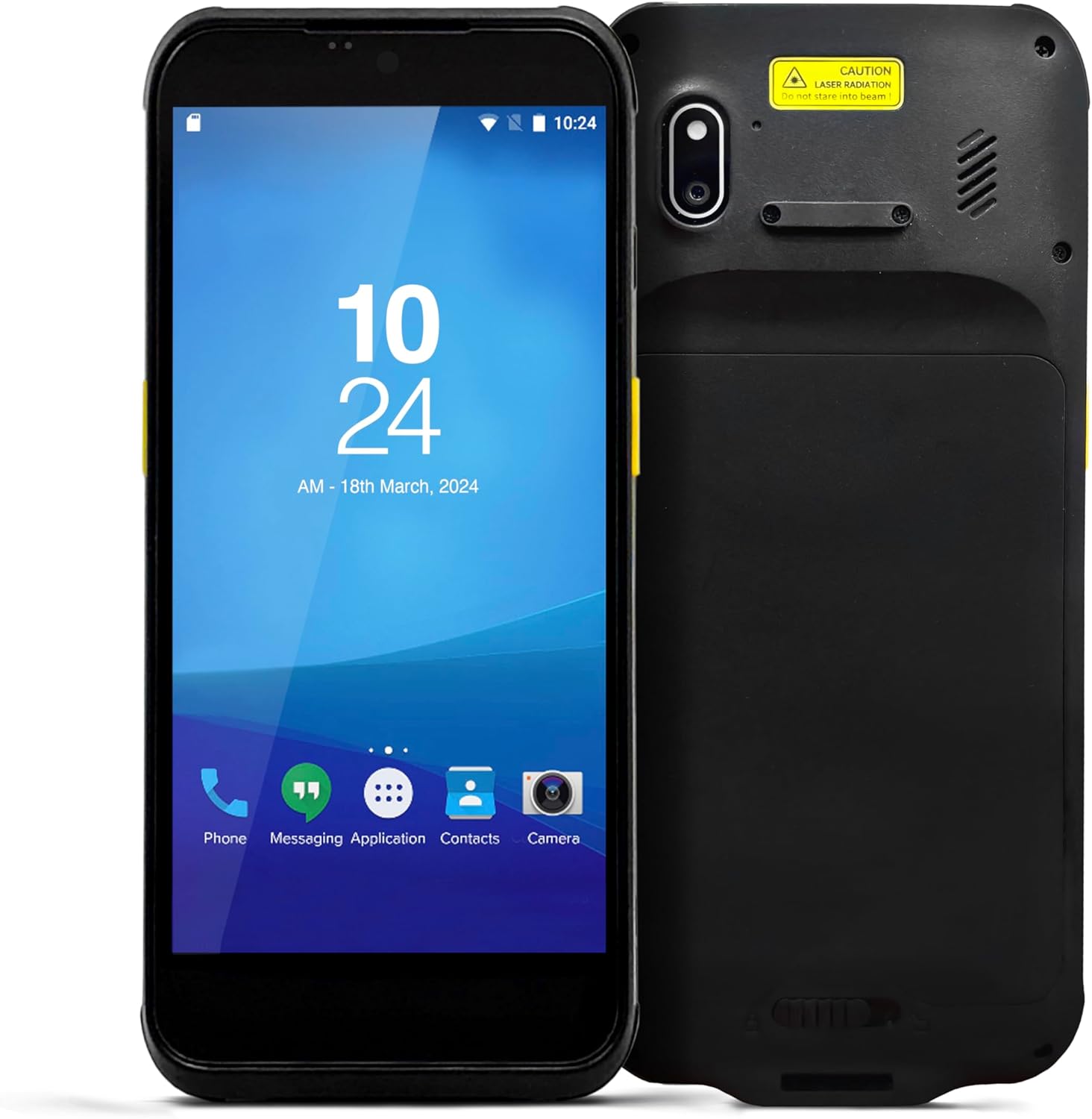
Figure 2.1: Front and back view of the NuStar 65x device, showing the display, camera, and barcode scanner area.

Figure 2.2: Front view of the NuStar 65x, highlighting the 6.5-inch touchscreen display with Android interface.

Figure 2.3: Side view of the NuStar 65x, showing the physical buttons for power and volume control.

Figure 2.4: Bottom view of the NuStar 65x, illustrating the integrated 2D barcode imager.
Key Features:
- Android 14 OS: Seamless performance with Google-certified Android 14.
- 6.5" Sunlight-Readable Touchscreen: HD (720x1600) IPS display with glove and wet-hand mode for versatile use.
- Rugged & Durable: IP67 rated, resisting dust and water ingress, and designed to survive 1.5m drops to concrete.
- High Performance: Equipped with 6GB RAM, 64GB storage, and an Octa-Core MT6769 processor for efficient operation.
- Advanced Scanning & Connectivities: Integrated 2D imager for barcode scanning, along with 4G LTE, Wi-Fi, Bluetooth 5.2, GPS/Glonass/Beidou/Galileo, dual SIM slots, and NFC.
3. Setup
3.1 Battery Installation
The NuStar 65x uses a removable 5000mAh Lithium-Ion battery. Ensure the device is powered off before installing or removing the battery.
- Locate the battery compartment cover on the back of the device.
- Gently slide or unlatch the cover to open the compartment.
- Align the battery with the contacts inside the compartment and insert it firmly until it clicks into place.
- Replace the battery compartment cover, ensuring it is securely latched to maintain the device's IP67 rating.

Figure 3.1: Rear view of the NuStar 65x with the battery compartment open, showing the battery slot.
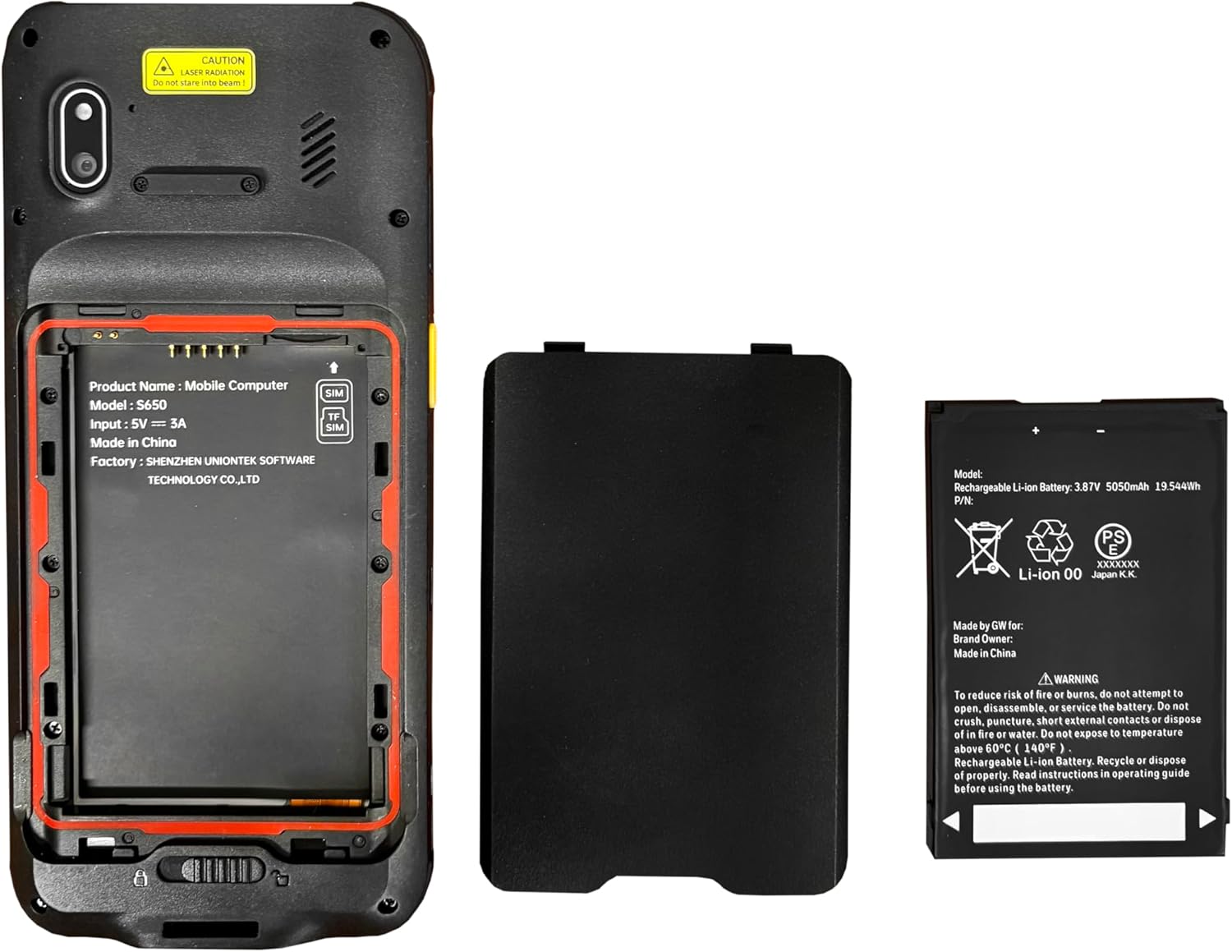
Figure 3.2: The NuStar 65x device alongside its removable 5000mAh Lithium-Ion battery, ready for installation.
3.2 Initial Charging
Before first use, fully charge the device. Connect the provided USB-C cable to the charging port on the device and the other end to a compatible power adapter. A full charge typically takes several hours.
3.3 Powering On/Off
- To Power On: Press and hold the power button (located on the side) until the screen illuminates and the device vibrates.
- To Power Off: Press and hold the power button until the power options menu appears on the screen. Select "Power off" and confirm.
4. Operating Instructions
4.1 Android 14 Interface
The NuStar 65x runs on Android 14, providing a familiar and intuitive user experience. Navigate the interface using the touchscreen, similar to a standard Android smartphone.
- Touchscreen Navigation: Tap to select, swipe to scroll, pinch to zoom. The screen supports glove and wet-hand operation.
- Home Screen: Access frequently used applications and widgets.
- Notifications Panel: Swipe down from the top of the screen to view notifications and quick settings.
4.2 Barcode Scanning
The integrated 2D imager allows for efficient barcode and QR code scanning.
- Open the scanning application or a compatible application that requires barcode input.
- Point the scanner at the barcode, ensuring the entire code is within the scanning beam/area.
- Press the dedicated scan button (if available) or activate scanning through the software interface.
- The device will provide an audible or visual confirmation upon successful scan.
CAUTION: This device contains a laser radiation component for scanning. Do not stare into the beam.
4.3 Connectivity
The NuStar 65x supports various connectivity options:
- Wi-Fi: Connect to wireless networks for internet access.
- 4G LTE: Insert a SIM card for cellular data and communication.
- Bluetooth 5.2: Pair with Bluetooth-enabled devices such as headsets or printers.
- GPS/Glonass/Beidou/Galileo: Utilize integrated GNSS for location services.
- NFC: For near-field communication applications.
5. Maintenance
5.1 Cleaning the Device
To maintain optimal performance and appearance:
- Use a soft, lint-free cloth slightly dampened with water or a mild, non-abrasive cleaner to wipe the exterior.
- For the touchscreen, use a screen-specific cleaner and a microfiber cloth.
- Do not use harsh chemicals, abrasive cleaners, or immerse the device in liquid.
- Ensure all ports are closed and sealed before cleaning to maintain water and dust resistance.
5.2 Battery Care
Proper battery care extends its lifespan:
- Avoid exposing the battery to extreme temperatures (above 60°C / 140°F).
- Do not puncture, short circuit, or disassemble the battery.
- If the device will not be used for an extended period, charge the battery to about 50% and store it in a cool, dry place.
- Dispose of batteries properly according to local regulations.
6. Troubleshooting
This section addresses common issues you might encounter with your NuStar 65x.
| Problem | Possible Cause | Solution |
|---|---|---|
| Device does not power on. | Low or depleted battery; battery not properly installed. | Charge the device for at least 30 minutes. Ensure the battery is correctly seated in its compartment. |
| Touchscreen is unresponsive. | Software glitch; screen protector interference; extreme temperature. | Restart the device. Remove any thick screen protectors. Ensure device is within operating temperature range. |
| Barcode scanner not working. | Scanning application not open; dirty scanner window; barcode damaged. | Ensure the scanning application is active. Clean the scanner window with a soft cloth. Try scanning a different, known-good barcode. |
| Wi-Fi/Bluetooth connectivity issues. | Network issues; device settings. | Toggle Wi-Fi/Bluetooth off and on. Restart the device. Check network settings and ensure correct passwords. |
7. Specifications
Detailed technical specifications for the NuStar 65x handheld data collector.
| Feature | Detail |
|---|---|
| Product Dimensions | 0.57 x 3.07 x 6.69 inches |
| Item Weight | 10.1 ounces |
| ASIN | B0F5BSZMQJ |
| Item Model Number | DC0509-2D |
| Batteries | 1 Lithium Ion battery required (included) |
| Date First Available | July 15, 2022 |
| Manufacturer | 3nStar |
| Compatible Devices | Desktop, Laptop, POS systems |
| Power Source | Battery Powered |
| Brand | 3nStar |
| Scan Rate | 60 frames per second |
8. Warranty and Support
For warranty information, technical support, or service inquiries, please refer to the documentation provided with your purchase or visit the official 3nStar website. Protection plans may also be available for extended coverage.
For additional support, you may contact the seller directly through the platform where the product was purchased.