1. Introduction
This manual provides detailed instructions for the safe and effective use of your Arya Lifestyle Rhythm P2 Battery and External Battery Charger Bundle. This essential accessory is designed to provide extended portable operation for your Lifestyle Rhythm P2 Oxygen Concentrator, ensuring a reliable oxygen supply. Please read this manual thoroughly before initial use and retain it for future reference.
2. Product Overview
The Lifestyle Rhythm P2 Battery and External Battery Charger Bundle includes the following components:
- 1 x External Battery Charger
- 1 x Rhythm P2 Rechargeable Battery
- 1 x AC Power Supply/Cord
Product Components and Features

Description: This image displays the Lifestyle Rhythm P2 external battery charger and a single rechargeable battery. The charger is a white, cylindrical unit with ventilation grilles, and the battery is a smaller, white, curved unit designed to fit into the charger. An AC power adapter with a black cord is also visible, indicating the charging capability of the bundle.

Description: A close-up view of the Lifestyle Rhythm P2 external battery charger with the battery partially inserted. The image highlights the internal connection points and the design that allows the battery to securely dock into the charger for recharging. The charger's top surface shows indicator lights.

Description: This image shows the Lifestyle Rhythm P2 external battery charger and its corresponding battery separated. The charger unit is taller and features ventilation slots and indicator lights on top, while the battery is a compact, curved unit. This view emphasizes the modular design of the bundle.
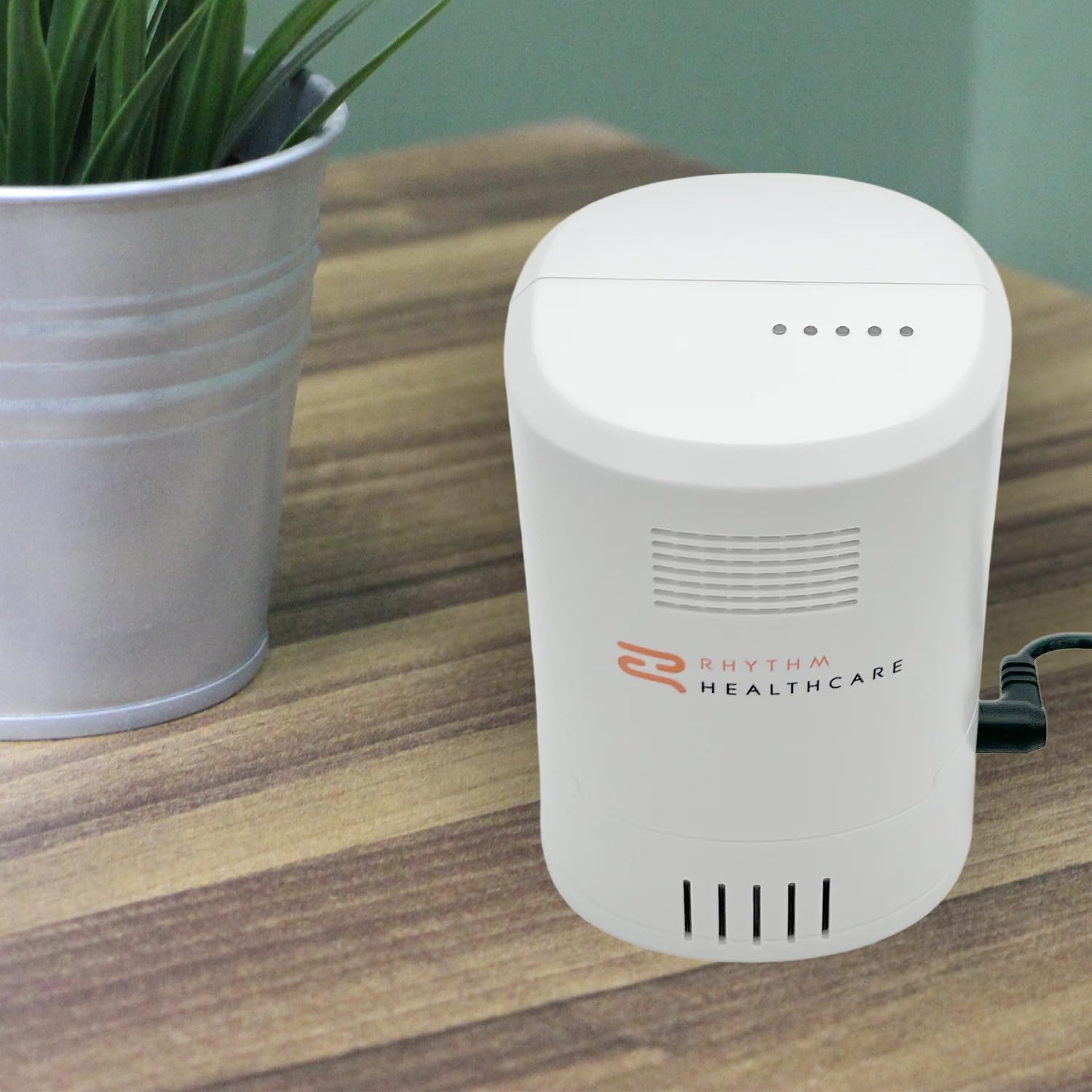
Description: The Lifestyle Rhythm P2 external battery charger is shown on a wooden surface, connected to its AC power supply. A green plant in a pot is visible in the background, suggesting a home or office environment. The charger's indicator lights are visible on its top surface.

Description: This image features the Lifestyle Rhythm P2 Battery and External Battery Charger Bundle in the foreground, with a smiling individual with arms outstretched in a natural outdoor setting in the background. This illustrates the portability and freedom offered by the product for active lifestyles.
3. Setup
Follow these steps to set up your Lifestyle Rhythm P2 External Battery Charger:
- Unpack Components: Carefully remove the external battery charger, rechargeable battery, and AC power supply/cord from the packaging. Inspect all components for any signs of damage.
- Connect AC Power: Insert the small end of the AC power supply cord into the power input port on the external battery charger. This port is typically located on the side or back of the charger unit.
- Plug into Outlet: Plug the larger end of the AC power supply cord into a standard electrical wall outlet (170 Volts AC, as per specifications). Ensure the outlet is easily accessible.
- Insert Battery: Align the Rhythm P2 rechargeable battery with the charging slot on the external battery charger. Gently slide the battery into the slot until it clicks securely into place. Ensure the battery is fully seated to establish proper contact for charging.
- Verify Connection: Once the battery is inserted, the indicator lights on the charger should illuminate, indicating that the battery is properly connected and charging has begun. Refer to the "Operating Instructions" section for details on indicator light behavior.
4. Operating Instructions
Charging the Battery
The external battery charger is designed to quickly and efficiently recharge your Rhythm P2 battery. A fully depleted battery typically recharges in approximately 2.5 to 4 hours. The charging process is automatic once the battery is correctly inserted and the charger is connected to power.
- Charging Indicators: The charger features LED indicator lights (typically 4 or 5 dots) on its top surface. These lights indicate the charging status and the battery's charge level.
- Solid Lights: Indicate the current charge level.
- Flashing Light: Indicates the segment currently being charged.
- All Lights Solid: Battery is fully charged.
- Battery Removal: Once fully charged, gently press the release button (if present) or pull the battery firmly but carefully out of the charging slot.
Using the Battery
The Rhythm P2 rechargeable battery provides extended operation for your Lifestyle Rhythm P2 Oxygen Concentrator. Once charged, the battery offers long-lasting performance, allowing for hours of use depending on the concentrator's settings and usage patterns.
- Installation into Concentrator: Refer to your Lifestyle Rhythm P2 Oxygen Concentrator's user manual for specific instructions on how to install the charged battery into the concentrator.
- Battery Life: The actual operating time will vary based on the oxygen flow setting, breathing rate, and overall condition of the battery.
- Swapping Batteries: The lightweight and portable design allows for easy swapping of batteries, providing continuous operation when multiple charged batteries are available.
5. Maintenance
Proper maintenance ensures the longevity and optimal performance of your battery and charger bundle.
- Cleaning:
- Ensure the charger is unplugged from the power outlet and the battery is removed before cleaning.
- Wipe the exterior surfaces of the charger and battery with a soft, dry, or slightly damp cloth.
- Do not use abrasive cleaners, solvents, or harsh chemicals, as these can damage the plastic surfaces.
- Avoid getting moisture into any openings or ports.
- Storage:
- Store the battery and charger in a cool, dry place away from direct sunlight, extreme temperatures, and humidity.
- If storing for an extended period, ensure the battery is partially charged (around 50%) to preserve its lifespan. Avoid storing a fully depleted or fully charged battery for long durations.
- Keep out of reach of children and pets.
- Battery Care:
- Do not expose the battery to water or other liquids.
- Do not disassemble, puncture, or short-circuit the battery.
- Dispose of old or damaged batteries according to local regulations.
6. Troubleshooting
If you encounter issues with your Lifestyle Rhythm P2 Battery and External Battery Charger Bundle, refer to the following common problems and solutions:
| Problem | Possible Cause | Solution |
|---|---|---|
| Battery not charging / Charger indicator lights off. |
|
|
| Battery charges slowly. |
|
|
| Battery does not hold charge for long. |
|
|
If the problem persists after trying these solutions, please contact Arya customer support for further assistance.
7. Specifications
Key technical specifications for the Lifestyle Rhythm P2 Battery and External Battery Charger Bundle:
| Feature | Detail |
|---|---|
| Brand | Arya |
| Model Compatibility | Lifestyle Rhythm P2 Oxygen Concentrator |
| Package Dimensions | 10 x 7.5 x 5 inches |
| Item Weight | 2.5 pounds |
| Color | White |
| Output Voltage (Battery) | 3.7 Volts |
| Input Voltage (Charger) | 170 Volts (AC) |
| Typical Charging Time | 3 Hours (from depleted) |
| Manufacturer | Arya |
| Date First Available | April 17, 2025 |
8. Warranty and Support
For information regarding the product warranty, please refer to the documentation included with your purchase or contact the manufacturer directly. Arya is committed to providing quality products and customer satisfaction.
Manufacturer: Arya
For technical support, troubleshooting assistance beyond this manual, or warranty claims, please visit the official Arya website or contact their customer service department. Contact information can typically be found on the product packaging or the manufacturer's official website.