
Introduction
The KONNWEI MAXOBD Bluetooth OBD2 Scanner is a comprehensive diagnostic tool designed for vehicles manufactured since 1996. It offers full OBD2 functions and all-system diagnostics for over 40 car brands, accessible via a dedicated smartphone application for iOS and Android devices. This device allows users to read and clear diagnostic trouble codes (DTCs), monitor real-time vehicle data, perform various system tests, and track vehicle performance without subscription fees.
Setup Guide
- Download the MAXOBD Application: Locate the QR code on the product packaging to download the official MAXOBD application from your device's app store (iOS or Android).
- Enable Bluetooth: Ensure Bluetooth is activated on your smartphone.
- Connect the Scanner: Plug the KONNWEI MAXOBD scanner into your vehicle's OBD2 port. This port is typically located under the dashboard, near the steering wheel.
- Establish Connection: Open the MAXOBD application. Tap the Bluetooth icon in the top-left corner of the app to initiate the connection with the scanner. The app will guide you through the pairing process.
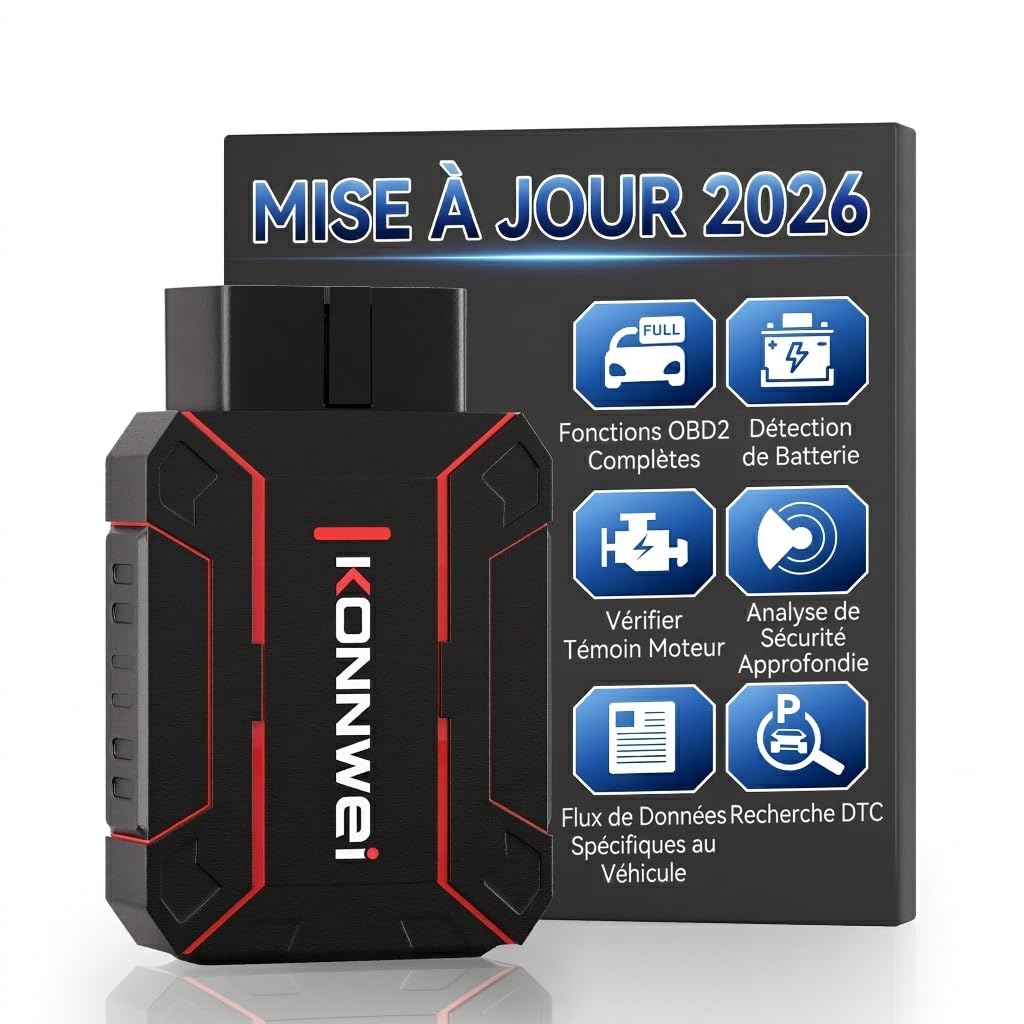
Image: The KONNWEI MAXOBD Bluetooth OBD2 Scanner. Ensure it is securely plugged into your vehicle's OBD2 port.

Image: The MAXOBD application interface, demonstrating the one-click start feature and connection status.
Operating Instructions
Once connected, the MAXOBD application provides access to various diagnostic and monitoring functions.
Full OBD2 Functions
The scanner supports standard OBD2 functions including: Lambda sensor test, quick reading of Diagnostic Trouble Codes (DTCs), battery voltage reading, turning off the Malfunction Indicator Lamp (MIL), resetting monitors, real-time data streaming, Vehicle Identification Number (VIN) retrieval, freeze frame data, diagnostic reports, and onboard monitoring.

Image: A visual representation of the comprehensive OBD-II functions supported by the KONNWEI MAXOBD scanner, including DTC reading, I/M readiness, and data stream.
All-System Diagnostics
Beyond standard engine diagnostics, the MAXOBD scanner can access and diagnose all key systems across more than 40 vehicle brands. This includes, but is not limited to, the engine, transmission, Anti-lock Braking System (ABS), airbags, Tire Pressure Monitoring System (TPMS), air conditioning, door locks, navigation, steering, and seat systems.
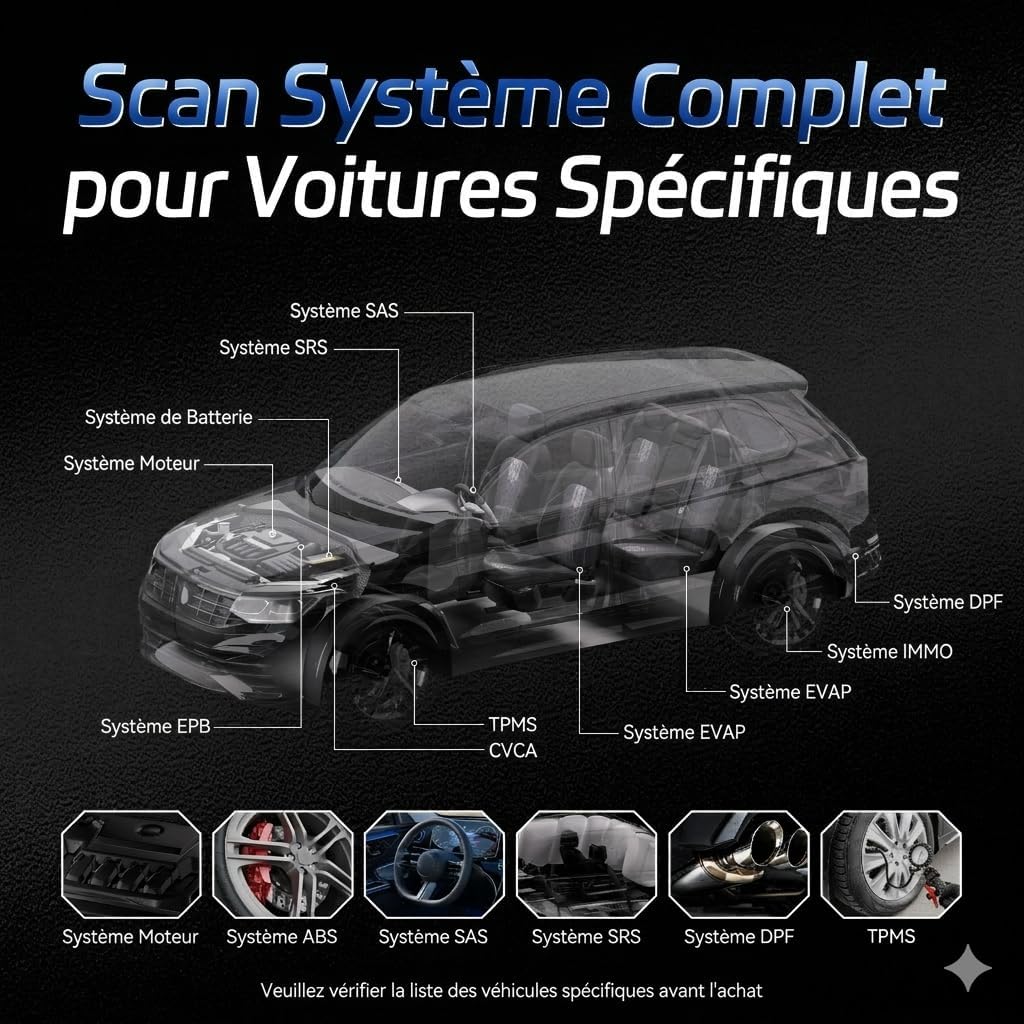
Image: A diagram illustrating the various vehicle systems (e.g., Engine, ABS, SRS, TPMS) that can be scanned by the KONNWEI MAXOBD for specific cars.

Image: A comprehensive list of over 41 car brands supported by the KONNWEI MAXOBD diagnostic tool.
Real-time Data Monitoring
The application displays real-time vehicle data clearly, such as coolant temperature, engine RPM, vehicle speed, and control module voltage, allowing for immediate tracking of vehicle status.

Image: A screenshot from the MAXOBD app showing real-time battery voltage detection and graphical representation.

Image: Multiple screenshots of the MAXOBD application interface, demonstrating clear insights and easy repair guidance through various diagnostic data displays.
Maintenance
- Cleaning: Keep the device clean and free from dust and moisture. Use a soft, dry cloth for cleaning.
- Storage: Store the scanner in a dry, cool place when not in use, away from direct sunlight and extreme temperatures.
- Software Updates: Regularly check for and install free lifetime software updates available through the MAXOBD application. This ensures optimal performance and compatibility with new vehicle models and diagnostic protocols.
Troubleshooting
Connection Issues
- Ensure your smartphone's Bluetooth is enabled.
- Verify the MAXOBD scanner is securely plugged into the vehicle's OBD2 port.
- Confirm the vehicle's ignition is on (engine can be off, but ignition must be in 'ON' position).
- Restart the MAXOBD application and attempt to reconnect.
No Fault Codes Detected (Despite Warning Lights)
- Some advanced or very recent vehicle models may have specific protocols not fully covered by universal scanners. Refer to the vehicle compatibility section.
- Ensure the app is updated to the latest version.
- If the issue persists, contact customer support.
Application Crashes
- Ensure your smartphone's operating system and the MAXOBD application are up to date.
- Clear the app's cache or reinstall the application.
- If crashes continue, note the specific action that causes the crash and contact customer support.
General Compatibility Concerns
The device is compatible with EU 12V gasoline vehicles (since 2001) and 12V diesel vehicles (since 2004) adhering to the OBD2 protocol. For US 12V gasoline vehicles, compatibility is from 1996; 12V light diesel vehicles (max payload 6.5 tons) are also compatible from 1996 with the OBD2 protocol.
Specifications
- Brand: KONNWEI
- Model: MAXOBD
- Power Source: Vehicle OBD2 Port (12V)
- Operating System (Internal): Linux
- Connectivity: Bluetooth
- Supported Protocols: OBD2/EOBD
- Supported Vehicle Types: Universal fit for compatible OBD2 vehicles (refer to compatibility section for specifics)
- Included Components: MAXOBD Scanner
- Supported Languages: Chinese, English, French, German, Russian, Spanish, Italian, Polish
Warranty Information
Manufacturer's Warranty: Please refer to the official KONNWEI website or contact customer support for detailed warranty terms and conditions. The product typically includes a manufacturer's warranty.
Customer Support
For any technical assistance, compatibility questions, or troubleshooting not covered in this manual, please contact KONNWEI customer support.
Customer support is available to respond within 24 working hours for inquiries regarding compatibility, connection, and other issues.
Contact Information: Refer to the product packaging or the official KONNWEI website for the most current customer support contact details.