
1. Product Overview
The Bonsaii Large Safe Box SF007 is designed to provide enhanced security for your valuable items. Constructed from SPHC steel with a scratch-resistant coating, it features a reinforced door panel equipped with 4 live bolts to prevent prying and theft. The electronic lock offers two unlocking methods: a 3-8 digit code or an emergency key. For convenience, a Type-C port allows external charging of the lock if batteries are depleted. This safe is suitable for various environments, including homes, offices, and hotels, and can be mounted to a wall or floor.
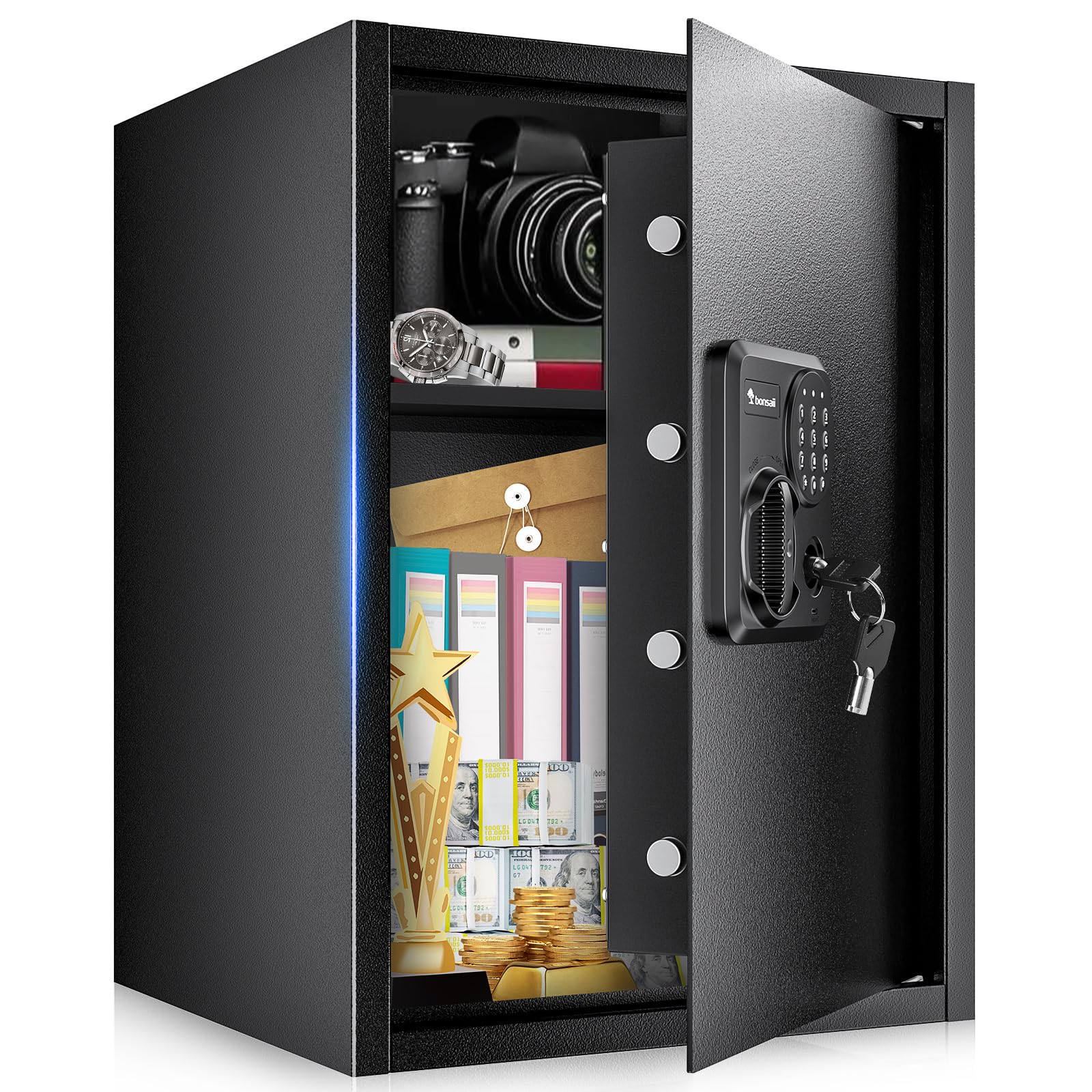
Image: The Bonsaii Large Safe Box SF007, a black steel safe with an electronic keypad and a Bonsaii logo.
2. What's in the Box
Carefully unpack the contents and ensure all items are present:
- 1 x Bonsaii Large Safe Box
- 1 x Fireproof Bag
- 2 x Emergency Keys
- 1 x Removable Shelf
- 4 x Shelf Support Pegs
- 4 x Expansion Bolts
- 1 x Floor Mat
- 1 x User Manual
Note: Batteries are not included and must be purchased separately (4 AA batteries recommended).
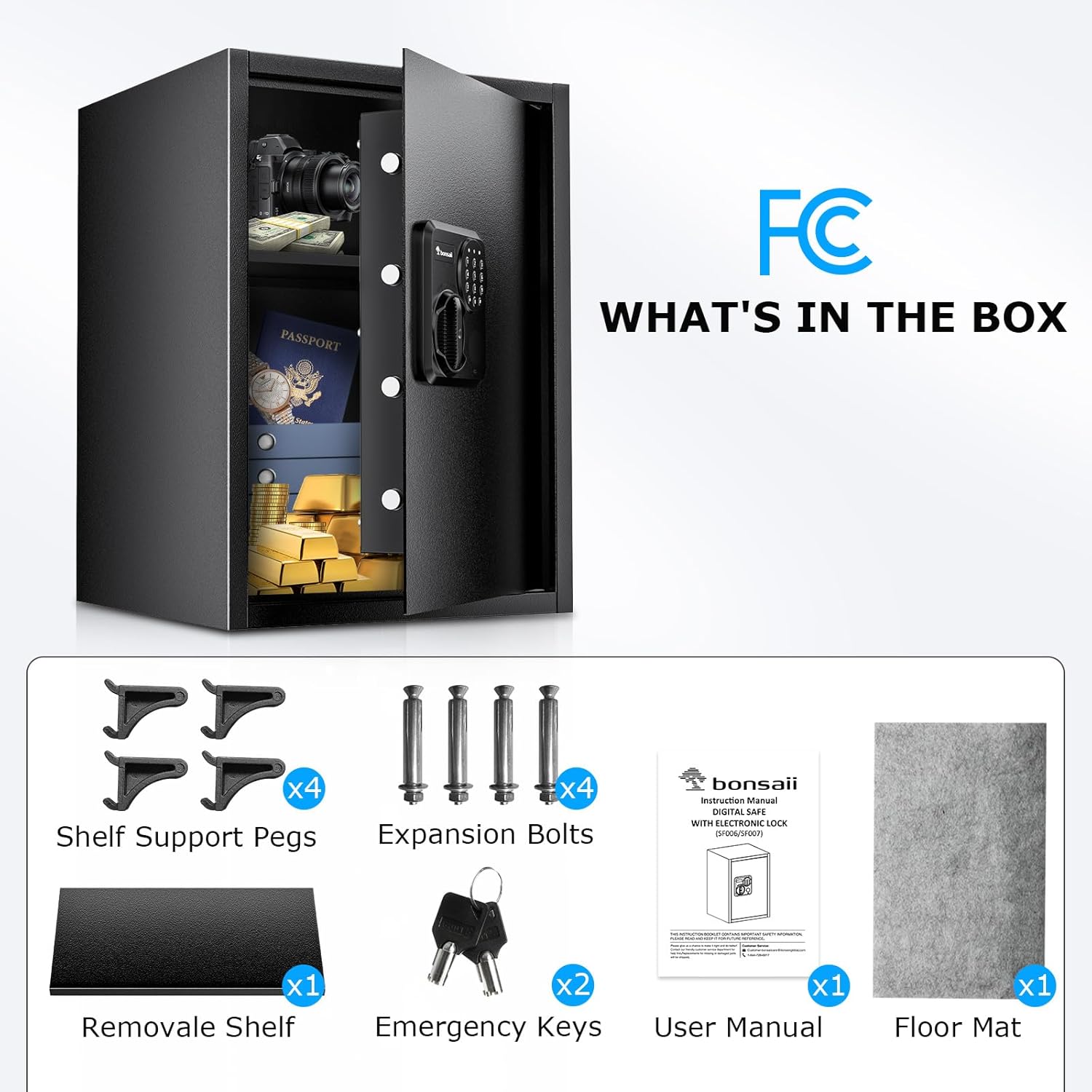
Image: A visual representation of the items included in the Bonsaii Large Safe Box package, such as the safe, shelf support pegs, expansion bolts, removable shelf, emergency keys, user manual, and floor mat.
3. Setup
3.1 Battery Installation
- Locate the battery compartment on the inside of the safe door.
- Open the battery cover.
- Insert 4 AA batteries, ensuring correct polarity (+/-).
- Close the battery cover securely.

Image: Close-up of the battery compartment located on the inside of the safe door, showing where to insert batteries.
3.2 Setting Your Personal Code
- With the safe door open, press the red reset button located on the inside of the door, near the battery compartment.
- The yellow light on the keypad will illuminate, indicating it's ready to accept a new code.
- Enter a new 3-8 digit code on the keypad.
- Press the '#' button to confirm your new code. The yellow light will turn off, and a beep will confirm the code is set.
- Test your new code with the door open to ensure it works correctly before closing the safe.
3.3 Mounting the Safe (Optional)
The safe features pre-drilled holes on both the back and bottom for secure mounting to a wall or floor. This significantly enhances the safe's security by preventing unauthorized removal.
- Choose a suitable location for mounting.
- Mark the drilling points through the pre-drilled holes on the safe's back or bottom.
- Drill pilot holes into the wall or floor using an appropriate drill bit.
- Align the safe with the drilled holes and secure it using the provided expansion bolts.

Image: Illustrations showing the Bonsaii safe mounted to a wall and placed on the floor, highlighting the pre-drilled holes for secure installation.
3.4 Installing the Removable Shelf
The safe includes a removable shelf and four shelf support pegs to customize the interior storage space.
- Locate the shelf support holes inside the safe.
- Insert the four shelf support pegs into the desired height holes.
- Place the removable shelf onto the support pegs.

Image: The interior of the Bonsaii safe, demonstrating how the removable shelf can be used to organize items, with a diagram showing the safe's capacity with and without the shelf.
4. Operating the Safe
4.1 Opening with Electronic Code
- Enter your 3-8 digit personal code on the keypad.
- Press the '#' button. The green light will illuminate, and you will hear a beep.
- Within 5 seconds, turn the knob clockwise to open the safe door.
4.2 Opening with Emergency Key
In case of forgotten code or dead batteries, the emergency key can be used to open the safe.
- Locate the emergency keyhole cover on the keypad panel.
- Remove the cover.
- Insert the emergency key into the keyhole and turn it counter-clockwise.
- While holding the key turned, turn the knob clockwise to open the safe door.

Image: A close-up of the safe's electronic keypad, showing the location of the emergency keyhole cover.

Image: A hand demonstrating the use of the emergency key to unlock and open the safe, with the key inserted and turned.
4.3 Closing and Locking the Safe
- Close the safe door firmly.
- Turn the knob counter-clockwise until it locks into place.
5. Maintenance
5.1 Battery Replacement
When the batteries are low, the red indicator light on the keypad will flash during operation. Replace all 4 AA batteries promptly to ensure continuous functionality.
5.2 Cleaning
Wipe the exterior of the safe with a soft, damp cloth. Avoid using abrasive cleaners or solvents that could damage the finish.
6. Troubleshooting
6.1 Safe Does Not Open with Code
- Incorrect Code: Ensure you are entering the correct 3-8 digit code.
- Low Batteries: If the red light flashes during code entry, the batteries are low. Replace them or use the external Type-C charging port.
- External Power: If batteries are dead and you don't have the emergency key, connect a Type-C power bank (not included) to the port on the keypad to temporarily power the lock.

Image: A close-up of the safe's keypad, highlighting the red indicator light that signals low battery power.

Image: A close-up of the safe's keypad, showing the USB Type-C port where an external power bank can be connected to provide temporary power if the internal batteries are dead.
6.2 Keypad Not Responding
- Check battery installation and ensure batteries are fresh.
- If still unresponsive, use the emergency key to open the safe and replace the batteries.
7. Specifications
| Brand | Bonsaii |
| Model Number | SF007 |
| Product Dimensions | 15.7"D x 21.7"W x 15"H |
| Capacity | 2.5 Cubic Feet |
| Lock Type | Electronic Combination Lock |
| Material | SPHC Steel |
| Color | BLACK |
| Mounting Type | Floor / Wall Mount |
| Item Weight | 21.77 Kilograms |
| Water Resistance Level | Not Water Resistant |
| Alarm | Anti-theft |

Image: A diagram illustrating the external dimensions (15.7"D x 21.7"W x 15"H) and internal capacity (2.5 cubic feet) of the Bonsaii Large Safe Box.
8. Warranty and Support
Bonsaii provides professional support for its products. If you encounter any issues or have questions regarding your safe, please contact customer service.
- Warranty: The product comes with a one-year protection period.
- Contact: For assistance, please refer to the contact information provided in your user manual or on the official Bonsaii website.