
Introduction
This manual provides detailed instructions for the proper use, setup, operation, and maintenance of the SOUNDLINK CS44 Universal Programming Cable. This cable is designed to facilitate the computer software programming of programmable Behind-The-Ear (BTE) hearing aids by connecting them to a compatible hearing aid programmer.
Please read this manual thoroughly before using the product to ensure correct operation and to prevent any potential issues.
Product Overview
The SOUNDLINK CS44 Universal Programming Cable is a high-quality interface cable essential for programming various BTE hearing aids. It features a 4-pin programming port designed for fast and stable signal transmission, ensuring reliable communication between your hearing aid programmer and the hearing aids.
Key Features:
- 4-pin programming port for secure connection.
- High-quality construction for fast and stable signal transmission.
- Compatible with a wide range of hearing aid manufacturers and programmers.
- Designed for computer software programming of BTE hearing aids.
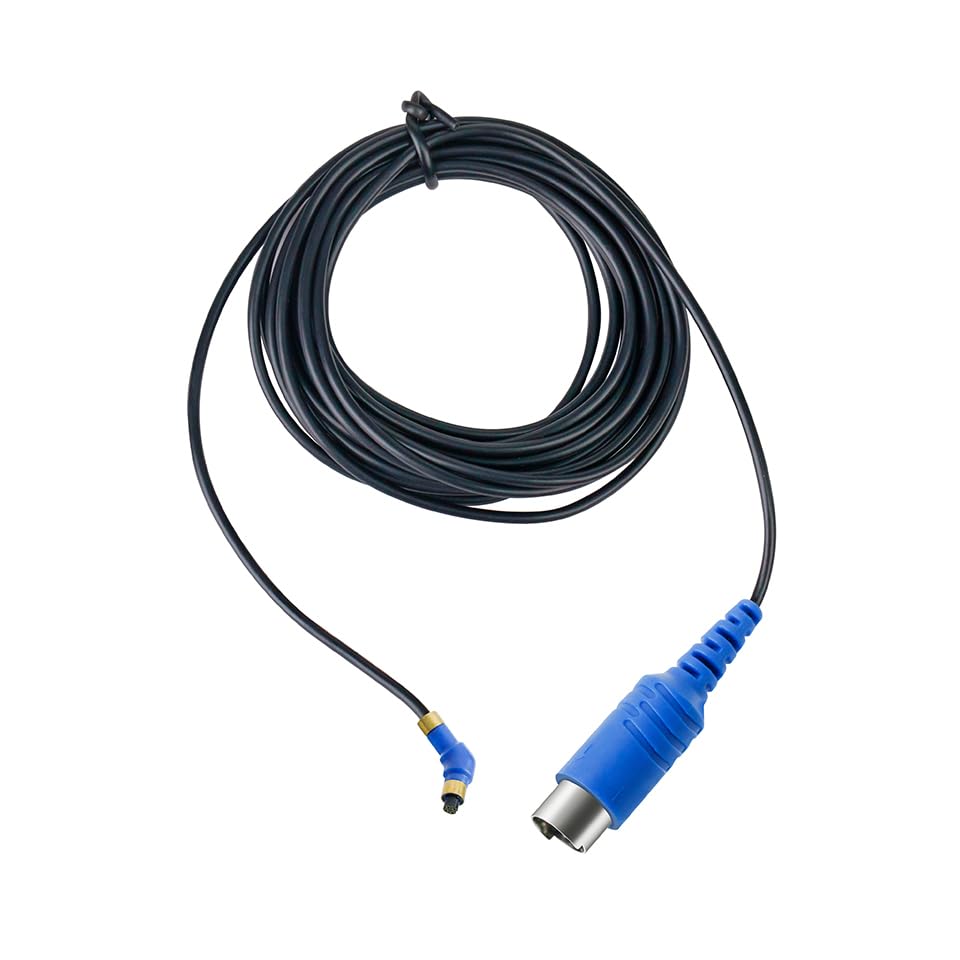
Image 1: The SOUNDLINK CS44 Universal Programming Cable, illustrating both the 4-pin connector for the hearing aid and the larger connector for the programming device.
Setup Instructions
Follow these steps to properly set up your SOUNDLINK CS44 Universal Programming Cable for use:
- Prepare Your Equipment: Ensure you have your programmable BTE hearing aids, a compatible hearing aid programmer (e.g., Hi-Pro, NoahLink, SpeedLink, USB Hi-Pro), and the necessary programming software installed on your computer.
- Connect to Programmer: Identify the larger connector end of the CS44 cable. This end connects to your hearing aid programmer. Insert it firmly into the designated port on your programmer.
- Connect to Hearing Aid: Identify the smaller, 4-pin connector end of the CS44 cable. This end connects to your BTE hearing aid. Carefully align the pins and insert the connector into the programming port of your hearing aid. Ensure a secure connection.
- Connect Programmer to Computer: If your programmer is not already connected, connect it to your computer using its dedicated USB or serial cable as per the programmer's instructions.
- Launch Software: Open the hearing aid programming software on your computer. The software should detect the connected programmer and hearing aid.
The CS44 cable is compatible with most hearing aid manufacturers that adopt CS44 as a standard programming cable, including but not limited to ReSound, Siemens, Oticon, Audio Services, Rexton, and Interton.
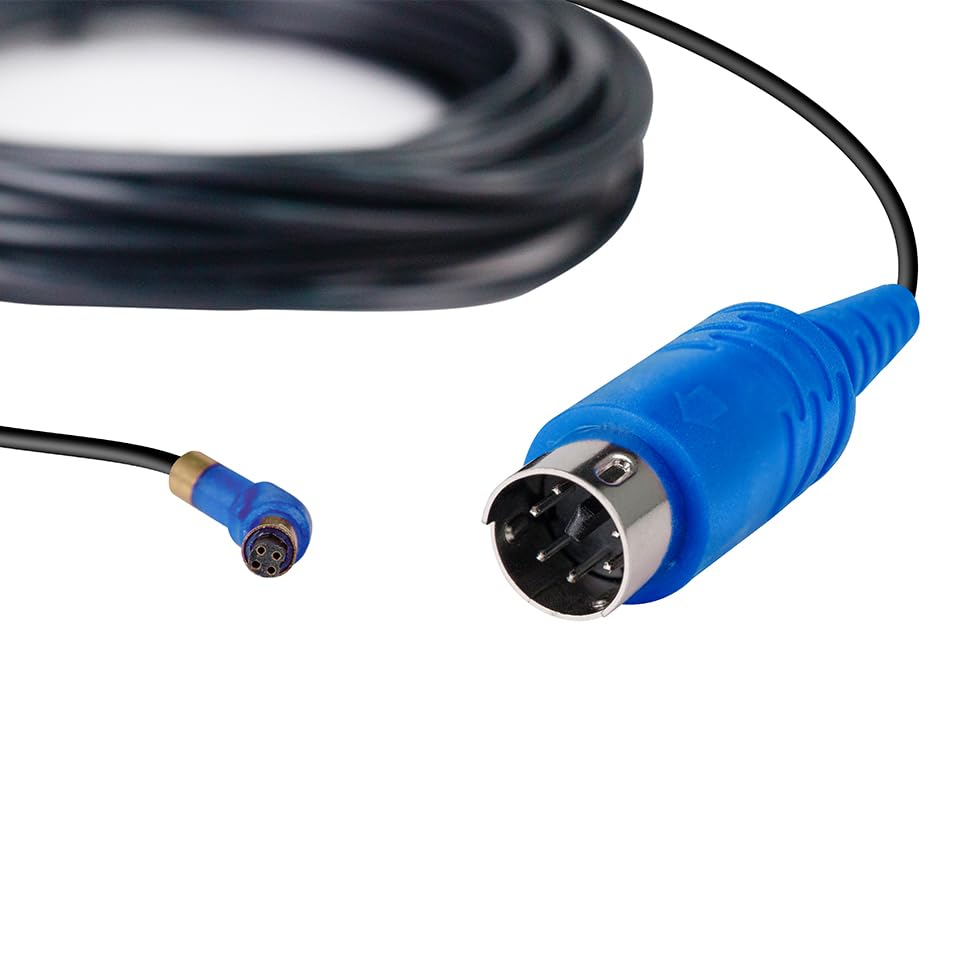
Image 2: A closer view of the two distinct connectors on the SOUNDLINK CS44 cable, highlighting their design for specific connection points.
Operating Instructions
Once the SOUNDLINK CS44 cable is correctly connected between your hearing aid, programmer, and computer, you can proceed with programming:
- Software Recognition: Verify that your hearing aid programming software recognizes both the programmer and the connected hearing aid. This is usually indicated by a status message within the software.
- Load Hearing Aid Profile: Within the software, load the specific profile or settings for the hearing aid you are programming.
- Adjust Settings: Use the software interface to make the desired adjustments to the hearing aid's settings, such as volume, frequency response, noise reduction, and other personalized parameters.
- Save and Transfer: After making all necessary adjustments, save the new settings within the software. Then, initiate the transfer process to write these settings to the hearing aid. Follow the on-screen prompts provided by your programming software.
- Disconnect Safely: Once the programming process is complete and confirmed by the software, safely disconnect the cable from the hearing aid and programmer. It is recommended to close the programming software before disconnecting hardware.
The CS44 cable acts as a data conduit; all programming functions are performed through the dedicated hearing aid programming software.
Maintenance
Proper care and maintenance will extend the life of your SOUNDLINK CS44 Universal Programming Cable:
- Storage: Store the cable in a clean, dry place away from direct sunlight and extreme temperatures. Avoid kinking or tightly coiling the cable.
- Cleaning: If necessary, gently wipe the cable and connectors with a soft, dry, lint-free cloth. Do not use liquid cleaners or solvents, as these can damage the cable or connectors.
- Handling: Always grasp the connectors when plugging or unplugging the cable, rather than pulling on the cable itself, to prevent damage to the internal wires.
- Inspection: Periodically inspect the cable for any signs of wear, fraying, or damage to the connectors. Discontinue use if any damage is observed.
Troubleshooting
If you encounter issues while using your SOUNDLINK CS44 Universal Programming Cable, consider the following troubleshooting steps:
- Cable Not Recognized:
- Ensure both ends of the CS44 cable are securely connected to the hearing aid and the programmer.
- Verify that the programmer itself is correctly connected to the computer and its drivers are installed.
- Try restarting the programming software and/or your computer.
- Check if the hearing aid is powered on and functioning correctly.
- Programming Errors:
- Confirm that you are using the correct programming software version for your specific hearing aid model.
- Ensure the hearing aid's battery is sufficiently charged.
- Temporarily disable any antivirus or firewall software that might interfere with the programming software.
- Intermittent Connection:
- Inspect the cable and connectors for any visible damage or bent pins.
- Ensure the cable is not under tension or being moved during the programming process.
If problems persist, consult the documentation for your specific hearing aid programmer and programming software, or contact SOUNDLINK customer support.
Specifications
| Brand | SOUNDLINK |
| Model | CS44 |
| Connector Type | 4 Pin |
| Compatible Devices | Hearing Aid, Hearing Aid Programmer |
| Special Feature | Data Transfer |
| Recommended Uses | Hearing Aid Programming |
| Number of Pins | 4 |
| Indoor/Outdoor Usage | Indoor |
| Item Weight | 100 Grams |
| Color | Blue |
| Included Components | Programming Cable |
Warranty and Support
For warranty information or technical support regarding your SOUNDLINK CS44 Universal Programming Cable, please refer to the purchase documentation or contact the seller directly. SOUNDLINK is committed to providing quality products and assistance.
For general inquiries, you may visit the official SOUNDLINK store or contact their customer service channels as provided at the point of purchase.