1. Introduction
Thank you for choosing the L LAVAREDO Kids Digital Watch T15E. This watch is designed for children aged 5-13, offering a range of features including time display, date, pedometer, calorie counter, distance tracker, stopwatch, and a vibration alarm. Its durable and life-waterproof design makes it suitable for daily activities. This manual provides detailed instructions for setup, operation, and maintenance to ensure optimal use.
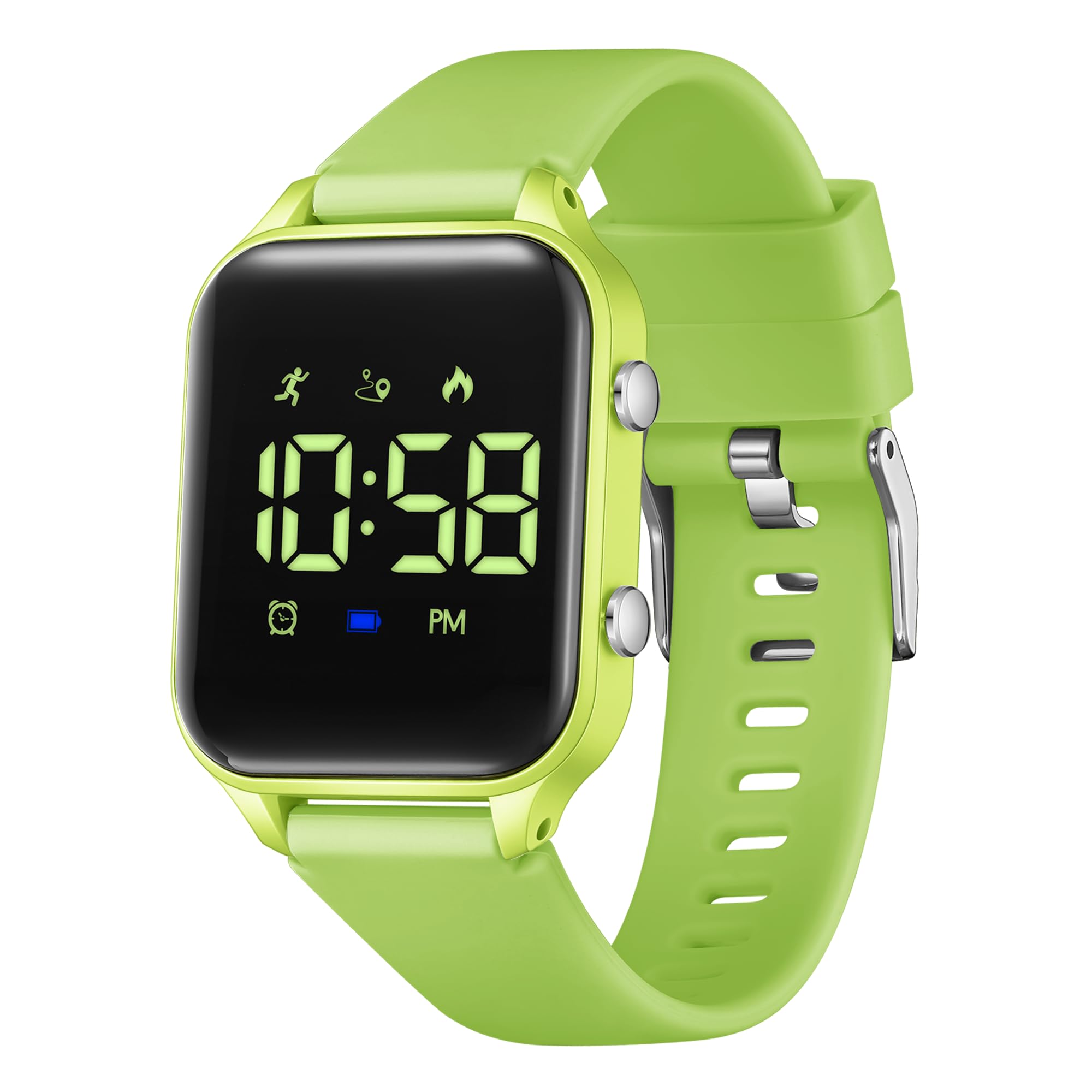
Figure 1: L LAVAREDO Kids Digital Watch T15E (Grass Green variant).
2. Key Features
- Digital Time Display: Clear and easy-to-read digital screen.
- Date Function: Displays current date.
- Pedometer: Tracks steps taken throughout the day.
- Distance Tracker: Calculates distance covered based on steps.
- Calorie Counter: Estimates calories burned.
- Stopwatch: For timing activities.
- Vibration Alarm: Silent alarm function for discreet reminders.
- Life Waterproof: Resistant to splashes, rain, and hand washing (not suitable for swimming or showering).
- Rechargeable Battery: Long-lasting battery with convenient magnetic charging.
- EL-Backlight: For visibility in low-light conditions.
- Soft Silicone Band: Comfortable and adjustable for various wrist sizes.
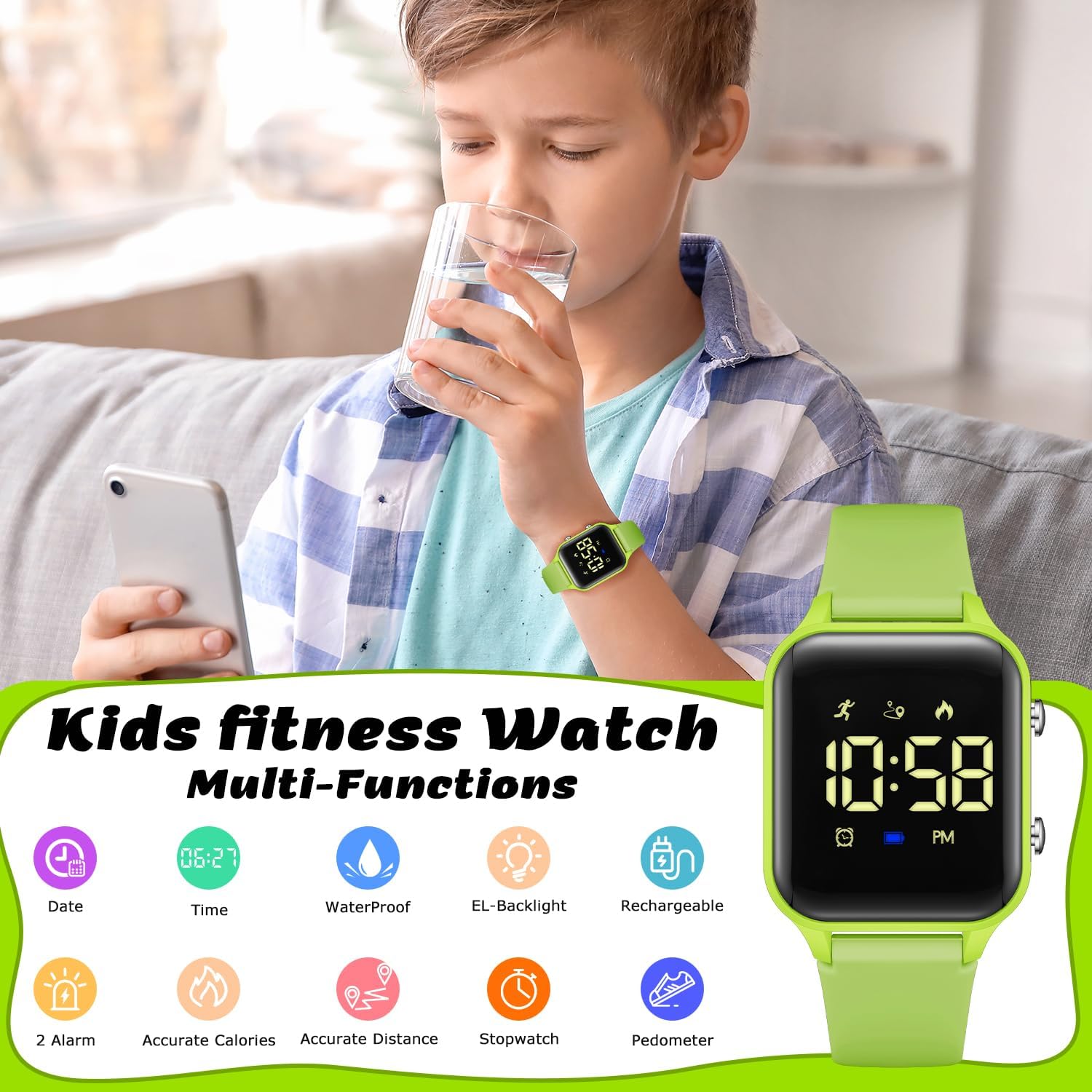
Figure 2: Overview of the watch's multi-functional capabilities.
3. Initial Setup
3.1 Charging the Watch
Before first use, ensure the watch is fully charged. The watch features a magnetic charging port.
- Locate the magnetic charging points on the back of the watch.
- Connect the provided USB charging cable to these points. The magnetic connector will snap into place.
- Plug the USB end of the cable into a standard USB power adapter (not included) or a computer USB port.
- A full charge typically takes approximately 2 hours.
- Once fully charged, the watch can operate for 10-15 days under normal use.
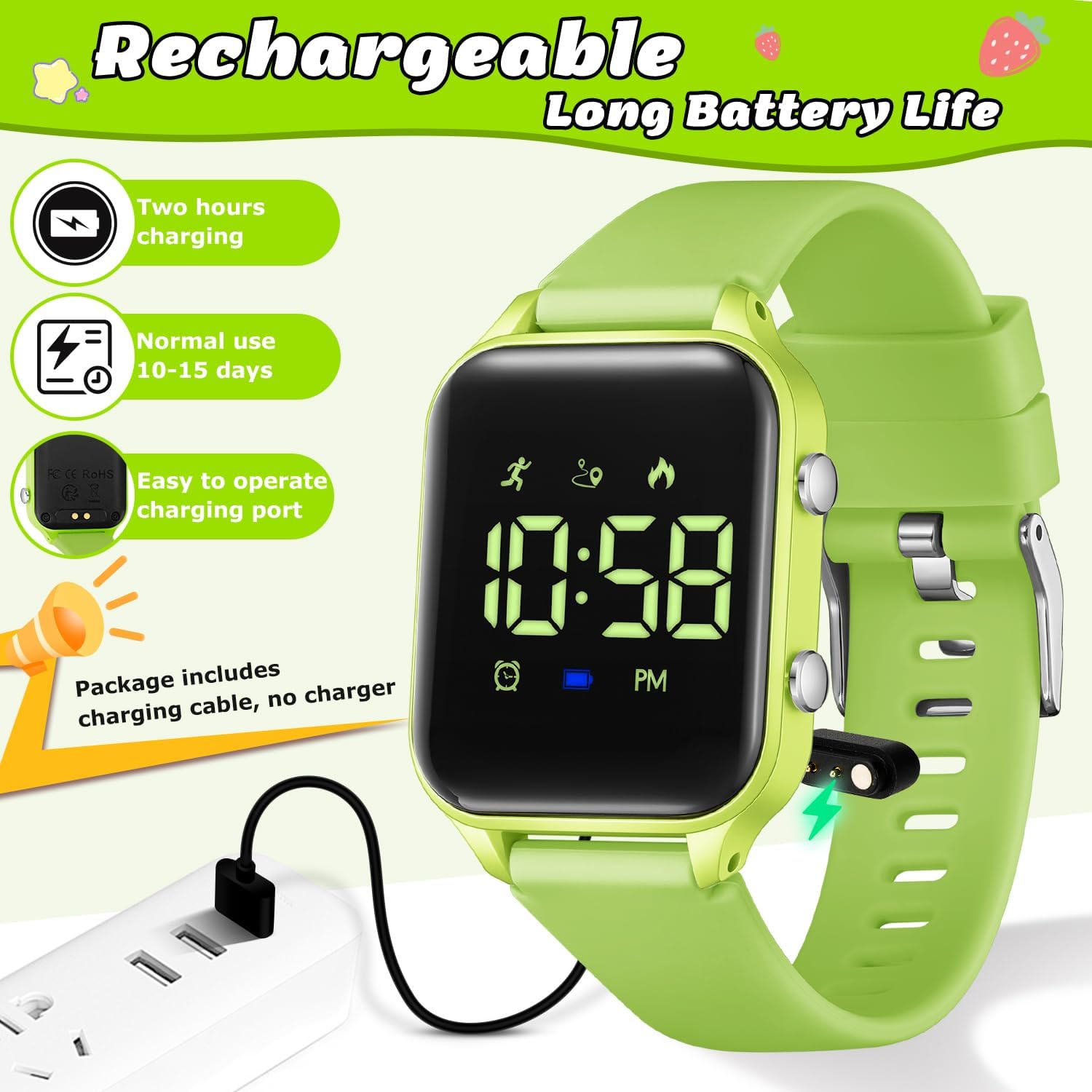
Figure 3: Magnetic charging connection for the watch.
3.2 Setting Time and Date
Refer to the included mini-manual for detailed button functions and sequence for setting time and date. Generally, the watch uses two side buttons (A and B) for navigation and selection.
- Press button A to cycle through display modes (Time, Date, Steps, etc.).
- Press and hold button B to enter setting mode for the currently displayed item (e.g., hour, minute, month, day, year).
- Use button A to adjust values and button B to confirm and move to the next setting.
Video 1: A general overview of the L LAVAREDO Kids Digital Watch, demonstrating its appearance and basic functions.
4. Operating the Watch
The watch operates using the two side buttons. Pressing button A cycles through different display modes, while button B is used for selection or entering setting modes.
4.1 Pedometer and Activity Tracking
The watch automatically tracks steps, distance, and calories burned.
- Press button A until the pedometer icon (running figure) appears to view your current step count.
- Continue pressing button A to view distance (km) and calories burned (Kcal).
- The tracking data resets daily.
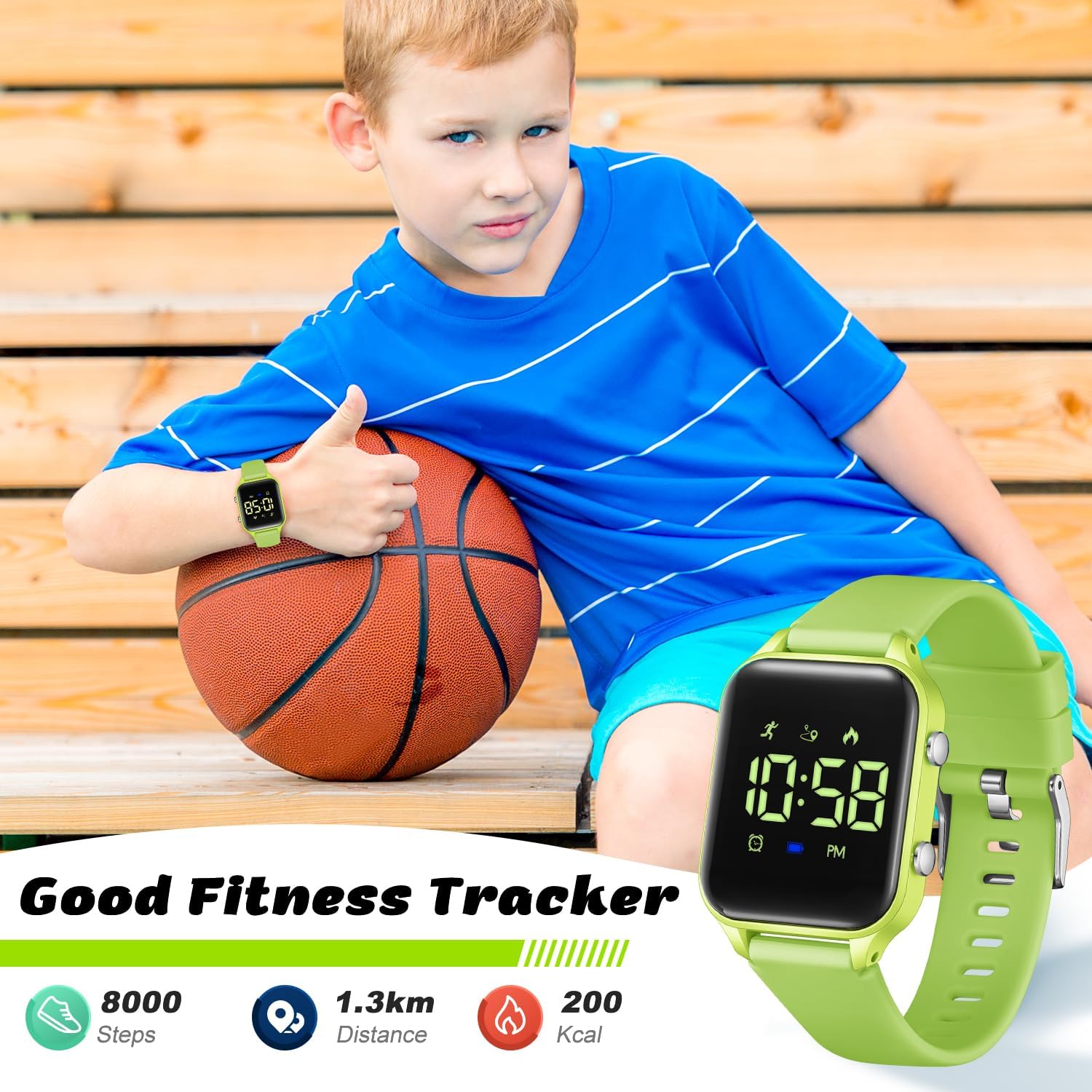
Figure 4: The watch functions as a fitness tracker, displaying steps, distance, and calories.
Video 2: Demonstration of the sport watch with its pedometer function.
4.2 Stopwatch
To use the stopwatch function:
- Press button A until the stopwatch display (00:00) appears.
- Press button B to start the stopwatch.
- Press button B again to pause the stopwatch.
- To reset, press and hold button B while paused.
4.3 Vibration Alarm
The watch features a vibration alarm, ideal for waking up without disturbing others.
- Press button A until the alarm display appears.
- Press and hold button B to enter alarm setting mode.
- Use button A to adjust the hour and minute, and button B to confirm each setting.
- You can enable or disable the alarm. When enabled, the watch will vibrate at the set time.

Figure 5: The watch features a vibrating alarm for silent wake-ups or reminders.
Video 3: A demonstration of the vibration alarm feature on the watch.
5. Water Resistance
The L LAVAREDO Kids Digital Watch T15E is designed with a 50-meter water resistance rating, which translates to 'Life Waterproof'.
- It is resistant to splashes, rain, and brief immersion in water, such as during hand washing.
- It is not suitable for swimming, showering, or any activities involving prolonged water exposure or high-pressure water.
- Avoid pressing buttons while the watch is wet to prevent water ingress.

Figure 6: Understanding the water resistance capabilities of the watch.
Video 4: Highlighting the waterproof features of the kids digital watch.
6. Specifications
| Feature | Detail |
|---|---|
| Model Number | T15E |
| Display Type | Digital |
| Watch Movement Type | Quartz |
| Power Source | Rechargeable Battery |
| Strap Type | Adjustable Silicone |
| Water Resistance Depth | 50 Meters |
| Water Resistance Level | Water Resistant (Life Waterproof) |
| Clasp Type | Tang Buckle |
| Case Material Type | Zinc Alloy |
| Crystal | Resin |
| Band Length | 225 Millimeters |
| Band Width | 17 Millimeters |
| Case Thickness | 11 Millimeters |
| Item Weight | 0.17 Pounds (approx. 77 grams) |
| Age Range Description | Kid |
7. Maintenance and Care
- Cleaning: Wipe the watch regularly with a soft, dry cloth. For stubborn dirt, a slightly damp cloth can be used, ensuring no water enters the buttons or charging port.
- Storage: Store the watch in a cool, dry place away from direct sunlight and extreme temperatures.
- Avoid Chemicals: Do not expose the watch to harsh chemicals, solvents, or detergents, as these can damage the band and casing.
- Impact: While durable, avoid dropping the watch or subjecting it to strong impacts.
8. Troubleshooting
- Watch not turning on: Ensure the watch is fully charged. Connect it to the charger for at least 1 hour.
- Display is dim or unresponsive: The battery might be low. Recharge the watch.
- Time/Date is incorrect: Follow the instructions in Section 3.2 to reset the time and date.
- Pedometer not tracking: Ensure the watch is worn correctly on the wrist. Movement must be consistent for accurate tracking.
- Alarm not vibrating: Check if the alarm is enabled in the settings. Ensure the battery is not critically low.
If issues persist, please refer to the included user manual or contact customer support.
9. Warranty and Support
For warranty information, product support, or any inquiries, please refer to the contact details provided in the product packaging or on the official L LAVAREDO website. Keep your purchase receipt as proof of purchase for warranty claims.