1. Introduction
This manual provides instructions for the installation, operation, and maintenance of your CAMECHO Qualcomm 8-Core Car Stereo. Please read this manual thoroughly before use to ensure proper functionality and safety. This unit features a Qualcomm Snapdragon CPU, Android 15 OS, 4GB RAM + 64GB ROM, and a 9-inch IPS display.

Image 1.1: CAMECHO Qualcomm 8-Core Car Stereo and included components.
2. Compatible Car Models
This car stereo is designed for specific BMW models. Please verify your vehicle's compatibility before installation.
- 2000-2006 BMW X5 (E53)
- 1996-2003 BMW 5 Series (E39)
- 1996-2003 BMW M5
- 1994-2001 BMW E38
Note:
- If your original radio has a 4.3-inch or 7-inch screen with a 12-pin plug, or if the navigation drive is located in the rear of your car, an extra 6-meter extension cable is required for installation.

Image 2.1: Compatible BMW models and wiring considerations.
3. Package Contents
Verify that all items listed below are included in your package:
- 1 x Android Head Unit
- 1 x AHD Backup Camera
- 1 x External Microphone
- 1 x Protocol Box (CANBUS)
- 1 x GPS Antenna
- 1 x Radio Antenna
- 1 x Power Cable
- 2 x USB Cables
- 1 x RCA Input / Output Cable
- 1 x Rear Camera Input Cable
- 1 x Accessories Bag
- 1 x Installation Tool Set
- 1 x User Manual

Image 3.1: Packing list and unit dimensions.
4. Setup and Installation
4.1 CANBUS Connection for Steering Wheel Control
To enable steering wheel controls, ensure the CANBUS box is correctly connected to the head unit's 8-pin connector. After physical connection, you must configure the protocol settings in the head unit's software.
- Connect the CANBUS box to the wiring harness and the head unit.
- Access the head unit's settings: Go to "Settings" > "Factory Settings".
- Enter the password: 8888.
- Navigate to "Protocol Settings".
- Select "Luzheng - BMW" and choose the option compatible with your specific car model.
Important: If the 8-pin cable is not plugged into the head unit, steering wheel control will not function.

Image 4.1: CANBUS wiring and software configuration for steering wheel controls.
4.2 Reversing Camera Installation
The reversing input must be connected even if a reversing camera is not used. Follow these steps for camera wiring:
- Connect the camera's positive power wire to the positive pole of your car's reversing light.
- Connect the camera's negative power wire to the negative pole of your car's reversing light.
- The reversing trigger is controlled by the stereo and does not require a separate connection.
After wiring, set the camera resolution through the head unit's settings:
- Go to "Car Settings" > "Factory Settings" (Password: 8888).
- Navigate to "Protocol parameter settings" > "Reversing settings" > "Reverse video resolution".
- Select "NTSC/PAL" or "AHD25" as appropriate for your camera.
- Restart your car to apply the changes.
Note: The white plug must be connected to the main device for Bluetooth and WiFi signals to function correctly.

Image 4.2: Reversing camera wiring and setup.
4.3 Before and After Installation Comparison

Image 4.3: Visual comparison of the dashboard before and after head unit installation.
5. Operating Instructions
5.1 Wireless Apple CarPlay & Android Auto
Connect your smartphone wirelessly to access navigation, music, calls, and messages directly on the car stereo display.
- Enable Bluetooth on your iPhone or Android phone and pair it with the car radio.
- Open the "Zlink" application on the car stereo.
- If connection fails, connect your phone to the car stereo's hotspot, then reopen the "Zlink" app.
Ensure both Bluetooth and hotspot connections are maintained for stable operation.

Image 5.1: Wireless CarPlay and Android Auto connection guide.
5.2 GPS Navigation
The unit includes a built-in GPS module for both online and offline navigation. You can use pre-installed maps or download additional navigation applications from the Google Play Store when connected to Wi-Fi.
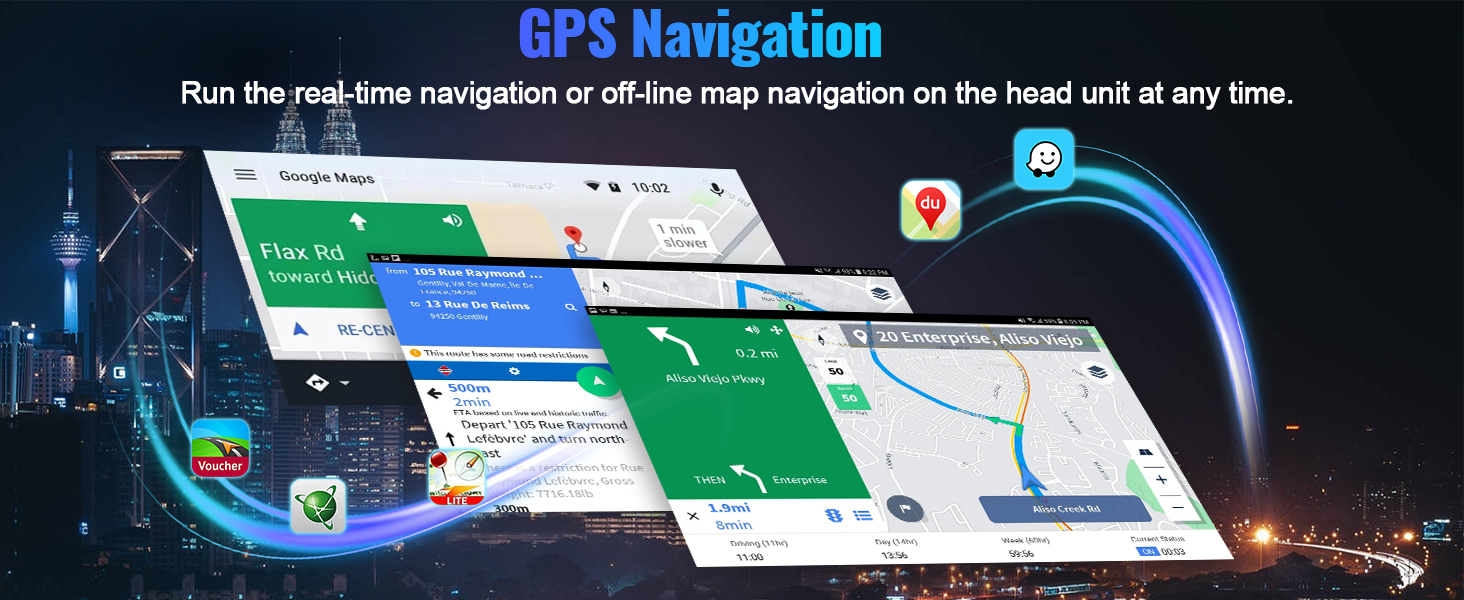
Image 5.2: GPS Navigation interface.
5.3 WiFi Connection
Connect the car stereo to a Wi-Fi network or your phone's mobile hotspot to browse the internet, download applications, stream videos, and access online maps.

Image 5.3: WiFi connectivity for applications.
5.4 Bluetooth 5.1 & FM RDS Radio
The built-in Bluetooth 5.1 module allows for hands-free calling and wireless audio streaming from your smartphone. The FM/RDS radio supports 10-station presets for live broadcasting.

Image 5.4: Bluetooth 5.1 for communication and audio.

Image 5.5: FM RDS Radio interface.
5.5 Steering Wheel Control
The unit retains the factory steering wheel control function, allowing you to manage audio playback and calls without taking your hands off the wheel. Ensure CANBUS is correctly configured as described in Section 4.1.

Image 5.6: Steering wheel control functionality.
5.6 Screen Mirroring
Cast your smartphone's screen directly to the car radio touchscreen for a larger display of your phone's content. This feature supports both iOS and Android devices.

Image 5.7: Screen Mirroring function.
5.7 DSP Hi-Res Audio
The built-in Digital Sound Processor (DSP) and Hi-Res audio support allow for dynamic sound quality and customization of your listening experience. Adjust equalizer settings to optimize audio output.

Image 5.8: DSP Hi-Res Audio settings.
5.8 3D Car Visualizer
The user interface includes a 3D car model display, offering various stylish window designs, UI themes, and color choices for personalization.

Image 5.9: 3D Car Visualizer interface.
5.9 Fan Cooling System
The integrated fan cooling system automatically adjusts its speed based on temperature to ensure efficient heat dissipation, contributing to a longer service life and smoother operation of the unit.

Image 5.10: Fan Cooling System details.
6. Specifications
| Feature | Detail |
|---|---|
| Product Dimensions | 1.6 x 11.3 x 5.4 inches (4.06 x 28.7 x 13.7 cm) |
| Item Weight | 0.035 ounces (approximately 1 gram) |
| Item Model Number | 3355db94-1eb3-42f3-8683-cb290f5fc8cd |
| Brand | CAMECHO |
| Connectivity Technology | Bluetooth, Wi-Fi |
| Special Features | 4GB RAM + 64GB ROM, 8-Core Qualcomm Snapdragon CPU, Android Auto, Apple CarPlay, Built-In Bluetooth 5.1, DSP, Hi-Res Audio |
| Compatible Devices | BMW 5 Series (1996-2003) E39, BMW E38 (1994-2001), BMW M5 (1996-2003), BMW X5 (2000-2006) E53 |
| Connector Type | RCA |
| Audio Output Mode | Surround |
| Surround Sound Channel Configuration | 5.1 |
| Video Encoding Support | AVI, MKV, MPG, MPEG-4, etc. |
| Output Power | 45 Watts (MOSFET 4*50W) |
7. Troubleshooting
7.1 If No Sound
If you experience no sound from the car stereo, follow these steps:
- Connect AMP Cable: Ensure the AMP cable from the RCA output is connected to the ACC cable of the power harness.
- Power Amplifier Connection: If using an external power amplifier, connect its power cable to the ACC cable of the power harness.
- Software Setting: Open the "Car Amplifier" application from the top bar's drag-down page on the head unit's screen.

Image 7.1: Troubleshooting steps for no sound.
7.2 Steering Wheel Control Not Working
If steering wheel controls are not functioning, verify the following:
- Ensure the CANBUS box is securely connected.
- Confirm the 8-pin cable is correctly plugged into the head unit.
- Recheck the "Protocol Settings" in "Factory Settings" (password 8888) to ensure "Luzheng - BMW" and the correct car model are selected.
8. Maintenance
To ensure the longevity and optimal performance of your car stereo, consider the following general maintenance tips:
- Keep the screen clean using a soft, lint-free cloth. Avoid abrasive cleaners.
- Ensure proper ventilation around the unit to prevent overheating. The built-in fan cooling system assists with this.
- Regularly check for software updates to improve performance and add new features.
- Avoid exposing the unit to extreme temperatures or direct sunlight for extended periods.
9. Support
For further assistance, technical support, or user manual inquiries, please contact CAMECHO customer support:
Email: CAMECHOVIP@126.com

Image 9.1: CAMECHO customer support contact information.


