
1. Introduction
The LIORQUE Visual Timer, Model TM12, is a versatile 60-minute countdown timer designed for various time management needs. Its visual display helps users of all ages understand the passage of time. This manual provides instructions for setup, operation, and maintenance to ensure optimal performance.

2. Product Features
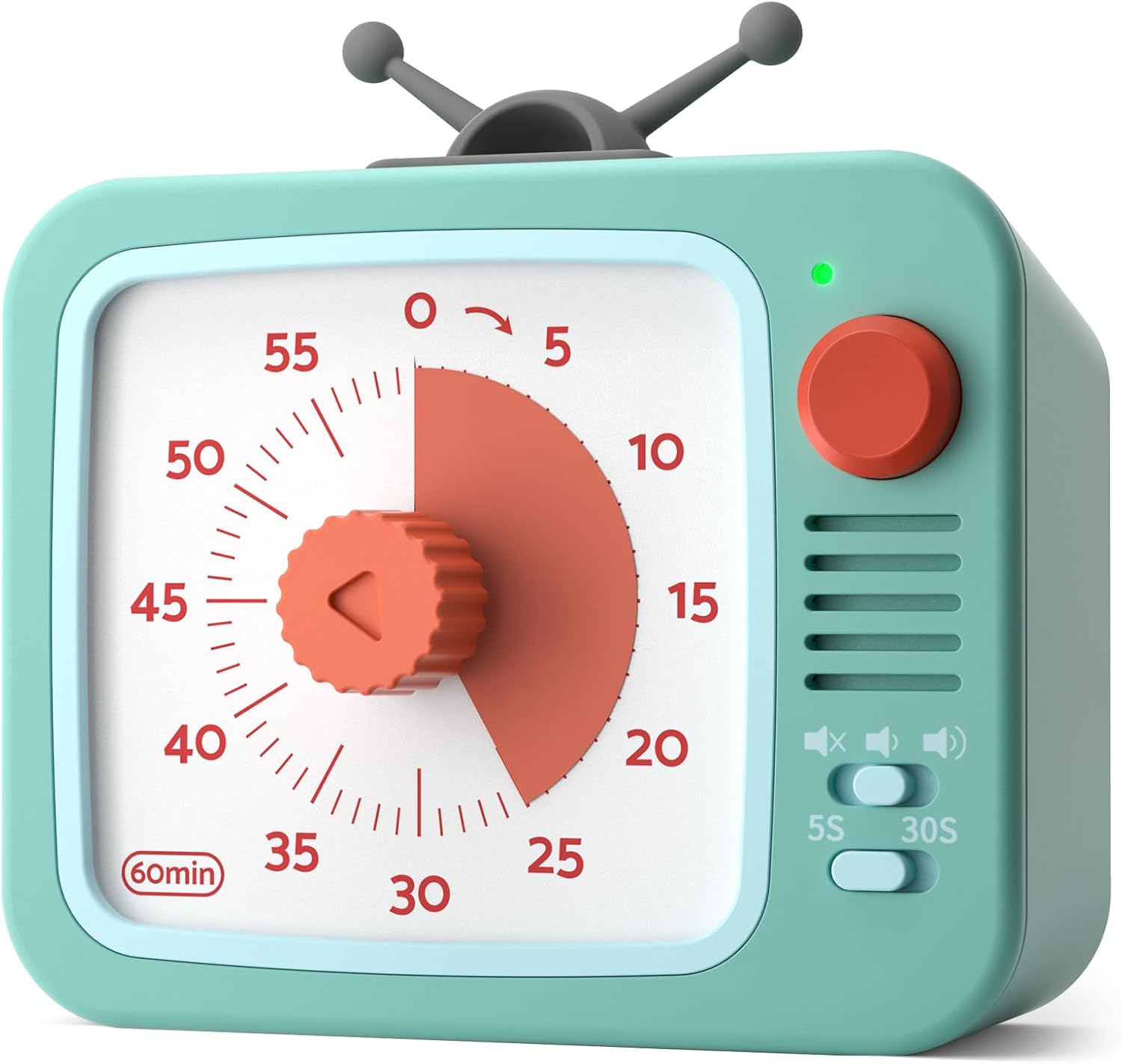
- 60-Minute Visual Countdown: A red disk visually recedes as time expires, providing a clear indication of remaining time without needing to read numbers.
- Pause Function: Temporarily halt the countdown by pressing and holding the round button for 3 seconds. The indicator light changes from green to red. Press and hold again for 3 seconds to resume.
- Silent Operation: Designed with a sophisticated internal structure to minimize ticking sounds, ensuring a distraction-free environment.
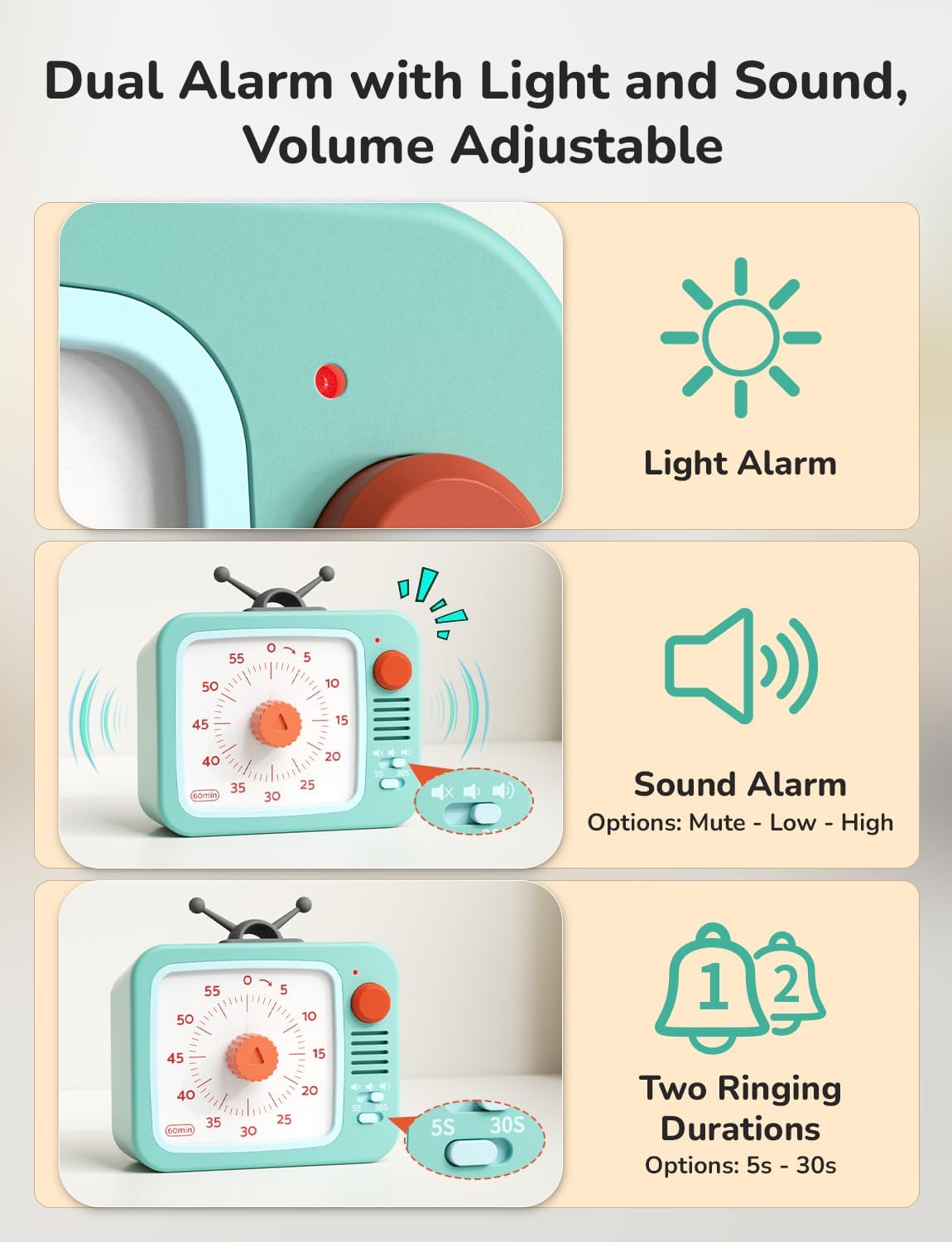
- Adjustable Alarm: Customize the alarm volume (Mute, Low, High) and duration (5 seconds, 30 seconds) using the switches on the side.
- Easy to Use: Simply turn the central knob clockwise to increase time and counter-clockwise to decrease it.
- Multiple Placement Options: Can stand freely, be wall-mounted, or magnetically attached to metal surfaces.
- Battery Powered: Operates on 2 AAA batteries (included).
3. Setup
3.1 Battery Installation
- Locate the battery compartment on the back of the timer.
- Open the battery compartment cover.
- Insert 2 AAA batteries, ensuring correct polarity (+/-). The timer comes with batteries pre-installed; remove any protective tab if present.
- Close the battery compartment cover securely.
4. Operating Instructions
4.1 Setting the Timer
- Turn the central red knob clockwise to increase the desired time. The red disk will expand to indicate the set duration.
- Turn the knob counter-clockwise to decrease the set time.
- The timer will begin counting down immediately once the knob is released. The red disk will gradually disappear as time elapses.

4.2 Pause Function
- During an active countdown, press and hold the round button on the top right for 3 seconds to pause the timer. The indicator light will change from green to red.
- To resume the countdown, press and hold the round button for another 3 seconds. The indicator light will change back from red to green.

4.3 Alarm Settings
- Volume Adjustment: Use the slide switch on the side to select between Mute, Low, or High alarm volume.
- Duration Adjustment: Use the toggle switch to select an alarm duration of either 5 seconds or 30 seconds.
- Stopping the Alarm: When the timer reaches zero and the alarm sounds, briefly press the round button on the top right to stop the alarm. Alternatively, turn the knob clockwise slightly and then back to zero.
5. Placement Options
The LIORQUE Visual Timer offers flexible placement to suit your needs:
- Stand Alone: Place the timer on any flat surface such as a desk, counter, or table.
- Wall Mount: Utilize the integrated wall mount hole on the back to hang the timer on a hook or nail.
- Magnetic Attachment: The timer features strong magnets on its back, allowing it to be securely attached to metallic surfaces like refrigerators or whiteboards.

6. Maintenance
- Cleaning: Wipe the timer with a soft, dry cloth. Do not use abrasive cleaners or immerse in water.
- Battery Replacement: When the timer's performance diminishes or the indicator light fails to illuminate, replace the 2 AAA batteries. Ensure proper disposal of old batteries according to local regulations.
- Storage: Store the timer in a cool, dry place when not in use for extended periods.
7. Troubleshooting
- Timer not starting: Ensure batteries are correctly installed and have sufficient charge. Remove any protective tab from new batteries.
- Alarm not sounding: Check the volume switch to ensure it is not set to 'Mute'. Verify the alarm duration switch is set correctly.
- Inaccurate timing: Ensure the knob is turned fully to the desired time and released. If issues persist, replace batteries.
8. Specifications
| Feature | Detail |
|---|---|
| Model Number | TM12 |
| Color | White+green |
| Material | Plastic |
| Product Dimensions | 4.33"D x 4.21"W x 2.24"H |
| Item Weight | 150 Grams (5.3 ounces) |
| Number of Settings | 5 (referring to alarm settings) |
| Batteries | 2 AAA batteries (included) |
9. Warranty and Support
For warranty information or technical support, please refer to the product packaging or contact LIORQUE customer service directly. Keep your purchase receipt for any warranty claims.


