1. Introduction
The Vantrue N4S is a state-of-the-art 3-channel dash camera designed to provide comprehensive surveillance for your vehicle. Equipped with advanced STARVIS 2 and PlatePix technologies, it captures crystal-clear video from the front, inside, and rear of your vehicle simultaneously. This manual provides detailed instructions for installation, operation, and maintenance to ensure optimal performance of your device.

Image: The Vantrue N4S dash camera, showcasing its compact design and connectivity with a smartphone application for live view and settings.
2. Package Contents
Before proceeding with installation, please verify that all items listed below are present in your package:
- Vantrue N4S Dash Cam x1
- Rear Camera x1
- In-Car Rear Camera Holder x1
- Rear Camera Cable (20ft) x1
- Car Charger (11.5ft) x1
- USB Data Cable (3.3ft) x1
- Electrostatic Stickers x2
- Spare Bracket Base x1
- Cable Clips x6
- GPS Adhesive Mount x1
- Crowbar x1
- Quick User Guide x1

Image: A visual representation of all items included in the Vantrue N4S dash cam package, such as the main unit, rear camera, cables, and mounting accessories.
3. Setup and Installation
3.1 Mounting the Dash Cam
- Clean the windshield area where the dash cam will be mounted.
- Apply an electrostatic sticker to the chosen area on the windshield. This helps in easy removal and prevents residue.
- Attach the GPS adhesive mount to the electrostatic sticker.
- Slide the Vantrue N4S dash cam onto the GPS mount until it clicks into place. The innovative magnetic mount allows for effortless detachment.
- Adjust the angle of the front camera and the rotatable inside camera for optimal view.
3.2 Rear Camera Installation
The upgraded 2.5K waterproof rear camera can be installed either on the rear window or above the license plate, offering flexibility for various vehicle types.
- Choose your preferred mounting location for the rear camera.
- Secure the rear camera using the provided holder and adhesive.
- Route the 20ft rear camera cable from the rear camera to the main dash cam unit. Use the included crowbar and cable clips to neatly tuck away the cable along the vehicle's interior trim.
- Connect the rear camera cable to the designated port on the main dash cam.

Image: Illustration detailing the installation options for the Vantrue N4S's 2.5K waterproof rear camera, including mounting on the rear window or above the license plate.
3.3 Power Connection
- Connect the car charger (11.5ft cable) to the main dash cam unit.
- Plug the car charger into your vehicle's cigarette lighter socket.
- For 24/7 buffered parking mode functionality, the dash cam must be hardwired. A separate hardwire kit (ASIN: B083XB8T7T) is required and sold separately.
4. Operating Instructions
4.1 Recording Modes
The N4S dash camera supports simultaneous 3-channel recording (front, cabin, rear) at 2.7K+1440P+1440P resolution. You can flexibly switch between 1-channel, 2-channel, or 3-channel recording modes via the device settings or the Vantrue APP.

Image: A visual representation of the Vantrue N4S's 3-channel recording capability, showing simultaneous views from the front, cabin, and rear cameras.
4.2 Night Vision and PlatePix Technology
The N4S features advanced STARVIS 2 and HDR technology across all three cameras for unparalleled night vision clarity. The front camera integrates Vantrue’s exclusive PlatePix technology, enhancing license plate recognition by 1.5X. Four professional-grade infrared lights on the interior camera ensure clear cabin images even in complete darkness.

Image: Demonstrates the superior clarity of license plate capture and overall night vision performance using PlatePix and STARVIS 2 technology in different lighting and weather conditions.
4.3 Parking Mode (Requires Hardwire Kit)
The N4S offers 4 smart parking modes to capture incidents around your vehicle 24/7:
- Buffered Motion Detection: Automatically starts recording 10 seconds before motion is detected and continues for 30 seconds after, creating a 40-second video.
- Quick Start Collision Detection: Instantly activates recordings on all 3 cameras when a sudden impact is detected.
- Low Bitrate Mode: Saves storage space by decreasing image quality, ideal for long-term parking.
- Low Framerate Mode: Records at a reduced frame rate (1/5/10/15 FPS) to save storage, suitable for monitoring environmental changes.

Image: Explains the 24/7 buffered parking mode features, including 10-second pre-recording for motion detection and quick start collision detection.
4.4 G-Sensor and Emergency Lock
The 3-axis G-sensor automatically detects sudden shakes or collisions. When an event occurs, the dash cam locks the video into a separate event folder, preventing it from being overwritten by loop recording. This provides indisputable proof for insurance claims. G-sensor sensitivity can be adjusted from 1 to 5 levels.
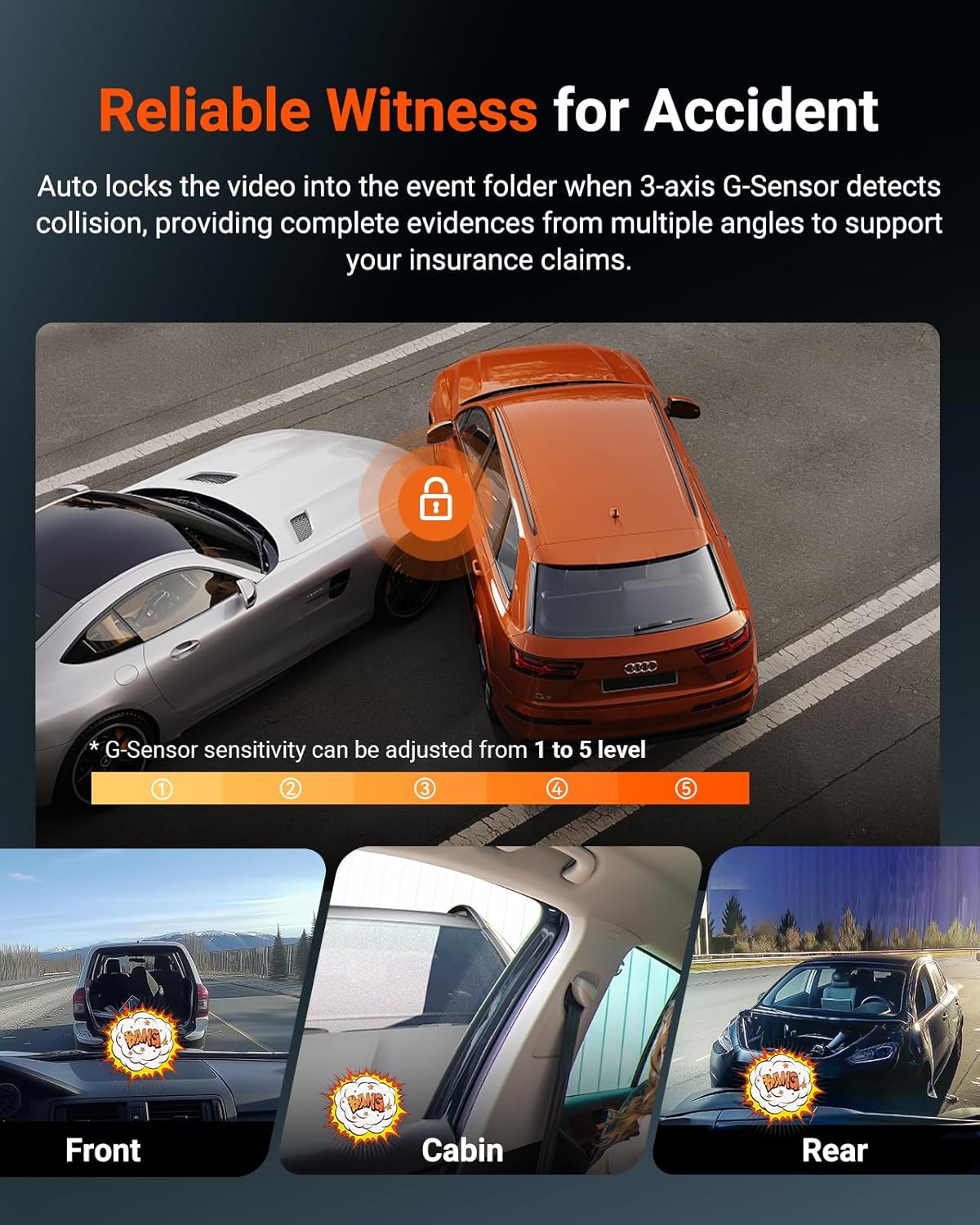
Image: Depicts how the G-Sensor functions as a reliable witness for accidents, automatically locking video footage from front, cabin, and rear cameras upon impact.
4.5 5GHz WiFi & Vantrue APP
Connect your N4S to your smartphone via 5GHz WiFi for 4x accelerated download speeds. The free Vantrue APP allows you to:
- Configure dash cam settings.
- Preview live video.
- Playback, download, and edit recorded videos.
- Share videos online.
- Update firmware.
4.6 Dual-System GPS Logger
The integrated dual-system GPS module precisely records your vehicle's location, real-time speed (KM/H or MPH), and driving routes. This data can be viewed on the Vantrue APP or PC, and converted into mileage analysis reports, serving as powerful evidence.

Image: Illustrates the 5GHz WiFi connectivity for faster data transfer, dual-system GPS for accurate tracking, and intelligent voice control for hands-free operation.
4.7 Intelligent Voice Control
Operate key functions hands-free using simple voice commands in multiple languages (English, Russian, Chinese, French, Japanese). Commands include: save video, take photo, start video, turn on/off audio, turn on/off WiFi, turn on/off screen, show front/rear/inside video, and return to homepage. This feature significantly reduces driver distraction.
4.8 LTE Remote Monitor (Optional)
Access and monitor your dash cam remotely from anywhere by connecting it to a Vantrue LTE module (ASIN: B0F1ZY4Y3S, sold separately). Features include remote notification, vehicle location tracking, smart cloud storage, and real-time communication.

Image: The Vantrue LTE module (LT01) enabling remote monitoring capabilities such as notifications, vehicle tracking, cloud storage, and real-time communication.
5. Maintenance
5.1 SD Card Management
The N4S supports up to a 1TB SD card (sold separately). Ensure you use a high-endurance microSD card suitable for dash cam use. The device features loop recording, automatically overwriting the oldest video file when the SD card is full to ensure continuous recording. Regularly format the SD card (monthly recommended) to maintain optimal performance and prevent data corruption.
5.2 High Temperature Protection
The N4S is equipped with a Smart High Temperature Protection System. It automatically turns off the dash cam when the car's ambient temperature reaches 140°F (60°C) to prevent overheating and extend its lifespan. This system utilizes a built-in supercapacitor for enhanced durability and heat resistance compared to traditional batteries.
5.3 General Care
- Keep the lens clean using the provided dust-free cloth.
- Avoid exposing the dash cam to extreme temperatures for prolonged periods when not in use.
- Do not attempt to disassemble or modify the device, as this will void the warranty.
6. Troubleshooting
6.1 Dash Cam Not Powering On
- Ensure the car charger is securely plugged into both the dash cam and the vehicle's cigarette lighter socket.
- Check if the vehicle's cigarette lighter socket is receiving power. Test with another device if possible.
- If hardwired, verify the hardwire kit installation and fuse connections.
6.2 Recording Issues (Freezing, Skipping Frames)
- Ensure you are using a high-endurance microSD card (U3 or higher recommended).
- Format the microSD card regularly (e.g., once a month) within the dash cam's settings.
- Check for firmware updates via the Vantrue APP or Vantrue's official website.
6.3 GPS Not Working
- Ensure the GPS adhesive mount is properly connected to the dash cam.
- Verify that the dash cam has a clear view of the sky for satellite reception. Avoid mounting behind tinted areas or large obstructions.
6.4 WiFi Connection Issues
- Ensure the Vantrue APP is updated to the latest version.
- Restart both the dash cam and your smartphone.
- Temporarily disable mobile data on your phone during connection setup.
7. Specifications
| Feature | Specification |
|---|---|
| Product Dimensions | 2.2 x 4.61 x 1.77 inches |
| Item Weight | 1.54 pounds |
| Model Name | N4S |
| Video Capture Resolution | 2.7K(1944P)+1440P+1440P (3-channel) |
| Display Screen | 2 inch |
| Connectivity Technology | Wi-Fi (5GHz), USB |
| Special Features | Built-In WiFi, Parking Monitor, Night Vision (STARVIS 2, HDR, IR), Dual System GPS Logger, Smart Voice Control, Built-In Microphone & Speaker, Built-In Supercapacitor, Loop Recording, Support 1TB Max, LTE Support (Optional), Automatic Incident Detection |
| Mounting Type | Windshield Mount (Magnetic) |
| Compatible Vehicle Service Type | SUV, Pickup, Truck, Sedan, Roadster |
8. Warranty and Support
The Vantrue N4S dashboard camera comes with an extendable 18-month warranty. Vantrue is committed to providing excellent customer service and continually updated firmware for improvements and new features.
Contact Support:
- Email: support@vantrue.net
- Phone: 510-666-4086
For the latest information, firmware updates, and additional accessories, please visit the official Vantrue website or the Vantrue store on Amazon.