
Tapo Tapo C113
Tapo 2K 3MP Indoor/Outdoor Security Camera User Manual
Model: Tapo C113 | Brand: Tapo
Introduction
The Tapo C113 HybridCam is a versatile security camera designed for both indoor and outdoor use. It offers 2K 3MP video resolution, advanced AI-powered detection features (person, pet, vehicle, baby cry), and flexible storage options without mandatory subscriptions. This manual provides comprehensive instructions for setting up, operating, and maintaining your camera to ensure optimal performance and security.
What's in the Box
- 1 Tapo C113 Camera
- 1 Power Adapter (5.0 V, 1.0 A)
- 1 Type-C Wire (2m / 6.6ft)
- 4 Mounting Anchors
- 4 Mounting Screws
- 2 Cable Organizers
- 1 Mounting Template
- 1 Iron Camera Base
- 1 3M Adhesive
- 1 Detaching Pin
- 1 Quick Start Guide
Setup
1. Physical Installation
The Tapo C113 camera is designed for flexible placement, suitable for both indoor and outdoor environments. Its IP65 rating ensures protection against heavy rain and dust, allowing for reliable 24/7 operation.

Figure 1: The Tapo C113 camera can be placed on a flat surface indoors or mounted on a wall outdoors, demonstrating its versatile design for various environments.
For wall mounting, use the provided mounting template to mark drill holes. Secure the iron camera base using the mounting anchors and screws. The camera features a strong magnetic base that attaches securely to the iron base, allowing for easy adjustment of the viewing angle. For temporary or non-drilling installations, the included 3M adhesive can be used to attach the iron base to a clean, flat surface.

Figure 2: A close-up of the Tapo C113 camera, highlighting its compact design and the magnetic base that allows for flexible positioning and easy detachment.
2. App Setup and Connectivity
To set up your Tapo C113 camera, download the Tapo app from your device's app store. Follow the in-app instructions to connect the camera to your 2.4 GHz Wi-Fi network. The camera supports 802.11b/g/n protocols with wireless rates up to 72.2 Mbps (802.11n) and WPA/WPA2-PSK security. Ensure your Wi-Fi signal is strong at the camera's intended location for optimal performance.
The camera is powered via a 5.0V, 1.0A power adapter and a 2m (6.6ft) Type-C wire. The USB-C port is located on the bottom of the camera. A detaching pin is provided for accessing the reset button and microSD card slot, which supports up to 512GB for local storage.
Operating Instructions
Video Quality and Field of View
The Tapo C113 captures sharp, detailed 2K 3MP video, providing 1.7 times more pixels than standard 1080p. This enhanced resolution is ideal for identifying critical details. The camera features a 114° diagonal field of view, offering wide and comprehensive coverage of the monitored area.

Figure 3: Illustrates the camera's 2K 3MP resolution, providing a crystal-clear view for detailed monitoring.
AI-Powered Detection and Activity Zones
The camera offers free AI-powered detection for people, motion, and baby cries, reducing false alerts. You can customize activity zones within the Tapo app to receive notifications only for specific areas you wish to monitor, such as a doorway or driveway. This feature helps eliminate unnecessary alerts.
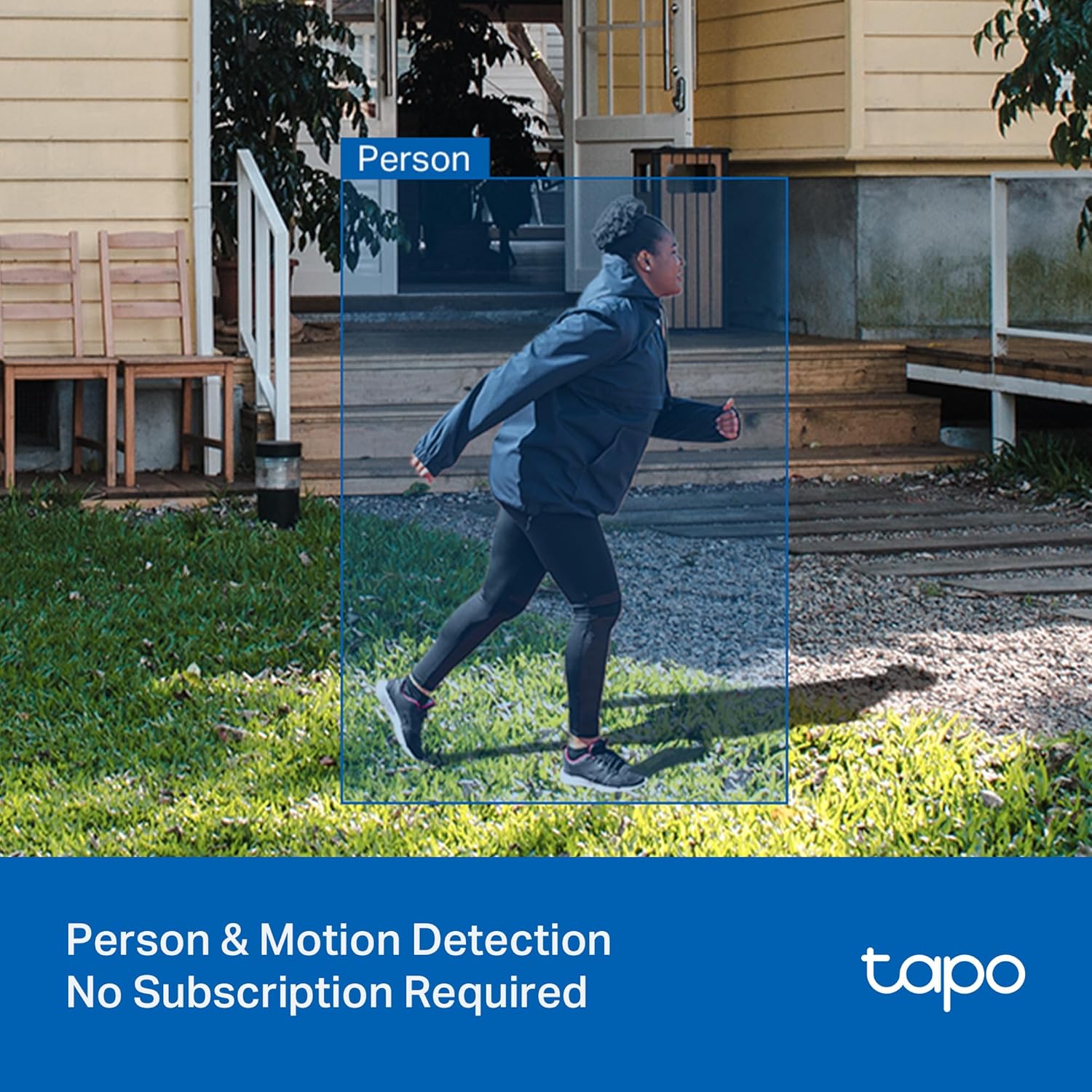
Figure 4: Demonstrates the camera's person and motion detection capabilities, which do not require a subscription.

Figure 5: Shows how users can define tailored activity zones to precisely control notifications and alerts.
Versatile Night Vision Modes
The Tapo C113 provides adaptive night vision modes to suit various lighting conditions:
- Black-and-white IR: Standard infrared night vision for clear monochrome images in low light.
- Full-color with built-in spotlights: Utilizes integrated spotlights to capture full-color video even in complete darkness.
- Smart Auto Mode: Automatically switches to color night vision when motion is detected, combining the benefits of both modes.

Figure 6: Depicts the versatile night vision modes available, including full-color, infrared, and smart auto-switching options.
Two-Way Audio
Engage in real-time conversations with visitors or delivery personnel using the camera's full-duplex two-way audio feature. Designed for exceptional sound and clarity, it allows for clear communication through the camera's built-in microphone and speaker.
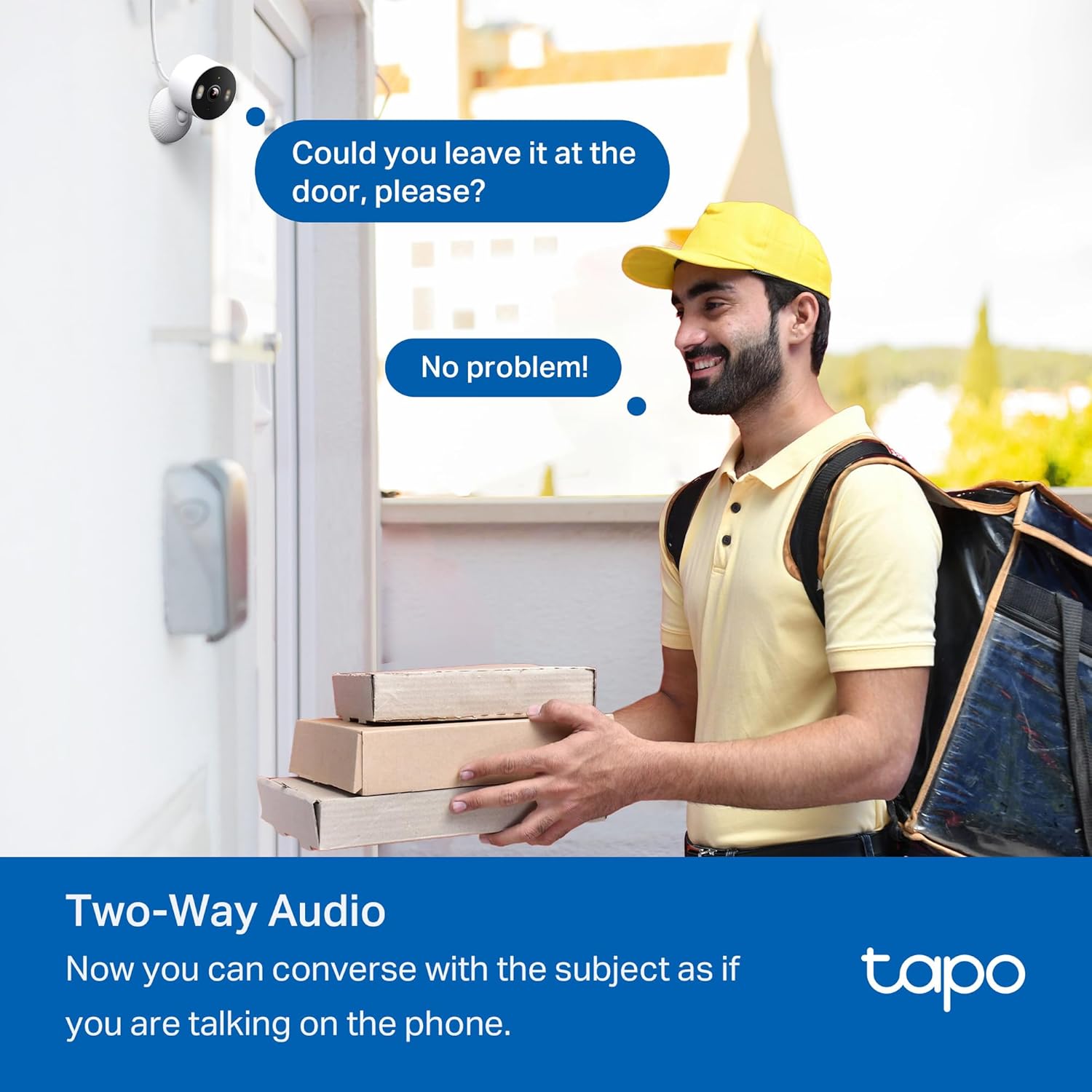
Figure 7: Illustrates the two-way audio function, enabling conversation with individuals near the camera.
Storage Options and Privacy Zones
The Tapo C113 offers flexible storage solutions. You can store recordings locally on a microSD card (up to 512GB, sold separately) without any subscription fees. Alternatively, you can subscribe to Tapo Care's cloud storage services for off-site backup.

Figure 8: Highlights the local and cloud storage options, allowing users to save recordings to a microSD card or via a Tapo Care subscription.
To protect your privacy, you can easily define customizable privacy zones within the app. These zones block recordings in specific personal areas, giving you complete control over what is captured by the camera.

Figure 9: Shows how privacy zones can be set to block recordings in specific areas, enhancing user privacy.
Smart Home Integration
The Tapo C113 camera is compatible with popular smart home platforms, including Amazon Alexa and Google Assistant. You can use voice commands to control your camera and stream live video to compatible smart displays like Echo Show or Nest Hub.
Maintenance
- Cleaning: Regularly wipe the camera lens and body with a soft, dry cloth to remove dust and smudges. Avoid using harsh chemicals or abrasive materials.
- Firmware Updates: Keep your camera's firmware updated through the Tapo app to ensure optimal performance, security, and access to new features.
- Environmental Considerations: While IP65 rated, avoid prolonged exposure to extreme weather conditions or direct water jets to maximize the camera's lifespan.
Troubleshooting
- Connectivity Issues: Ensure the camera is within range of your 2.4 GHz Wi-Fi network. Restart your router and camera if connection problems persist.
- Poor Video Quality: Check your Wi-Fi signal strength. Ensure the lens is clean and free from obstructions.
- False Alerts: Adjust activity zones and detection sensitivity settings in the Tapo app to minimize unwanted notifications.
- Resetting the Camera: If issues persist, use the provided detaching pin to press the reset button on the camera to restore factory settings.
Specifications
| Feature | Detail |
|---|---|
| Model Name | Tapo C113 |
| Video Capture Resolution | 2K 3MP |
| Field of View | 120 Degrees (Diagonal) |
| Night Vision Range | 40 Feet (IR LED) |
| AI Detection | Person, Motion, Baby Cry |
| Storage | MicroSD (up to 512GB), Cloud (Tapo Care subscription) |
| Connectivity | Wi-Fi (2.4 GHz, 802.11b/g/n) |
| Power Source | Corded Electric (5.0V, 1.0A) |
| Weatherproofing | IP65 |
| Dimensions (L x W x H) | 2.4 x 2.4 x 1.54 inches |
| Weight | 2.24 ounces |
| Compatible Devices | Amazon Alexa, Google Assistant |
Warranty and Support
For detailed warranty information and technical support, please refer to the official Tapo website or contact Tapo customer service. Information regarding Tapo Care cloud storage services, including free trial details, is available through the Tapo app or website.
Related documentsTapo C113


Ask a question about this manual
Ask about setup, troubleshooting, compatibility, parts, safety, or missing instructions. Manuals+ will review the question and use this page’s manual context to help answer it.