
1. Introduction
Thank you for choosing the Sonew Multifunctional CD Player. This device offers a versatile audio experience, supporting CD playback, Bluetooth 5.0 wireless streaming, USB flash drive playback, and TF memory card playback. It is designed for both home and outdoor use, featuring a built-in rechargeable battery and convenient infrared remote control. Please read this manual carefully to ensure proper use and maintenance of your device.
2. Safety Information
- Do not expose the device to rain, moisture, or extreme temperatures.
- Avoid placing the device near heat sources or in direct sunlight.
- Do not disassemble or attempt to repair the device yourself. Refer all servicing to qualified personnel.
- Use only the provided charging cable and remote control.
- Keep the device away from strong magnetic fields.
- Ensure proper ventilation around the device during operation.
3. Package Contents
Please check the package for the following items:
- 1 x Sonew Multifunctional CD Player
- 1 x Charging Cable (Type-C)
- 1 x Infrared Remote Control
- 1 x User Instructions Manual
4. Product Overview
The Sonew CD Player features a compact, portable design with multiple playback options and intuitive controls.

Figure 4.1: Front view of the Sonew CD Player with the lid open, showing the CD tray and controls.
4.1. Control Panel and Ports
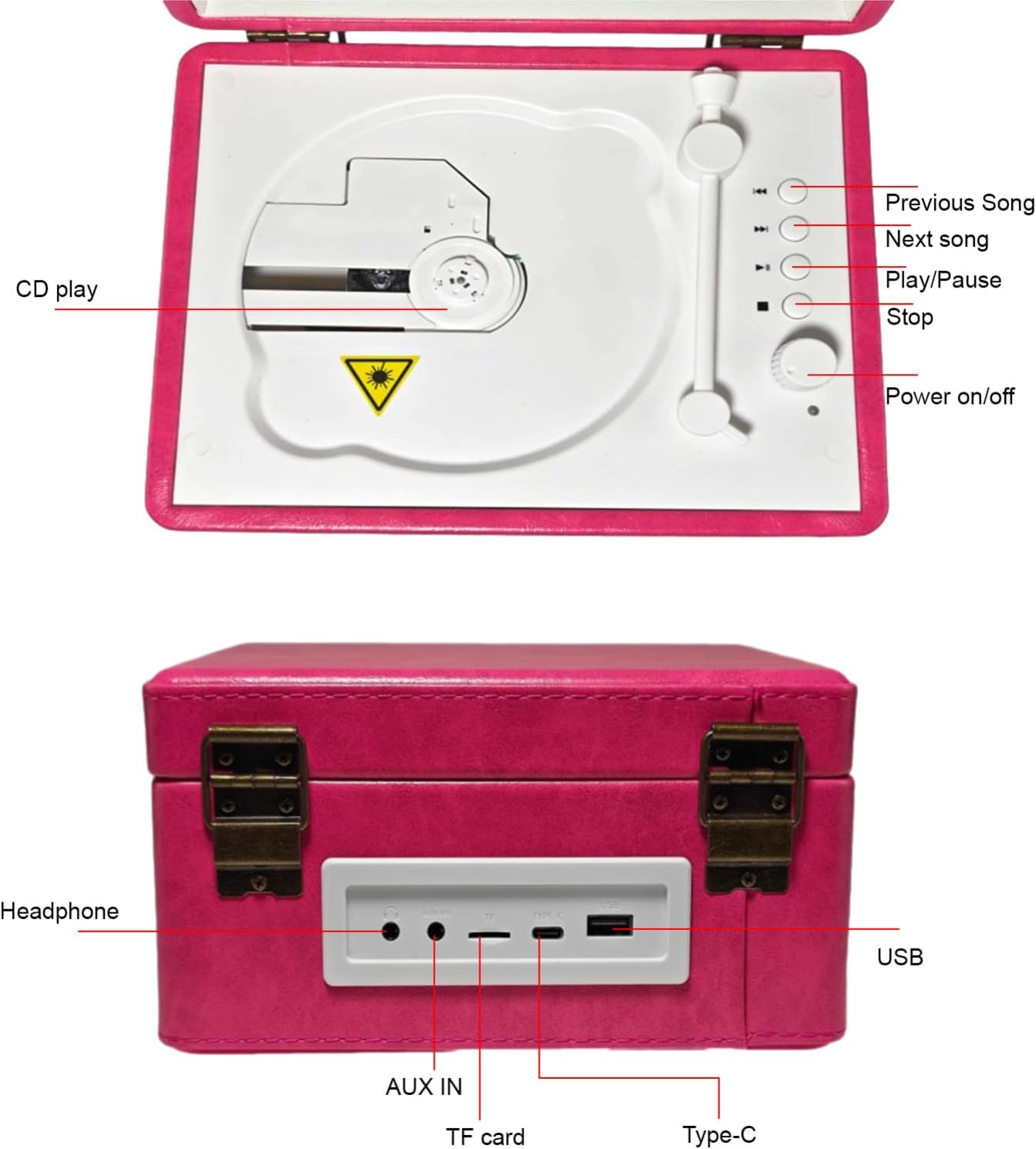
Figure 4.2: Top control panel layout. Includes buttons for CD play, previous song, next song, play/pause, stop, and power on/off.
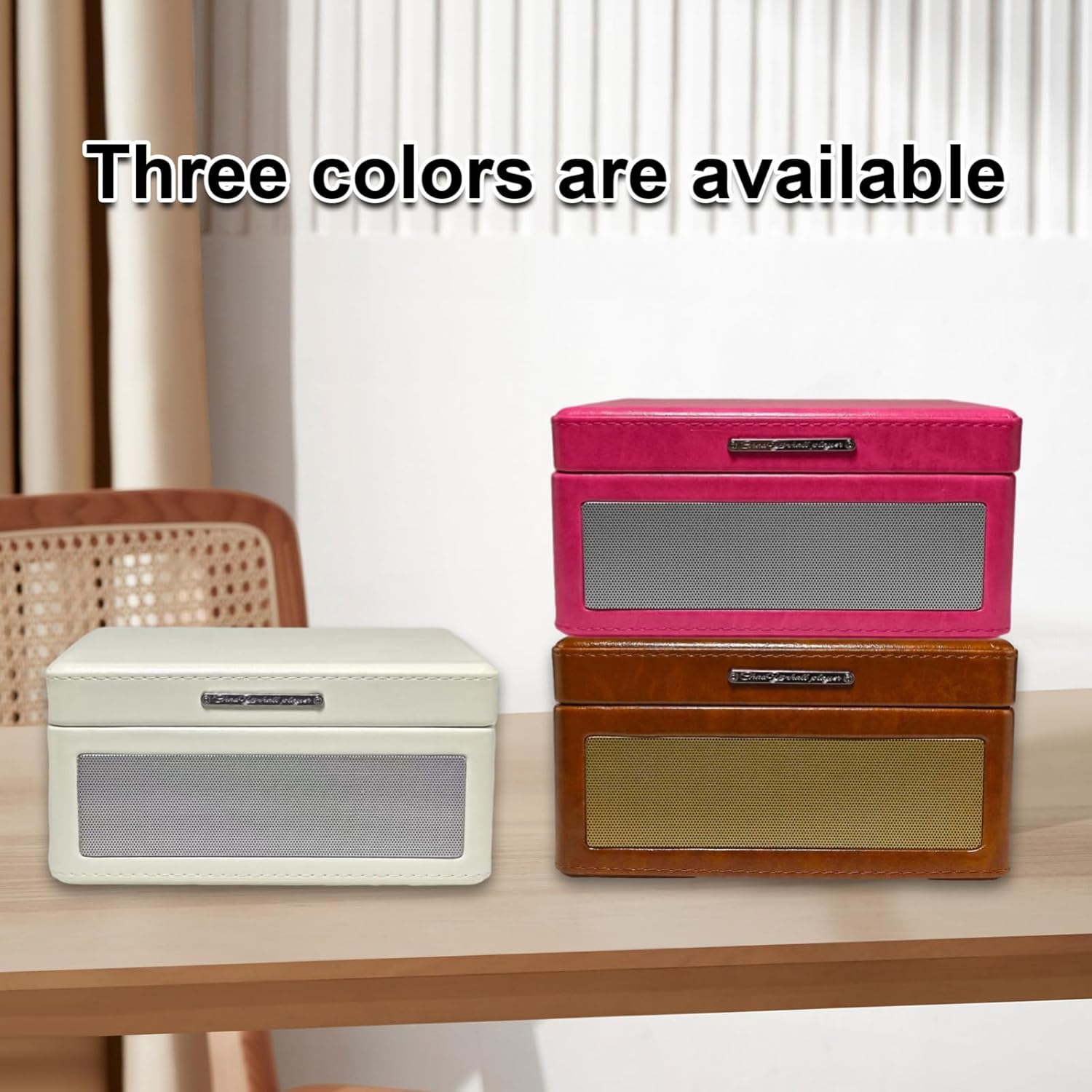
Figure 4.3: Rear panel with connectivity ports. From left to right: Headphone jack, AUX IN, TF card slot, Type-C charging port, and USB port.
4.2. Key Features
- Tray-Type CD Player: Easy disc insertion for CD playback.
- Bluetooth 5.0: Seamless wireless music streaming from smartphones and other Bluetooth-enabled devices.
- USB & TF Card Playback: Supports MP3 files from USB flash drives and TF memory cards.
- Infrared Remote Control: Convenient operation from a distance.
- Built-in Rechargeable Battery: Provides 6-8 hours of continuous playback for portability.
- Dual Speakers: Enhanced sound quality for an immersive audio experience.
- AUX Input/Output: Connect external audio sources or output to external speakers.

Figure 4.4: Visual representation of the multiple playback modes supported by the device.
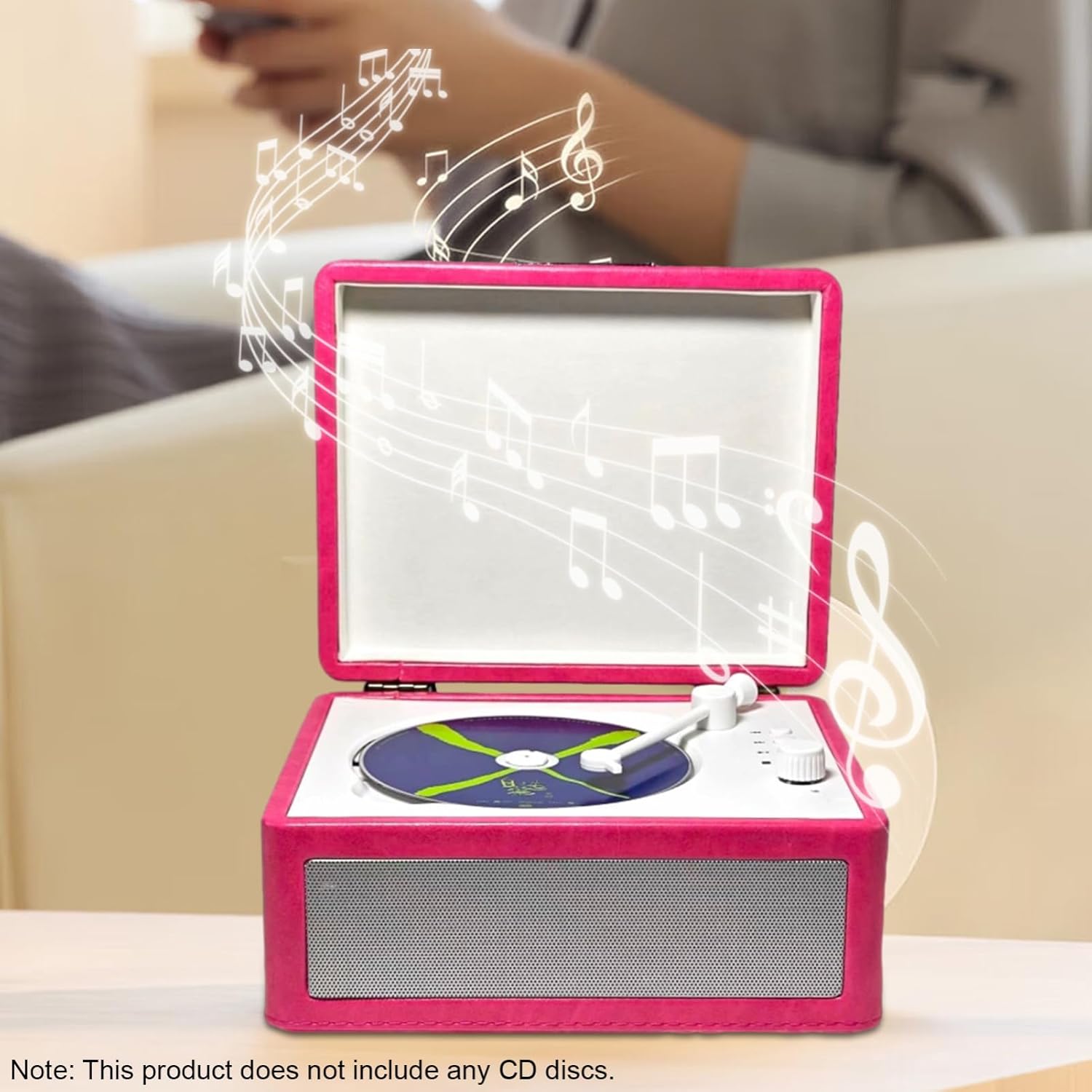
Figure 4.5: The device supports Bluetooth 5.0 for easy wireless connection to smartphones.
5. Setup
5.1. Charging the Device
- Locate the Type-C charging port on the rear of the device (refer to Figure 4.3).
- Connect the provided Type-C charging cable to the port.
- Plug the other end of the charging cable into a compatible USB power adapter (not included) or a computer's USB port.
- The charging indicator (if available) will illuminate during charging and turn off when fully charged.
A full charge provides approximately 6-8 hours of playback time.
5.2. Powering On/Off
- To power on, press and hold the 'Power on/off' button on the control panel (refer to Figure 4.2) or on the remote control.
- To power off, press and hold the 'Power on/off' button again.
6. Operating Instructions
6.1. CD Playback
- Open the lid of the CD player.
- Carefully place a CD onto the tray, ensuring it is centered.
- Close the lid.
- Press the 'CD play' button on the control panel or the 'Play/Pause' button on the remote control to start playback.
- Use the 'Previous Song' and 'Next Song' buttons to navigate tracks.
- Press 'Play/Pause' to pause or resume playback.
- Press 'Stop' to end CD playback.
6.2. Bluetooth (BT 5.0) Playback
- Power on the CD player.
- Switch the device to Bluetooth mode (usually indicated by a voice prompt or LED).
- Enable Bluetooth on your smartphone or other device.
- Search for available devices and select "Sonew CD Player" (or similar name) from the list.
- Once paired, you can stream audio wirelessly from your device to the CD player.
- Use your connected device or the CD player's controls to manage playback.
6.3. USB Flash Drive / TF Card Playback
- Insert a USB flash drive into the USB port or a TF memory card into the TF card slot on the rear panel (refer to Figure 4.3).
- The device should automatically switch to USB or TF card mode and begin playing compatible MP3 files.
- Use the 'Previous Song', 'Next Song', 'Play/Pause', and 'Stop' buttons to control playback.
6.4. AUX Input/Output
- AUX Input: Connect an external audio source (e.g., an MP3 player) to the 'AUX IN' port using a 3.5mm audio cable. The device will play audio from the connected source.
- Headphone Output: Connect headphones to the 'Headphone' jack for private listening.
6.5. Remote Control Usage
The infrared remote control allows for convenient operation of all major functions, including power, mode selection, playback control (play/pause, stop, skip tracks), and volume adjustment. Ensure there is a clear line of sight between the remote and the player's infrared receiver.
7. Maintenance
- Cleaning: Use a soft, dry cloth to clean the exterior of the device. Do not use liquid cleaners or abrasive materials.
- CD Care: Handle CDs by the edges. Clean CDs with a soft, lint-free cloth, wiping from the center outwards.
- Storage: When not in use for extended periods, store the device in a cool, dry place.
- Battery: To prolong battery life, avoid fully discharging the battery frequently. Charge the device regularly, even if not in use.
8. Troubleshooting
| Problem | Possible Cause | Solution |
|---|---|---|
| Device does not power on. | Battery is depleted. | Connect the charging cable and charge the device. |
| No sound during playback. | Volume is too low or muted. Incorrect mode selected. | Increase volume. Ensure correct playback mode (CD, BT, USB, TF, AUX) is selected. |
| CD skips or does not play. | CD is dirty, scratched, or inserted incorrectly. | Clean the CD. Ensure the CD is placed correctly on the tray. Try another CD. |
| Bluetooth pairing fails. | Device is not in pairing mode. Bluetooth is off on the source device. | Ensure the CD player is in Bluetooth mode. Turn Bluetooth on/off on your source device and try again. Move devices closer. |
| Remote control not working. | Batteries are dead. Obstruction between remote and player. | Replace remote control batteries. Ensure clear line of sight to the player's infrared receiver. |
9. Specifications
| Feature | Specification |
|---|---|
| Rated Power | 5W |
| Rated Frequency | 20Hz - 20KHz |
| Disc Insertion Method | Tray type |
| Speaker Interface | 3.5mm input interface / 3.5mm output interface |
| Rated Voltage | 5V |
| Battery Capacity | 2000mAh |
| Battery Usage Time | Approximately 6-8 hours |
| Product Material | Wood + ABS |
| Product Size (L x W x H) | 20.5 x 16.5 x 10 cm (8.1 x 6.5 x 3.9 inches) |
| Item Weight | 1232g (2.7 lb) |
| Model Number | Sonew8eycf2xso1-2P |
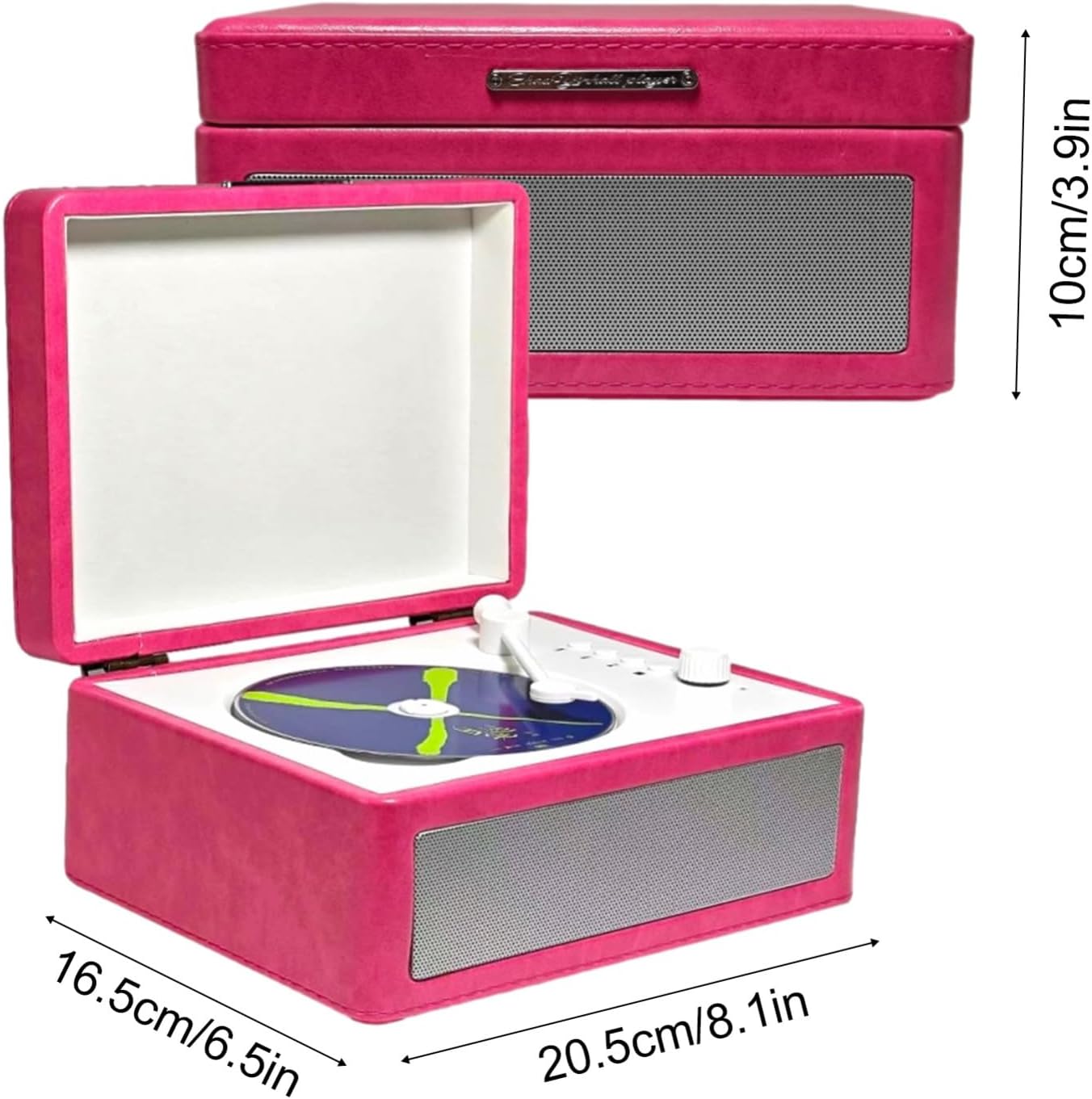
Figure 9.1: Product dimensions for the Sonew CD Player.
10. Warranty and Support
For warranty information and customer support, please refer to the documentation provided at the time of purchase or contact your retailer. Keep your proof of purchase for any warranty claims.
11. Official Product Videos
No official product videos from the seller were found for this product.