
1. Product Overview
The Tapo HybridCam is a compact, feature-packed, and versatile camera solution designed for both indoor and outdoor use. It offers premium features such as free person/baby cry detection powered by AI processing, full duplex two-way audio, compatibility with Alexa and Google Home, and light and sound alarms. Users can monitor specific areas with custom monitoring zones and enhance privacy with privacy zones. The camera features a 1/29'' image sensor, 3.17 mm focal length lens with a 1.65 aperture, and a 120° diagonal field of view. Night vision is supported by 850 nm IR LED and 940 nm IR LED up to 40 ft, including full color night vision. It records at 20 fps (self-adaptive) with 12x digital zoom and H.264 video compression. Image enhancement includes 3K DNR and WDR. Two-way audio features noise cancellation, and the siren level is 96dB. AI detections include person detection and baby cry detection. It supports 802.11b/g/n Wi-Fi with WPA/WPA2-PSK security and 128-bit AES encryption with SSL/TLS.

Figure 1.1: Tapo C103 Security Camera.
2. Key Features
- Designed for Indoors and Outdoors: The Tapo C103 features a compact, IP65-rated design, providing protection against heavy rain and dust for reliable 24/7 operation and flexible placement. Requires 2.4 GHz Wi-Fi.
- Adaptable Night Vision Modes: Offers black-and-white IR, full-color with built-in spotlights, or a smart auto mode that switches to color upon motion detection.
- 1080p Full HD Live View: Provides a 1080p Full HD live view with a wide 112° diagonal field of view for comprehensive coverage.
- AI-Powered Detection with Customizable Zones: Accurately detects people, motion, and baby cries. Allows setting activity zones to receive alerts only from preferred areas, without subscription fees or unnecessary notifications.
- Customizable Privacy Zones: Easily define privacy zones to block recordings in personal areas, ensuring privacy.
- No Subscription Storage Option: Recordings can be stored on a microSD card (up to 512GB, purchased separately) at no additional cost. Tapo Care cloud storage is also available via subscription.
- Expand Your Smart Home: Compatible with Amazon Alexa, Google Assistant, and Samsung Bixby for voice control. Live video can be streamed to Echo Show or Nest Hub.
- Two-Way Audio: Enables real-time conversations with clear sound and clarity.
- Multiple Installation Options: Flexible installation allows mounting on tabletops and walls for optimal viewing.
- Cybersecurity Commitment: Tapo is a signatory of the U.S. Cybersecurity and Infrastructure Security Agency’s (CISA) Secure-by-Design pledge, ensuring advanced security.
3. What's in the Box
The product package includes the following items:
- 1 Tapo C103 Camera
- 1 Power Adapter (5.0 V, 1.0 A)
- 1 Type-C Wire (6.6ft)
- 4 Mounting Anchors
- 4 Mounting Screws
- 2 Cable Organizers
- 1 Mounting Template
- 1 Iron Camera Base
- 3M Adhesive
- Detaching Pin
- 1 Quick Start Guide
4. Setup and Installation
Follow these steps to set up your Tapo C103 camera:
- Download the Tapo App: Search for "Tapo" in your app store (Google Play Store or Apple App Store) and download the official Tapo app.
- Power On the Camera: Connect the camera to the power adapter using the provided Type-C wire and plug it into a power outlet. Wait for the camera's LED indicator to show it's ready for setup.
- Add Device in App: Open the Tapo app, log in or create a TP-Link ID. Tap the "+" icon to add a new device and select your camera model.
- Connect to Wi-Fi: Follow the in-app instructions to connect the camera to your 2.4 GHz Wi-Fi network. Bluetooth onboarding is available for easier setup.
- Choose Installation Location: Decide whether to place the camera on a tabletop or mount it on a wall or ceiling.
- Mounting (Optional): If mounting, use the included mounting template to mark drill holes. Secure the iron camera base with the mounting screws and anchors. Attach the camera to the base.
- Adjust Camera Angle: Position the camera to achieve the desired viewing angle.
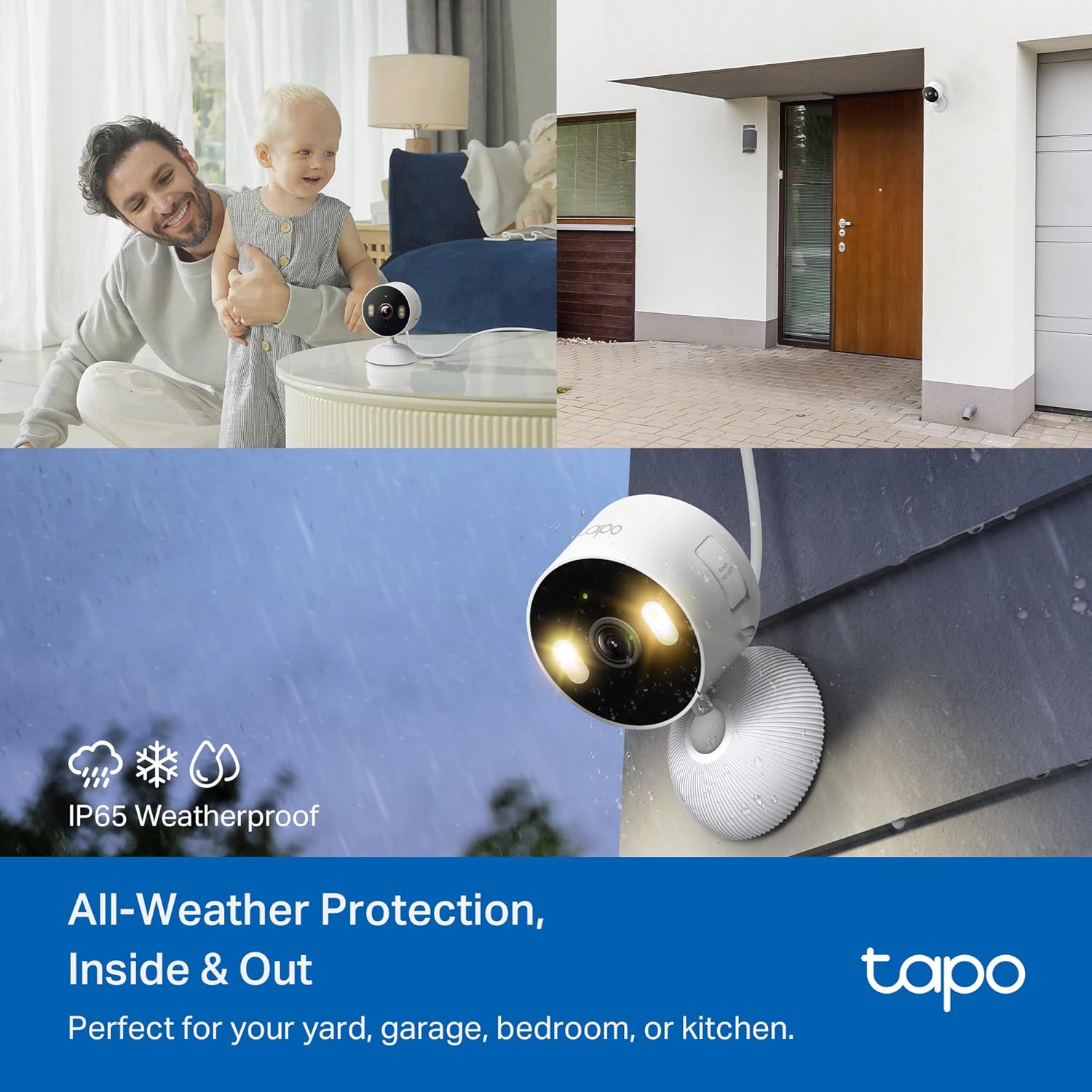
Figure 4.1: Flexible placement indoors or outdoors due to IP65 weatherproof design.
5. Operating the Camera
5.1 Live View and Recording
Access the live view of your camera through the Tapo app. You can view real-time footage and initiate manual recordings. The camera supports 1080p Full HD video quality.
5.2 Night Vision Modes
The Tapo C103 offers versatile night vision capabilities:
- Infrared (IR) Mode: Provides clear black-and-white video in low-light conditions using IR LEDs.
- Color Night Vision: Utilizes built-in spotlights and a starlight sensor to deliver full-color video even in very dim environments.
- Smart Mode: Automatically switches between IR and color night vision based on detected motion, providing color footage when activity is present.

Figure 5.1: Different night vision modes for optimal visibility.
5.3 AI Detection and Activity Zones
The camera's AI-powered detection can identify people, general motion, and baby cries. You can customize activity zones within the app to specify areas where you want to receive alerts, reducing unnecessary notifications.

Figure 5.2: AI-powered detection for people and baby cries.

Figure 5.3: Defining custom activity zones.
5.4 Two-Way Audio
Use the two-way audio feature to communicate through the camera. This is useful for speaking with visitors or family members remotely.
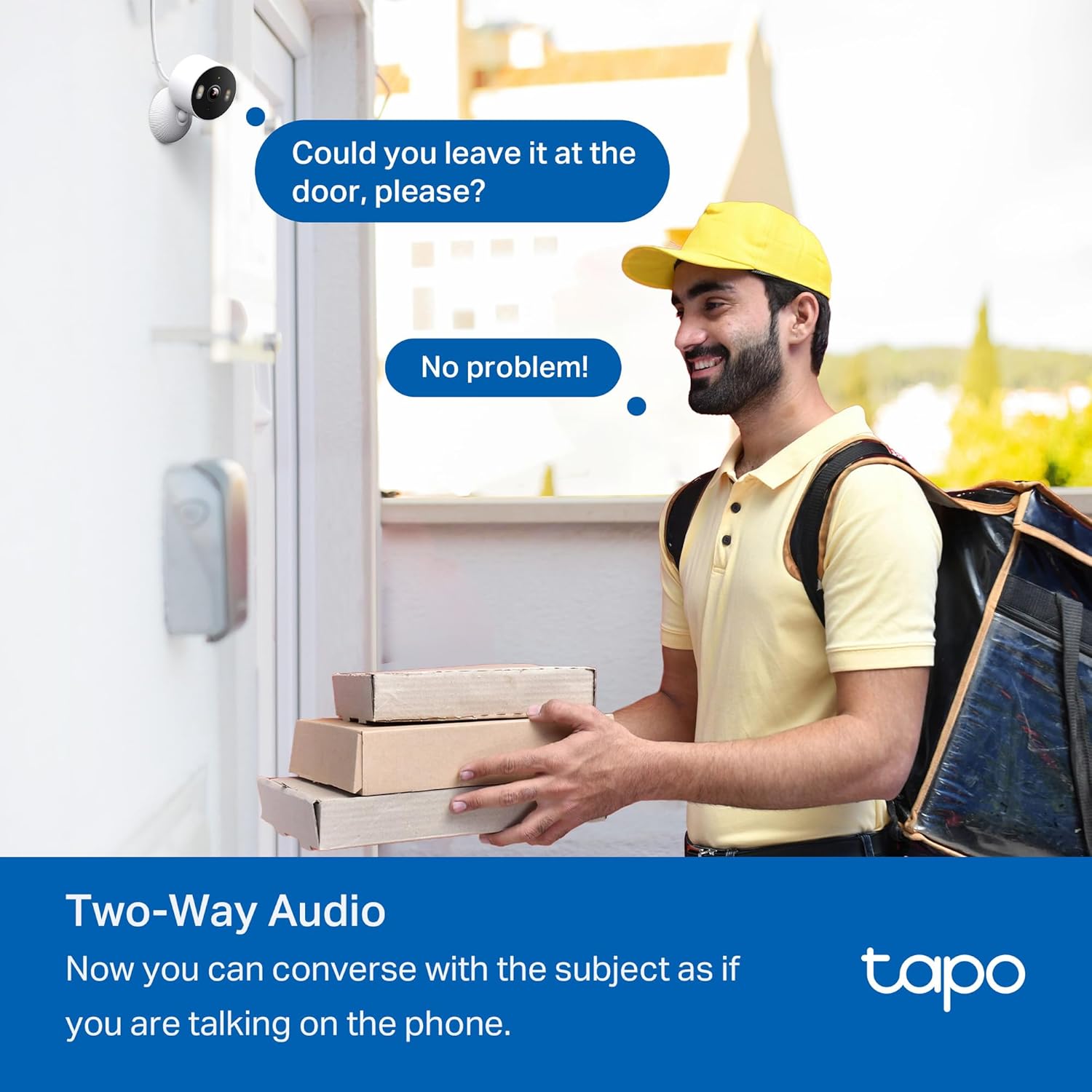
Figure 5.4: Engaging in two-way conversation via the camera.
5.5 Privacy Zones
To protect your privacy, you can set custom privacy zones within the camera's field of view. These areas will not be recorded or monitored.

Figure 5.5: Configuring privacy zones in the Tapo app.
5.6 Storage Options
The Tapo C103 offers flexible storage solutions:
- Local Storage: Supports a microSD card (up to 512GB, sold separately) for continuous recording or event-based recording. Recordings are saved directly to the card.
- Cloud Storage: Tapo Care cloud storage services are available via subscription, offering additional features like rich notifications and extended video history.

Figure 5.6: Local and cloud storage options.
5.7 Smart Home Integration
Integrate your Tapo C103 with popular smart home platforms for enhanced control:
- Amazon Alexa: Use voice commands to view live feeds on compatible Echo Show devices.
- Google Assistant: Control your camera and stream video to Nest Hub devices using voice commands.
- Samsung Bixby: Utilize Bixby for camera control.

Figure 5.7: Pairing with smart assistants.
6. Maintenance
To ensure optimal performance and longevity of your Tapo C103 camera, consider the following maintenance tips:
- Cleaning: Gently wipe the camera lens and body with a soft, dry cloth. Avoid using harsh chemicals or abrasive materials that could damage the surface.
- Firmware Updates: Regularly check for and install firmware updates through the Tapo app. Updates often include performance improvements, new features, and security enhancements.
- Environmental Conditions: While IP65 weatherproof, avoid prolonged exposure to extreme temperatures or direct water jets. Ensure proper ventilation if used indoors.
- Cable Management: Ensure the power cable is not pinched or strained, especially if mounted. Use the provided cable organizers to keep the setup tidy and secure.
7. Troubleshooting
If you encounter issues with your Tapo C103 camera, try the following troubleshooting steps:
- No Power: Ensure the power adapter is securely plugged into both the camera and a working electrical outlet. Try a different outlet.
- Wi-Fi Connection Issues:
- Verify your Wi-Fi network is 2.4 GHz.
- Ensure the camera is within range of your Wi-Fi router.
- Restart your router and the camera.
- If issues persist, try resetting the camera (refer to the Quick Start Guide for reset instructions) and re-adding it to the Tapo app.
- Poor Video Quality:
- Check your internet connection speed. A stable connection is crucial for high-quality streaming.
- Clean the camera lens with a soft cloth.
- Ensure adequate lighting for optimal image clarity, especially for color night vision.
- Motion Detection Not Working:
- Verify that motion detection is enabled in the Tapo app settings.
- Adjust the sensitivity settings.
- Check if activity zones are correctly configured and not excluding the areas you wish to monitor.
- Two-Way Audio Issues:
- Ensure the microphone and speaker are enabled in the app.
- Check the volume settings on your mobile device.
- Minimize background noise for clearer communication.
For further assistance, refer to the official Tapo support website or contact customer service.
8. Specifications
| Feature | Detail |
|---|---|
| Model Number | Tapo C103 |
| Indoor/Outdoor Usage | Outdoor, Indoor |
| Connectivity | Wi-Fi (802.11b/g/n, 2.4 GHz) |
| Video Capture Resolution | 1080p Full HD |
| Field of View | 120 Degrees (Diagonal) |
| Night Vision Range | 40 Feet (850 nm IR LED, 940 nm IR LED) |
| Special Features | Free AI detection (Person/Baby Cry), IP65 Weatherproof, 2-Way Audio, Color Night Vision, Motion Sensor |
| Storage Options | MicroSD card (up to 512GB), Tapo Care Cloud Storage (subscription) |
| Compatible Devices | Android Phone, iPhone, Google Assistant, Amazon Alexa, Samsung Bixby |
| Power Source | Corded Electric (5.0 V, 1.0 A) |
| Dimensions (L x W x H) | 2.4 x 2.4 x 1.54 inches |
| Item Weight | 3.04 ounces |
| Material | Plastic |
9. Important Information & Support
Please note the following important details regarding your Tapo C103 camera:
- MicroSD card is purchased separately. Actual storage capacity depends on the size of the microSD card used.
- Tapo Care cloud storage services require a subscription. A free trial for the first month is typically provided.
For technical support, warranty information, or further inquiries, please visit the official Tapo support website or contact their customer service. Contact details are usually available in the Quick Start Guide or on the manufacturer's website.

Figure 9.1: Tapo's commitment to cybersecurity.


