
Introduction
This manual provides instructions for the safe installation, operation, and maintenance of your Globe Electric 2-Light Motion Activated Outdoor Flush Mount Ceiling Light. This fixture is designed for covered outdoor locations such as porches, front doors, and carports. It features a matte black finish, ribbed glass shade, and a frosted glass lens, along with motion activation and dusk-to-dawn functionality.
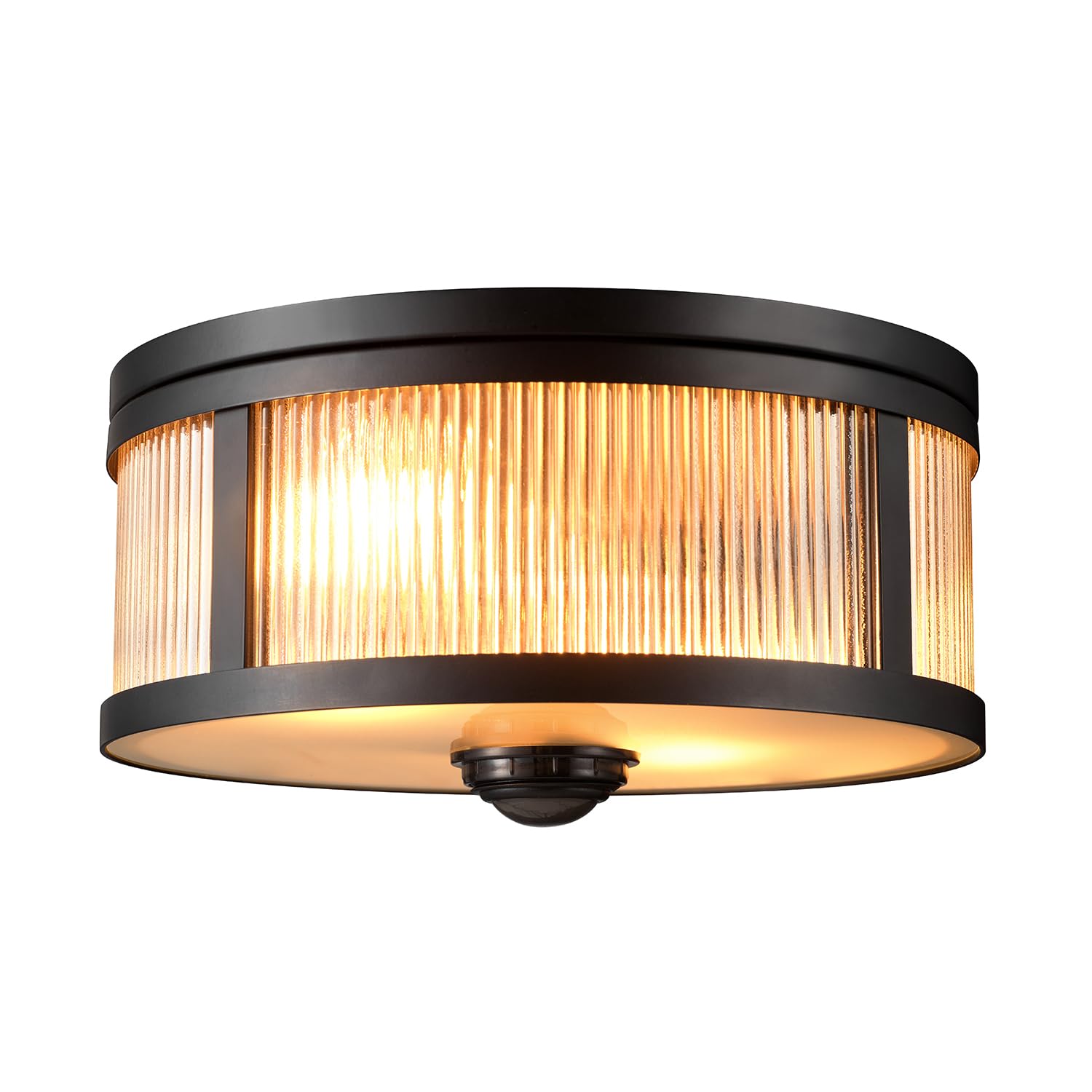
Image: The Globe Electric 2-Light Motion Activated Outdoor Flush Mount Ceiling Light, showcasing its matte black finish and ribbed glass design.
Safety Information
WARNING: Risk of electric shock. Disconnect power at the fuse box or circuit breaker before installation or servicing. Consult a qualified electrician if you are unsure about the installation process.
- Read all instructions carefully before beginning installation.
- Ensure all electrical connections are made in accordance with local codes, ordinances, and the National Electric Code (NEC).
- Use only UL/cUL listed wire connectors.
- Do not exceed the maximum wattage specified for the bulbs.
- This fixture is rated for outdoor exposure to rain, wind, and sun in covered outdoor locations.
Setup and Installation
What's in the Box
- Flush Mount Ceiling Light Fixture
- Mounting Hardware
Note: Bulbs are sold separately. This fixture requires 2x E26/Medium Base bulbs up to 60W each. Compatible with LED or incandescent bulbs.
Installation Steps
- Prepare for Installation: Turn off power at the circuit breaker or fuse box.
- Mounting: The fixture mounts directly to a standard outdoor ceiling junction box using the included hardware. Ensure the junction box is securely installed and capable of supporting the fixture's weight.
- Wiring: Connect the fixture's wires to the corresponding household wires (black to black, white to white, ground to ground) using the provided wire connectors. Ensure all connections are secure.
- Secure Fixture: Carefully push all wires into the junction box and secure the light fixture to the junction box using the mounting screws.
- Install Bulbs: Insert two E26/Medium Base bulbs (up to 60W each, sold separately) into the sockets.
- Attach Shade and Lens: Secure the ribbed glass shade and frosted glass lens to the fixture according to the specific design.
- Restore Power: Turn power back on at the circuit breaker or fuse box.

Image: Diagram showing the dimensions of the light fixture: 11 inches (27.94 cm) in diameter and 4.75 inches (12 cm) in height.
Operating Instructions
Motion Detection
The integrated motion sensor detects movement in a full 360-degree zone up to 25 feet away. When motion is detected, the light will automatically activate. The sensor is located at the bottom center of the fixture.

Image: A close-up view of the motion sensor located at the center of the light fixture's frosted lens.

Image: An outdoor scene showing the ceiling light illuminating as a person approaches, demonstrating the motion detection feature.
Dusk-to-Dawn Activation
The light features a dusk-to-dawn sensor that automatically switches the light on at dusk and off at dawn. This ensures your entryway remains lit throughout the night without manual intervention.

Image: The Globe Electric ceiling light fully illuminated, showcasing the warm glow provided by the ribbed glass and frosted lens.
Maintenance
Cleaning
To clean the fixture, ensure power is off. Wipe with a soft, damp cloth. Do not use abrasive cleaners or solvents, as these may damage the finish or glass.
Bulb Replacement
Before replacing bulbs, turn off power at the circuit breaker. Allow bulbs to cool completely. Carefully remove the glass shade and frosted lens. Unscrew old bulbs and replace with new E26/Medium Base bulbs, not exceeding 60W each. Reattach the lens and shade securely.
Troubleshooting
| Problem | Possible Cause | Solution |
|---|---|---|
| Light does not turn on. | No power to the fixture; faulty bulb; incorrect wiring. | Check circuit breaker. Ensure bulbs are correctly installed and functional. Verify wiring connections. |
| Light stays on continuously. | Motion sensor continuously triggered; dusk-to-dawn sensor malfunction. | Ensure no constant motion is within sensor range. Check for obstructions blocking the dusk-to-dawn sensor. |
| Light does not detect motion. | Sensor obstructed; incorrect sensitivity setting (if adjustable); sensor malfunction. | Clear any obstructions from the sensor. While this model does not specify adjustable sensitivity, ensure the sensor is clean and unobstructed. |
| Light flickers or dims. | Loose bulb; incompatible bulb type; wiring issue. | Tighten bulbs. Ensure bulbs are E26/Medium Base and compatible. Check wiring connections. |
Specifications
| Brand | Globe Electric |
| Model Number | 60000123 |
| Material | Iron, Glass |
| Finish | Matte Black |
| Installation Type | Flush Mount |
| Indoor/Outdoor Usage | Outdoor (covered locations) |
| Power Source | Hardwired |
| Special Features | Motion Sensor, Dusk to Dawn |
| Bulb Base | E26/Medium Base |
| Max Wattage per Bulb | 60W |
| Number of Light Sources | 2 |
| Voltage | 120 volts |
| Motion Detection Range | 360 degrees, up to 25 feet |
| Item Dimensions (L x W x H) | 11" x 11" x 5.77" |
| Item Weight | 1.5 pounds |
| UPC | 058219078136 |
Warranty Information
According to manufacturer information, this product does not come with a specific warranty. Please refer to your retailer's return policy for details on returns or exchanges.
Customer Support
For further assistance or inquiries regarding your Globe Electric product, please visit the official Globe Electric store or contact their customer service department.
Globe Electric Store: https://www.amazon.com/stores/GlobeElectric/page/DD5F6A82-12EC-430A-B1D2-EE29F14CE943


