1. Product Overview
Bring the excitement of the Jurassic era to your games with this Taiyo Mini Dino T-Rex Remote Control Vehicle. Its robust and realistic design, with details that mimic dinosaur skin, will ignite the imagination of little ones. Controlled by 2.4GHz radio frequency, it offers agile movements (forward, backward, and turns) without interference. Perfect for indoor or outdoor use, its compact size and durable materials ensure hours of fun. Ideal for little paleontologists who love adventure!
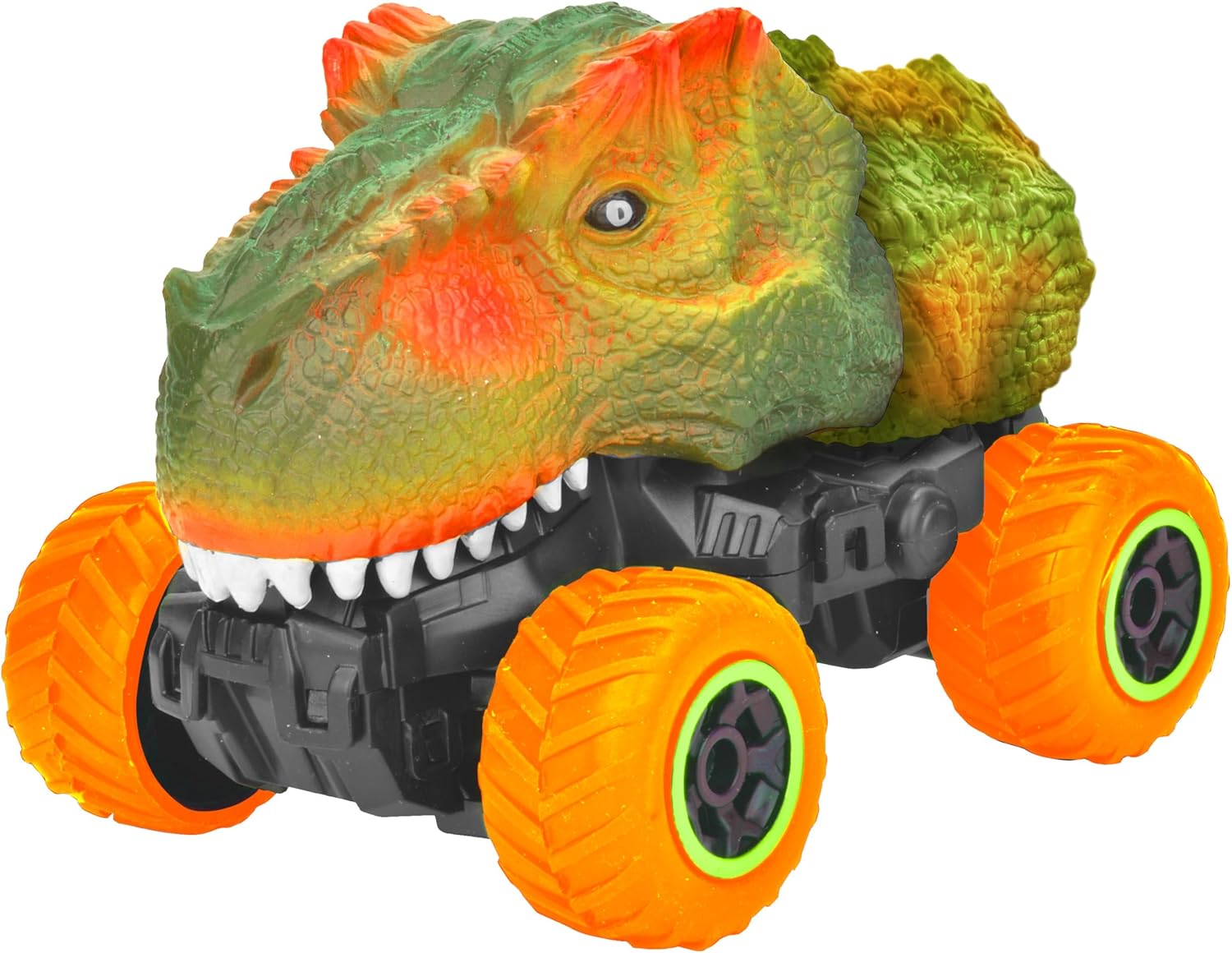
Figure 1.1: Front-side view of the TAIYO Mini Dino T-Rex Remote Control Vehicle, showcasing its detailed dinosaur-like body and large orange wheels.
Key Features:
- 2.4GHz wireless control for extended range and interference-free operation.
- Full functions (forward, backward, smooth turns, and agile response).
- Super realistic design with details that simulate an authentic dinosaur.
- Ideal for young explorers (recommended age: 6 years and up).
- Durable and safe material, perfect for indoor or outdoor play.
2. Setup
2.1 Battery Installation
The TAIYO Mini Dino T-Rex requires batteries for both the vehicle and the remote control. The vehicle uses a Lithium-ion battery (included), and the remote control typically uses AA batteries (not always included, check packaging).
- Locate the battery compartment on the underside of the vehicle.
- Use a small screwdriver to open the battery compartment cover.
- Insert the Lithium-ion battery, ensuring correct polarity (+/-).
- Replace the cover and secure it with the screw.
- For the remote control, open its battery compartment and insert the required AA batteries, observing polarity.
2.2 Pairing the Controller
The vehicle and controller are usually pre-paired. If pairing is lost or for first-time use, follow these steps:
- Ensure both the vehicle and the remote control have fresh batteries installed.
- Turn on the vehicle using its power switch.
- Turn on the remote control.
- The indicator light on the remote control should blink and then become solid, indicating a successful connection. If not, turn both off and repeat the process.
3. Operating Instructions
Once the vehicle and controller are paired, you can begin operating your Mini Dino T-Rex.
3.1 Basic Controls
- Forward: Push the left joystick/trigger forward.
- Backward: Pull the left joystick/trigger backward.
- Turn Left: While moving forward or backward, push the right joystick/lever to the left.
- Turn Right: While moving forward or backward, push the right joystick/lever to the right.
- Stop: Release the joysticks/triggers to their neutral position.

Figure 3.1: Side view of the TAIYO Mini Dino T-Rex, highlighting its robust chassis and textured dinosaur body.

Figure 3.2: Front view of the TAIYO Mini Dino T-Rex, showing its prominent teeth and eyes.
4. Maintenance
4.1 Cleaning
To ensure the longevity of your vehicle, regular cleaning is recommended:
- Turn off the vehicle and remove batteries before cleaning.
- Wipe the vehicle's body with a soft, damp cloth. Avoid using harsh chemicals or abrasive cleaners.
- Use a small brush or compressed air to remove dirt and debris from the wheels and chassis.
- Do not submerge the vehicle in water.
4.2 Storage
When not in use, store the vehicle properly:
- Remove all batteries from both the vehicle and the remote control if storing for an extended period to prevent leakage.
- Store the vehicle in a cool, dry place, away from direct sunlight and extreme temperatures.
- Keep it in its original packaging or a protective container to prevent dust accumulation and damage.
5. Troubleshooting
If you encounter issues with your TAIYO Mini Dino T-Rex, refer to the following common problems and solutions:
- Vehicle not responding:
- Check if both the vehicle and remote control are turned on.
- Ensure batteries are correctly installed and fully charged/fresh.
- Re-pair the controller and vehicle (refer to Section 2.2).
- Make sure you are within the operating range of the remote control. - Poor control or erratic movement:
- Replace batteries in both the vehicle and remote control.
- Ensure there are no strong electromagnetic interferences nearby.
- Check for any obstructions in the wheels or chassis. - Short battery life:
- Ensure batteries are fully charged before use.
- Consider using high-quality rechargeable batteries. - Vehicle makes noise but doesn't move:
- Check if any gears are jammed or if there's debris preventing movement.
- Ensure the wheels are securely attached.
6. Specifications
| Feature | Specification |
|---|---|
| Model Number | 400021A |
| Scale | 1:40 Scale |
| Batteries Required | Yes |
| Batteries Included | Yes |
| Battery Description (Toys) | Lithium-ion |
| Material Type | Plastic |
| Color | Green |
| Manufacturer Recommended Age | 6 years and up |
| Product Dimensions | 22 x 11 x 11 cm; 380 g |
| ASIN | B0F561NVDH |
| First Available Date | April 16, 2025 |
7. Safety Information
Please read and adhere to the following safety guidelines to prevent injury or damage:
- Not suitable for children under 6 years old.
- Use under adult supervision.
- Keep away from water, fire, and high-impact surfaces.
- Contains small parts that may pose a choking hazard.
- Do not operate near people, pets, or fragile objects.
- Do not modify or disassemble the vehicle or remote control.
8. Warranty and Support
TAIYO products are manufactured to high-quality standards. For any issues not covered in this manual, or for warranty inquiries, please contact your retailer or the manufacturer's customer support. Keep your purchase receipt as proof of purchase.


