
1. Introduction
Thank you for choosing the BABELIO Wireless Baby Car Camera. This device is designed to provide a secure and convenient way to monitor your child in the car and at home. Featuring a 5-inch HD display, night vision capabilities, and a 360° rotatable camera, it offers peace of mind without the need for Wi-Fi or complex wiring. Please read this manual thoroughly before use to ensure proper operation and safety.
2. Package Contents
Verify that all items listed below are included in your package:
- Baby Monitor (5.0" Display) x 1
- Wireless Camera x 1
- USB Charging Cables x 2
- Monitor Mounting Bracket x 1
- Camera Mounting Straps x 1
- Charging Adapter x 1
- Car Charger x 1
3. Setup and Installation
3.1 Charging the Devices
Before first use, fully charge both the baby monitor and the wireless camera using the provided USB charging cables and adapters. A full charge provides up to 8 hours of battery life for the camera.
3.2 Car Installation
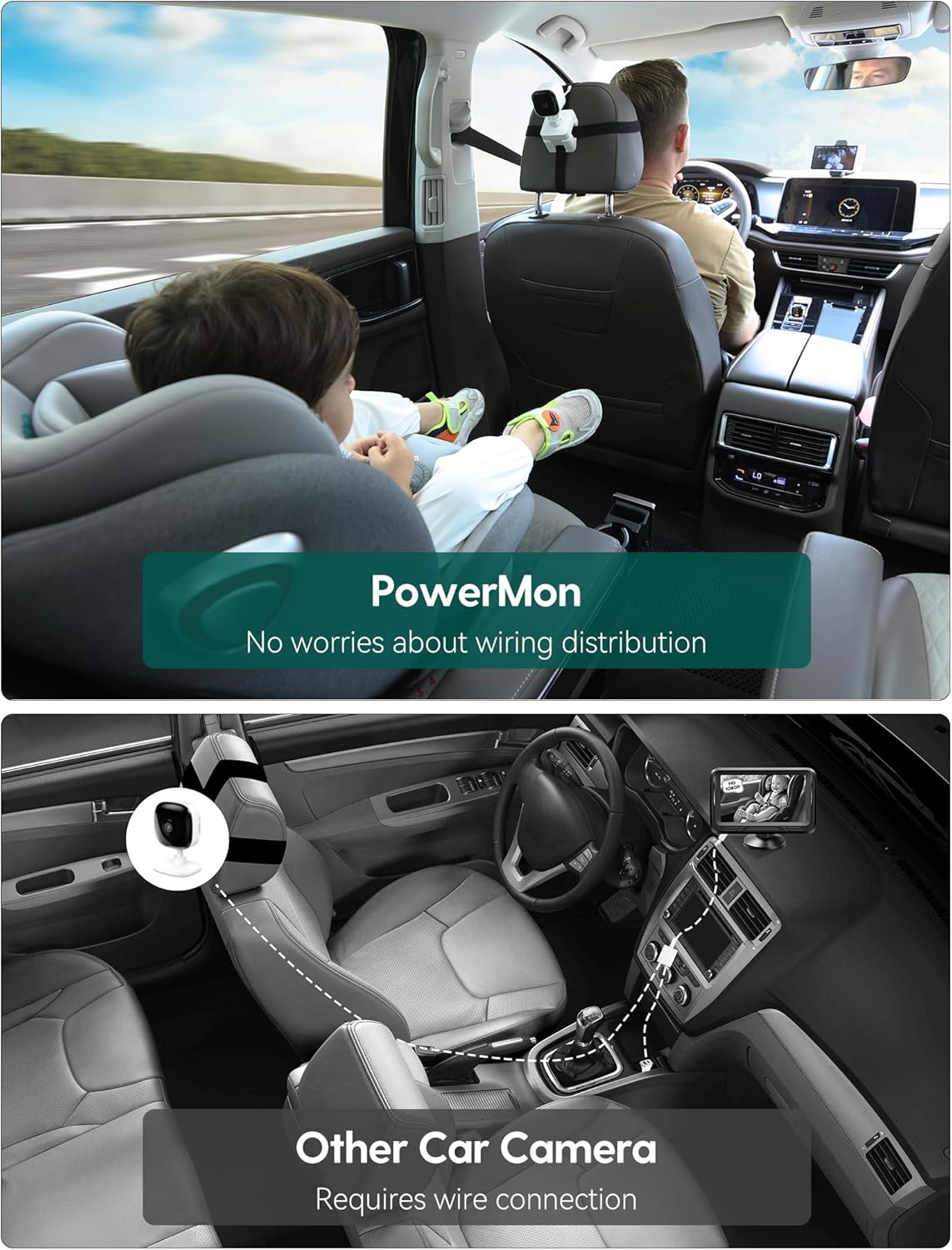
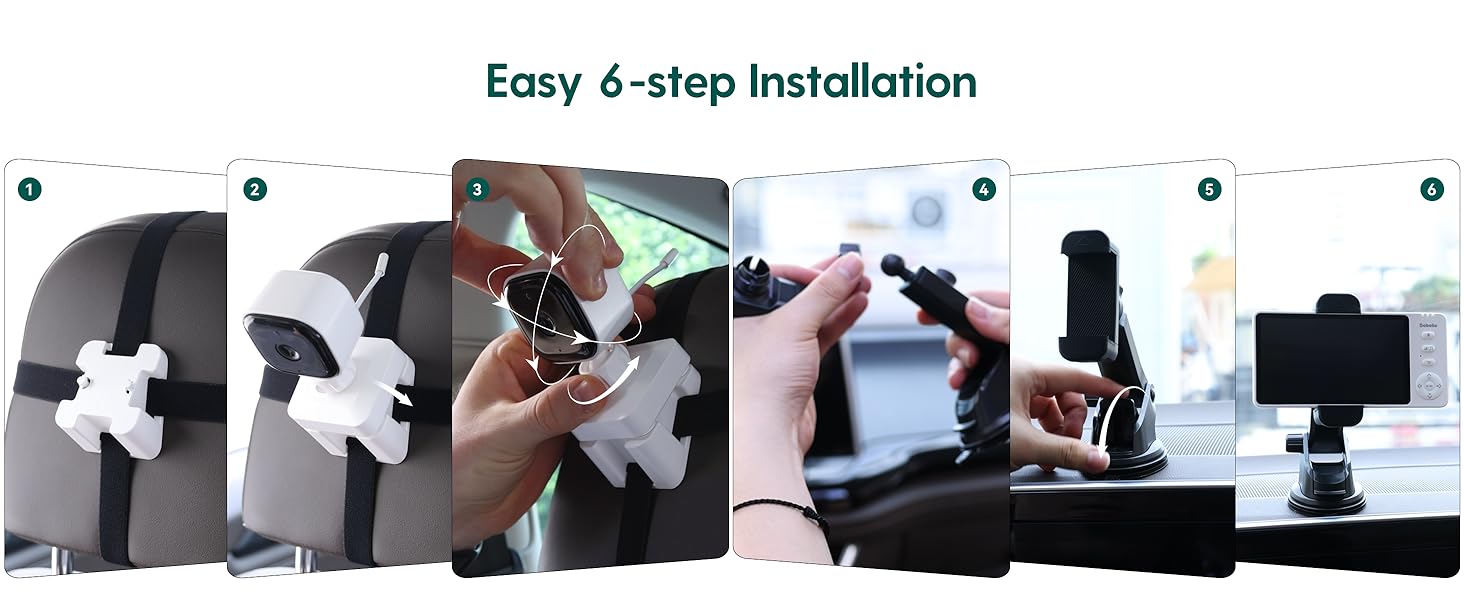
- Mount the Camera: Secure the camera to the headrest of the rear seat using the camera mounting straps. Position it to have a clear view of your child in their car seat. The camera features 360° rotation for optimal angle adjustment.
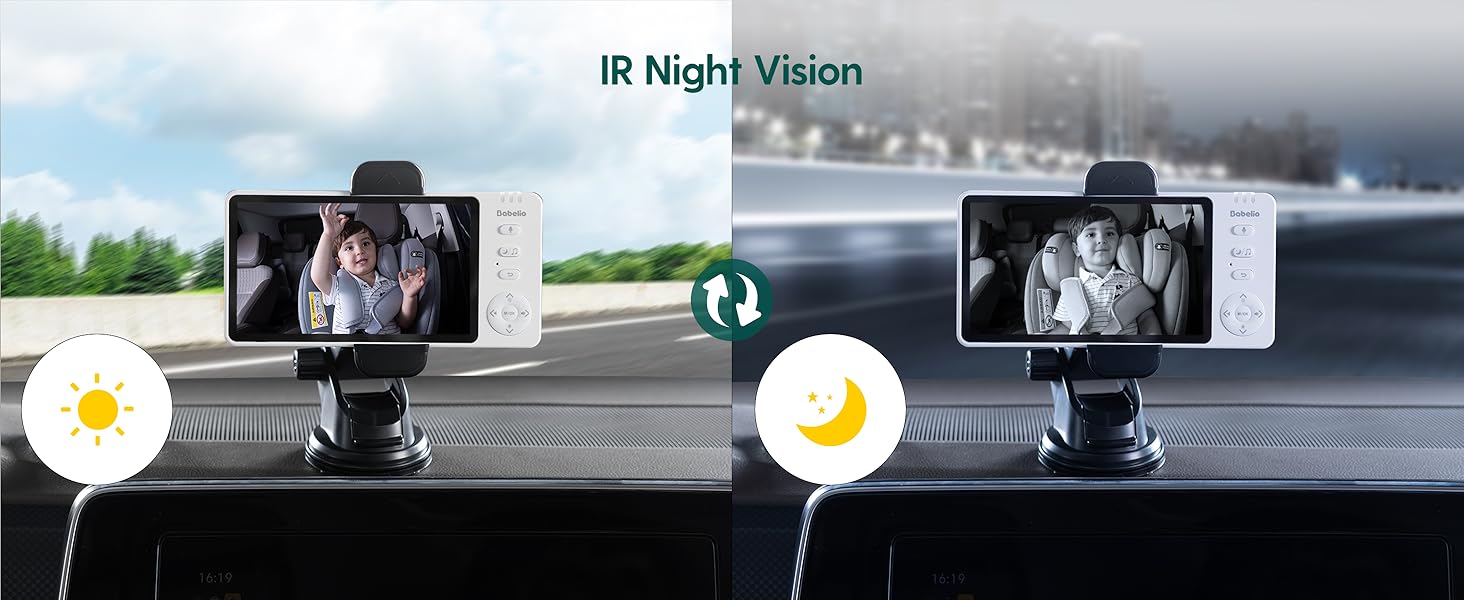
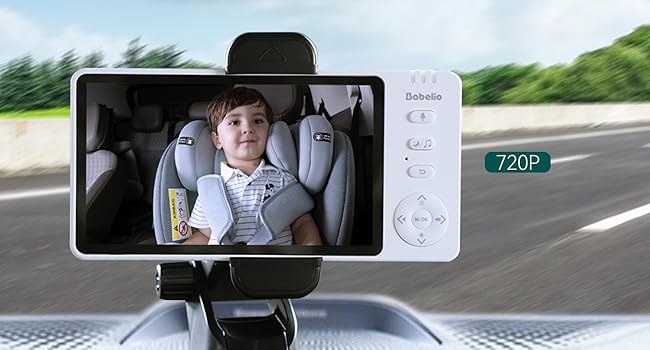
- Mount the Monitor: Attach the monitor mounting bracket to your car's dashboard or windshield. Ensure it does not obstruct your driving view. Insert the 5-inch monitor into the bracket.
- Power On: Turn on both the camera and the monitor. They will automatically pair.
3.3 Home Use
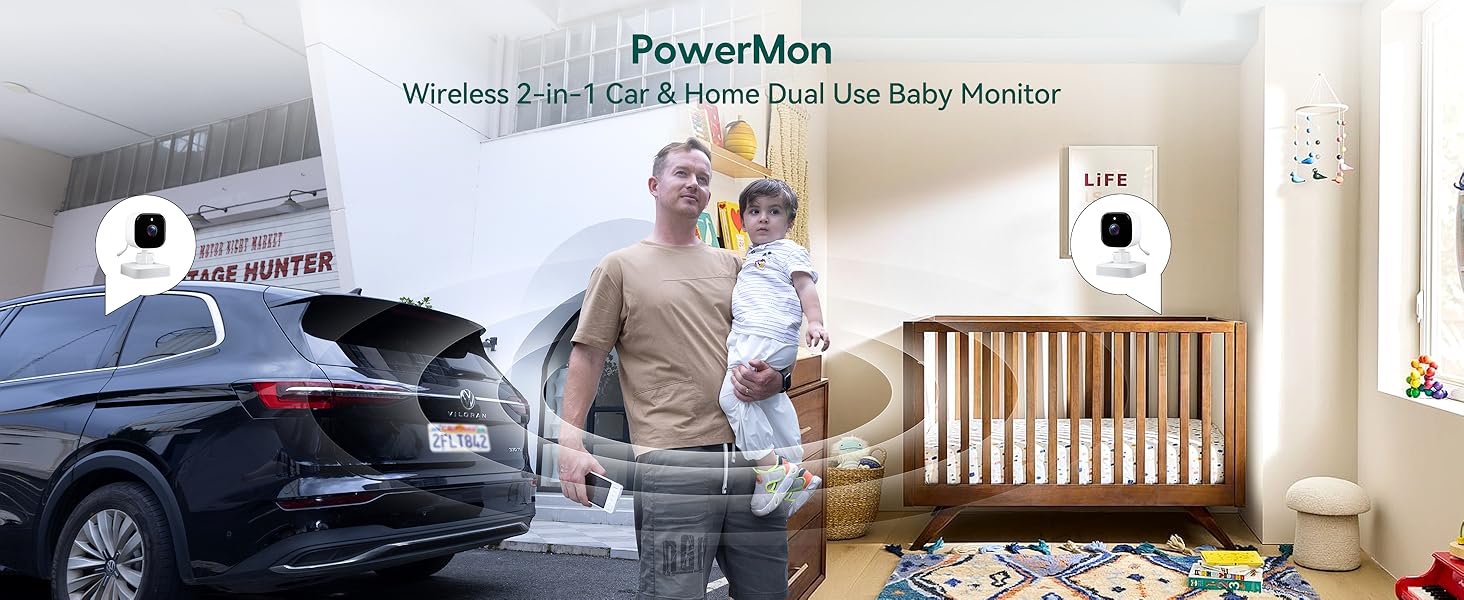
The BABELIO camera can also be used as a home monitor. Simply place the camera on a flat surface in your child's room or play area. The monitor can be placed nearby for continuous viewing.
4. Operating Instructions
4.1 Basic Operation
- Power On/Off: Press and hold the power button on both the monitor and camera to turn them on or off.
- Volume Control: Use the volume buttons on the monitor to adjust the audio level.
- Menu Navigation: Use the directional buttons and M/OK button to navigate through the monitor's menu options.
4.2 Night Vision
The camera automatically switches to black and white night vision in low-light conditions using 940nm invisible IR lights. This ensures clear monitoring without disturbing your child.
4.3 Zoom Function
Use the zoom controls on the monitor to get a closer view of your child. The monitor supports up to 4x digital zoom.

4.4 VOX Mode (Voice Activated)
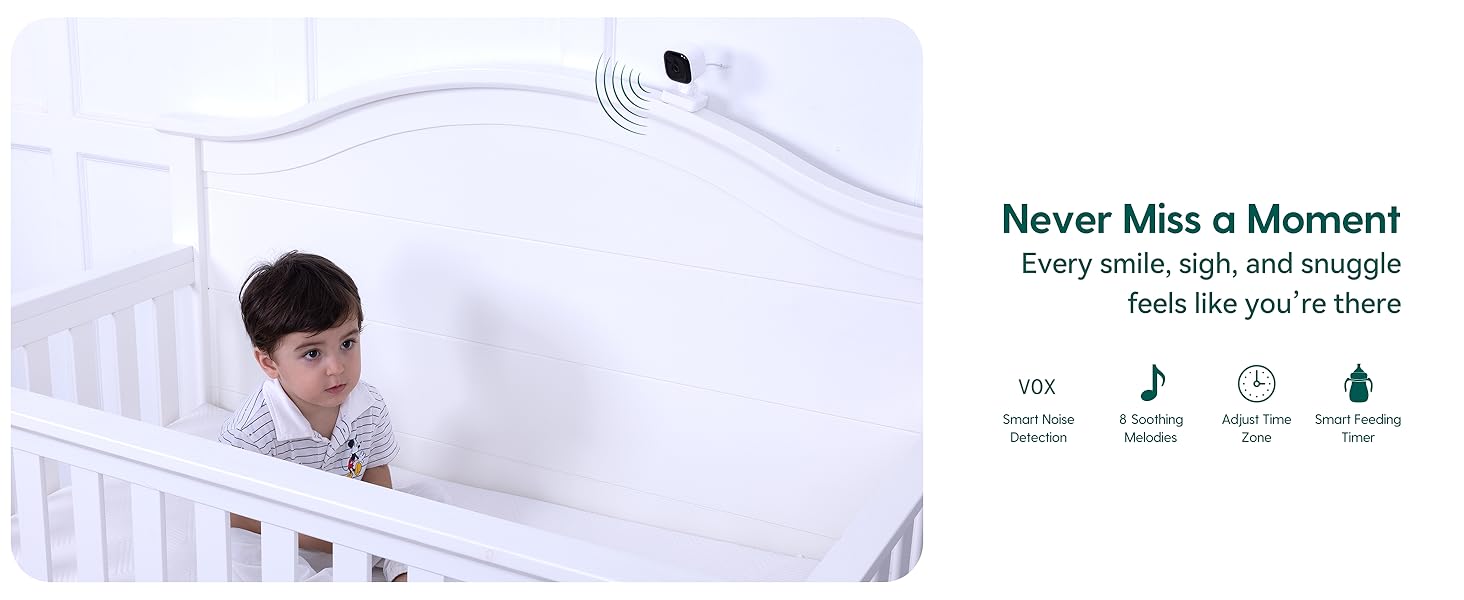
Activate VOX mode to conserve battery. The monitor screen will turn off, but the audio will remain active. The screen will automatically turn on when sound is detected from the camera. You can adjust the sensitivity levels (High, Mid, Low) in the settings.
4.5 Two-Way Talk
Press and hold the microphone button on the monitor to speak to your child through the camera's speaker. Release the button to listen.
4.6 Lullabies
The monitor includes pre-programmed lullabies to help soothe your child. Access this feature through the menu settings.
5. Specifications
| Feature | Specification |
|---|---|
| Model Name | ABM950 |
| Screen Size | 5.0 inches |
| Video Capture Resolution | 720p |
| Connectivity Technology | Wireless (2.4GHz FHSS) |
| Indoor/Outdoor Usage | Indoor |
| Power Source | Battery Powered |
| Battery Life (Camera) | Up to 8 hours (on a single charge) |
| Special Feature | Night Vision, Two-Way Talk, VOX Mode, Lullabies, Temperature Monitoring |
| Mounting Type | Headrest Mount (Camera), Dashboard/Window Mount (Monitor) |
| Product Dimensions | 4 x 0.75 x 6 inches |
| Item Weight | 1.54 Pounds |
6. Maintenance
- Cleaning: Use a soft, dry cloth to clean the monitor and camera. Do not use liquid or aerosol cleaners.
- Storage: Store the device in a cool, dry place away from direct sunlight and extreme temperatures.
- Battery Care: To prolong battery life, avoid fully discharging the battery frequently. Charge regularly.
7. Troubleshooting
- No Signal/Poor Connection:
- Ensure both the camera and monitor are powered on and fully charged.
- Move the camera and monitor closer to each other.
- Avoid placing the devices near other electronic equipment that may cause interference. - No Sound:
- Check the volume settings on the monitor.
- Ensure the microphone on the camera is not obstructed. - Night Vision Not Activating:
- Ensure the camera is in a sufficiently dark environment for automatic night vision activation. - Short Battery Life:
- Ensure the devices are fully charged before use.
- Reduce screen brightness or activate VOX mode to extend battery life.
8. Warranty and Support
For warranty information or technical support, please refer to the contact details provided with your purchase or visit the official Babelio website. Keep your proof of purchase for warranty claims.