
Introduction
Thank you for choosing the BETTDOW Desk Fan GFS008. This portable fan is designed to provide powerful and quiet airflow with versatile features for various environments. Please read this manual carefully before use to ensure proper operation and maintenance.
Product Features
- Powerful & Ultra Quiet: Equipped with a 2300 RPM high-speed brushless motor, delivering strong airflow while maintaining noise levels below 35 decibels.
- 100 Speeds & LED Display: Offers 100 customizable speed settings, easily adjustable with '+' and '-' buttons. A built-in LED screen clearly shows the current speed and battery level.
- 2-in-1 Design: Functions as both a stable desktop fan and a wall-mounted fan, thanks to its pre-installed keyhole design.
- Dynamic Ambient Lighting: Features 6 colorful light modes (5 monochrome scrolling + five-color mixed light show) to create a personalized atmosphere. Double-click the switch to turn the ambient light on or off, single-click to cycle modes.
- Ultra-portable & Long Battery Life: Weighs only 676g (1.5 lbs) and includes a 4000mAh high-capacity battery. Type-C fast charging provides 2-12 hours of cooling depending on speed settings.

Image: Key features of the BETTDOW Desk Fan, including strong airflow, low noise, digital display, and large battery capacity.

Image: Illustration of the fan's powerful brushless motor and 7-blade turbine design, emphasizing strong airflow.
Setup
Adjusting Fan Angle
The fan head can be manually tilted up to 90 degrees to direct airflow as needed. Gently adjust the fan head to your desired angle.
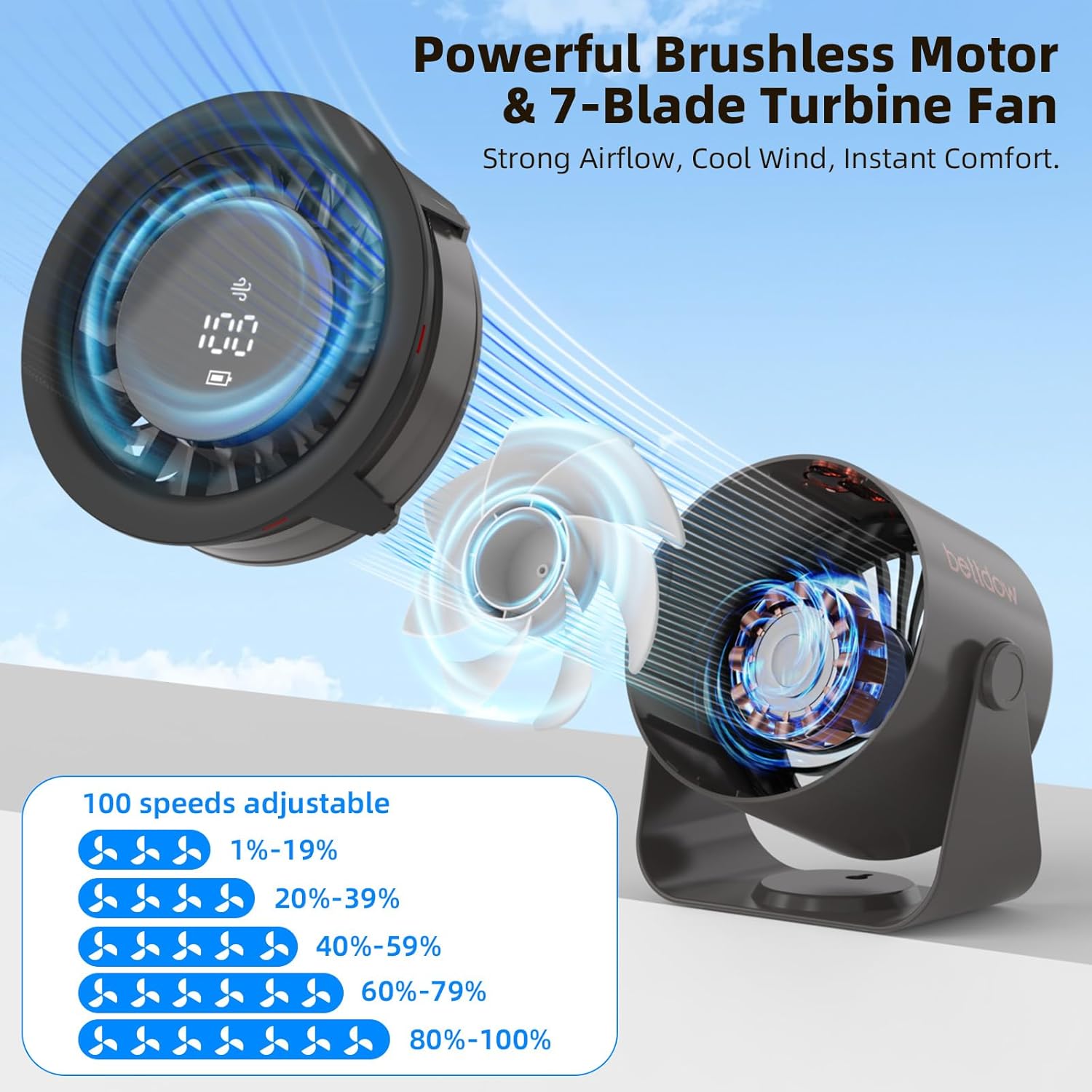
Image: Demonstrating the fan's 90-degree adjustable tilt feature.
Wall Mounting
The fan features a pre-installed keyhole design on its base, allowing it to be effortlessly mounted on a wall. Ensure the mounting surface is stable and use appropriate hardware (not included) for secure installation.
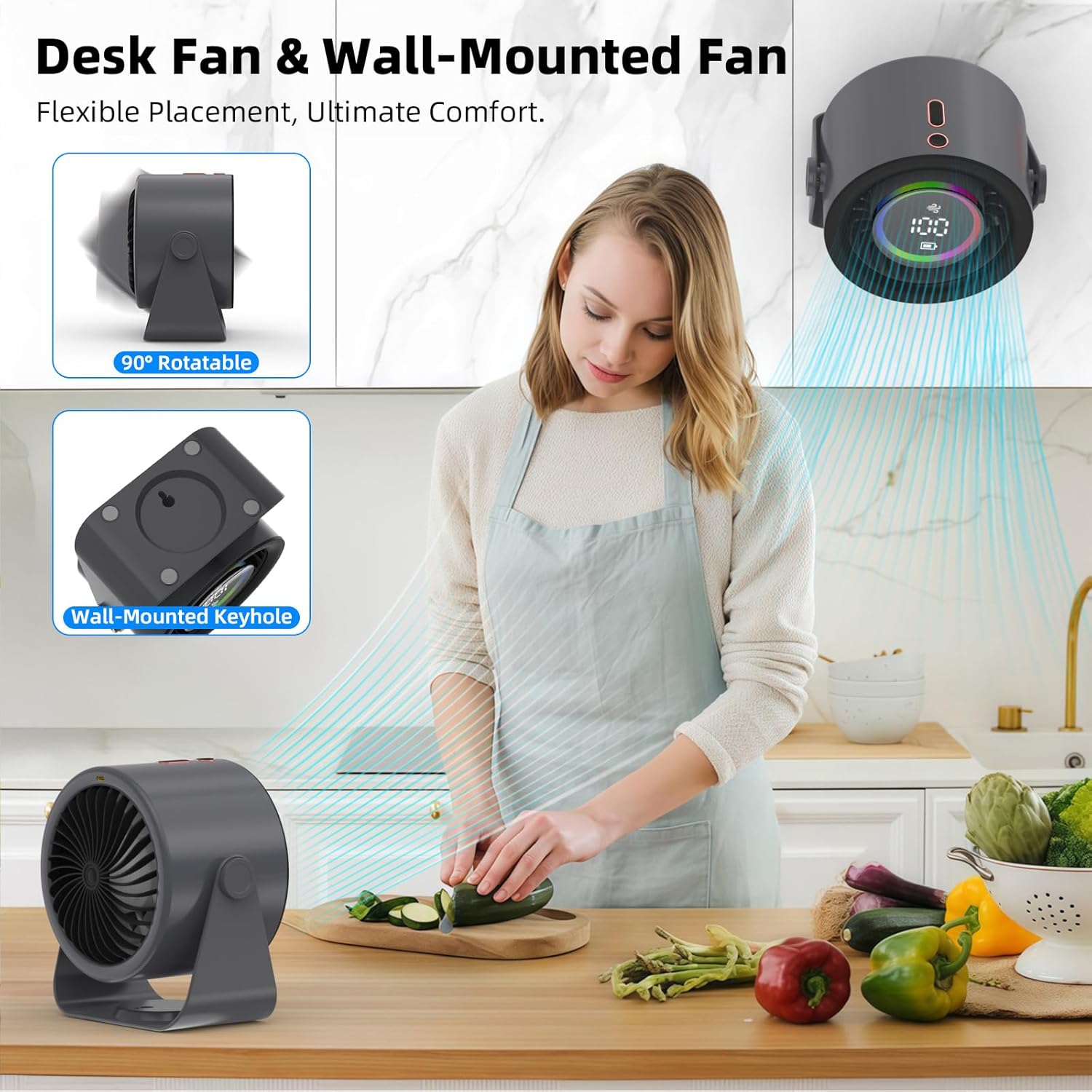
Image: The fan used as a desk fan and mounted on a wall, illustrating its dual functionality.
Charging the Fan
Connect the provided Type-C charging cable to the charging port located at the back of the fan and to a suitable USB power source. The LED display will show the current battery level during charging. A full charge takes approximately 2.5 hours.
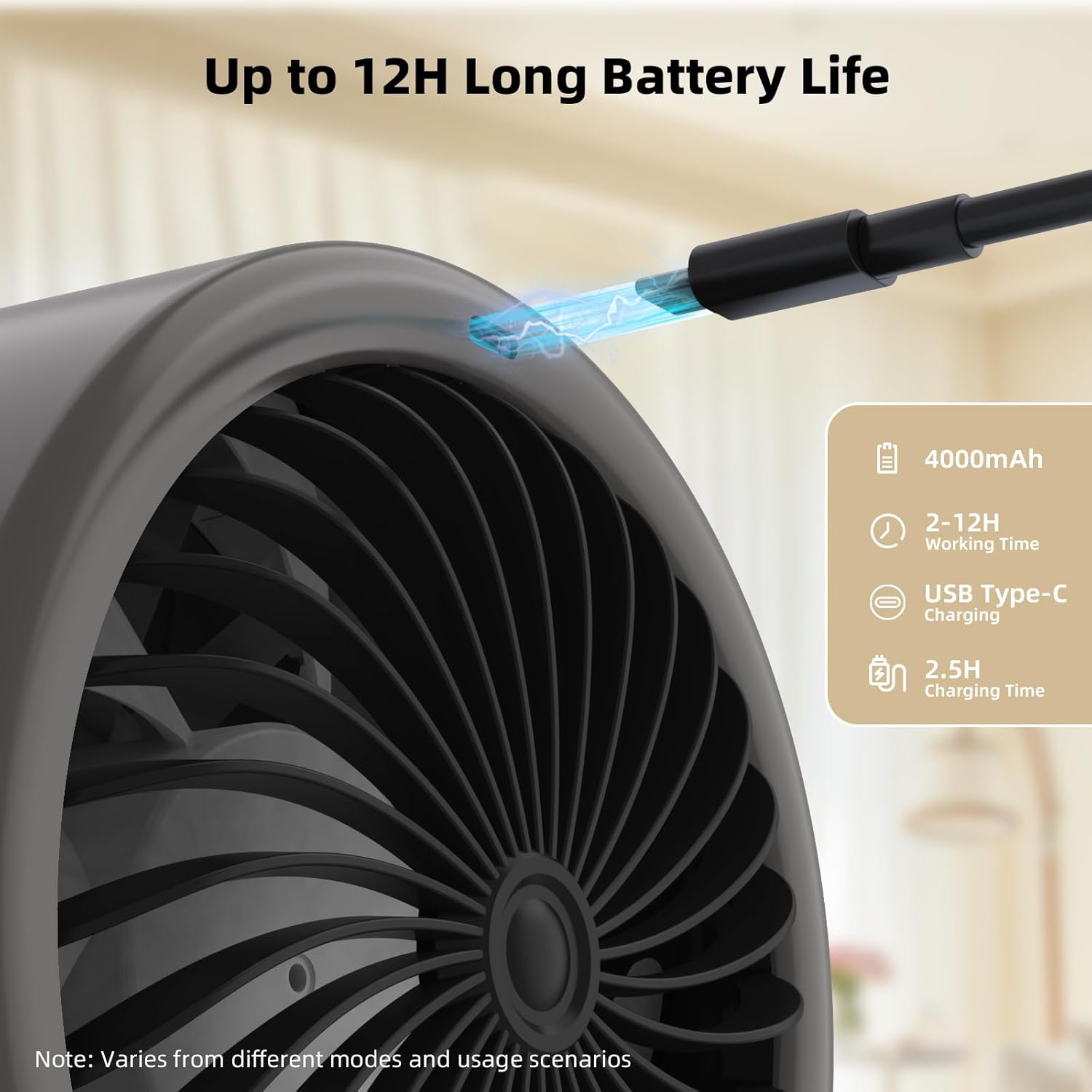
Image: The fan being charged via its USB Type-C port, with battery information displayed.
Operating Instructions
Power On/Off
To power on or off the fan, long press the power button located on the top of the fan.
Adjusting Wind Speed
The fan offers 100 speed settings. Use the '+' and '-' buttons on the top of the fan to increase or decrease the wind speed. The current speed will be displayed on the LED screen.

Image: Detailed view of the fan's control buttons and digital display.
Ambient Lighting Modes
The fan features dynamic ambient lighting. Double-click the power button to turn the ambient light on or off. Single-click the power button to cycle through the 6 different colorful light modes (5 monochrome scrolling + five-color mixed light show).

Image: The fan showcasing its colorful LED light options in a room setting.
Maintenance
Cleaning
To clean the fan, ensure it is powered off and unplugged. Use a soft, dry cloth to wipe down the exterior surfaces. For the fan blades, use a soft brush or compressed air to remove dust. Do not use abrasive cleaners or immerse the fan in water.
Storage
When not in use for extended periods, store the fan in a cool, dry place away from direct sunlight and extreme temperatures. Ensure the battery is partially charged before storage to prolong its lifespan.
Troubleshooting
- Fan not turning on: Ensure the fan is charged. Connect it to a power source using the Type-C cable and check the battery level on the display. Long press the power button to turn it on.
- Weak airflow: Check the current speed setting on the LED display and increase it using the '+' button. Ensure the fan grille is not obstructed by dust or debris.
- Lights not working: Double-click the power button to toggle the ambient lights. If they still do not work, ensure the fan is powered on.
- Unusual noise: Turn off the fan and inspect the blades and grilles for any foreign objects. If the noise persists, contact customer support.
Specifications
| Brand | Bettdow |
| Model Name | GFS008 |
| Color | Grey |
| Electric Fan Design | Table Fan |
| Power Source | AC (via USB-C charging) |
| Product Dimensions | 4.53"D x 6.29"W x 6.89"H |
| Special Feature | LED Light, Digital Display, Rechargeable, Cordless |
| Noise Level | 35 Decibels |
| Speed | Up to 2300 RPM (100 adjustable speeds) |
| Included Components | USB-C Charging Cord |
| Control Method | Push Button |
| Batteries | 1 Lithium Metal battery (included) |
| Item Weight | 1.72 pounds (676g) |
| Mounting Type | Desk, Wall Mount (Keyhole) |
Warranty and Support
For warranty information or technical support, please refer to the product packaging or contact BETTDOW customer service directly. Keep your purchase receipt for any warranty claims.