
1. Introduction
This manual provides detailed instructions for the installation, operation, and maintenance of your TWSYOXPR V380 Pro 4K 4MP 4G SIM Outdoor IP Security Camera. Please read this manual thoroughly before using the product to ensure proper function and safety.
The TWSYOXPR V380 Pro is an advanced outdoor IP security camera featuring 4K (8 million pixels, 4 million + 4 million pixels) resolution, 4G SIM card connectivity, color night vision, AI human detection, and Wi-Fi capabilities. It is designed for both indoor and outdoor surveillance, offering comprehensive protection for your property.
2. Package Contents
Carefully unpack the box and ensure all items listed below are present and in good condition. If any items are missing or damaged, please contact customer support.

Image 2.1: The image displays the TWSYOXPR V380 Pro camera unit along with its included accessories. The camera is a dual-lens, grey-colored dome-style unit with two external antennas. The accessories shown are a 12V power adapter, a package containing two screws, a waterproof cap, and a user manual for the V380 Pro product. A 128GB MicroSD card is also depicted as an included item.
- TWSYOXPR V380 Pro IP Security Camera
- 12V Power Adapter
- Mounting Screws Package (2 screws)
- Waterproof Cap
- User Manual
- 128GB MicroSD Card (may vary by package)
3. Product Features
- High-Definition 4K (8MP) Resolution: Captures clear and detailed surveillance footage with 4K and 4MP high resolution, ensuring precise identification of details.
- 4G SIM Card Connectivity: Supports 4G SIM card for remote monitoring without traditional wired network constraints, allowing real-time viewing from anywhere with network signal.
- AI Intelligent Human Detection: Advanced artificial intelligence accurately identifies human targets, triggering alerts and focusing monitoring when someone enters the surveillance area.
- Color Night Vision: Provides clear and realistic color images even in complete darkness, eliminating the need for additional lighting.
- Flexible Wi-Fi Connection: Supports Wi-Fi for easy installation and flexible positioning without complex wiring.
- Dual-Lens System: Features two lenses for comprehensive coverage. One fixed lens provides panoramic viewing, while the other PTZ (Pan-Tilt-Zoom) lens offers automatic tracking.

Image 3.1: This image illustrates the camera's dual-lens and dual-screen capabilities. It shows two separate views: a fixed position camera providing a panoramic view of a residential area, and a PTZ camera demonstrating automatic tracking of a person walking a dog. This highlights the camera's ability to offer both wide-angle and detailed, tracked surveillance simultaneously.
- IP66 Waterproof Rating: Designed for outdoor use, resistant to various weather conditions including sun, rain, snow, and wind.
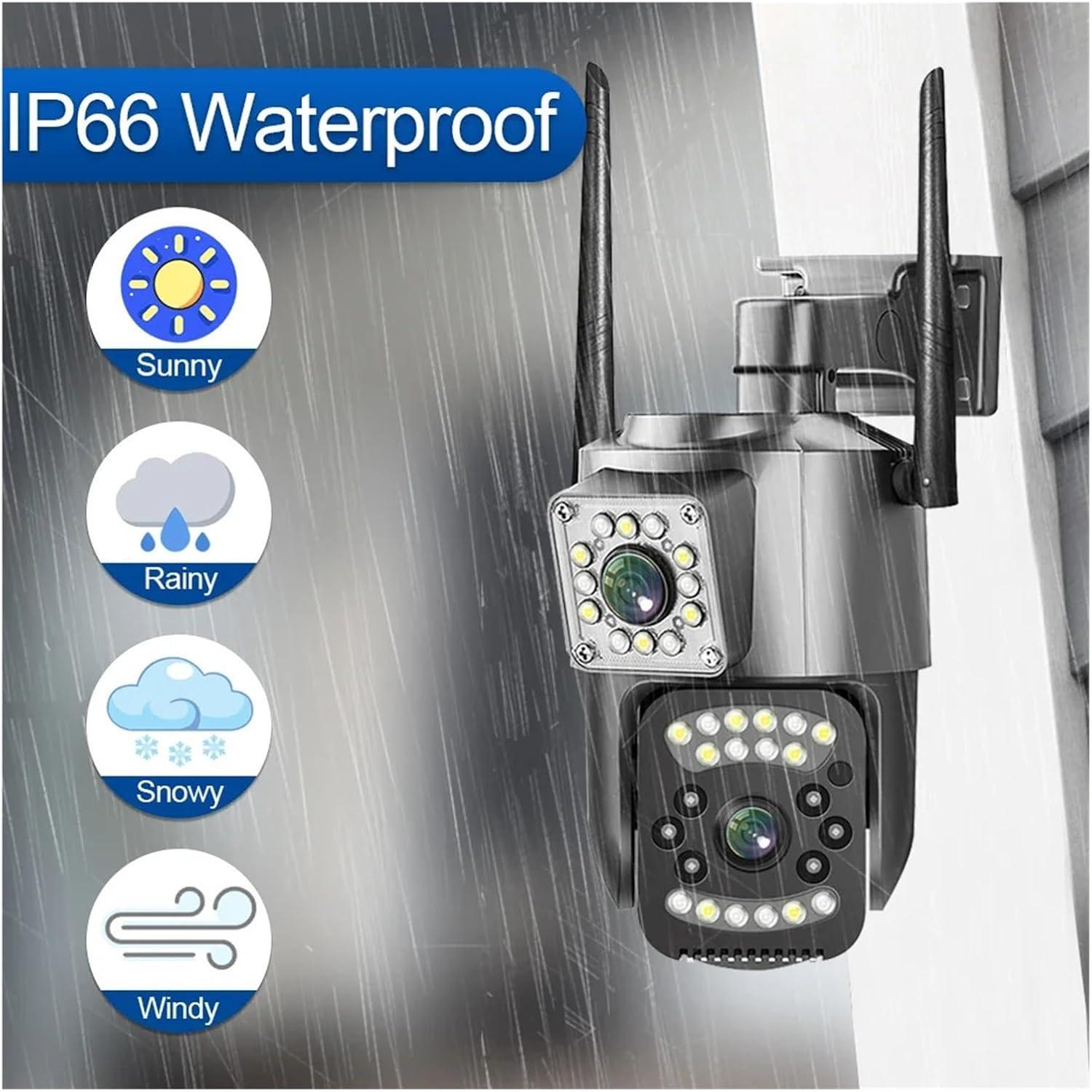
Image 3.2: The image depicts the camera mounted outdoors, with icons representing various weather conditions: sunny, rainy, snowy, and windy. This visually confirms the camera's IP66 waterproof rating, indicating its suitability and durability for outdoor installation in diverse environmental conditions.
- Pan 360° / Tilt 90° Remote Control: Allows for remote adjustment of the camera's viewing angle, providing 360-degree pan and 90-degree tilt capabilities to eliminate blind spots.

Image 3.3: This image illustrates the camera's remote pan and tilt functionality. It shows the camera unit with arrows indicating 360-degree pan and 90-degree tilt movements. Below, a smartphone screen displays a live camera feed, with a finger interacting with on-screen controls to adjust the camera's perspective, demonstrating the ability to remotely control its movement.
- Real-Time Motion Detection Alarm: Provides instant alerts to your device upon detecting motion, enhancing security.

Image 3.4: The image depicts the camera detecting a person in a doorway, with a bright light beam emanating from the camera towards the detected individual. A smartphone screen shows a notification from the V380 Pro app, stating "Alarm: Person is detected from Doorway," along with an "AI Detection" icon. This demonstrates the camera's real-time motion detection and AI-powered human recognition capabilities, triggering immediate alerts.
- Two-Way Audio: Built-in microphone and speaker allow for two-way communication through the camera, enabling interaction with individuals near the camera.

Image 3.5: This image illustrates the two-way audio feature of the camera. It shows a delivery person at a doorstep with packages, and speech bubbles indicating communication: "Hello, your package is arriving." and "Please place it by the door, thanks." A smartphone screen displays the live camera feed with an audio icon, signifying the ability to speak and listen through the camera remotely.
4. Setup
4.1. Powering On the Camera
- Connect the provided 12V power adapter to the camera's power input port.
- Plug the power adapter into a suitable power outlet.
- The camera will power on and initiate its self-test sequence. Wait for the camera to complete its startup process, indicated by a status light or audible prompt.
4.2. Installing a 4G SIM Card (Optional)
If you intend to use 4G connectivity, follow these steps:
- Locate the SIM card slot on the camera. This is typically protected by a waterproof cover.
- Carefully open the cover and insert a activated 4G SIM card into the slot, ensuring correct orientation.
- Close the waterproof cover securely to maintain the IP66 rating.
- The camera will attempt to connect to the 4G network.
4.3. Installing a MicroSD Card (Optional)
For local video storage, install a MicroSD card:
- Locate the MicroSD card slot, often near the SIM card slot or under a separate cover.
- Insert the MicroSD card (up to 128GB recommended) into the slot until it clicks into place.
- Close any covers securely.
- The camera will automatically detect and format the card for recording.
4.4. App Installation and Initial Connection
- Download the "V380 Pro" app from your smartphone's app store (iOS App Store or Google Play Store).
- Register for an account or log in if you already have one.
- Tap "Add Device" or the "+" icon in the app.
- Follow the on-screen instructions to connect your camera. This typically involves scanning a QR code on the camera or selecting the camera from a list of nearby devices.
- Ensure your smartphone is connected to a 2.4GHz Wi-Fi network during the initial setup if using Wi-Fi connection.
- Once connected, you can view the live feed and configure camera settings.
4.5. Mounting the Camera
The camera is designed for wall-hanging installation.
- Choose a suitable mounting location that provides the desired viewing angle and is within reach of a power source.
- Use the provided mounting screws to securely attach the camera bracket to the wall.
- Attach the camera to the mounted bracket. Ensure it is firmly secured.
5. Operating Instructions
5.1. Live View and Recording
- Open the V380 Pro app and select your camera from the device list.
- The live video feed will appear.
- Tap the record button to manually start/stop video recording. Recorded footage is saved to the MicroSD card or cloud storage (if subscribed).
- Use the screenshot button to capture still images.
5.2. Pan and Tilt Control
- In the live view interface, locate the pan/tilt controls (usually a joystick-like icon or directional arrows).
- Drag your finger across the screen or use the directional arrows to adjust the camera's horizontal (pan) and vertical (tilt) angles.
5.3. Two-Way Audio
- While in live view, tap the microphone icon to speak through the camera's speaker.
- Tap the speaker icon to listen to audio from the camera's vicinity.
5.4. Motion Detection and Alerts
- Navigate to the camera settings within the V380 Pro app.
- Find the "Motion Detection" or "Alarm Settings" section.
- Enable motion detection and configure sensitivity levels.
- Set up alert notifications (e.g., push notifications to your phone).
- Enable "AI Human Detection" for more accurate alerts, filtering out non-human movements.
5.5. Night Vision Modes
- The camera automatically switches to night vision in low-light conditions.
- In the app settings, you may have options to switch between infrared (black and white) and color night vision modes, or an intelligent mode that activates color night vision upon detection of motion.
6. Maintenance
- Cleaning: Regularly clean the camera lens and housing with a soft, damp cloth. Avoid abrasive cleaners or solvents that could damage the surface.
- Firmware Updates: Check the V380 Pro app periodically for firmware updates. Keeping the firmware updated ensures optimal performance and security.
- Power Supply: Ensure the power adapter and cable are free from damage. Do not use unauthorized power adapters.
- Environmental Protection: While the camera is IP66 waterproof, avoid submerging it in water or exposing it to extreme temperatures beyond its operating range.
- MicroSD Card Management: If using a MicroSD card, periodically check its status in the app. Consider formatting the card every few months to maintain performance, backing up important footage first.
7. Troubleshooting
| Problem | Possible Cause | Solution |
|---|---|---|
| Camera not powering on | No power supply; faulty adapter/cable | Check power connection; try a different outlet; inspect adapter/cable for damage. |
| Unable to connect to Wi-Fi/4G | Incorrect Wi-Fi password; weak signal; inactive SIM card; camera too far from router | Verify Wi-Fi password; ensure 2.4GHz network; check 4G SIM card activation and signal; move camera closer to router or use a Wi-Fi extender. |
| No video feed in app | Network issue; camera offline; app malfunction | Check internet connection on phone; restart camera; restart app; re-add camera to app. |
| Motion detection alerts not working | Detection disabled; incorrect sensitivity; app notifications off | Enable motion detection in app settings; adjust sensitivity; ensure app notifications are allowed in phone settings. |
| Poor night vision quality | Lens obstruction; insufficient ambient light for color night vision | Clean the camera lens; ensure no objects are blocking the view; check night vision mode settings in the app. |
| MicroSD card not recording | Card full; card faulty; incorrect format; recording settings off | Check card capacity; try formatting the card via the app; replace card if faulty; ensure continuous recording or motion-triggered recording is enabled. |
8. Specifications
| Feature | Detail |
|---|---|
| Model | dongguanshijianyingbaihuoshanghang |
| Brand | TWSYOXPR |
| Resolution | 8 Megapixels (4K, 4 million + 4 million pixels) |
| Lens (mm) | 3.6mm |
| Connection | IP / Network Wireless (Wi-Fi), 4G SIM Card |
| Video Compression | H.265 |
| Night Vision | Color Night Vision (Yes) |
| AI Features | AI Human Detection, Automatic Tracking |
| Pan/Tilt | Pan 360°, Tilt 90° (Remote Control) |
| Audio | Two-way Audio (Built-in microphone and speaker) |
| Alarm Action | Local alarm, App notifications |
| Application | V380 Pro |
| Installation Mode | Wall hanging |
| Power Supply | Mains power supply (12V Adapter) |
| Case Material | Plastic |
| Waterproof Rating | IP66 |
| Item Weight | 50 Grams (1.76 ounces) |
| Package Dimensions | 1.18 x 0.79 x 0.39 inches |
9. Warranty and Support
This product comes with a standard manufacturer's warranty. Please refer to the packaging or contact your retailer for specific warranty terms and conditions. For technical support, troubleshooting assistance, or further inquiries, please contact TWSYOXPR customer service through the contact information provided with your purchase or on the official TWSYOXPR website.
Please retain your proof of purchase for warranty claims.