
Introduction
This manual provides detailed instructions for the assembly, setup, operation, and maintenance of your HOGOKIDS 5-in-1 Dragon Robot Building Toys, Model SC8817. This building set allows for the creation of five distinct robot forms, each featuring interactive elements such as glowing eyes with multiple colors and light effects, and control via remote or a dedicated mobile application. Please read this manual thoroughly before beginning assembly or operation to ensure proper use and to maximize your experience.
Safety Information
WARNING: CHOKING HAZARD - Small Parts. Not suitable for children under 3 years. Adult supervision is recommended during assembly and play, especially for younger users. Keep all small parts away from infants and pets. Do not ingest any components. Ensure all electrical connections are secure and dry before operation. Do not expose the product to water or extreme temperatures.
Package Contents
Before starting, please verify that all components listed below are present in your package:
- 354 Building Blocks (various shapes and sizes)
- 1 Main Control Unit (with integrated battery)
- 1 Remote Control
- 1 USB Charging Cable
- 1 Sheet of Decorative Stickers
- 1 Instruction Manual (this document)
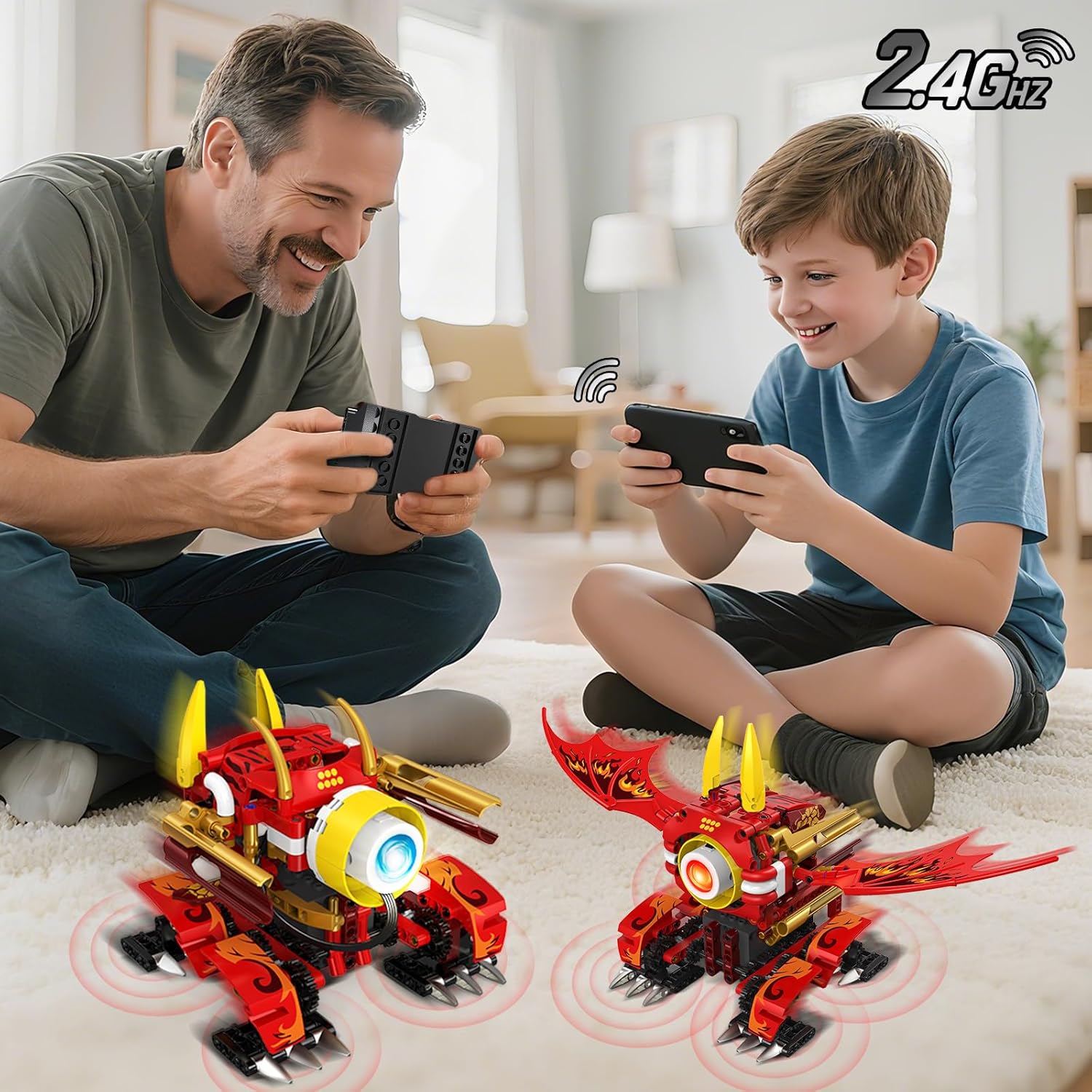
Image: The product box displaying the various components included, such as building blocks, the remote control, stickers, and the instruction manual.
Assembly Instructions
The HOGOKIDS 5-in-1 Dragon Robot Building Toys offer five different robot configurations. Detailed, step-by-step assembly instructions for each model are provided in the separate printed instruction booklet included in your package. Follow these instructions carefully to construct your desired robot model.
- Choose Your Model: Select one of the five available robot designs you wish to build. Note that only one model can be built at a time using the provided pieces.
- Organize Parts: Sort the building blocks by type and color to facilitate easier assembly.
- Follow the Booklet: Refer to the dedicated instruction booklet for precise, illustrated steps for your chosen model. Pay close attention to the orientation and connection points of each block.
- Install Main Control Unit: Integrate the main control unit into the robot structure as indicated in the assembly steps. Ensure it is securely fitted.
- Apply Stickers: Once the model is complete, apply the decorative stickers according to the design or your preference.

Image: A visual representation of the five distinct robot models that can be constructed from the building set, showcasing their varied designs and piece counts.

Image: A child and an adult engaged in the assembly of a robot model, highlighting the hands-on building experience.
Setup
1. Charging the Main Control Unit
The main control unit contains a rechargeable battery. Before first use, fully charge the unit.
- Connect the provided USB charging cable to the charging port on the main control unit.
- Plug the other end of the USB cable into a standard USB power adapter (not included) or a computer USB port.
- The indicator light on the control unit will show charging status (refer to the specific light behavior in your assembly booklet).
- Once fully charged, disconnect the cable.
2. Remote Control Battery Installation
The remote control requires 2 AAA batteries (not included).
- Open the battery compartment on the back of the remote control.
- Insert 2 AAA batteries, ensuring correct polarity (+/-).
- Close the battery compartment securely.
3. Pairing Remote Control / App
The robot can be controlled via the physical remote control or a dedicated mobile application.
- For Remote Control: Turn on the main control unit and the remote control. They should automatically pair. If not, refer to the pairing instructions in your assembly booklet.
- For App Control: Download the HOGOKIDS app from your device's app store. Enable Bluetooth on your mobile device. Open the app and follow the on-screen instructions to connect to your robot.
Operating Instructions
1. Remote Control Operation
Use the physical remote control for direct command of the robot's movements and light effects.
- Movement: Use the directional controls to move the robot forward and backward.
- Light Color: Press the right button on the remote to cycle through the 6 available eye colors (white, pink-purple, green, blue, orange, yellow).
- Light Effect: Press the left button on the remote to change between the 5 dynamic light effects (e.g., breathing, flashing, color gradients).
2. App Control Operation
The HOGOKIDS app offers advanced control and programming features.
- Programming Mode: Utilize graphical drag-and-drop command blocks to create custom movement sequences and actions for your robot.
- Gyro Mode: Control the robot's movement by tilting your mobile device, providing an interactive motion control experience.
- Path Mode: Draw a path on your device screen, and the robot will follow the specified trajectory.
- App Control Mode: Use the virtual joysticks or buttons on the app interface for direct control of the robot's direction.

Image: A collage demonstrating the various control modes available through the mobile application, including programming, direct app control, gyroscope-based movement, and path following.
3. Light Effects
The robot's eyes feature dynamic lighting. Use the remote control or app to customize the light settings.
- Colors: Choose from white, pink-purple, green, blue, orange, and yellow.
- Effects: Select from five dynamic effects, such as breathing, flashing, and color gradients, to enhance the robot's appearance.
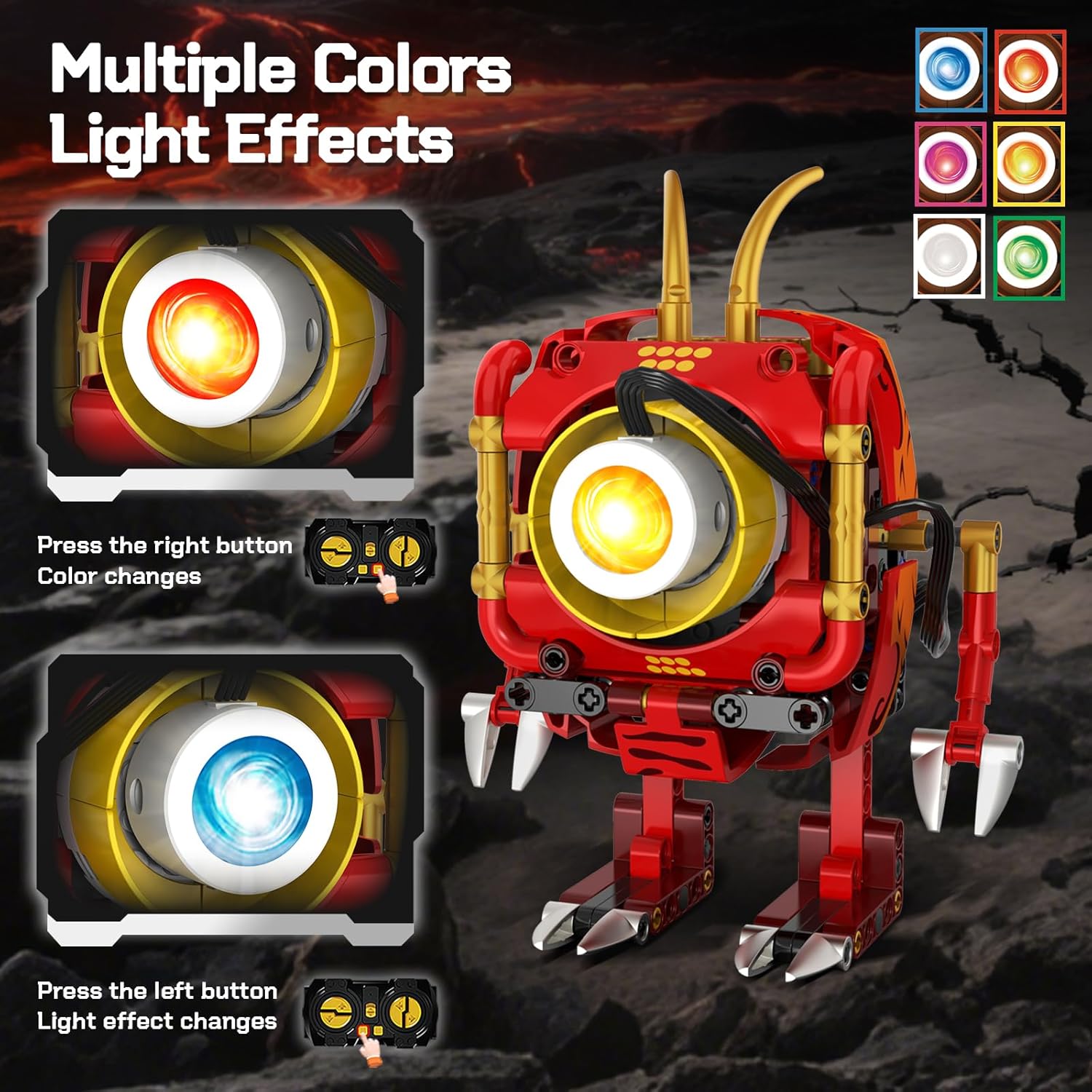
Image: A close-up of a robot model's eye displaying various light colors and effects, with an illustration of the remote control buttons used to change them.
4. Movement
The robot utilizes an agile quadruped gait, simulating realistic animal movement.
- The robot can move forward and backward with a stable, walking motion.
- Some models feature movable hands and feet, adding to their dynamic posing capabilities.

Image: Two different robot models illustrating their movable hands and feet, emphasizing the product's articulation and dynamic features.
Video: An official product video from HOGOKIDS demonstrating the assembly process, various robot forms, and the remote/app control features, including light effects and movement.
Maintenance
- Cleaning: Wipe the robot and blocks with a dry, soft cloth. Do not use water or cleaning solutions, as this may damage electronic components.
- Storage: Store the building blocks and assembled robot in a cool, dry place away from direct sunlight and extreme temperatures.
- Battery Care: For prolonged storage, ensure the main control unit's battery is partially charged (around 50%) and recharge it every few months to maintain battery health. Remove AAA batteries from the remote control if not used for extended periods.
Troubleshooting
| Problem | Possible Cause | Solution |
|---|---|---|
| Robot does not turn on. | Battery is depleted or not connected. | Charge the main control unit. Ensure the unit is correctly installed in the robot. |
| Robot does not respond to remote/app. | Remote batteries are low/dead, or not paired. App not connected. | Replace remote batteries. Re-pair the remote or re-connect the app via Bluetooth. Ensure the robot's main control unit is on. |
| Lights are not working. | Loose connection or control unit issue. | Check the connection of the light component to the main control unit. Ensure the main control unit is powered on. |
| Robot movement is erratic or slow. | Low battery, or obstruction in moving parts. | Recharge the main control unit. Check for any blocks or debris obstructing the robot's legs or gears. |
Specifications
| Feature | Detail |
|---|---|
| Model Number | SC8817 |
| Number of Pieces | 354 |
| Control Method | Remote Control, Mobile App (2.4GHz technology) |
| Lighting Features | 6 Colors (white, pink-purple, green, blue, orange, yellow), 5 Dynamic Light Effects |
| Movement Type | Quadruped Gait (forward/backward) |
| Power Source | Rechargeable Battery (Main Control Unit) |
| Remote Control Batteries | 2 x AAA (not included) |
| Material | Plastic |
| Recommended Age | 6+ years (Manufacturer Minimum Age: 72 months) |
Warranty and Support
HOGOKIDS products are designed for quality and enjoyment. For any questions, concerns, or issues not covered in this manual, please contact HOGOKIDS customer support. Details for contacting support can typically be found on the product packaging or the official HOGOKIDS website. Please retain your proof of purchase for warranty claims.