
Huazheng HZTTR-80A
HZTTR80A Transformer Turns Ratio Tester User Manual
Model: HZTTR-80A
Brand: Huazheng
Introduction
The Huazheng HZTTR80A Transformer Turns Ratio Tester is a sophisticated, fully automatic instrument designed for comprehensive transformer analysis. It integrates multiple testing functions, including turn ratio, voltage ratio, vector relationship, winding connection, polarity, tap position, and excitation current. Its robust and portable design, housed in an engineering plastic case, makes it suitable for various field testing environments.
This manual provides detailed instructions for the safe and effective operation, maintenance, and troubleshooting of the HZTTR80A.
Safety Information
Always observe the following safety precautions to prevent injury and damage to the instrument:
- Ensure the instrument is properly grounded before operation.
- Do not operate the device in wet or explosive environments.
- Disconnect all power sources before making or breaking connections.
- Refer to local electrical safety regulations and standards.
- Only qualified personnel should operate and maintain this equipment.
Product Overview
The HZTTR80A is designed for high accuracy and ease of use in field applications. Its multi-functional case provides protection against environmental factors.
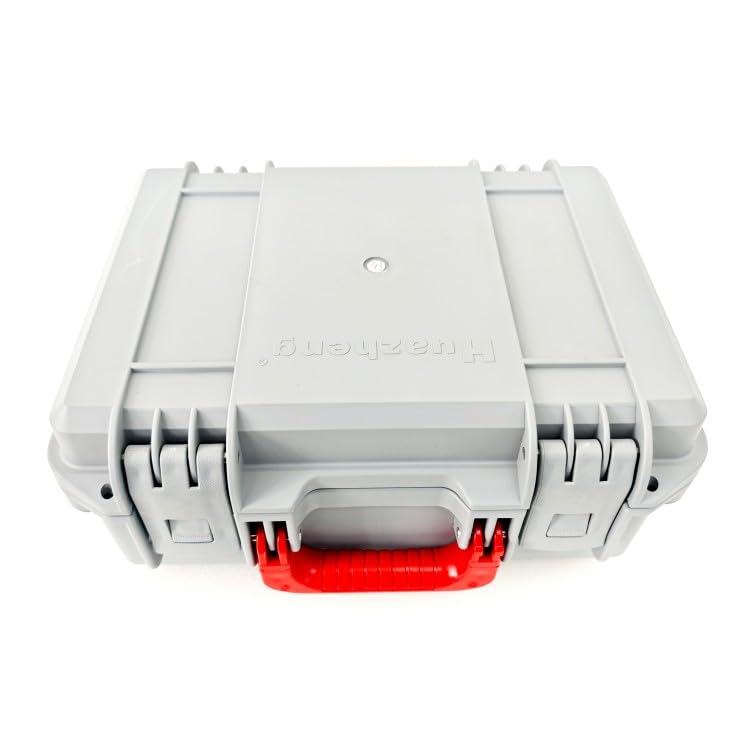
Figure 1: HZTTR80A Transformer Turns Ratio Tester in its closed grey protective case, viewed from the top. The case features a red handle and the "Huazheng" logo embossed on the lid.
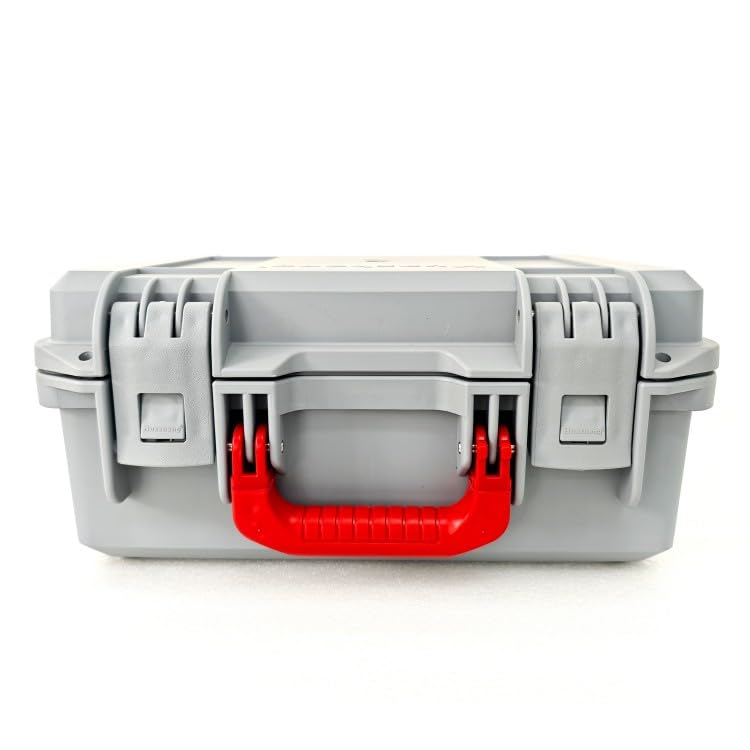
Figure 2: Front view of the HZTTR80A Transformer Turns Ratio Tester in its closed grey protective case. The red handle is prominent, and the case latches are visible.
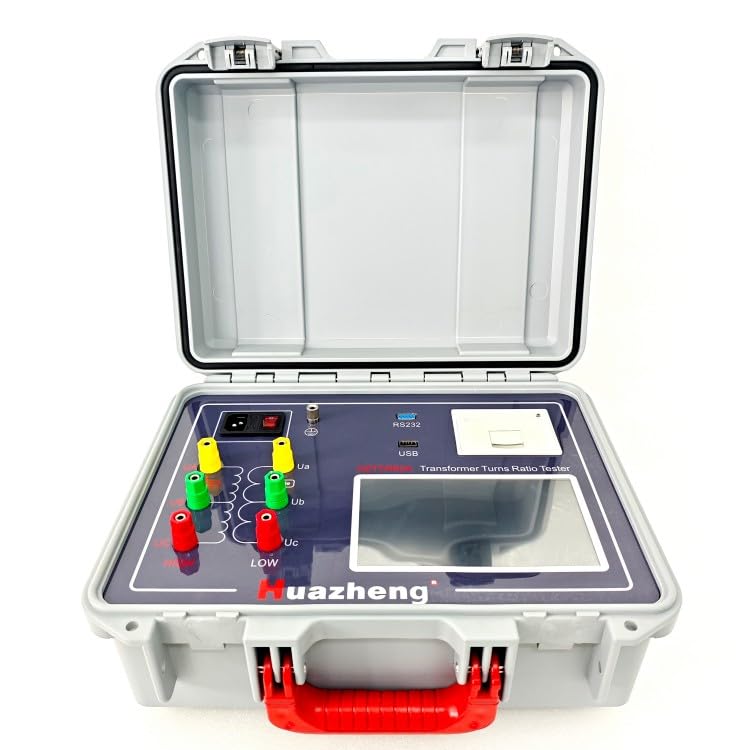
Figure 3: The HZTTR80A Tester with its protective case open, showcasing the blue control panel. The panel includes various input/output terminals (yellow, green, red), a power switch, RS232 and USB ports, and a display screen.
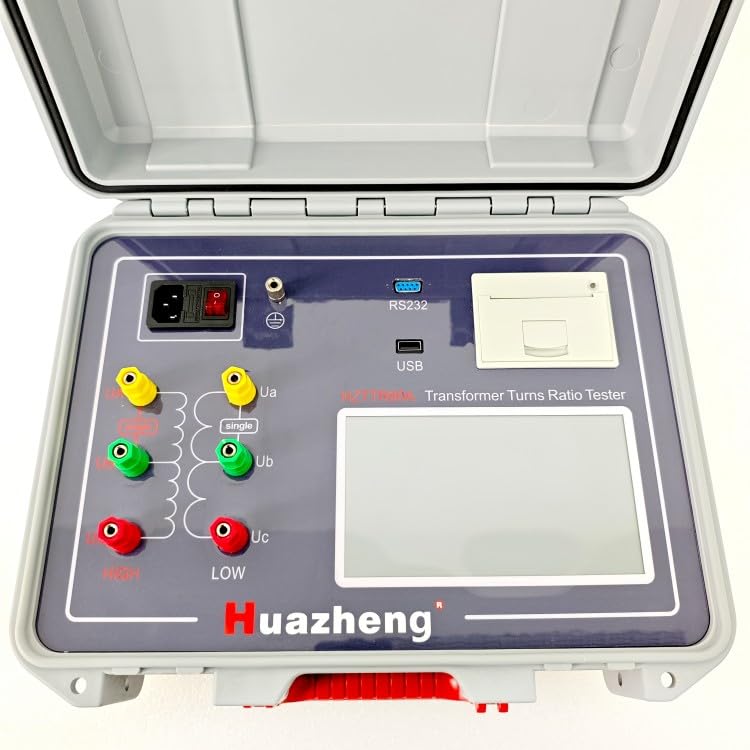
Figure 4: A detailed view of the HZTTR80A control panel. Labels for "HIGH" and "LOW" terminals (Ua, Ub, Uc) are visible, along with the "single" phase indicator, RS232, USB ports, and the main display area.
Setup
Unpacking and Inspection
- Carefully unpack the HZTTR80A from its packaging.
- Inspect the instrument for any signs of physical damage incurred during transit. Report any damage to the supplier immediately.
- Verify that all accessories listed in the packing list are present.
Power Connection
The HZTTR80A operates on AC or DC power. Ensure the power source matches the instrument's requirements.
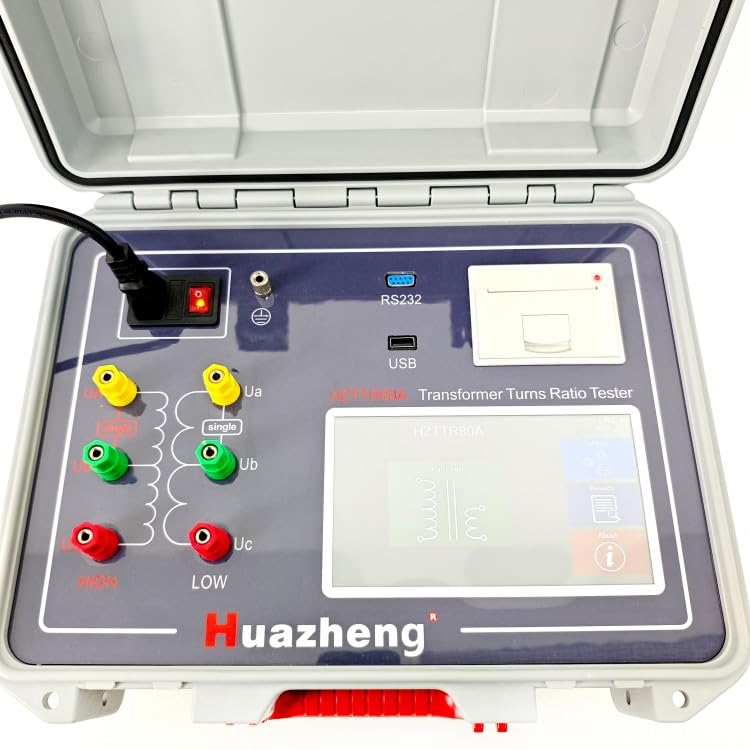
Figure 5: The HZTTR80A Tester with a power cable connected to its input port, located next to the main power switch.
- Connect the provided power cable to the instrument's power input port.
- Plug the other end of the power cable into a suitable power outlet.
- Ensure the power switch on the instrument is in the OFF position before connecting to power.
Initial Power On
- Flip the power switch to the ON position.
- Observe the display screen for initial boot-up sequence.
- The instrument is ready for operation once the main menu or home screen appears.
Operating Instructions
Connecting to a Transformer
The HZTTR80A supports testing of both single-phase and three-phase transformers.
- Ensure the transformer is de-energized and safely isolated before making any connections.
- Connect the "HIGH" terminals (Ua, Ub, Uc) of the HZTTR80A to the high-voltage windings of the transformer.
- Connect the "LOW" terminals (Ua, Ub, Uc) of the HZTTR80A to the low-voltage windings of the transformer.
- Ensure all connections are secure and correct according to the transformer's winding configuration.
Performing a Turns Ratio Test
- From the main menu, select the "Turns Ratio Test" option.
- Input the nominal voltage ratio of the transformer, if prompted.
- Select the winding connection type (e.g., Delta, Wye) if applicable.
- Initiate the test. The instrument will automatically apply test voltage and measure the turns ratio.
- The results, including turn ratio, voltage ratio, and vector relationship, will be displayed on the screen.
Using the Mobile App
The HZTTR80A can be controlled via a dedicated Android app for enhanced functionality and data management.
- Download and install the official Huazheng HZTTR80A app from the Google Play Store on your Android device.
- Enable Bluetooth or Wi-Fi on both the HZTTR80A (if applicable) and your Android device.
- Open the app and follow the on-screen instructions to pair with the HZTTR80A.
- Once connected, you can control test parameters, initiate tests, view results, and store/upload test data directly from your mobile device.
Maintenance
Cleaning
- Regularly clean the exterior of the instrument with a soft, dry cloth.
- For stubborn dirt, use a slightly damp cloth with mild detergent, then wipe dry.
- Do not use abrasive cleaners, solvents, or harsh chemicals, as these can damage the casing and display.
Storage
- When not in use, store the HZTTR80A in its protective engineering plastic case.
- Store in a cool, dry place, away from direct sunlight and extreme temperatures.
- Ensure all cables and accessories are neatly stored to prevent damage.
Calibration
To ensure continued accuracy, it is recommended to have the HZTTR80A calibrated by authorized service personnel periodically. Refer to the manufacturer's recommendations for calibration intervals.
Troubleshooting
| Problem | Possible Cause | Solution |
|---|---|---|
| Instrument does not power on. | No power supply; Power cable loose; Power switch off. | Check power outlet; Ensure power cable is securely connected; Turn power switch to ON. |
| Inaccurate test results. | Incorrect connections to transformer; Transformer not de-energized; Instrument needs calibration. | Verify all connections; Ensure transformer is isolated; Contact service for calibration. |
| Mobile app fails to connect. | Bluetooth/Wi-Fi off; App not updated; Instrument not in pairing mode. | Ensure wireless communication is enabled; Update app to latest version; Refer to app instructions for pairing. |
| Display screen is blank or frozen. | Software error; Extreme temperature exposure. | Restart the instrument; Move to a suitable operating temperature environment. If problem persists, contact support. |
If the problem persists after attempting the suggested solutions, please contact Huazheng customer support.
Specifications
| Feature | Detail |
|---|---|
| Model | HZTTR-80A |
| Brand | Huazheng |
| Functions | Turn Ratio, Voltage Ratio, Vector Relationship, Winding Connection, Polarity, Tap Position, Excitation Current |
| Transformer Types | Single-phase and Three-phase (with or without taps) |
| Control Interface | On-device display, Android mobile app (via RS232/USB/Wireless) |
| Case Material | Engineering Plastic (resistant to cold, heat, moisture, water, shock) |
| Power Source | AC, DC |
| ASIN | B0F5358KNK |
| UPC | 072487724878 |
Related documentsHZTTR-80A


Ask a question about this manual
Ask about setup, troubleshooting, compatibility, parts, safety, or missing instructions. Manuals+ will review the question and use this page’s manual context to help answer it.