
1. Introduction
This user manual provides essential information for the proper installation, operation, and maintenance of your HAWK'S WORK P-51 Mustang EXA768 RC Airplane Propeller Set and Landing Gear. Please read these instructions carefully before use to ensure safe and optimal performance.
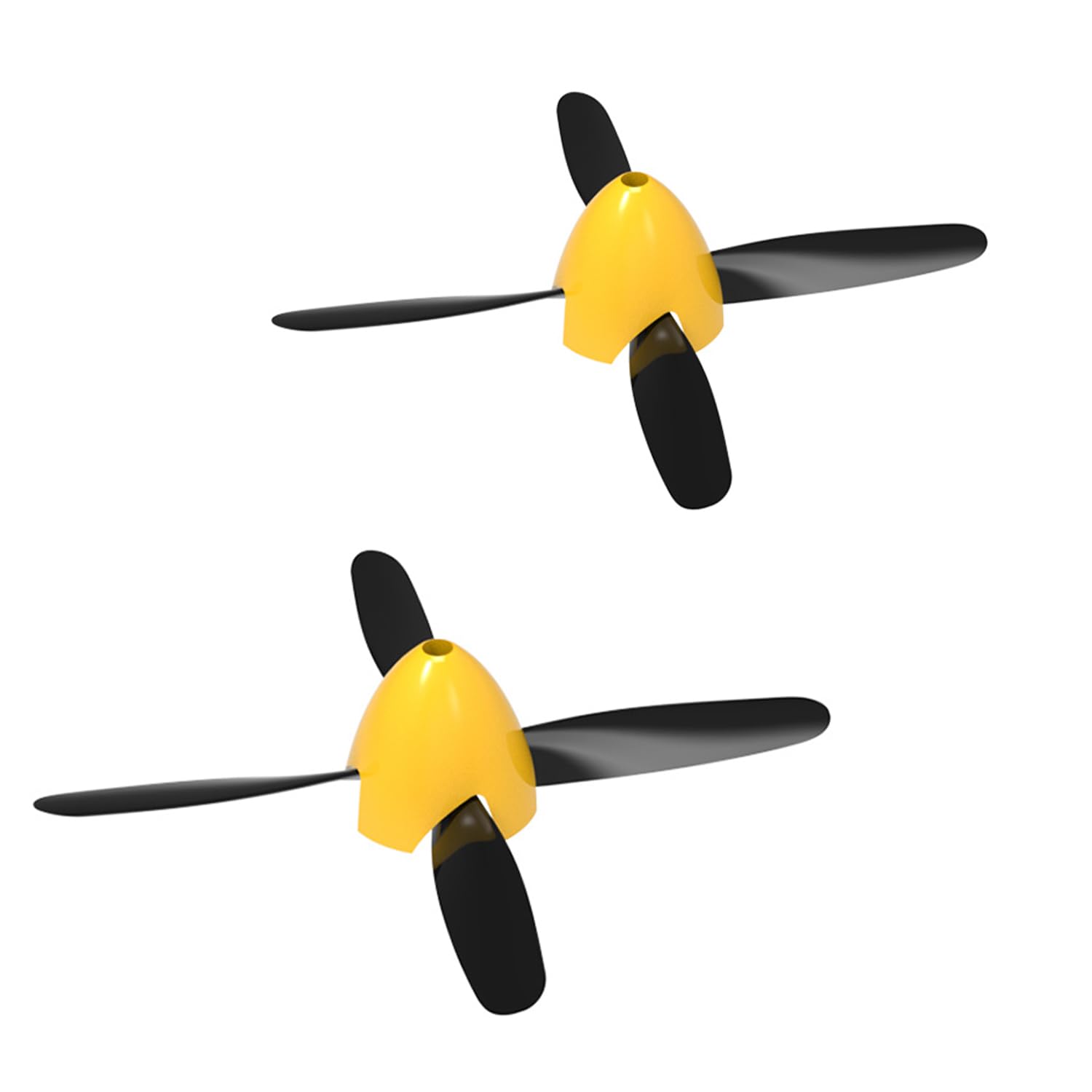
Figure 1: HAWK'S WORK P-51 Mustang EXA768 RC Airplane (for illustrative purposes)
2. Package Contents
Your HAWK'S WORK P-51 Mustang EXA768 Propeller Set and Landing Gear package includes the following components:
- 4-Blade Propellers (2 pieces)
- Prop Saver Shaft Upper Part
- Screws for Propeller Assembly
- Spinner
- Front Landing Gear (2 pieces)
- Rear Landing Gear (1 piece)

Figure 2: Included Propeller Sets and Components
3. Setup
3.1 Propeller Assembly
The propeller set includes a prop saver shaft upper part, propeller, screw, and spinner. Assemble these components securely onto the motor shaft of your P-51 Mustang EXA768 RC airplane. Ensure the propeller is facing the correct direction for thrust.
3.2 Landing Gear Installation
The landing gear consists of front and rear components. Carefully insert the wire ends of the landing gear into the designated slots on the underside of the aircraft fuselage. Ensure they are firmly seated to provide stable support for takeoff and landing.
3.3 Aircraft Battery Installation
Open the battery compartment on the aircraft. Connect the aircraft battery to the corresponding connector inside the compartment. Securely close the battery compartment cover.
3.4 Remote Controller Battery Installation
Open the battery cover on the back of the remote controller. Insert the required AA batteries (not included) into the battery compartment, observing the correct polarity. Close the battery cover.
Video 1: General RC Plane Setup (Battery, Wheels, Remote Pairing, Motor/Servo Test). This video demonstrates the installation of the plane battery, landing gear, and remote controller batteries, as well as the pairing process and motor/servo testing for a similar HAWK'S WORK RC plane. The steps are generally applicable to the P-51 Mustang EXA768.
3.5 Pairing the Aircraft with the Remote Controller
- Ensure the aircraft battery is installed and the aircraft is powered off.
- Turn on the aircraft. The indicator light on the aircraft will flash.
- Place the left joystick of the remote controller to its lowest position.
- Turn on the remote controller. The indicator light on the remote will flash.
- Slowly push the left joystick to the top position, then pull it back down to the bottom position. The indicator lights on both the aircraft and the remote controller should become solid, indicating successful pairing.
4. Operating
4.1 Pre-Flight Checks
After pairing, perform a quick check of the motor and servo functions. Gently move the joysticks on the remote controller to ensure the propeller spins and the control surfaces (if applicable to your model) respond correctly.
4.2 Basic Flight Controls
Familiarize yourself with the remote controller's functions. The left joystick typically controls throttle (power) and rudder (yaw), while the right joystick controls elevator (pitch) and ailerons (roll). Practice gentle movements to understand the aircraft's response.
4.3 Takeoff and Landing
For takeoff, gradually increase throttle while maintaining a straight path. For landing, reduce throttle and gently guide the aircraft down, aiming for a smooth touchdown on the landing gear. Practice in an open, clear area.
5. Maintenance
Regular maintenance ensures the longevity and performance of your propeller set and landing gear:
- Propellers: Inspect propellers for any cracks, chips, or damage before each flight. Damaged propellers can affect flight stability and efficiency. Replace them immediately if any damage is found.
- Landing Gear: Check the landing gear wires and wheels for bends, breaks, or loose connections. Ensure the wheels spin freely. Straighten bent wires or replace damaged components as needed.
- Cleaning: Keep the propellers and landing gear free from dirt, grass, or debris. Use a soft, dry cloth for cleaning.
6. Troubleshooting
If you encounter issues with your propeller set or landing gear, consider the following:
- Vibration during flight: Check propellers for balance and damage. Ensure they are securely attached.
- Difficulty taking off/landing: Inspect landing gear for proper installation and alignment. Ensure wheels are not obstructed.
- Reduced thrust: Verify propellers are installed correctly and are not damaged. Check for any obstructions around the propeller.
7. Specifications
7.1 Propeller Specifications
- Blades: 4
- Length: 123mm
- Width: 11mm
- Hole Shape: Hexagonal
- Hole Diameter: 4mm
- Weight of Propeller: 2.7g
- Weight of Full Set Propeller: 4.7g (includes prop saver shaft upper part + propeller + screw + spinner)
- Material: PVC plastic
7.2 Landing Gear Specifications
- Front Landing Gear Wheel Outer Diameter: 25.6mm
- Front Landing Gear Stainless-Steel Wire Diameter: 1mm
- Weight of 1 Front Landing Gear: 2.5g
- Rear Landing Gear Wheel Outer Diameter: 14.2mm
- Rear Landing Gear Stainless-Steel Wire Diameter: 1mm
- Rear Landing Gear Weight: 0.7g
- Material: Sponge and stainless-steel wire
8. Safety Guidelines
Always prioritize safety when handling and operating RC airplane components:
- Keep fingers and loose clothing away from spinning propellers.
- Ensure all parts are securely attached before operation.
- Do not modify the propellers or landing gear, as this may compromise safety and performance.
- Always supervise children when they are handling RC airplane parts.
9. Warranty and Support
For specific warranty information or technical support, please refer to the product packaging or contact HAWK'S WORK customer service directly. Ensure you retain your proof of purchase for any warranty claims.


