
SUNSMAI S65
SUNSMAI S65 4-in-1 Steam Vacuum Mop User Manual
Model: S65
Brand: SUNSMAI
Product Overview
The SUNSMAI S65 is a versatile 4-in-1 steam vacuum mop designed for comprehensive floor cleaning. It integrates vacuuming, steam mopping, self-cleaning, and one-touch cord storage. This appliance is suitable for various floor types, including hardwood, carpets, ceramic tile, and marble, effectively eliminating dust, pet hair, and dissolving stubborn stains with 212°F high-temperature steam.

Image: The SUNSMAI S65 4-in-1 Steam Vacuum Mop shown with its main body, clean and dirty water tanks, handle, and various accessories including different brush rolls and a cleaning tool.
What's in the Box
Verify that all components are present before initial use:
- Main body x 1
- Hepa filter x 1
- User Manual x 1
- Docking Station x 1
- Roller Brush x 1
- Carpet brush (optional) x 1
- Cleaning Tool x 1

Image: A visual representation of the SUNSMAI S65 product packaging contents, including the main unit, HEPA filter, user manual, docking station, roller brush, optional carpet brush, and cleaning tool.
Setup
Initial Assembly
- Unpack all components from the box.
- Attach the handle to the main body until it clicks into place.
- Ensure the clean water tank (780ml capacity) and dirty water tank (550ml capacity) are correctly seated.
- Insert the desired roller brush (standard or carpet) into the brush head.
- Place the appliance on its docking station for stability.

Image: The SUNSMAI S65 main unit, handle, and various brush attachments displayed separately, illustrating the components for assembly.
Operating Instructions
Filling the Clean Water Tank
Remove the clean water tank and fill it with clean water. For optimal steam performance, use distilled or demineralized water. Do not add cleaning solutions to the clean water tank unless specifically designed for steam cleaners and approved by the manufacturer.
Powering On and Mode Selection
Plug the appliance into a power outlet. The cord length is approximately 6 meters. Use the intelligent LED control panel to select your desired cleaning mode:
- Dry Vac Mode: For vacuuming dry debris on carpets and hard floors.
- Wet Vac Mode: For vacuuming wet spills and mopping hard floors.
- Steam Mode: Activates 212°F high-temperature steam for deep cleaning and dissolving stubborn stains. Steam standby is typically 15-20 seconds.
The control panel also displays current temperature, suction mode (Eco/Max), and self-cleaning progress.
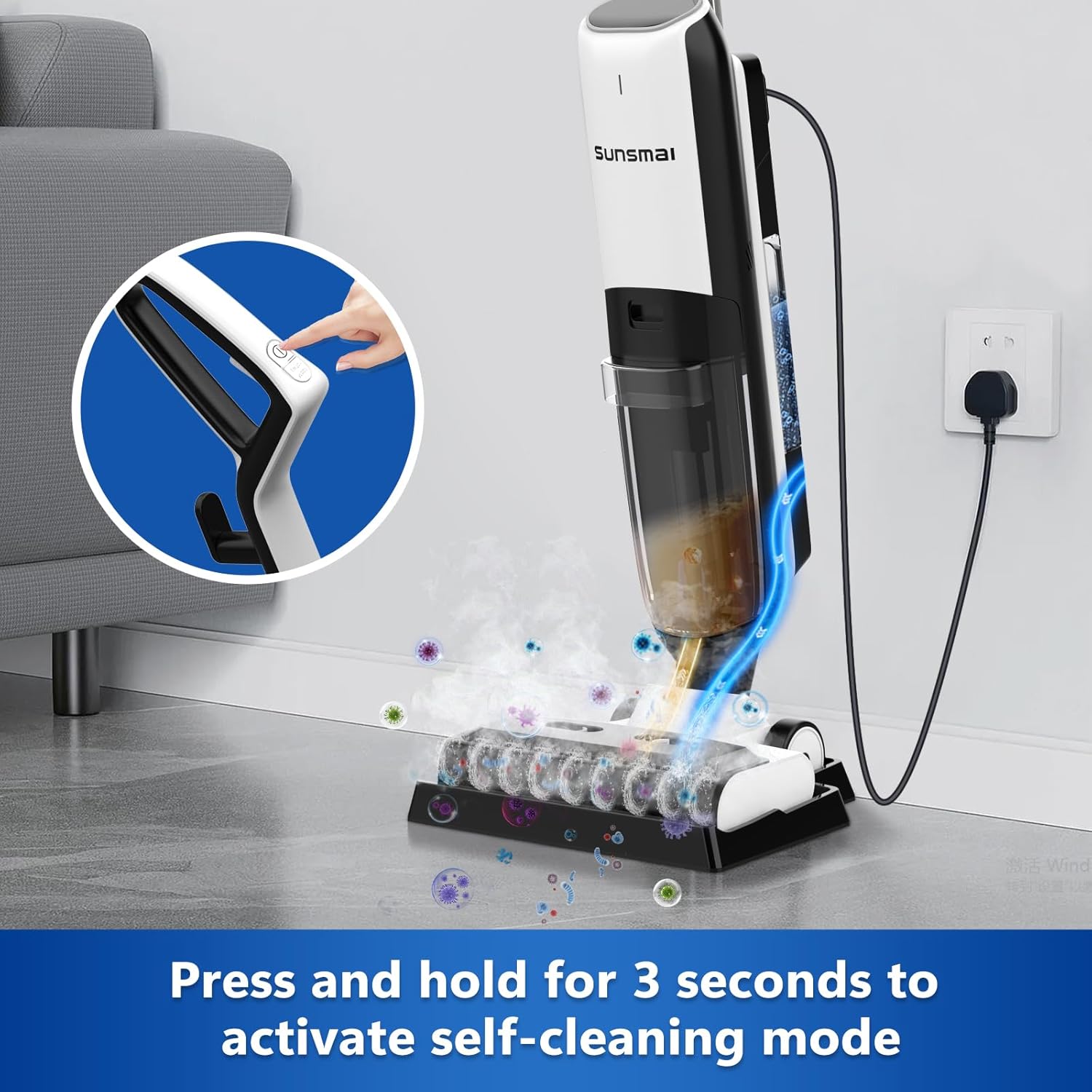
Image: A detailed view of the intelligent LED display on the SUNSMAI S65, showing indicators for wet suction, dry suction, steam mode, power, temperature, and self-cleaning status.
Dual Suction Modes
- Eco Mode (6.5 kPa): Energy-efficient for daily cleaning.
- Max Mode (9.0 kPa): Provides deep cleaning for embedded debris, pet hair, paper scraps, and food residues.

Image: The SUNSMAI S65 being used on a hard floor, illustrating the dual suction modes (Max and Eco) and the separate clean and dirty water tanks.
Cleaning Different Surfaces
The S65 is designed for effective cleaning on various surfaces:
- Hardwood Floors: Use Wet Vac or Steam mode for thorough cleaning. Floors dry in minutes, completely streak-free.
- Carpets/Rugs: Utilize Dry Vac mode with the dedicated carpet roller brush for effective removal of pet hair and debris.
- Ceramic Tile & Marble: Steam mode is highly effective for deep cleaning and sanitizing these surfaces.
Image: The SUNSMAI S65 demonstrating its cleaning capabilities on various surfaces, including ceramic tile, marble, and hard floors, highlighting its wet and dry vacuum functions.
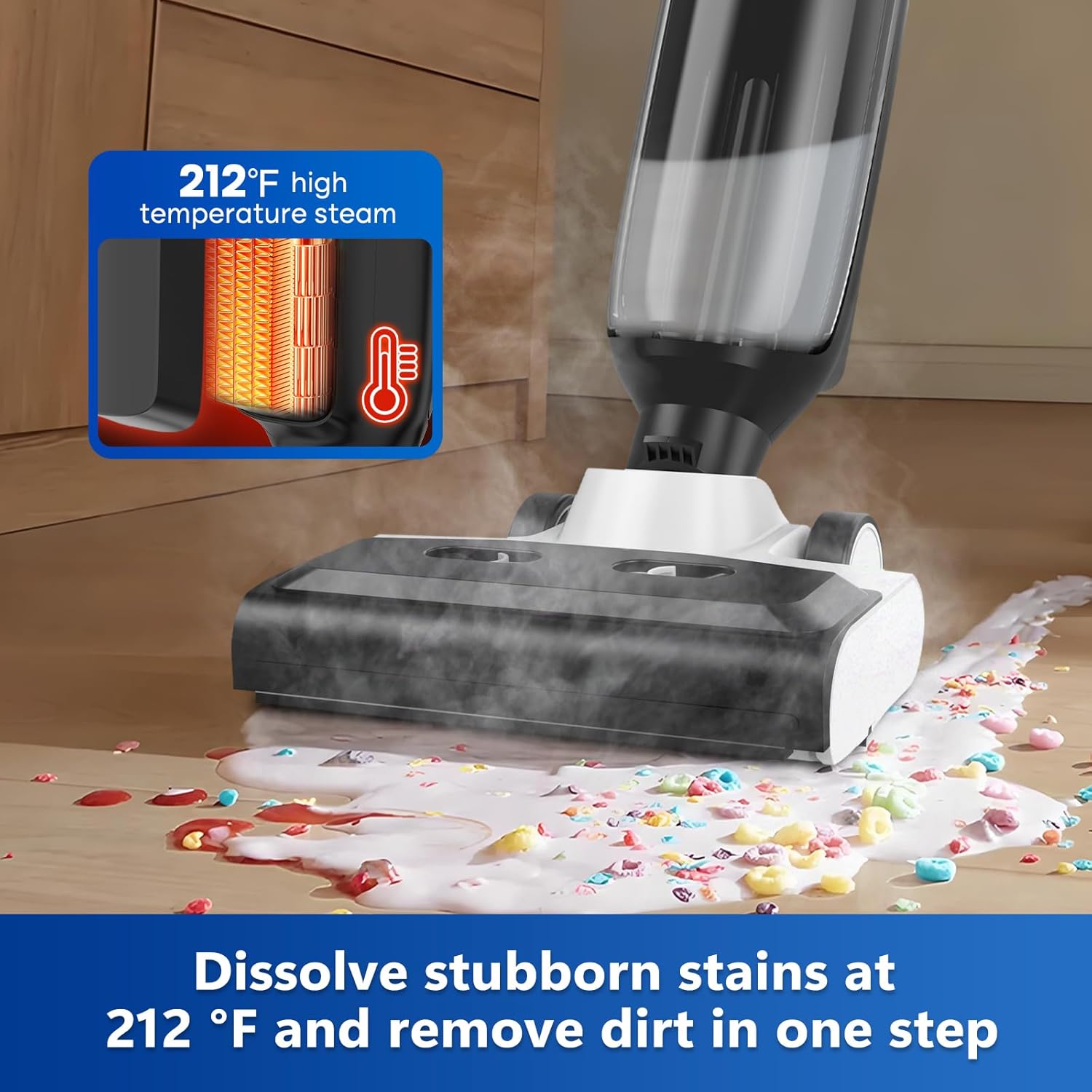
Image: The SUNSMAI S65 actively cleaning a floor, showing steam being emitted to dissolve and remove stubborn stains and debris.
Maintenance
Automatic Self-Cleaning Program
To maintain optimal performance and hygiene, activate the automatic self-cleaning program after each use. Press and hold the self-cleaning button for 3 seconds. The appliance will use high-temperature steam to clean the brush roller and internal pipes, flushing away residual grime. This minimizes manual cleaning and prevents odors.
Image: The SUNSMAI S65 on its docking station, with a hand pressing the button to activate the self-cleaning mode, showing steam and cleaning action around the brush head.
Emptying and Cleaning the Dirty Water Tank
Regularly empty and rinse the dirty water tank to prevent odors and maintain suction efficiency. The tank has a 550ml capacity. Ensure the tank is completely dry before reinserting.
Brush Roll Replacement
The brush roll should be replaced periodically or when worn. To replace:
- Ensure the appliance is powered off and unplugged.
- Press the black button on the side of the brush head.
- Slide out the old brush roll.
- Insert the new brush roll until it clicks into place.
Video: Demonstrates the steps for replacing the brush roll on the SUNSMAI 4-in-1 Steam Vacuum Mop, showing how to press the release button and slide the brush in and out.
HEPA Filter Maintenance
The HEPA filter should be cleaned regularly and replaced as needed to maintain suction power and air quality. Refer to the user manual for specific cleaning instructions for the HEPA filter.
Troubleshooting
If you encounter issues with your SUNSMAI S65, please refer to the following common troubleshooting steps:
| Problem | Possible Cause | Solution |
|---|---|---|
| No Power | Not plugged in; power outlet issue; cord damage. | Ensure the power cord is securely plugged into a working outlet. Check for any visible damage to the cord. |
| Low Suction or Leaking | Dirty water tank full; clogged filter; brush roll obstructed; tank not properly sealed. | Empty and clean the dirty water tank. Clean or replace the HEPA filter. Remove any debris from the brush roll. Ensure all tanks and covers are securely sealed. |
| No Steam Output | Clean water tank empty; steam nozzle clogged; appliance not heated sufficiently. | Fill the clean water tank. Allow 15-20 seconds for the appliance to heat up. Refer to the full manual for steam nozzle cleaning. |
| Unpleasant Odor | Dirty water tank not cleaned; brush roll dirty. | Perform the automatic self-cleaning cycle. Thoroughly clean the dirty water tank and brush roll. |
For more detailed troubleshooting, please consult the complete user manual or contact customer support.
Specifications
- Brand: SUNSMAI
- Model Name: S65
- Product Dimensions: 29"L x 12"W x 12.8"H
- Item Weight: 12 pounds (5.4 kg)
- Wattage: 1500 watts
- Noise Level: 80 dB
- Clean Water Tank Capacity: 780ml
- Sewage Tank Capacity: 550ml
- Suction Mode: Eco/Max (6.5 kPa / 9.0 kPa)
- Filter Type: HEPA Filter
- Special Features: Detachable, Dual Tank, Edge Cleaning
- Is Cordless?: No
- Length of Power Cord: About 6m
- Manufacturer: Dongguan Shanshi Intelligent Technology Co., Ltd
Warranty and Support
SUNSMAI is committed to providing high-quality products and excellent customer service. Your SUNSMAI S65 comes with a 1-Year Warranty Service.
Customer Support
For any questions, assistance, or warranty claims, please contact SUNSMAI customer support through the following channels:
- Online Support: Visit the SUNSMAI Store on Amazon.
- Order Support: For purchases made on Amazon, go to "Account" > "Orders" > "Order Detail" and select "Ask a question" from the seller "SUNSMAI-US".
SUNSMAI offers 12-hour quick response and 24/7 customer support.

Image: A graphic detailing SUNSMAI customer assistance, including contact methods and promises of 12-hour swift help, 24/7 support, and 1-year protection coverage.
Ask a question about this manual
Ask about setup, troubleshooting, compatibility, parts, safety, or missing instructions. Manuals+ will review the question and use this page’s manual context to help answer it.