
1. Introduction
This manual provides detailed instructions for the setup, operation, and maintenance of your aycy Smart Watch. Please read this manual thoroughly before using the device to ensure proper function and longevity.
The aycy Smart Watch is designed to be a versatile companion for your daily life, offering features such as Bluetooth calling, comprehensive fitness tracking, and health monitoring.
2. What's in the Box
- aycy Smart Watch (Model P114)
- Charging Cable
- User Manual (This document)
3. Setup
3.1 Charging the Device
Before first use, fully charge your aycy Smart Watch. The watch uses a Lithium Polymer battery and requires approximately 2 hours for a full charge.
- Connect the magnetic charging cable to the charging points on the back of the watch.
- Plug the USB end of the cable into a standard USB power adapter (5V/1A recommended) or a computer's USB port.
- The watch display will indicate charging status.

Figure 3.1: Charging the aycy Smart Watch. A full charge takes approximately 2 hours and provides up to 7 days of battery life or 30 days standby.
3.2 App Installation and Pairing
To unlock the full functionality of your aycy Smart Watch, download and install the companion application on your smartphone (Android or iOS).
- Scan the QR code provided in the watch's quick start guide or search for "DaFit" (as mentioned in a review, common app for these watches) or the official aycy app in your phone's app store (Google Play Store for Android, Apple App Store for iOS).
- Install the application.
- Enable Bluetooth on your smartphone.
- Open the app and follow the on-screen instructions to pair your watch. Ensure the watch is powered on and within Bluetooth range.
- Confirm the pairing request on both your phone and the watch.

Figure 3.2: Customizing watch faces via the companion app. The app allows for personalized settings and data synchronization.
4. Operating the Smart Watch
4.1 Basic Navigation
The aycy Smart Watch features a 1.85" HD touch screen for intuitive navigation.
- Swipe Up/Down: Scroll through menus and notifications.
- Swipe Left/Right: Access quick functions or different data screens.
- Tap: Select an item or confirm an action.
- Side Button: Press to wake the screen, return to the home screen, or access the main menu.
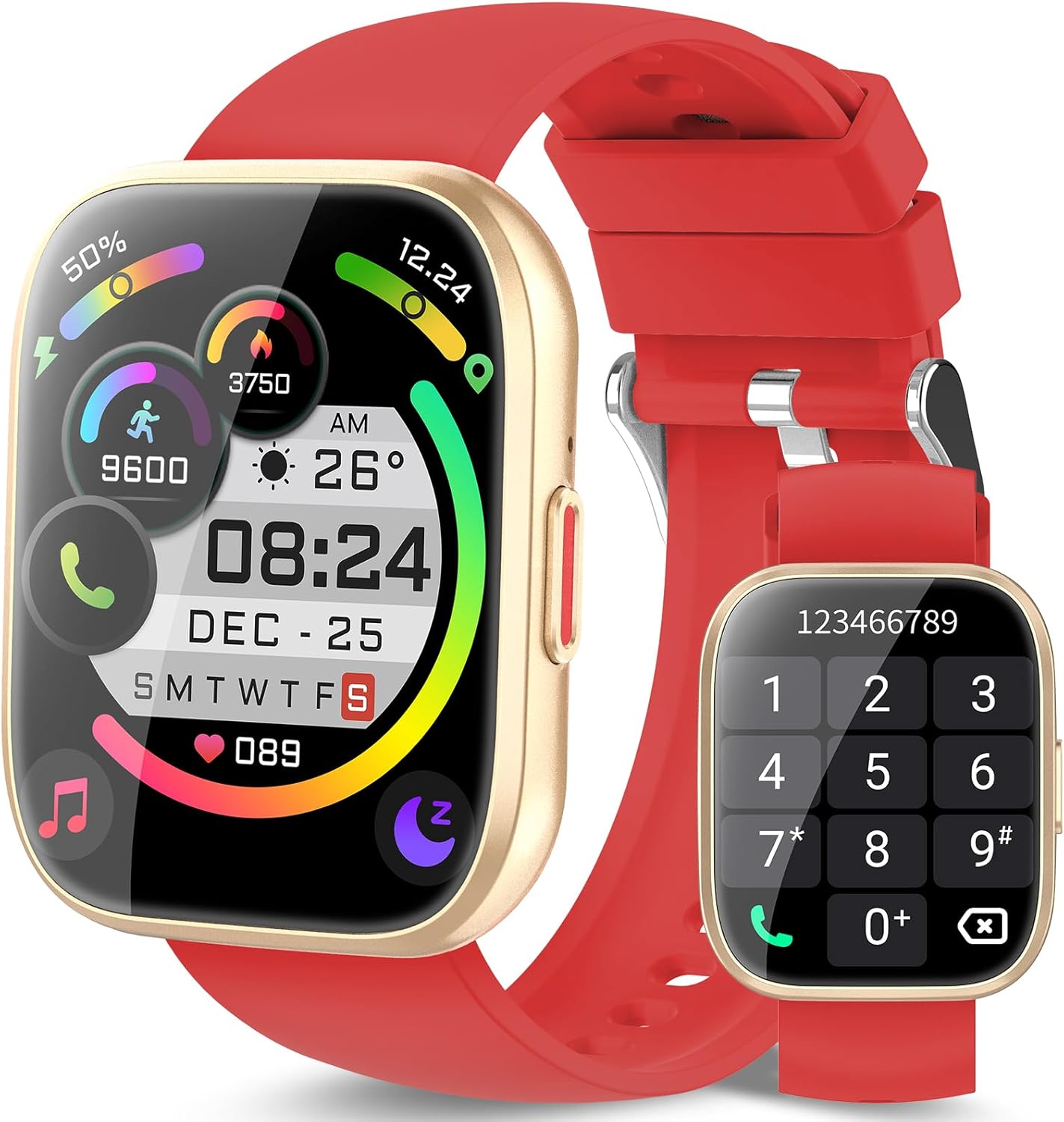
Figure 4.1: The aycy Smart Watch display and its call interface. The touch screen allows for easy interaction with various functions.
4.2 Bluetooth Call Function
Once paired with your smartphone, you can make and receive calls directly from your watch.
- Ensure Bluetooth is enabled on both your watch and phone, and they are connected.
- To make a call: Access the dial pad or contacts list on your watch.
- To receive a call: When a call comes in, the watch will display the caller ID. Tap the green icon to answer or the red icon to reject.
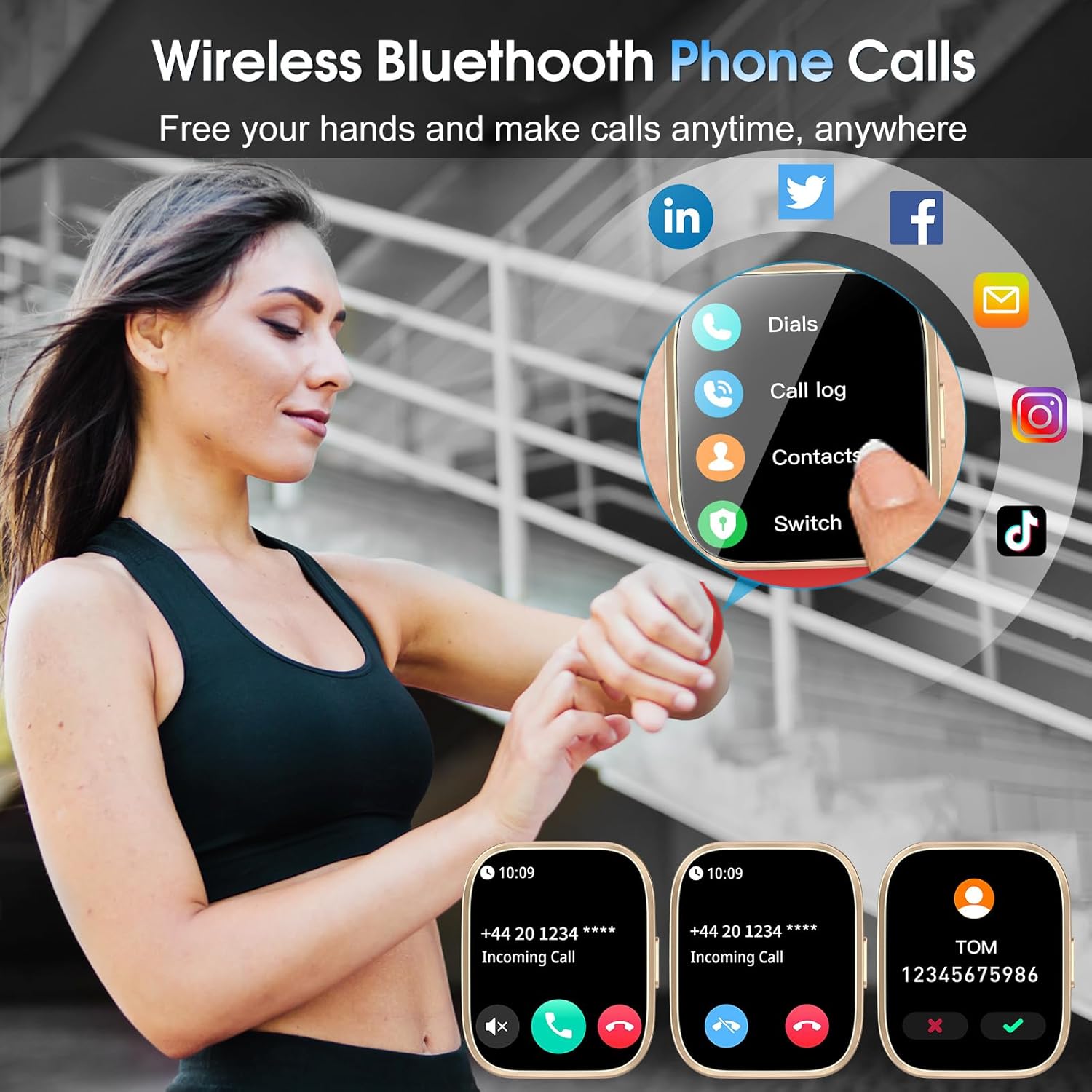
Figure 4.2: Bluetooth Call Functionality. The watch allows for hands-free communication directly from your wrist.
4.3 Sports Modes and Activity Tracking
The watch supports over 112 sports modes to accurately track your workouts and daily activity.
- Navigate to the "Sports" or "Workout" section on your watch.
- Select your desired activity (e.g., running, cycling, swimming).
- The watch will begin tracking metrics such as steps, distance, calories burned, and activity duration.
- End the workout session when complete to save your data.

Figure 4.3: Diverse Sports Modes. The watch records your sport metrics to optimize exercise results.
4.4 Health Monitoring
The aycy Smart Watch provides continuous health monitoring features.
- Heart Rate Monitor: Measures your heart rate throughout the day. Access the heart rate interface on the watch or view detailed data in the app.
- Sleep Monitor: Tracks your sleep patterns, including light sleep, deep sleep, REM, and awake times. Data is synchronized to the app for analysis.
- Blood Oxygen Monitor: Measures your blood oxygen saturation levels.

Figure 4.4: All-Day Health Monitoring. The watch tracks various health metrics to help redefine your healthy lifestyle.
5. Features Overview
- Display: 1.85" HD Touch Screen with 100+ customizable dials.
- Connectivity: Bluetooth for calls and data synchronization.
- Water Resistance: IP68 rated, suitable for swimming, rinsing, bathing, sweating, and rain. Water Resistance Depth: 1.5 Meters.
- Battery Life: Up to 7 days of typical use, 30 days standby. Fast charging in 2 hours.
- Supported Applications: Fitness Tracker, Messages, Music Player, Phone, Reminders, Sleep Monitor, Social Media, Weather.
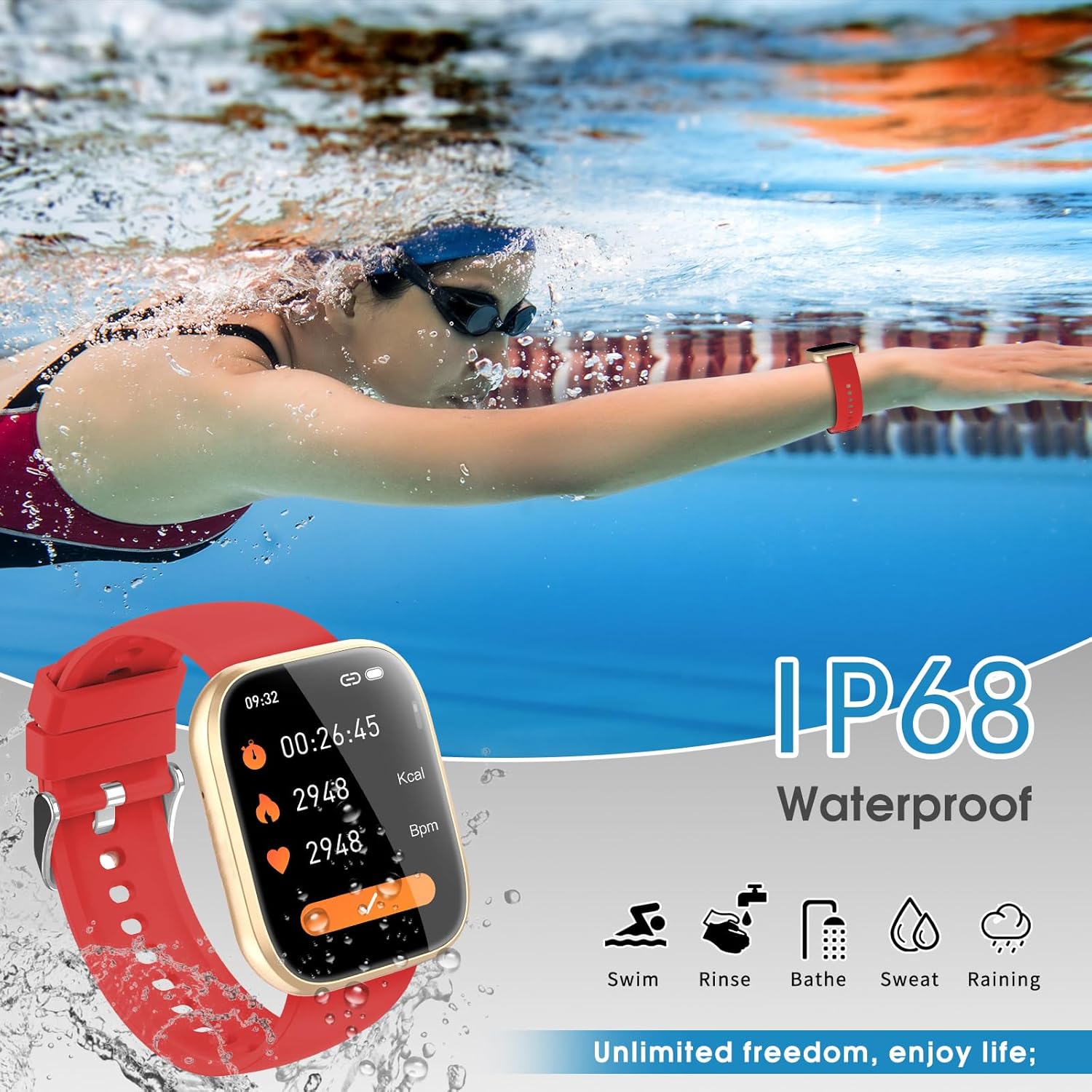
Figure 5.1: IP68 Waterproofing. The watch is designed for use in various wet conditions, offering unlimited freedom.
6. Maintenance
Proper care ensures the longevity and optimal performance of your aycy Smart Watch.
- Cleaning: Wipe the watch and band regularly with a soft, damp cloth. Avoid harsh chemicals or abrasive materials.
- Drying: After exposure to water, ensure the watch is completely dry before charging or prolonged use.
- Storage: Store the watch in a cool, dry place when not in use. Avoid extreme temperatures.
- Band Care: The silicone band can be cleaned with mild soap and water. Ensure it is dry before reattaching to the watch.
7. Troubleshooting
| Problem | Possible Cause | Solution |
|---|---|---|
| Watch does not turn on | Low battery | Charge the watch for at least 30 minutes. |
| Cannot pair with phone | Bluetooth off, watch out of range, app issue | Ensure Bluetooth is on, watch is close to phone. Restart watch and phone. Reinstall app if necessary. |
| Notifications not received | App permissions, notification settings | Check app notification permissions on your phone. Ensure notifications are enabled within the watch app. |
| Inaccurate heart rate/sleep data | Watch fit, sensor obstruction | Ensure the watch is snug but comfortable on your wrist. Clean the sensor on the back of the watch. |
8. Specifications
| Feature | Detail |
|---|---|
| Model Number | P114 |
| Screen Size | 1.85 Inches |
| Dimensions | 6.1 x 3.39 x 0.75 inches (Package) |
| Item Weight | 2.89 ounces |
| Battery Type | Lithium Polymer (1 9V battery included) |
| Charging Time | 2 Hours |
| Water Resistance | IP68, 1.5 Meters Depth |
| Band Material | Silicone |
| Human Interface Input | Touchscreen |
| Metrics Measured | Heart Rate Monitor, Sleep Duration, Blood Oxygen Monitor |
| First Available Date | May 30, 2025 |
9. Warranty and Support
aycy offers an extended warranty for this product. We are committed to providing high-quality products and excellent customer service.

Figure 9.1: Aycy's 2-Year Warranty Commitment. This warranty backs the quality of our offerings.
For any questions, concerns, or warranty claims, please contact aycy customer support through the official website or the contact information provided with your purchase. Please have your model number (P114) and purchase date ready when contacting support.
You can also visit the official aycy store on Amazon for more information and support: aycy Amazon Store