
1. Product Overview
The Ctronics 2.5K 4G Dual Lens Outdoor Security Camera offers advanced surveillance features for outdoor environments. It combines high-resolution imaging with robust connectivity and intelligent detection capabilities.
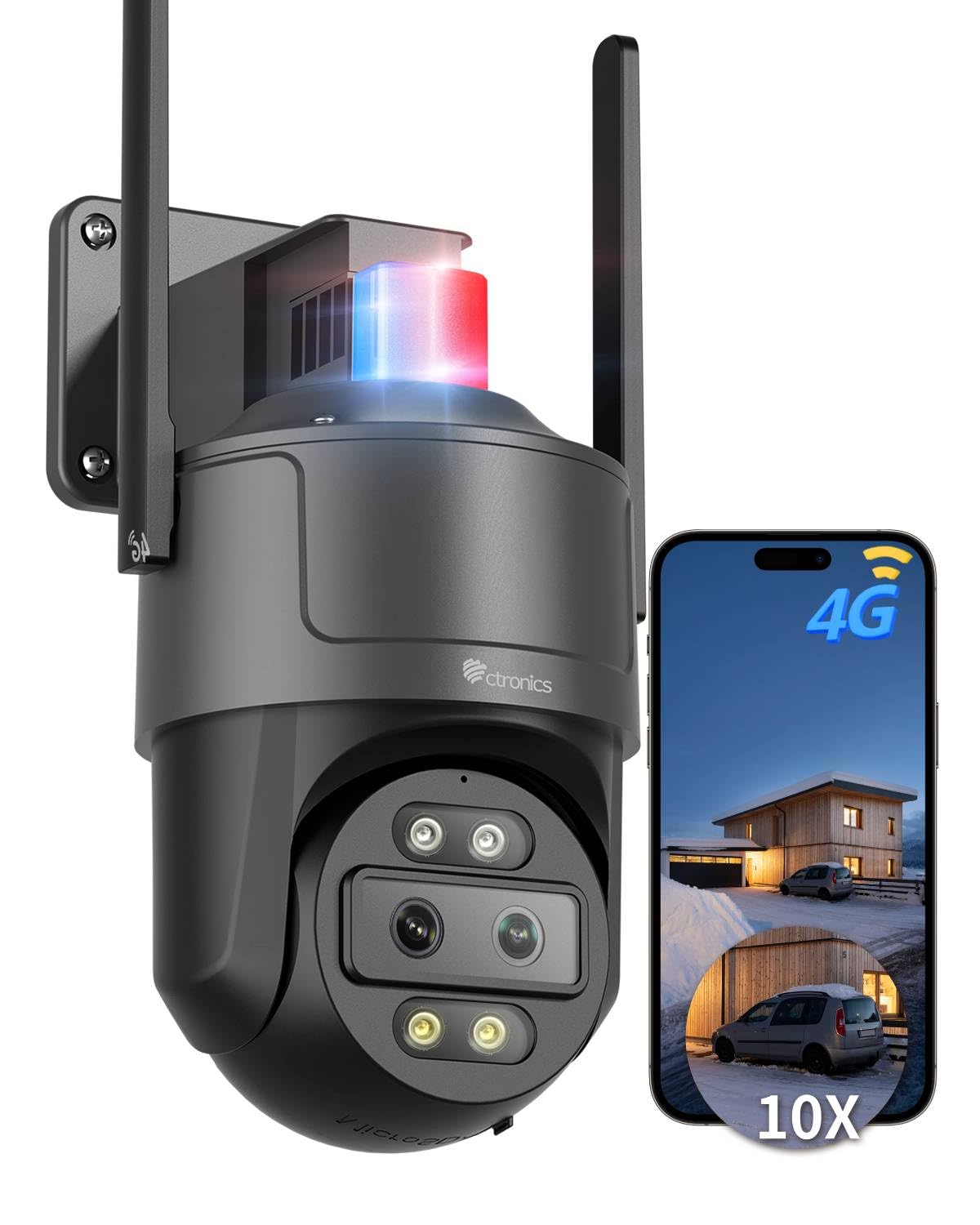
Figure 1: Ctronics 2.5K 4G Dual Lens Outdoor Security Camera
Key Features:
- 2.5K Ultra-HD Dual Camera & 10x Hybrid Zoom: Provides clear 2.5K (2560×1440) images with a wide-angle lens for broad coverage and a telephoto lens for distant details.
- Integrated 4G LTE: Ensures smoother 2.5K transmission, ideal for rural or isolated areas without Wi-Fi. Includes a pre-installed SIM card with 300MB of data.
- Intelligent Detection & Auto-Tracking: AI detects people and vehicles, automatically tracking targets with hybrid zoom for seamless transitions between close-up and distant views.
- Real-time Monitoring & Multifunction App: Access via app or PC, allowing simultaneous viewing of up to 4 cameras, group management, family sharing, and two-way audio.
- 30m Color Night Vision & Customizable Alarm: Features 4 bicolor LEDs with three modes (color, infrared, or smart). Customizable light and sound alarms, including red and blue lights.
- Flexible Storage & Easy Installation: Compatible with Cloud, FTP server, or TF card up to 128GB. Designed for wall or ceiling mounting.

Figure 2: Dual Lens Technology for Enhanced Detail
2. Setup
2.1 Unboxing
Carefully unpack all components from the box. Ensure all items listed in the packing list are present.
Video 1: This video unboxes a Ctronics 4G camera, showcasing the included components such as the camera unit, solar panel, mounting bracket, power cable, and installation accessories.
2.2 Powering On
Connect the power cable to the camera's power input port. The camera will initiate its startup sequence. Wait for the blue indicator light to blink, which signifies the 4G network configuration is in progress (this may take 1-3 minutes).
Video 2: This video demonstrates the initial setup process for a 4G camera, including powering on, waiting for the indicator light, and adding the camera via the 'GENBOLT CAM' application by scanning the QR code.
2.3 SIM Card Installation
The camera comes with a pre-installed SIM card. If you need to replace it or install your own, carefully open the SIM card slot cover, insert the SIM card as indicated, and close the cover securely.
2.4 App Installation and Connection
Download the Ctronics Pro application from your smartphone's app store (compatible with Android and iOS). Follow the in-app instructions to add your camera. This typically involves scanning a QR code located on the camera or manually entering device details.
Video 3: This video provides a detailed guide on how to pair the Ctronics camera with a smartphone and connect it to the network using the Ctronics Pro application, including steps for power connection, app setup, and device addition.
Video 4: This video illustrates the quick pairing process of the Ctronics camera with a smartphone via Bluetooth, showing the steps to connect the device to the application.
2.5 Physical Installation
The camera supports both wall and ceiling mounting. Use the provided mounting bracket and screws to securely attach the camera in your desired outdoor location. Ensure the camera has a clear line of sight to the area you wish to monitor and is within range of a power source.
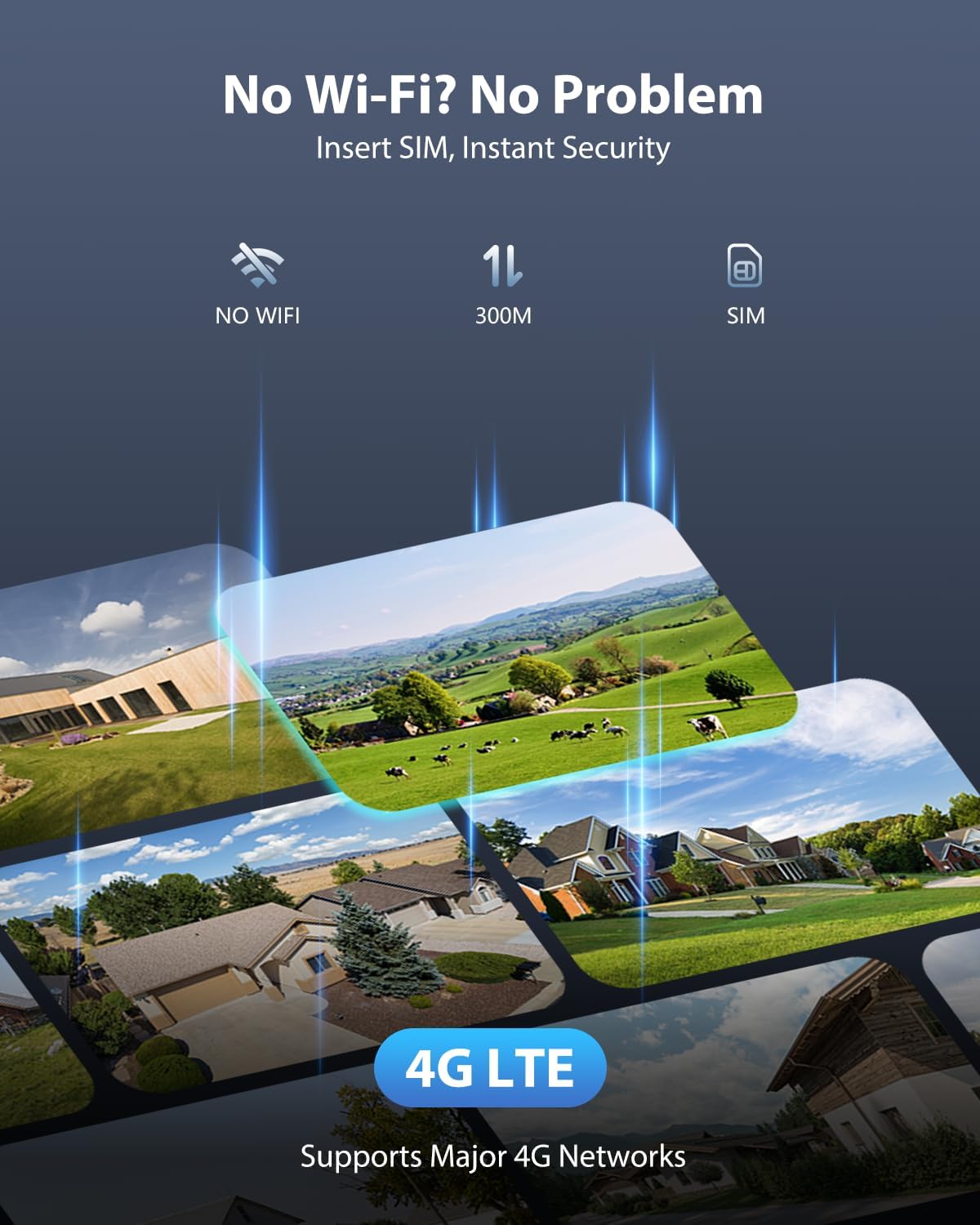
Figure 3: Wall-mounted camera with 4G LTE connectivity
3. Operating Instructions
3.1 Live View and PTZ Control
Access the live feed from your camera via the Ctronics Pro app on your smartphone or the PC client. Use the on-screen controls to pan (355°) and tilt (90°) the camera to adjust the viewing angle. You can view up to 4 cameras simultaneously.

Figure 4: Real-time monitoring on multiple devices
3.2 Zoom Functionality
The camera features a 10x hybrid zoom, combining optical and digital zoom for clear magnification. Use the zoom controls in the app to get closer details of distant objects.

Figure 5: 10X Hybrid Zoom in action
3.3 Smart Detection & Auto-Tracking
The camera utilizes AI to detect human and vehicle movement. Upon detection, it can automatically track the moving object, adjusting its pan and tilt to keep the target in view. This feature helps in focusing on relevant events.

Figure 6: AI-powered auto-tracking of people and vehicles
3.4 Night Vision & Alarms
The camera offers 30m color night vision with 4 bicolor LEDs. You can select between color, infrared (black and white), or smart mode, which automatically switches to color when motion is detected. Customizable light and sound alarms, including flashing red and blue lights, can be activated to deter intruders.

Figure 7: Color night vision and alarm lights
3.5 Two-Way Audio
The integrated microphone and speaker allow for two-way audio communication. You can listen to the camera's surroundings and speak through the camera using the app.
Video 5: This video highlights key features of the Ctronics camera, including 5X optical zoom, human/vehicle/animal detection, two-way audio, intelligent night vision with sound and light alarms, and flexible storage options.
3.6 Recording and Storage
Recordings can be stored in various ways:
- Micro SD Card: Supports up to 128GB TF card (not included).
- Cloud Storage: Optional cloud storage service available.
- FTP Server: Upload recordings to a private FTP server.
- NVR: Compatible with Network Video Recorders.

Figure 8: Multiple storage options for recordings
4. Maintenance
4.1 Cleaning
Regularly clean the camera lens and housing with a soft, damp cloth to remove dust and dirt. Do not use harsh chemicals or abrasive cleaners, as these can damage the camera's components or finish.
4.2 Firmware Updates
Periodically check for firmware updates through the Ctronics Pro app or the official Ctronics website. Keeping your camera's firmware updated ensures optimal performance, security, and access to new features.
5. Troubleshooting
5.1 No Power
- Ensure the power adapter is securely connected to both the camera and a working power outlet.
- Verify the power outlet is functional by plugging in another device.
5.2 No Network Connection (4G)
- Check if the SIM card is correctly inserted and activated.
- Ensure there is sufficient 4G signal strength in the camera's location.
- Restart the camera by disconnecting and reconnecting the power.
5.3 Poor Image Quality
- Clean the camera lens to remove any smudges or dirt.
- Ensure the camera is not pointing directly at strong light sources, which can cause glare.
- Check the resolution settings in the app; ensure it's set to 2.5K for optimal clarity.
5.4 Auto-Tracking Not Working
- Ensure the auto-tracking feature is enabled in the camera settings within the app.
- Verify that there are no obstructions blocking the camera's view of the tracking area.
- Adjust the sensitivity of motion detection if necessary.
6. Specifications
| Feature | Value |
|---|---|
| Video Capture Resolution | 2560p (2.5K) |
| Number of Products | 1 |
| Included Components | Charging Cable, Instruction Manual, Mounting Screws |
| Wireless Communication Technology | Cellular (4G) |
| Form Factor | Dome |
| Effective Video Resolution | 2560 |
| Viewing Angle | 90 Degrees |
| Installation Type | Screw-in |
| Night Vision Range | 30 Meters |
| Frame Rate | 15 frames per second |
| Material | Acrylonitrile Butadiene Styrene (ABS) |
| Voltage | 12 Volts |
| Wattage | 12 Watts |
| Product Dimensions (L x W x H) | 14 x 14 x 7 centimeters |
| Manufacturer Product ID | 950C-4MPD-EU4G |
| Product Weight | 1.01 kg |
| Batteries Required | No (Non-standard battery type needed if applicable) |
| Recommended Uses | Outdoor Security |
| Connectivity Technology | Wired (Ethernet) |
| Special Features | Image Sensor, PTZ Technology, Night Vision |
| Indoor/Outdoor Use | Outdoor |
| Compatible Devices | Desktop Computer, Laptop, Smartphone |
| Power Source | Electric Cable |
| Mounting Type | Ceiling Mount |
7. Warranty & Support
7.1 Warranty Information
For detailed warranty information, please refer to the warranty card included in your product packaging or visit the official Ctronics website. Keep your purchase receipt as proof of purchase for warranty claims.
7.2 Customer Support
If you encounter any issues or have questions regarding your Ctronics camera, please contact Ctronics customer support through their official website or the contact information provided in your product documentation. Support resources often include FAQs, troubleshooting guides, and direct contact options.