
SUNSMAI B66C
SUNSMAI 5-in-1 Combo Cordless Wet Dry Vacuum Cleaner User Manual
Model: B66C
Introduction
The SUNSMAI 5-in-1 Combo Cordless Wet Dry Vacuum Cleaner (Model B66C) is a versatile and efficient cleaning solution designed for whole-house cleaning. This multi-function device combines the power of a vacuum and a mop, offering convenience and thoroughness for various floor types and cleaning tasks.
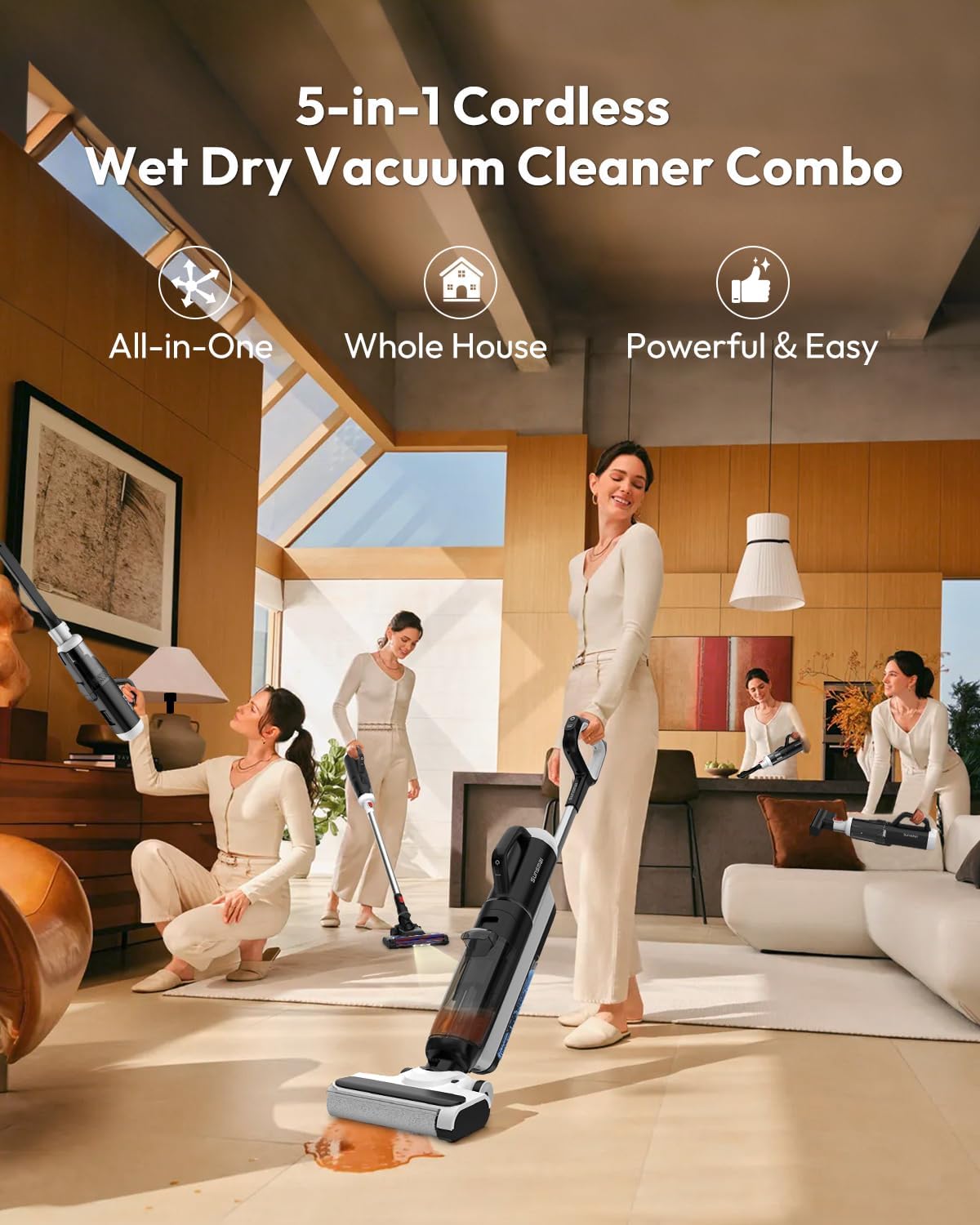
The SUNSMAI B66C is an all-in-one cleaning solution, powerful and easy to use for your entire home.
Key features include up to 55 minutes of cordless cleaning, a lightweight and quiet design (8.2 lbs, 75dB), and compatibility with all floor types including hardwood, tile, marble, laminate, and vinyl. It provides streak-free cleaning and features 0.2-inch edge cleaning for precise results. The self-propelled function reduces effort, and the unit offers convenient self-cleaning and compact storage.
What's Included
Please ensure all components are present in the packaging before beginning assembly or operation.
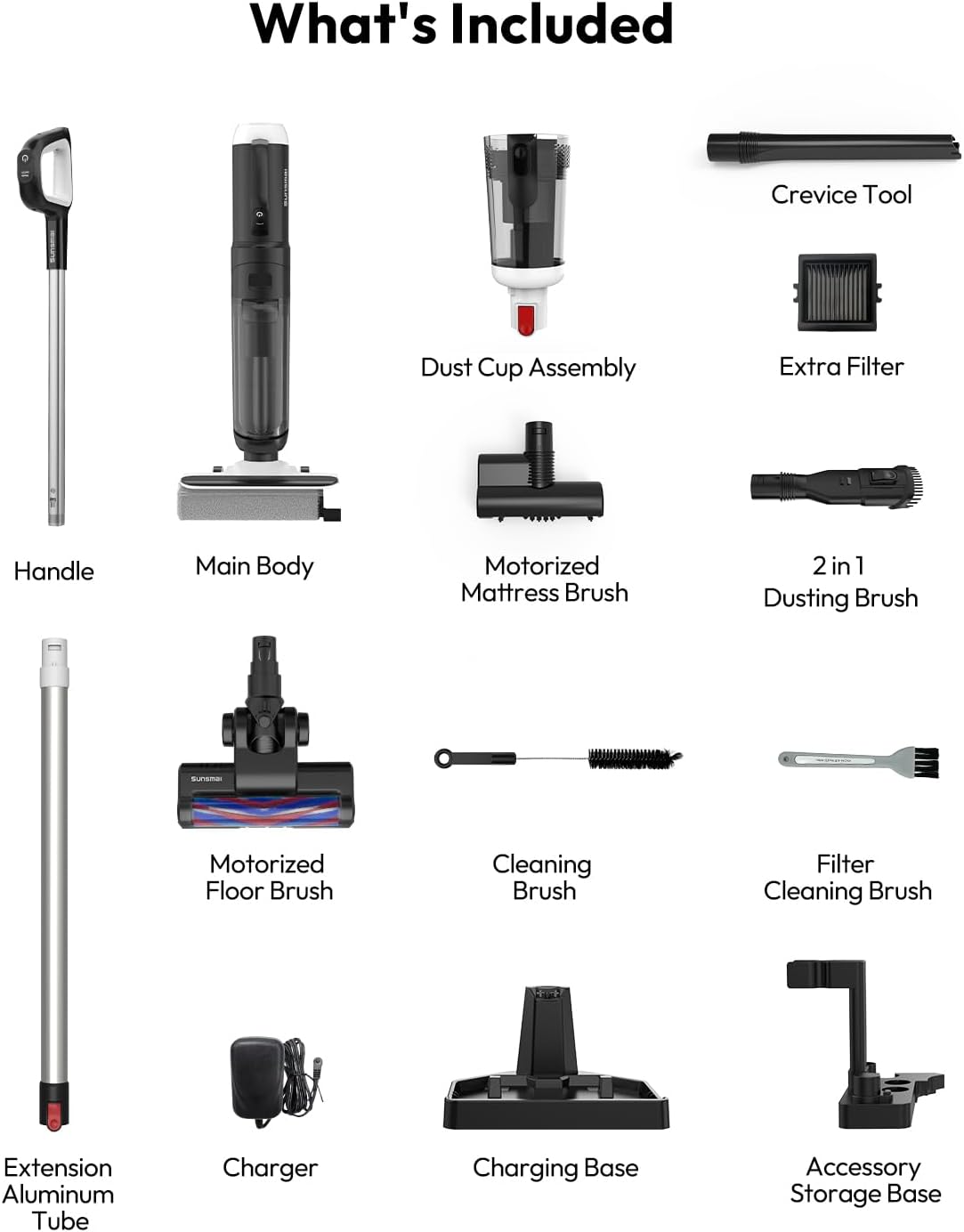
All parts included with your SUNSMAI B66C vacuum cleaner.
- Main Body
- Handle
- Extension Aluminum Tube
- Dust Cup Assembly
- Motorized Mattress Brush
- Extra Filter
- Charger
- Charging Base
- Accessory Storage Base
- Motorized Floor Brush
- 2 in 1 Dusting Brush
- Crevice Tool
- Cleaning Brush
- Filter Cleaning Brush
Setup
- Unpacking: Carefully remove all components from the packaging. Retain packaging for future storage or transport.
- Assembly:
- Attach the Handle to the Extension Aluminum Tube.
- Connect the Extension Aluminum Tube to the Main Body.
- Attach the Motorized Floor Brush to the Main Body for floor cleaning.
- Ensure the Dust Cup Assembly is securely attached to the Main Body.
- Initial Charge: Place the assembled unit on the Charging Base. Connect the Charger to the Charging Base and a power outlet. Allow the unit to fully charge before first use. The display will indicate charging status.
- Accessory Storage: Utilize the Accessory Storage Base to neatly organize all included attachments.
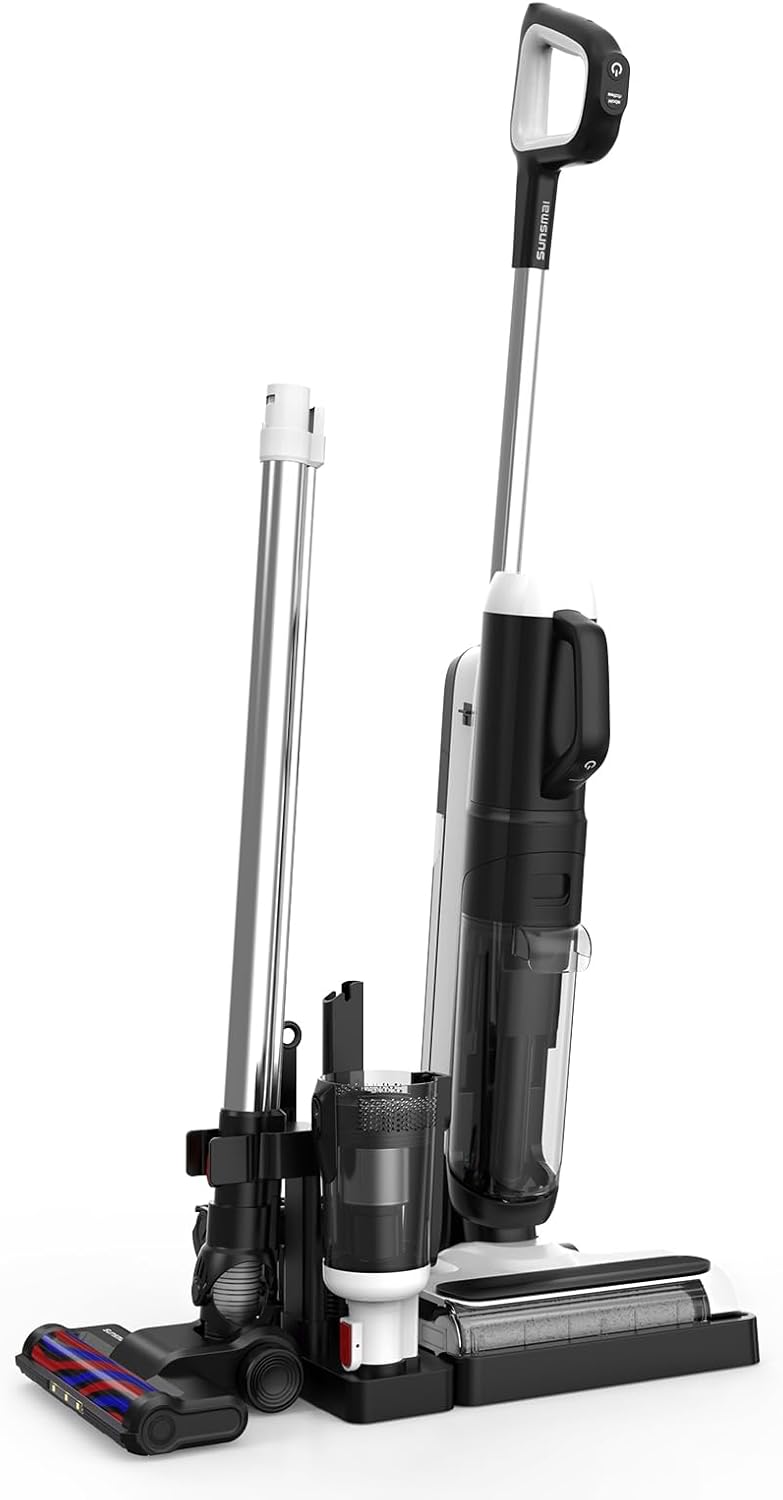
The compact charging base provides organized storage for all accessories.
Operating Instructions
General Operation
- The vacuum cleaner is designed for both wet and dry messes.
- It is safe for all floor types: hardwood, tile, marble, laminate, and vinyl floors.
- The self-propelled wheels assist in effortless gliding across surfaces.
- The unit operates quietly at approximately 75dB.
Using Attachments
The 5-in-1 design allows for quick detachment of the motor unit and attachment of various accessories for specialized cleaning.

One motor, all attachments: easily switch between configurations for floors and furniture.
- Motorized Floor Brush: Ideal for general floor cleaning, both wet and dry. Features LED lights to illuminate hidden dust.
- Motorized Mattress Brush: Designed for tackling fabric furniture and pet hair on sofas, cushions, and mattresses.
- 2-in-1 Dusting Brush: Use for cleaning delicate and narrow spaces, such as curtains, keyboards, or dusty corners.
- Crevice Tool: Perfect for targeting dirt in hard-to-reach areas like sofa gaps, ceiling edges, or car seats.
Edge Cleaning
The roller brush is specifically designed to clean within 0.2 inches from walls and baseboards, ensuring no missed spots.

Achieve precise edge cleaning with less than 0.2 inches of clearance.
Power Modes and Runtime
The vacuum offers two power modes to suit your cleaning needs and extend runtime.

Choose between Eco and Max modes for optimized cleaning and battery life.
- Eco Mode: Provides longer runtime (up to 45 mins for floor washer, 55 mins for vacuum) for lighter cleaning tasks.
- Max Mode: Offers increased suction power for tougher messes, with a shorter runtime (up to 25 mins for floor washer, 27 mins for vacuum).
Maintenance
Self-Cleaning Function
The self-cleaning cycle simplifies maintenance and keeps your unit fresh.

Activate the self-cleaning cycle with a simple button press on the charging base.
- Ensure the unit is placed securely on its Charging Base.
- Verify there is sufficient clean water in the clean water tank.
- Press and hold the designated button (usually on the handle or main body) for 3 seconds to activate the self-cleaning cycle.
- After the cycle completes, air dry the roller brush to prevent odors.
Emptying and Cleaning Tanks
Regularly empty and clean the dirty water tank and dust cup to maintain optimal performance.
- Detach the dirty water tank from the main unit.
- Carefully empty the contents into a drain.
- Rinse the dirty water tank thoroughly with clean water.
- For the dust cup, detach it and empty collected debris. Clean the filter as needed using the provided Filter Cleaning Brush.
- Allow all components to air dry completely before reassembling.
Troubleshooting
| Problem | Possible Cause | Solution |
|---|---|---|
| Unit not turning on | Battery low or not charged; unit not properly assembled. | Ensure battery is fully charged. Check all connections and assembly points. |
| Reduced suction power | Dust cup full; filter clogged; brush roll obstructed. | Empty dust cup. Clean or replace filter. Remove any obstructions from the brush roll. |
| Streaks or wet spots after mopping | Dirty roller brush; dirty water tank full; insufficient clean water. | Run self-cleaning cycle or manually clean roller brush. Empty dirty water tank. Refill clean water tank. |
| Unit making unusual noise | Obstruction in brush roll or air path; component loose. | Check for and remove obstructions. Ensure all parts are securely fastened. |
If problems persist, please contact customer support.
Specifications
- Brand: SUNSMAI
- Model Name: B66C
- Special Features: Cordless, Lightweight, Low Noise, Self-Propelled, Wet/Dry
- Filter Type: HEPA Filter
- Is Cordless?: Yes
- Capacity: 520 Milliliters (Clean Water Tank)
- Runtime: Up to 55 minutes (Vacuum Mode, Eco); Up to 45 minutes (Floor Washer Mode, Eco)
- Form Factor: Stick
- Color: Black & White
- Product Dimensions: 11.02"L x 9.96"W x 45.26"H
- Item Weight: 8.25 pounds
- Noise Level: Approximately 75dB
- Batteries: 1 Nonstandard Battery (included)
Warranty and Support
SUNSMAI is committed to providing high-quality cleaning solutions and excellent customer service.
- Warranty Service: This product comes with a 1-Year Warranty Service. Please retain your proof of purchase.
- Customer Support: For any inquiries, technical assistance, or warranty claims, our customer support team is available 24/7.
- Quick Response: Expect a response to your queries within 12 hours.


SUNSMAI is always here to help with quick responses, 24/7 support, and a 1-year warranty.
For more information or to contact support, please visit the official SUNSMAI store on Amazon: SUNSMAI Store.
Ask a question about this manual
Ask about setup, troubleshooting, compatibility, parts, safety, or missing instructions. Manuals+ will review the question and use this page’s manual context to help answer it.