
1. Introduction
Thank you for choosing the eppfun Bluetooth 5.3 Wireless Monaural Headset, model LS-00 ONE. This headset is designed for clear communication and audio playback, featuring Bluetooth 5.3 connectivity and call noise reduction. This manual provides detailed instructions for setup, operation, maintenance, and troubleshooting to ensure optimal performance and user experience.
2. Package Contents
Please check the package for the following items:
- eppfun Bluetooth 5.3 Wireless Monaural Headset (LS-00 ONE)
- USB Charging Cable
- User Manual
- Replacement Eartips (S, M, L sizes)
3. Setup
3.1 Charging the Headset
Before first use, fully charge the headset. Connect the provided USB charging cable to the headset's charging port and a compatible USB power source. The LED indicator on the headset will show charging status. A full charge takes approximately 2 hours. Once fully charged, the headset provides about 8 hours of talk time and 10 hours of continuous music playback.
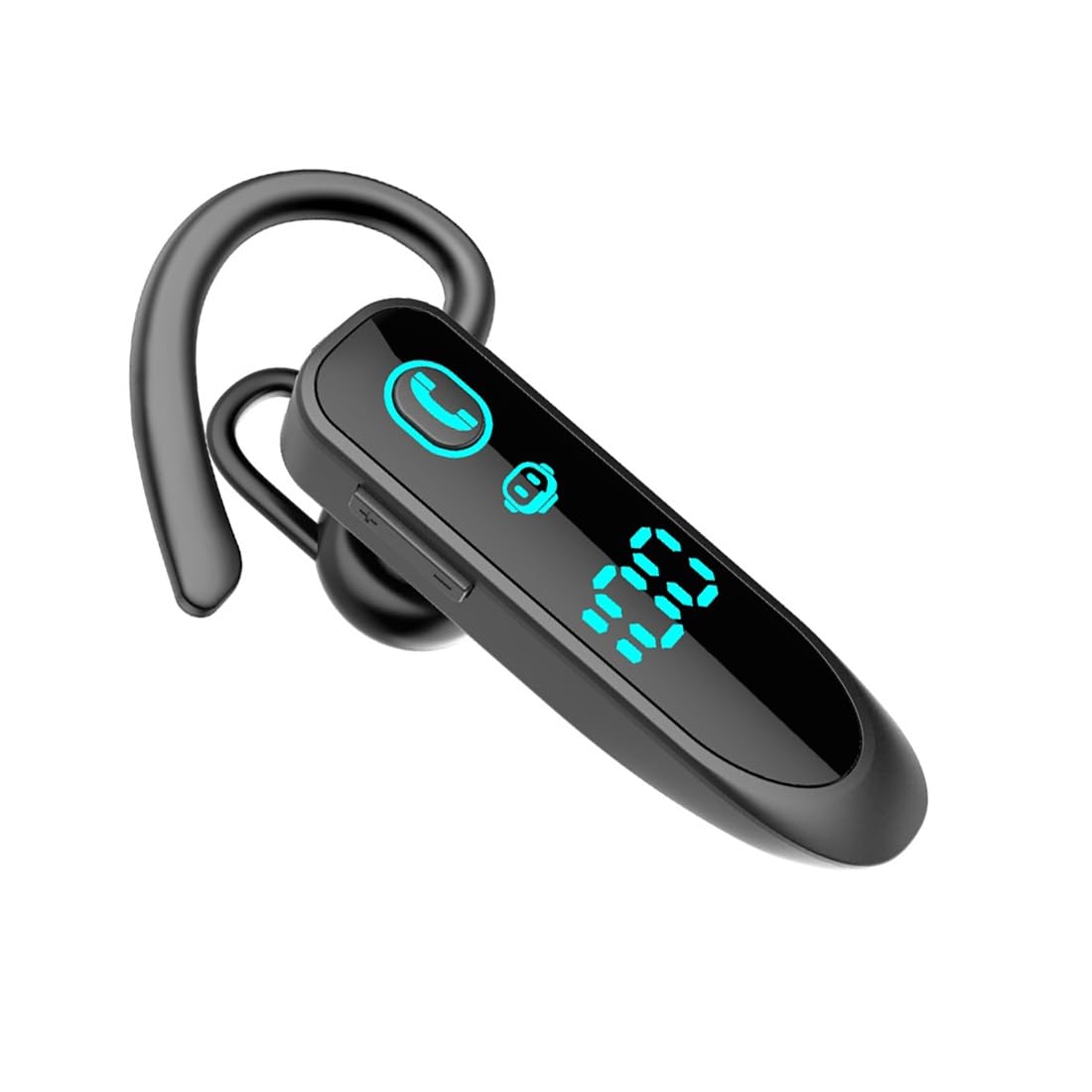
Image: The eppfun LS-00 ONE headset with its digital LED display indicating battery level.
3.2 Wearing the Headset
The headset features an ergonomic design for comfortable wear on either the left or right ear. Select the appropriate eartip size (S, M, or L) for a secure and comfortable fit. The correct fit helps optimize audio quality and noise reduction.
3.3 Pairing with a Bluetooth Device
- Ensure the headset is charged and powered off.
- Press and hold the Multi-function Button on the headset until the LED indicator flashes blue and red alternately, indicating pairing mode.
- On your device (smartphone, tablet, laptop), enable Bluetooth and search for available devices.
- Select "LS-00 ONE" from the list of found devices.
- Once connected, the LED indicator on the headset will flash blue slowly. A voice prompt will confirm the connection.
The headset supports stable Bluetooth 5.3 connectivity with a transmission distance of up to 10 meters (33 feet) without obstacles. It can also connect to two devices simultaneously, allowing for seamless switching between them.

Image: The headset demonstrating simultaneous dual device connection with two smartphones.

Image: The headset highlighting wide compatibility with Bluetooth V5.3 devices including smartphones, tablets, and laptops.
4. Operating Instructions
The headset features a multi-function button and volume controls for easy operation.
4.1 Power On/Off
- Power On: Press and hold the Multi-function Button for approximately 3 seconds until the LED flashes blue and a voice prompt says "Power On".
- Power Off: Press and hold the Multi-function Button for approximately 5 seconds until the LED flashes red and a voice prompt says "Power Off".
4.2 Music Playback
- Play/Pause: Short press the Multi-function Button.
- Next Track: Double press the Multi-function Button.
- Previous Track: Triple press the Multi-function Button.
4.3 Call Management
- Answer/End Call: Short press the Multi-function Button during an incoming call or an active call.
- Reject Call: Press and hold the Multi-function Button for 2 seconds during an incoming call.
- Redial Last Number: Double press the Multi-function Button when no call is active.
4.4 Volume Control
- Volume Up: Short press the Volume Up (+) button.
- Volume Down: Short press the Volume Down (-) button.
4.5 Call Noise Reduction
The headset is equipped with a unidirectional microphone and a noise reduction function. This technology accurately captures your voice and blocks ambient noise, ensuring clearer calls even in noisy environments.
5. Maintenance
To ensure the longevity and optimal performance of your eppfun headset, follow these maintenance guidelines:
- Cleaning: Gently wipe the headset with a soft, dry cloth. Avoid using harsh chemicals or abrasive materials.
- Storage: Store the headset in a cool, dry place away from direct sunlight and extreme temperatures.
- Battery Care: Avoid fully discharging the battery frequently. Charge the headset regularly, even if not in use for extended periods, to maintain battery health.
- Water Exposure: The headset is not waterproof. Avoid exposure to water or excessive moisture.
6. Troubleshooting
If you encounter issues with your headset, refer to the following common solutions:
- Headset does not power on: Ensure the headset is fully charged.
- Cannot pair with device:
- Ensure the headset is in pairing mode (LED flashing blue and red).
- Make sure Bluetooth is enabled on your device.
- Move the headset closer to your device (within 10 meters).
- Turn off and on both the headset and your device's Bluetooth.
- No sound or poor audio quality:
- Check the volume levels on both the headset and your connected device.
- Ensure the headset is properly paired and connected.
- Try re-pairing the headset with your device.
- Ensure there are no obstructions between the headset and your device.
- Charging issue:
- Verify the charging cable is securely connected to both the headset and the power source.
- Try using a different USB port or power adapter.
7. Specifications
| Feature | Detail |
|---|---|
| Model Number | LS-00 ONE |
| Brand | eppfun |
| Connectivity Technology | Wireless (Bluetooth 5.3) |
| Wireless Communication Technology | Bluetooth |
| Compatible Devices | Bluetooth-compatible devices (Smartphones, Tablets, Laptops) |
| Ear Placement | Over-Ear (Monaural) |
| Form Factor | True Wireless |
| Special Features | Call Noise Reduction, Easy to Use |
| Material | Acrylonitrile Butadiene Styrene (ABS), Metal |
| Color | Black |
| Charging Time | Approximately 2 hours |
| Talk Time | Approximately 8 hours |
| Music Playback Time | Approximately 10 hours |
| Battery Composition | Lithium-ion |
| Rechargeable Battery | Yes |
| Included Components | User Manual |
| Manufacturer | eppfun |
| Country of Origin | China |
8. Warranty Information
The eppfun Bluetooth 5.3 Wireless Monaural Headset (LS-00 ONE) comes with a 1-year manufacturer's warranty from the date of purchase. This warranty covers manufacturing defects and workmanship under normal use. It does not cover damage caused by misuse, accidents, unauthorized modifications, or normal wear and tear. Please retain your proof of purchase for warranty claims.
9. Support
For further assistance, technical support, or warranty inquiries, please contact eppfun customer service through the retailer where the product was purchased or refer to the official eppfun website for contact information.