
Introduction
Thank you for choosing the Oraolo OE02 Wireless Earbuds. This manual provides detailed instructions on how to set up, operate, and maintain your earbuds to ensure optimal performance and longevity. Please read this manual thoroughly before use.
Package Contents
- Oraolo OE02 Wireless Earbuds (Left and Right)
- Charging Case
- USB-C Charging Cable
- User Manual
Product Overview
Familiarize yourself with the components and design of your Oraolo OE02 Wireless Earbuds.
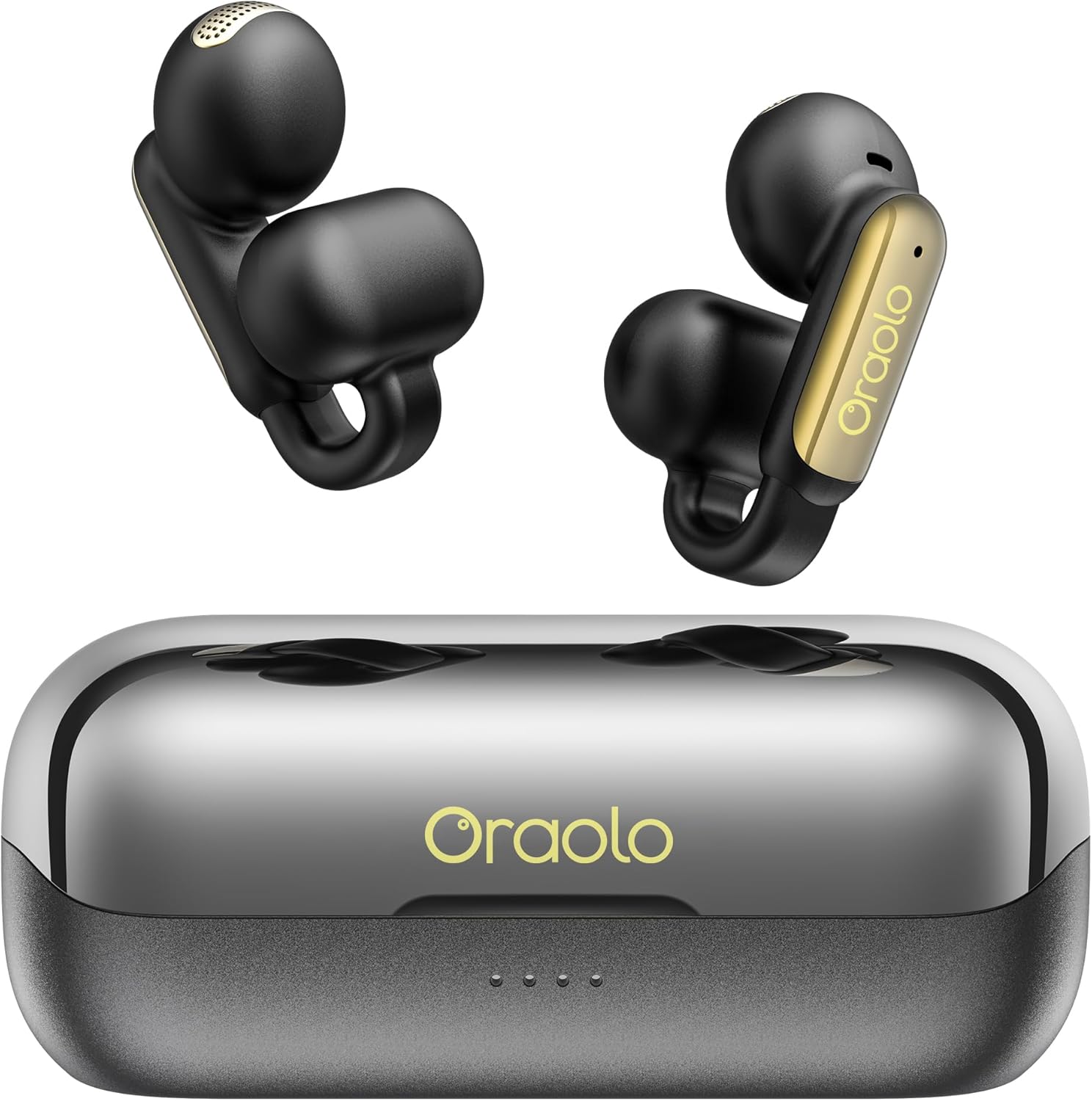
Image: The Oraolo OE02 Wireless Earbuds, black with gold accents, resting in their open charging case. The case is also black with a metallic silver lid.

Image: An exploded view diagram of an Oraolo OE02 earbud, showing its internal components including the 13mm speaker dynamic audio driver and acoustic cavity structure, which contribute to the upgraded Hi-Fi sound quality.
Setup
1. Charging the Earbuds and Case
Before first use, fully charge the earbuds and charging case. Connect the USB-C charging cable to the charging port on the case and a power source. The indicator lights on the case will show the charging status.
- Earbuds Charging Time: Approximately 1 hour for a full charge.
- Earbud Playtime: Up to 8 hours on a single charge.
- Total Playtime: Up to 32 hours with the charging case.

Image: An illustration showing the Oraolo OE02 earbuds and charging case, highlighting the 32 hours of total playtime, with 8 hours from the earbuds and additional charges from the case.
2. Bluetooth Pairing
- Open the charging case. The earbuds will automatically enter pairing mode.
- On your device (smartphone, tablet, etc.), enable Bluetooth.
- Search for "Oraolo OE02" in the list of available Bluetooth devices.
- Select "Oraolo OE02" to connect. Once connected, you will hear a confirmation tone.
The Oraolo OE02 uses Bluetooth 6.0 for stable and low-latency connections, enhancing your audio experience.

Image: A close-up of an Oraolo OE02 earbud, illustrating the internal chip and highlighting "Bluetooth 6.0" with a comparison showing a 98% increase in transmission rate over Bluetooth 5.0.
Operating Instructions
1. How to Wear
The Oraolo OE02 earbuds feature an open-ear, clip-on design for comfort and security.
- Place the small part of the earbud into your ear canal.
- Clip the larger part of the earbud onto your outer ear, ensuring it sits securely.
- Adjust the earbud for a comfortable and stable fit.

Image: A three-step diagram demonstrating how to properly wear the Oraolo OE02 earbuds: 1) Put the small part in the ears, the big part behind the ears. 2) Clip the earbud onto your ears. 3) Adjust to a comfortable position.

Image: A visual comparison highlighting the comfortable wearing design of the Oraolo OE02 earbuds (left) versus traditional earbuds that can cause ear pain or discomfort (right). The OE02 design emphasizes high elasticity for suitability across various ear shapes.
2. Touch Controls
The Oraolo OE02 earbuds feature intuitive touch controls on each earbud. The functions are as follows:
- Answer/End Call: Tap L/R earbud once.
- Play/Pause: Tap L/R earbud twice.
- Decline Phone Call: Press and hold L/R earbud for 2 seconds.
- Previous Song: Tap L earbud three times.
- Next Song: Tap R earbud three times.
- Increase Volume: Tap R earbud once.
- Reduce Volume: Tap L earbud once.
- Voice Assistant: Press and hold L/R earbud for 2 seconds.

Image: A visual guide detailing the touch control functions for the Oraolo OE02 earbuds, showing icons for answering/ending calls, play/pause, declining calls, previous/next song, volume adjustment, and voice assistant activation.
3. Call Functions with ENC
The earbuds are equipped with Environmental Noise Cancellation (ENC) technology to enhance call clarity by reducing background noise.
- Answering Calls: Tap either earbud once.
- Ending Calls: Tap either earbud once.
- Declining Calls: Press and hold either earbud for 2 seconds.

Image: A woman wearing the Oraolo OE02 earbuds, with text indicating "ENC Call Noise Reduction" and "Clear calls with intelligent noise reduction technology," alongside a graphic representing sound wave reduction.
Maintenance
- Cleaning: Use a soft, dry cloth to clean the earbuds and charging case. Do not use harsh chemicals or abrasive materials.
- Water Resistance: The earbuds are IPX5 waterproof, meaning they are resistant to sweat and light splashes of water. Do not submerge them in water or expose them to heavy rain.
- Storage: Store the earbuds in their charging case when not in use to protect them and keep them charged. Avoid extreme temperatures.

Image: A man wearing Oraolo OE02 earbuds during a workout, with text indicating "IPX5 Waterproof, Silicone Material" and "Effectively blocks sweat and light rain from flowing into the earphones."
Troubleshooting
| Problem | Solution |
|---|---|
| Earbuds not pairing | Ensure earbuds are charged. Turn off and on Bluetooth on your device. Forget "Oraolo OE02" from your device's Bluetooth list and re-pair. |
| No sound from one earbud | Place both earbuds back in the charging case, close the lid, then open again to reset. Check device's audio balance settings. |
| Charging case not charging | Verify the USB-C cable is properly connected to both the case and the power source. Try a different cable or power adapter. |
| Touch controls unresponsive | Ensure your fingers are clean and dry. Try resetting the earbuds by placing them in the case and closing the lid. |
Specifications
| Feature | Detail |
|---|---|
| Model Number | OE02 |
| Bluetooth Version | 6.0 |
| Sound Quality | Pure Hi-Fi Sound, 13mm PVK composite sound film |
| Noise Cancellation | Environmental Noise Cancellation (ENC) for calls |
| Waterproof Rating | IPX5 |
| Total Playtime | Up to 32 hours (with charging case) |
| Earbud Playtime | Up to 8 hours (single charge) |
| Charging Port | USB-C |
| Item Weight | 5.3 ounces |
| Product Dimensions | 11.9 x 6.3 x 6.6 inches |
Warranty and Support
Oraolo products come with a standard manufacturer's warranty. For detailed warranty information, product support, or technical assistance, please refer to the warranty card included in your package or visit the official Oraolo website. You may also contact Oraolo customer service directly for further assistance.
Manufacturer: oraolo