
Introduction
The Takara Tomy Pokemon Smartphone Rotom Shake is an interactive handheld device designed for discovering and interacting with Pokémon. This manual provides essential information for setting up, operating, and maintaining your device to ensure optimal performance and enjoyment.

Image: The Pokemon Smartphone Rotom Shake, held in a hand, displaying its interactive screen. A Japan Toy Award 2025 badge is visible in the top right corner.
Setup
Battery Installation
The Smartphone Rotom Shake requires 4 AA alkaline batteries (sold separately). To install the batteries:
- Locate the battery compartment on the back of the device.
- Using a small Phillips head screwdriver, unscrew the battery case lid. This screw is designed to prevent accidental ingestion.
- Insert 4 new AA alkaline batteries, ensuring correct polarity (+/-).
- Replace the battery case lid and secure it with the screw.
Important: Always use alkaline batteries. Do not mix old and new batteries, or different types of batteries.
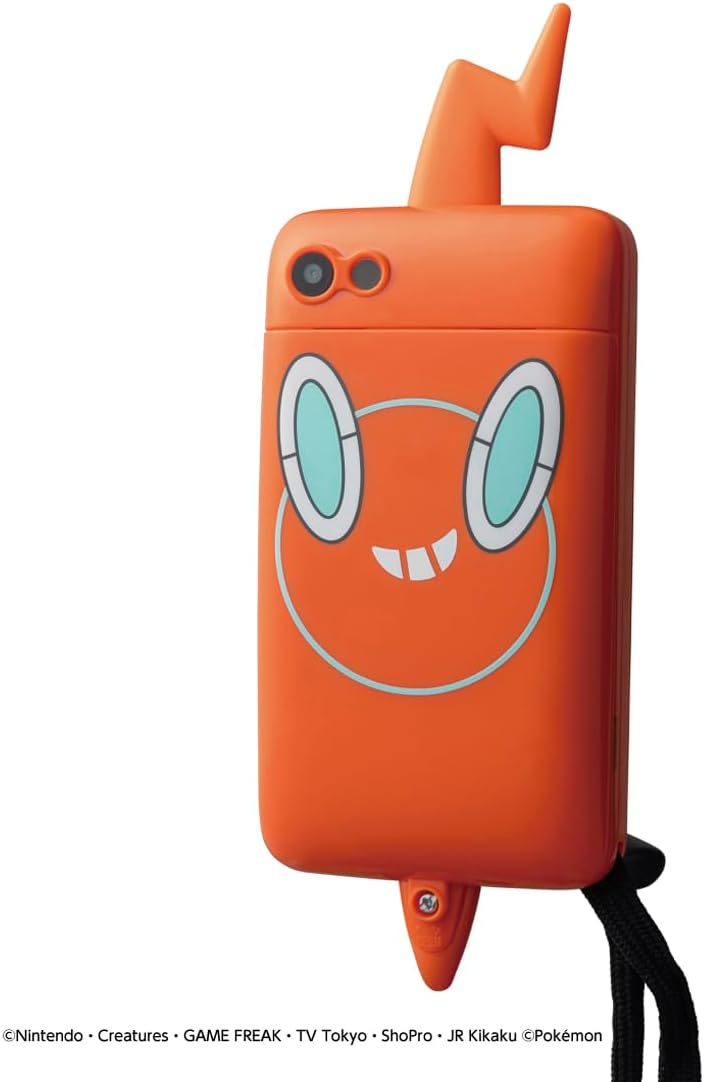
Image: A detailed view of the back of the Rotom Shake device, highlighting the camera and the area where the battery compartment is located.
Operating Instructions
The Smartphone Rotom Shake offers various interactive functions to discover and engage with Pokémon.
Pokémon Adventures
Follow these steps to embark on a Pokémon Adventure:
- Hold and Observe: Hold your Smartphone Rotom and look around your surroundings. The device may display Pokémon silhouettes.
- Capture an Area: Use the device's camera function to take a photo of an area you find interesting.
- Shake to Mix: Shake your Smartphone Rotom to mix the captured photo. This action transforms the screen into a virtual field.
- Discover Pokémon: Look around 360 degrees on the screen to find hidden Pokémon.
- Photograph and Register: Once a Pokémon is discovered, take its photo with the camera to register it in your image book (My Zukan).

Image: A visual guide illustrating the process of finding Pokémon: taking a photo, shaking the device, transforming the screen into a field, discovering Pokémon, and registering them.
Other Functions
The Smartphone Rotom Shake includes over 30 additional functions for extended gameplay and interaction:
- My Zukan: Create your own illustrated Pokémon encyclopedia.
- Pokémon Battle+: Engage in Mega Evolution battles.
- Pokémon Room: Interact and play with your favorite Pokémon.
- Camera Function: Take pictures and edit them with decorations.
- PokéComa Video: Create short animations using your captured photos.
- Pokémon Collection: Discover and collect over 900 Pokémon from various regions, including Mega Evolution Pokémon and the Six Heroes.
- Authentic Voices: Hear authentic Pokémon information voiced as in the TV animation.
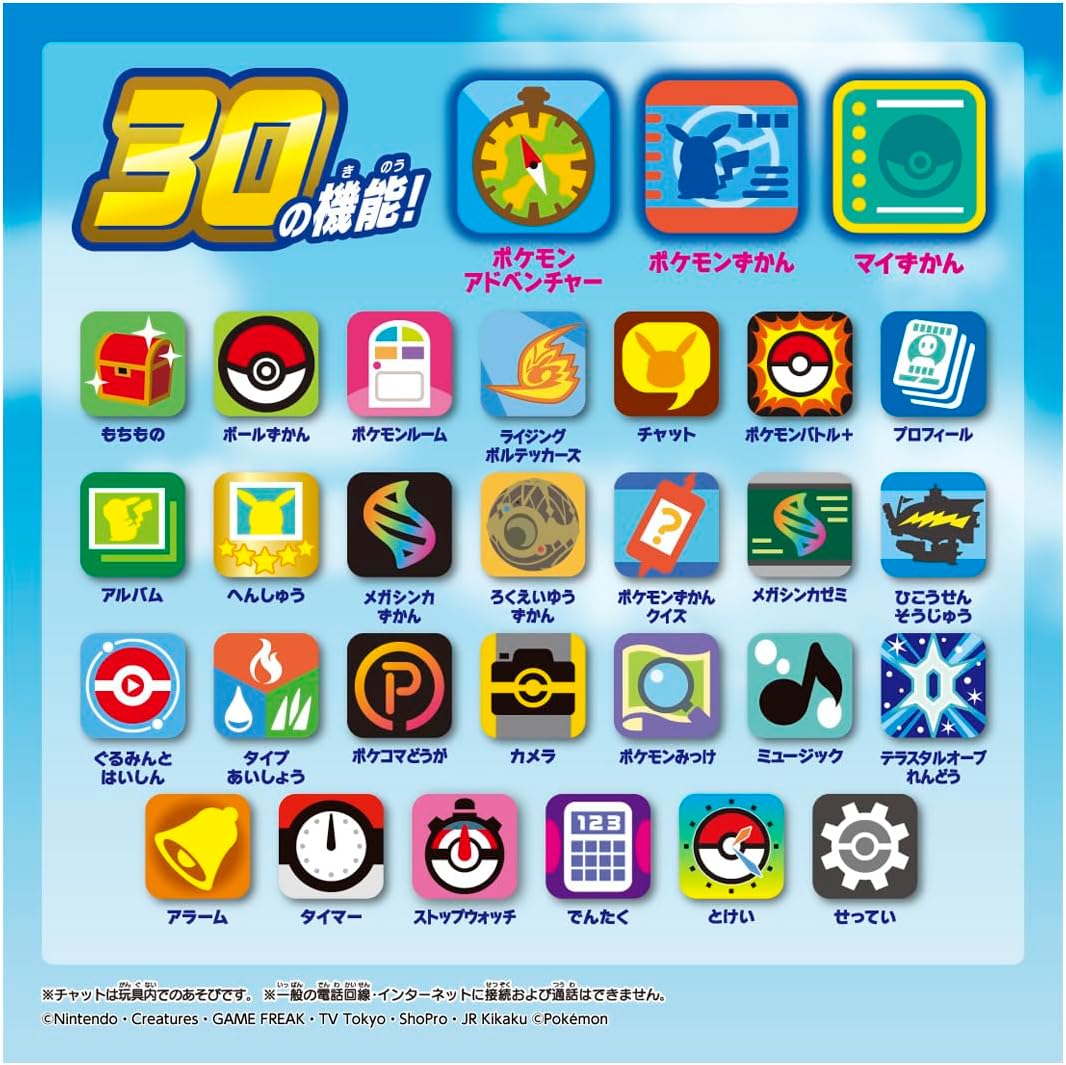
Image: An overview of the 30 available functions on the device, shown as a grid of icons.

Image: A child using the "My Zukan" feature, which allows users to create their own Pokémon encyclopedia with registered Pokémon, including details like location and time of discovery.
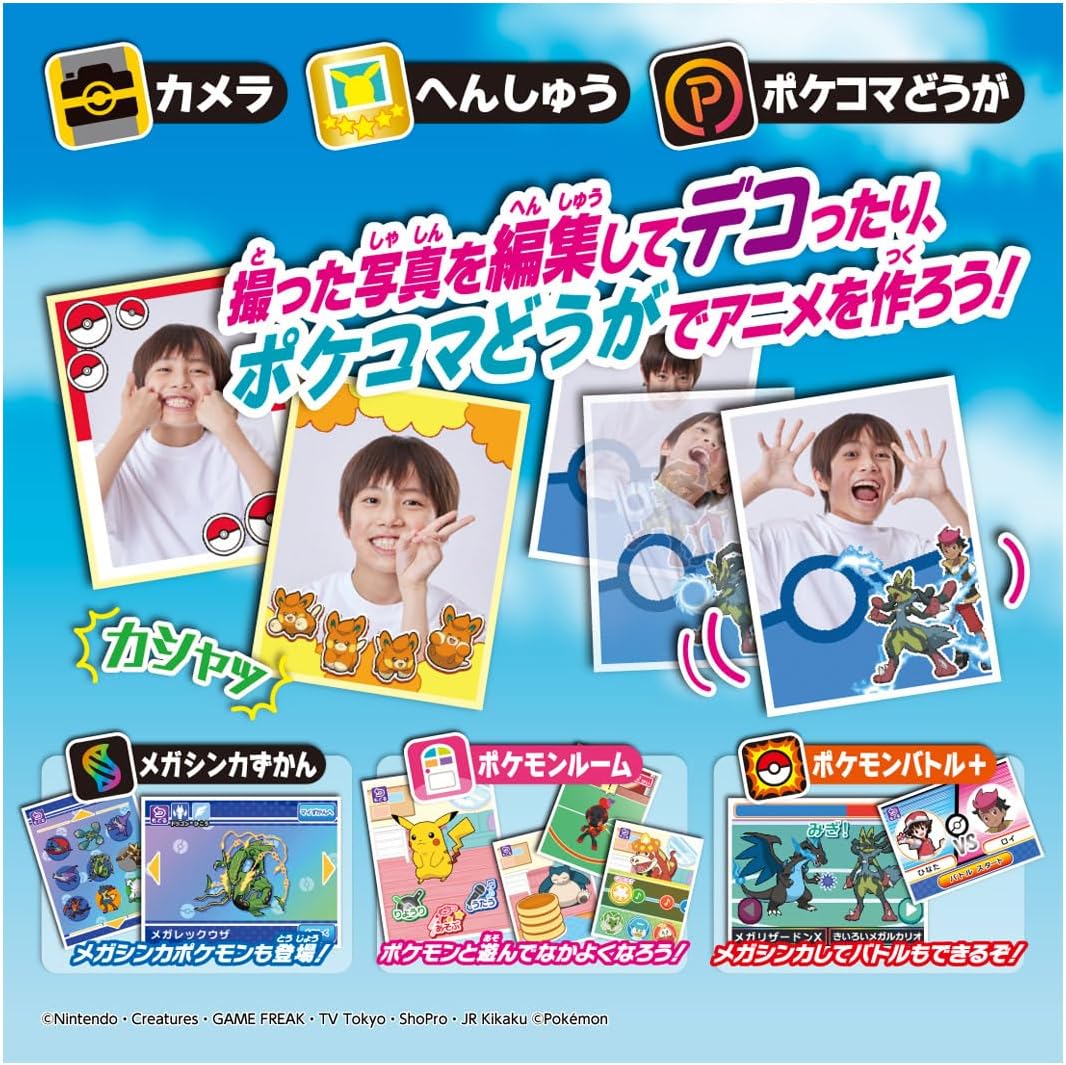
Image: Examples of creative functions including taking photos, editing them with decorations, and creating short animations using the device.
Maintenance
To ensure the longevity and proper functioning of your Smartphone Rotom Shake:
- Keep the device clean by wiping it with a soft, dry cloth.
- Avoid exposing the device to extreme temperatures, direct sunlight, or moisture.
- Do not attempt to disassemble the device, as this will void any potential warranty and may cause damage.
- Store the device in a safe place when not in use to prevent drops or impacts.
Troubleshooting
Battery Indication Issues
If the device frequently displays a "battery low" warning or shuts down prematurely, even with new batteries, it may be due to the device's battery level detection system. Alkaline batteries can experience a temporary voltage drop during continuous use, which the device might misinterpret as a low battery.
- Solution: If you encounter this issue, turn off the device and let it rest for a few hours. Often, the battery voltage will recover, and the device can be used again for a short period (e.g., 10-20 minutes) before the warning reappears. This indicates that the batteries are not fully depleted but rather that the device's sensor is sensitive to voltage fluctuations.
- Recommendation: While this temporary recovery method can extend playtime, it is advisable to replace the batteries when the "battery low" warning becomes persistent to ensure consistent performance.
General Issues
- Device not turning on: Ensure batteries are correctly installed and are fresh alkaline batteries.
- Screen unresponsive: Try turning the device off and on again. If the issue persists, replace the batteries.
Specifications
| Brand | Takara Tomy |
| Model Name | Smartphone Rotom Shake |
| Power Source | Battery Powered |
| Battery Type | 4 AA Alkaline batteries (not included) |
| Display Type | LCD |
| Controller Type | Button Control |
| Operation Mode | Manual |
| Number of Players | 1 |
| Material | Plastic |
| Color | Orange |
| Item Dimensions (L x W x H) | 1.57" x 3.15" x 7.87" (4 x 8 x 20 cm) |
| Manufacturer Minimum Age | 48 Months |
| Educational Objective | Foster creativity and imagination through interactive gameplay and collection-based activities, promote basic photography and editing skills |
What's in the Box
- Smartphone Rotom main unit (1)
- Instruction manual (1)

Image: The product packaging, illustrating the device and its features, along with various Pokémon characters.
Safety Information
- Always wear the included strap when playing to prevent accidental drops.
- The device cannot be connected to a regular phone line or the internet, and it does not support phone calls.
- The battery case lid is secured with a screw to prevent accidental ingestion of batteries.
- This product is intended for children aged 48 months (4 years) and older.
- Adult supervision is recommended during play.
Warranty and Support
Specific warranty information for the Takara Tomy Pokemon Smartphone Rotom Shake is not provided in the product details. Please refer to the included instruction manual or contact Takara Tomy customer support for details regarding warranty coverage and technical assistance.
For further inquiries, please visit the official Takara Tomy website or contact their customer service department.