
Introduction
Thank you for choosing the WARSUN G7 Rechargeable LED Headlamp. This manual provides essential information for the safe and efficient use of your headlamp, including setup, operation, maintenance, and troubleshooting. Please read this manual thoroughly before using the product and retain it for future reference.
What's in the Box
Carefully unpack your WARSUN G7 Headlamp and ensure all items are present. The package should contain the following components:
- Headlamp (1)
- Charging Station (1)
- Mounting Bracket (1)
- Hat Clip (1)
- Headband (1)
- Hook (1)
- Charging Cable (1)
- User Manual (1)

Product Features
The WARSUN G7 Headlamp is designed for versatility and performance in various outdoor activities. Key features include:
- Dual Light Sources: Main Light (7000K, 30-450 Lumens) and Side Light (6500K, 30-150 Lumens).
- Rechargeable Battery: Integrated 1500mAh battery in the headlamp.
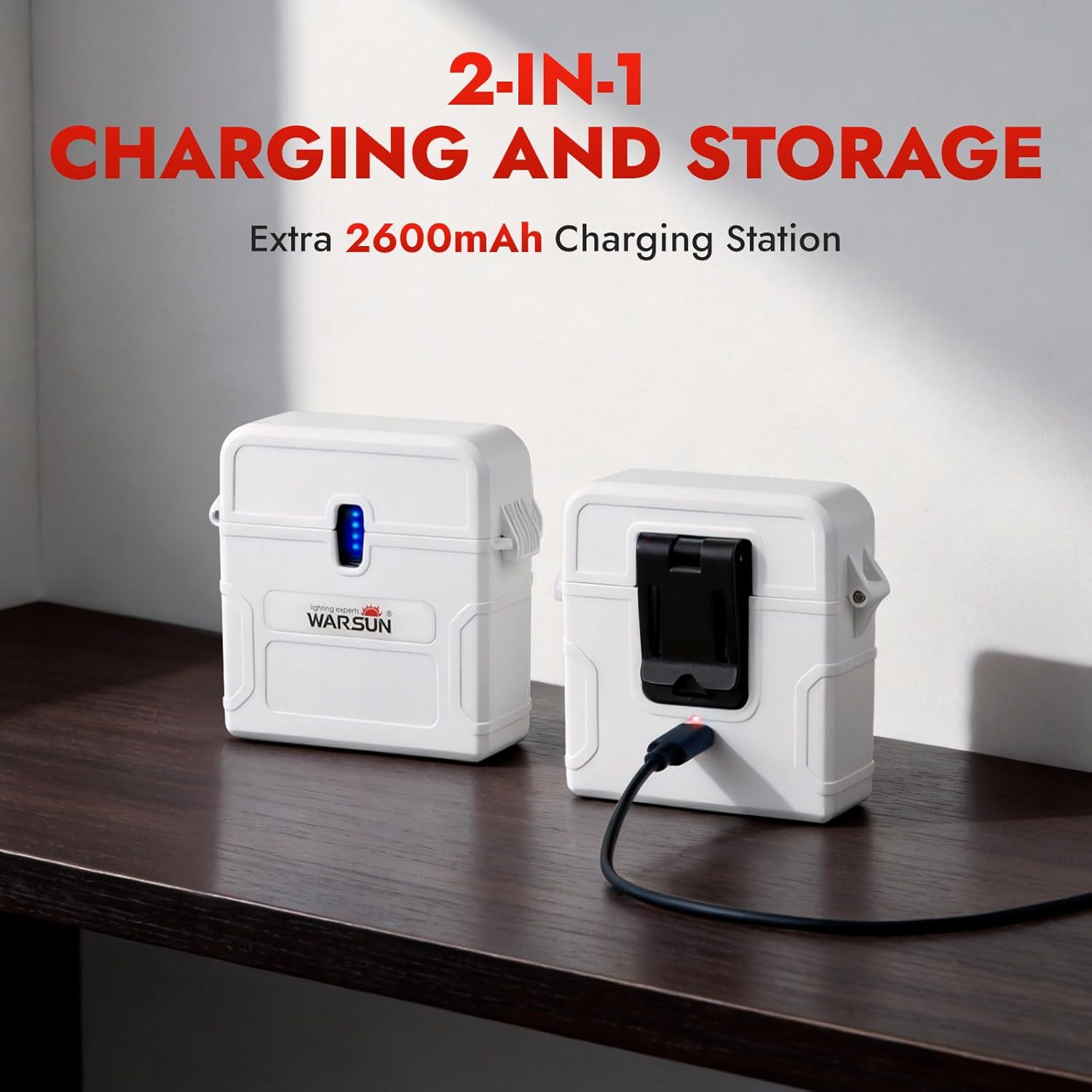
- Portable Charging Station: An additional 2600mAh charging station for extended power.
- Multiple Lighting Modes: 6 modes including Low, Mid, High, and Red Light for various situations.
- Motion Sensor: Hands-free operation with a simple wave gesture.
- Adjustable Strap: Ensures a comfortable and secure fit for all head sizes.
- Water Resistant: Designed to withstand various weather conditions.
- Lightweight Design: Weighs approximately 56g (1.97oz).
- Adjustable Angle: 180° angle adjustment for directing light precisely.
Setup
1. Initial Charging
Before first use, fully charge the headlamp and the charging station. Connect the provided USB charging cable to the charging port on the headlamp or charging station and a suitable USB power source (e.g., wall adapter, computer USB port). The indicator lights will show charging status and turn solid when fully charged.
2. Attaching the Headband
Thread the adjustable headband through the slots on the headlamp. Adjust the strap to fit comfortably and securely around your head. The headlamp can be worn directly on your head or over a hat.

3. Using the Hat Clip or Mounting Bracket
For alternative mounting options, attach the hat clip or mounting bracket to the headlamp. The hat clip allows you to secure the headlamp to the brim of a cap, while the mounting bracket provides a stable base for other surfaces or hanging with the hook.
Operating Instructions
1. Power On/Off and Mode Selection
Press the power button once to turn on the headlamp. Subsequent presses will cycle through the main light modes: Low, Mid, High, and Red Light. To turn off the headlamp, press and hold the power button for 2 seconds, or cycle through all modes until it turns off.

2. Red Light Mode
The red light mode is ideal for preserving night vision and for situations where minimal light is desired, such as camping or stargazing, to avoid disturbing others.

3. Motion Sensor Activation
To activate the motion sensor, press the dedicated motion sensor button. Once activated, you can turn the headlamp on or off with a simple wave of your hand in front of the sensor. Press the motion sensor button again to deactivate this feature.

4. Charging the Headlamp and Charging Station
Use the provided USB-C cable to charge both the headlamp and the external charging station. The charging station can store the headlamp and recharge it on the go, providing extended battery life for longer adventures.
Maintenance
1. Cleaning
Wipe the headlamp and charging station with a soft, damp cloth. Do not use abrasive cleaners or solvents, as these can damage the surface and internal components. Ensure the charging ports are clean and free of debris.
2. Storage
When not in use for extended periods, store the headlamp and charging station in a cool, dry place away from direct sunlight. It is recommended to charge the batteries every 3-6 months to maintain their health and prolong their lifespan.
3. Battery Care
The headlamp uses a built-in rechargeable Lithium-Ion battery. Avoid fully discharging the battery frequently, as this can reduce its overall lifespan. Always use the provided charging cable and a compatible USB power source.
Troubleshooting
If you encounter any issues with your WARSUN G7 Headlamp, please refer to the following common problems and solutions:
| Problem | Possible Cause | Solution |
|---|---|---|
| Headlamp does not turn on. | Battery is depleted. | Charge the headlamp fully. |
| Headlamp does not charge. | Charging cable or adapter is faulty. | Try a different USB-C cable or power adapter. Ensure connections are secure. |
| Motion sensor is not responding. | Motion sensor is not activated or obstructed. | Press the motion sensor button to activate. Ensure there are no obstructions in front of the sensor. |
| Light output is dim. | Low battery level. | Recharge the headlamp. |
If the problem persists after trying these solutions, please contact WARSUN customer support for assistance.
Specifications
| Feature | Detail |
|---|---|
| Model Number | G7 |
| Main Light Brightness | 30-450 Lumens (7000K) |
| Side Light Brightness | 30-150 Lumens (6500K) |
| Headlamp Battery Capacity | 1500mAh Lithium Ion |
| Charging Station Capacity | 2600mAh |
| Runtime | Up to 10 hours (depending on mode) |
| Light Source Type | LED |
| Material | Plastic |
| Water Resistance Level | Water Resistant |
| Weight | Approx. 56g (1.97oz) |
| Dimensions (L x W x H) | 1.73"L x 6.93"W x 1.73"H |
Warranty Information
The WARSUN G7 Headlamp comes with a manufacturer's warranty. Please refer to the warranty card included in your package for specific terms and conditions. Generally, WARSUN products are covered by a 2-year limited warranty against defects in materials and workmanship from the date of purchase. This warranty does not cover damage caused by misuse, accidents, unauthorized modifications, or normal wear and tear.
Support
For further assistance, technical support, or warranty claims, please contact WARSUN customer service. You can typically find contact information on the WARSUN official website or through the retailer where you purchased the product.
We value your feedback and are committed to providing high-quality products and support.


