
Introduction
Thank you for choosing the Baseus 100W USB C Charger Block and Retractable USB C Cable. This product is designed to provide efficient and versatile charging for a wide range of devices, including laptops, tablets, and smartphones. Please read this manual carefully before using the product to ensure safe and optimal performance. Keep this manual for future reference.
Safety Information
- Do not expose the product to water, moisture, or extreme temperatures.
- Avoid dropping, impacting, or disassembling the product.
- Keep out of reach of children.
- Use only with compatible devices and power outlets.
- Unplug the charger from the power outlet when not in use or during electrical storms.
- If the product appears damaged, discontinue use immediately and contact customer support.
Package Contents
- 1 x Baseus 100W USB C Charger Block
- 2 x Baseus Retractable USB C to USB C Cable (6.6ft)
Product Overview
Baseus 100W USB C Charger Block
The Baseus 100W USB C Charger Block features GaN technology for a compact design and efficient power delivery. It includes two USB-C ports and one USB-A port, allowing for simultaneous charging of up to three devices. The charger incorporates BPS 3.0 smart power allocation technology to dynamically distribute optimal power to each connected device. Advanced high-polymer silicon material and Baseus Cooling Technology (BCT) ensure effective heat dissipation and temperature monitoring for safe and extended device battery life.

Image: The Baseus 100W USB C Charger Block connected to a laptop via a USB-C cable, illustrating 100W maximum power delivery to the laptop. This demonstrates its capability for fast laptop charging.

Image: The Baseus 100W USB C Charger Block showcasing its compact size compared to other chargers and its foldable pins. This highlights its travel-friendly and portable design.

Image: The Baseus 100W USB C Charger Block simultaneously charging a laptop, tablet, and smartphone. This illustrates its 3-in-1 multi-port capability and dynamic power allocation.
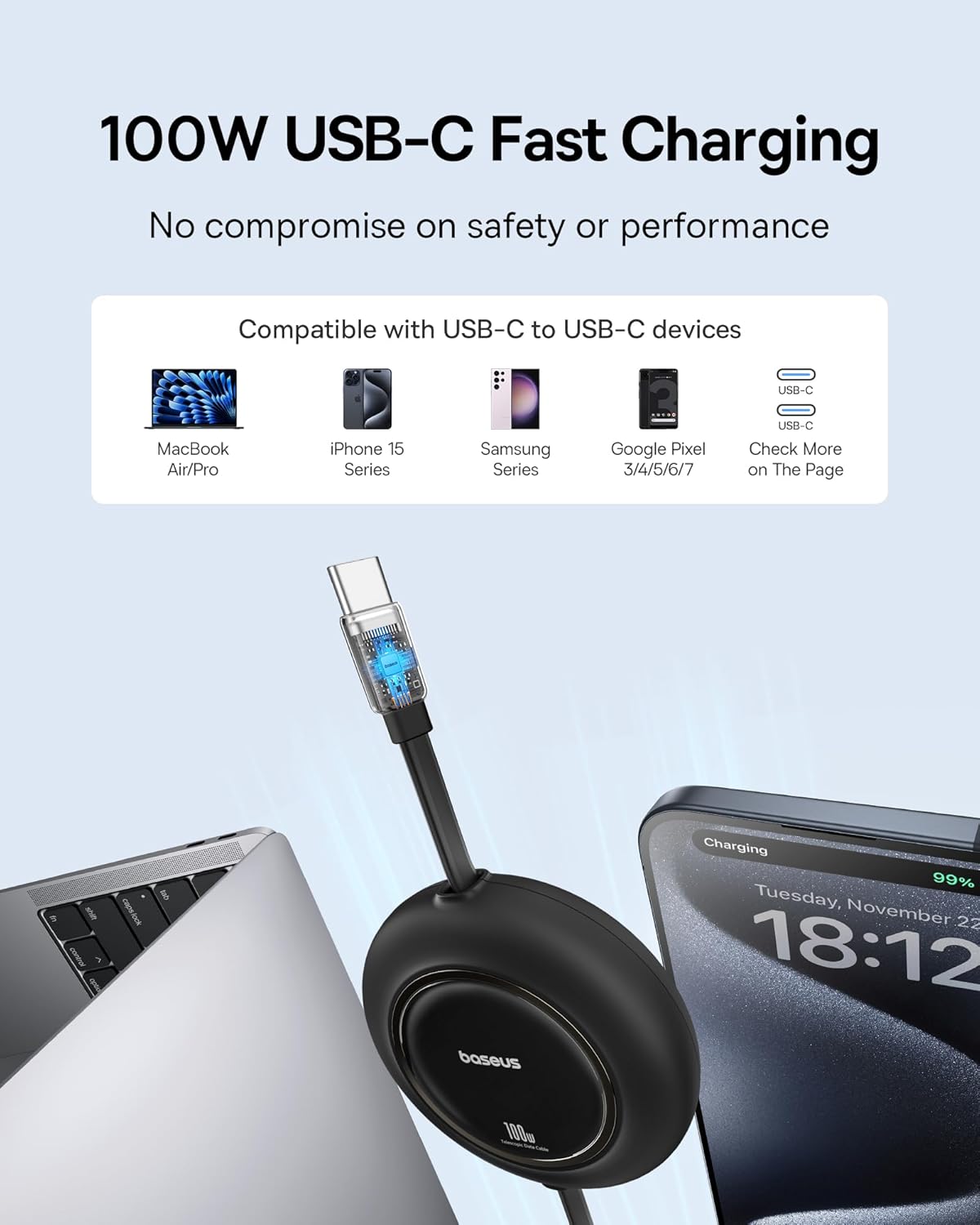
Image: An internal diagram of the Baseus charger highlighting its polymer silicon-based heat dissipation layers. This demonstrates the effective temperature drop technology to prevent overheating.
Baseus Retractable USB C Cable
The included 6.6ft retractable USB C to USB C cable supports 100W fast charging for laptops, tablets, and smartphones. It is designed for data transfer at 480Mbps but does not support video transmission. The retractable design helps maintain a clutter-free charging environment and offers multiple length presets for convenience.
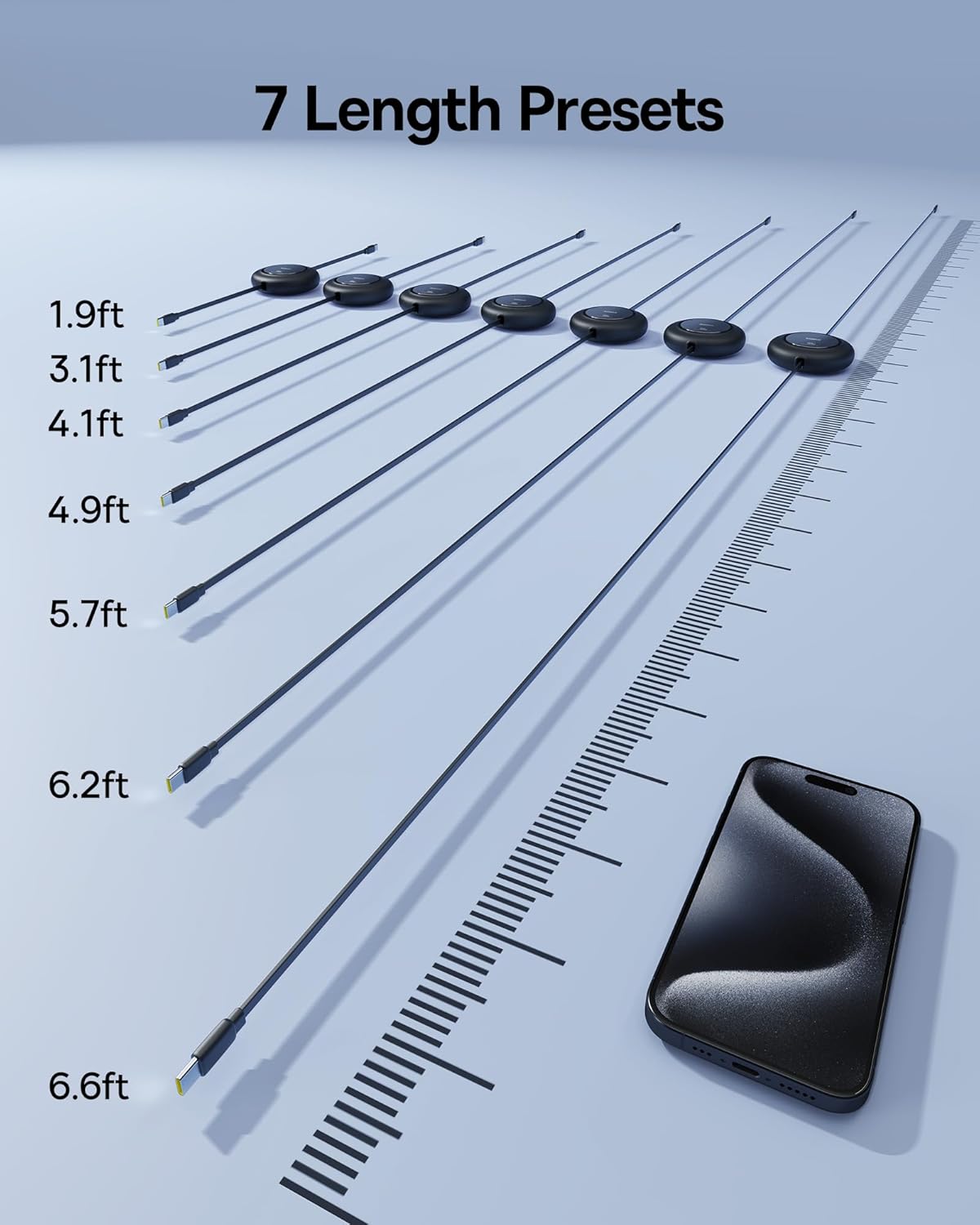
Image: The Baseus 100W USB C retractable cable connected to a laptop and a smartphone, illustrating its fast charging capability and compatibility with various USB-C devices.
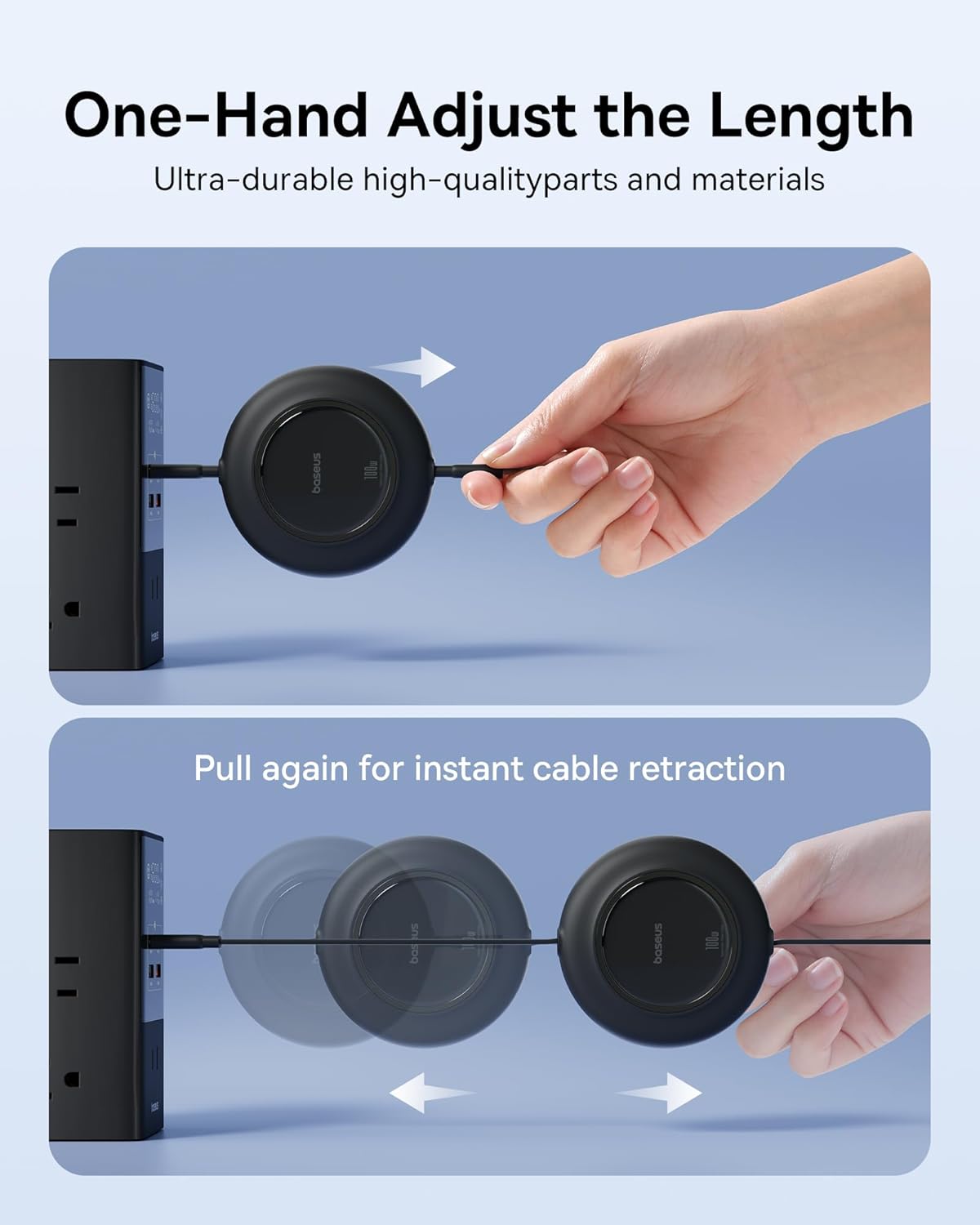
Image: The Baseus retractable USB C cable extended to various lengths, indicating its 7 length presets from 1.9ft to 6.6ft. This highlights its adjustable and versatile design.
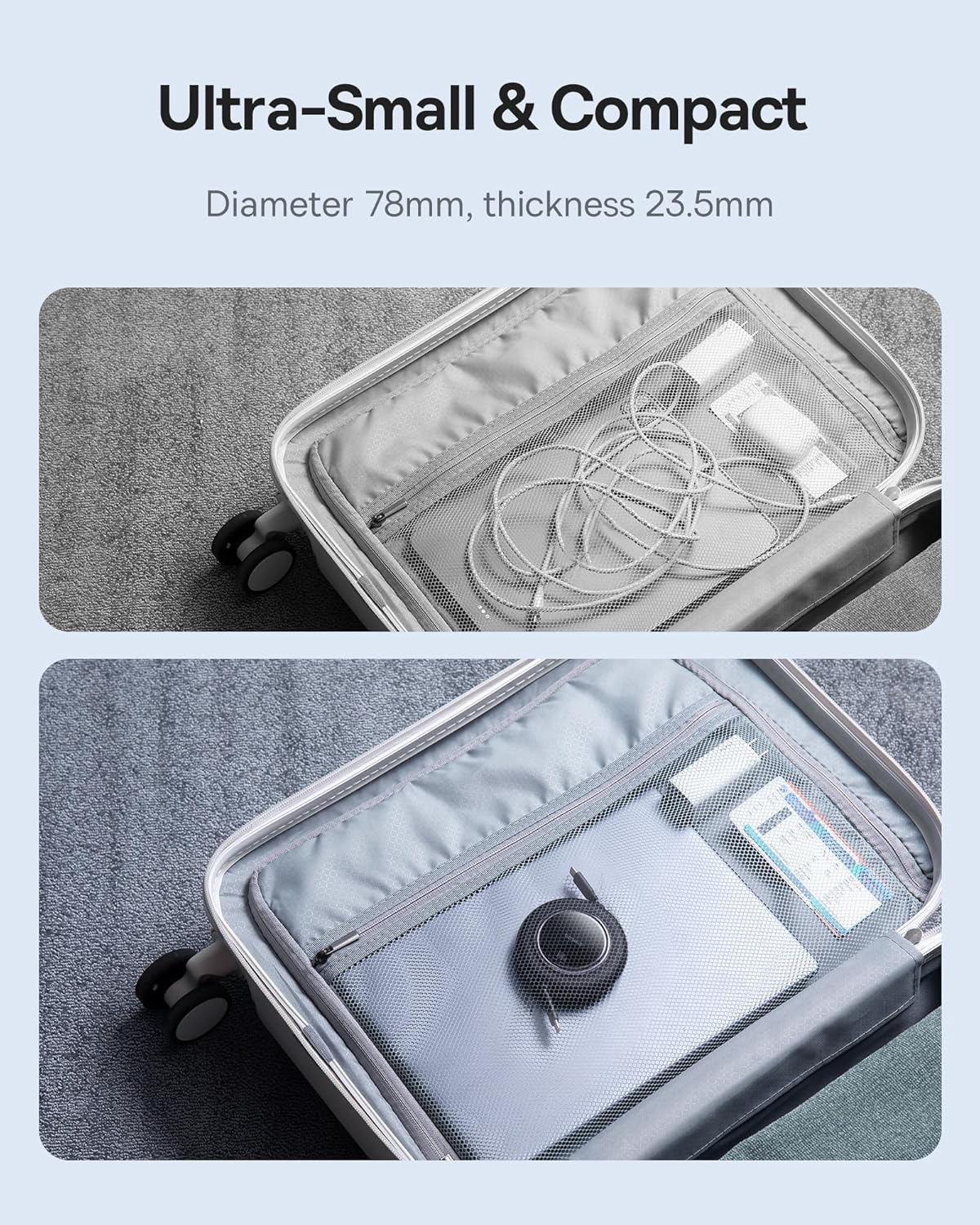
Image: A hand demonstrating how to adjust the length of the Baseus retractable cable by pulling and how to retract it by pulling again. This illustrates the one-hand operation for convenience.
Setup
Charger Block Setup
- Unfold the AC pins on the Baseus 100W USB C Charger Block.
- Insert the charger block into a standard wall outlet.
- Connect one end of the USB C cable to a USB-C port on the charger block.
- Connect the other end of the USB C cable to your device (laptop, tablet, or smartphone).
- For additional devices, repeat steps 3 and 4 using the other available USB-C or USB-A ports.
Retractable Cable Usage
- To extend the cable, gently pull both ends of the cable simultaneously until it reaches the desired length. The cable has multiple preset lengths.
- To retract the cable, pull both ends again slightly, and the cable will automatically retract into its housing.
Operating Instructions
Charging Devices
- Once connected, your device should begin charging automatically.
- The charger's BPS 3.0 technology will intelligently allocate power based on the connected devices' requirements. For example, if charging a laptop and a smartphone, the laptop may receive higher wattage.
- For optimal fast charging, ensure your device and cable support the Power Delivery (PD) protocol.
Power Output Distribution
The charger can deliver up to 100W from a single USB-C port. When multiple devices are connected, the power output is distributed as follows:
- Single USB-C Port: Up to 100W
- Two USB-C Ports: Power is dynamically allocated (e.g., 65W + 30W)
- Two USB-C Ports + One USB-A Port: Power is dynamically allocated (e.g., 65W + 15W + 15W)
Maintenance
- Cleaning: Disconnect the charger from the power outlet and devices before cleaning. Use a soft, dry cloth to wipe the surface. Do not use liquid cleaners or aerosols.
- Storage: Store the charger and cables in a cool, dry place away from direct sunlight and extreme temperatures. Ensure the retractable cable is fully retracted before storage to prevent tangling or damage.
- Inspection: Periodically inspect the charger and cables for any signs of damage, such as frayed wires or cracked casings. If damage is found, discontinue use.
Troubleshooting
- Device not charging:
- Ensure the charger is securely plugged into a working wall outlet.
- Verify that the USB cable is firmly connected to both the charger and your device.
- Try using a different USB port on the charger.
- Test with a different USB cable to rule out cable issues.
- Confirm your device is compatible with USB-C charging.
- Slow charging:
- Ensure your device and cable support fast charging protocols (e.g., USB Power Delivery).
- If multiple devices are connected, the power is shared. Disconnect other devices to see if charging speed improves for a specific device.
- Check if your device's battery is nearly full, as charging speed naturally slows down as the battery approaches 100%.
- Charger feels warm:
- It is normal for the charger to become warm during operation, especially during high-power charging. The Baseus Cooling Technology (BCT) manages heat effectively.
- If the charger becomes excessively hot or emits smoke/odor, unplug it immediately and contact support.
Specifications
| Brand | Baseus |
| Model Number | B0F4VD9Z42 |
| Connector Type | USB Type C |
| Compatible Devices | Laptops, Tablets, Smartphones |
| Compatible Phone Models | iPhone 11 and newer, Samsung Galaxy S10 and newer, Google Pixel 3 and newer, and other USB-C PD compatible phone models |
| Total USB Ports | 3 (2x USB-C, 1x USB-A) |
| Wattage | 100 watts (Max) |
| Output Voltage | 20 Volts (DC) |
| Portable | Yes |
| Cable Length | 6.6ft (Retractable USB C to USB C Cable) |
| Cable Data Transfer Speed | 480Mbps (Data transfer only, no video transmission) |
Warranty Information
Baseus products typically come with a limited warranty. Please refer to the warranty card included with your purchase or visit the official Baseus website for detailed warranty terms and conditions specific to your region and product model. Keep your proof of purchase for warranty claims.
Support
For technical assistance, troubleshooting, or product inquiries, please contact Baseus customer support. You can usually find contact information on the official Baseus website or through the retailer where you purchased the product.
Online Support: Visit the official Baseus website for FAQs, support resources, and contact forms.
Email Support: Refer to your product packaging or the Baseus website for the customer service email address.