
Introduction
This manual provides comprehensive instructions for the assembly, operation, and maintenance of your JUMMICO Jetstream Ergonomic Gaming Chair, Model 0482A. Please read this manual thoroughly before assembly and use to ensure proper function and longevity of your product. Retain this manual for future reference.

Figure 1: JUMMICO Jetstream Ergonomic Gaming Chair, Model 0482A.
Safety Information
- Ensure all components are securely fastened before use.
- Do not stand on the chair.
- Do not use the chair if any parts are damaged or missing. Contact customer support for replacement parts.
- Keep children and pets away during assembly.
- Maximum weight capacity: 150 kg (330 lbs). Do not exceed this limit.
- Avoid exposing the chair to direct sunlight or extreme temperatures to prevent material degradation.
Package Contents
Before beginning assembly, verify that all parts are present and undamaged. If any parts are missing or damaged, please contact JUMMICO customer support.
- Backrest
- Seat Base
- Armrests (2)
- Gas Lift Cylinder
- Star Base
- Casters (5)
- Mechanism Plate
- Lumbar Support Cushion (with massage function)
- Headrest Cushion
- Footrest Assembly
- Hardware Kit (screws, washers, Allen wrench)

Figure 2: Example of product packaging with SKU G-OCRC24-0482-LL4-MS.
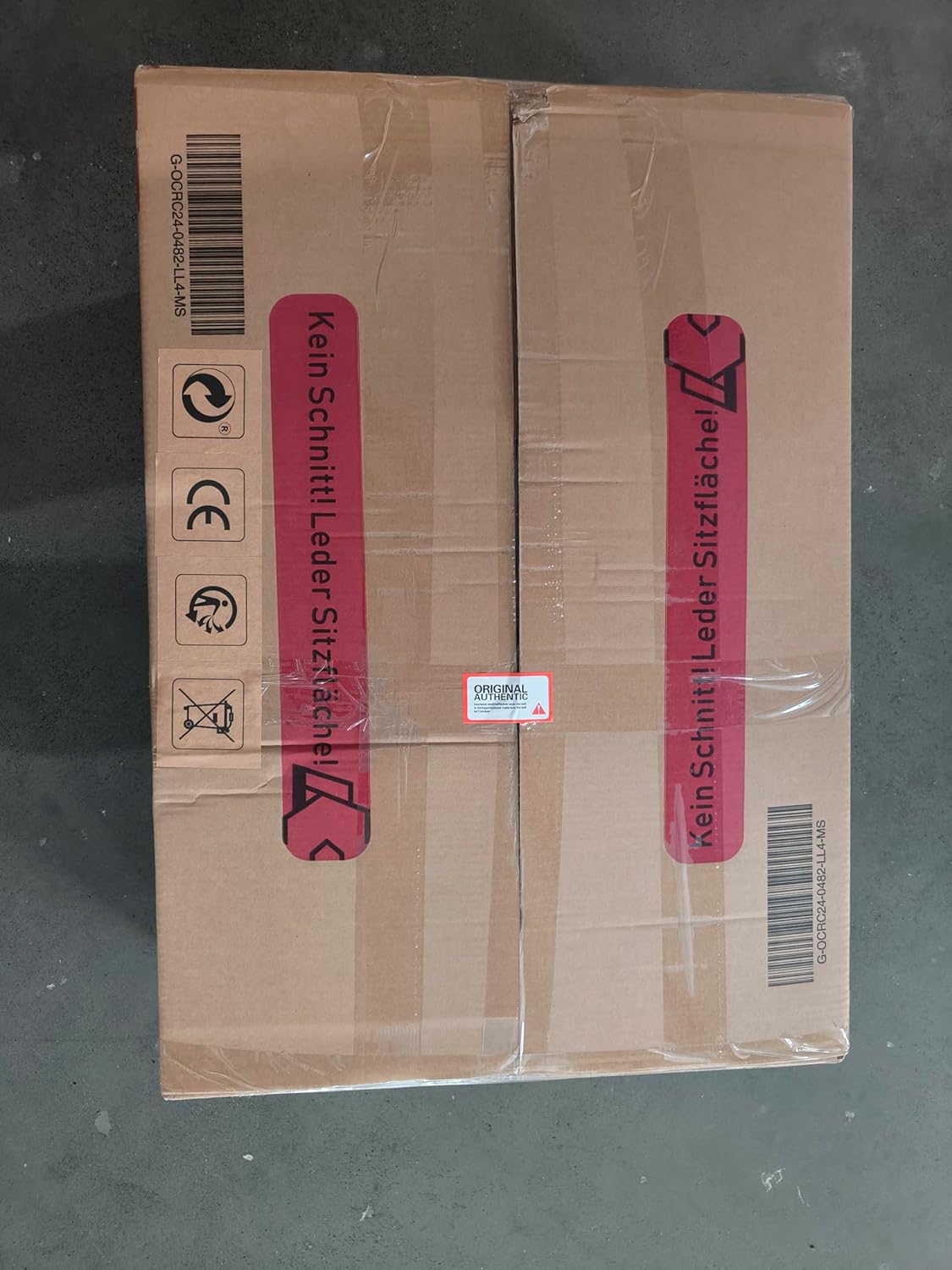
Figure 3: Packaging detail showing a warning to avoid cutting the leather seat surface during unboxing.
Setup and Assembly
Assembly typically takes approximately 30 minutes. It is recommended to assemble the chair on a soft, clean surface to prevent damage.
- Attach Casters to Star Base: Insert each of the five casters into the holes at the end of the star base until they click securely into place.
- Insert Gas Lift: Place the gas lift cylinder into the center hole of the star base.
- Attach Mechanism Plate to Seat Base: Align the mechanism plate with the pre-drilled holes on the underside of the seat base. Ensure the front of the mechanism plate faces the front of the seat. Secure with screws using the provided Allen wrench.
- Attach Armrests to Seat Base: Secure the armrests to the sides of the seat base using the designated screws. Do not overtighten initially.
- Attach Backrest to Seat Base: Align the backrest with the brackets on the seat base and armrests. Secure with screws. Once all screws are in place, tighten all armrest and backrest screws firmly.
- Attach Footrest: Slide the footrest assembly into the designated slots under the seat base.
- Connect Seat Assembly to Gas Lift: Carefully place the assembled seat onto the gas lift cylinder, ensuring it is centered and stable.
- Attach Cushions: Secure the headrest and lumbar support cushions to the backrest using their integrated straps. The lumbar cushion includes a USB cable for the massage function.

Figure 4: Chair dimensions and adjustable recline angles (90°, 110°, 135°).
Operating Instructions
Your JUMMICO Jetstream Gaming Chair offers several adjustable features for personalized comfort and ergonomic support.
- Height Adjustment: Pull the lever located under the right side of the seat upwards to adjust the chair height. Release the lever at the desired height.
- Backrest Recline: Pull the lever on the right side of the seat (near the backrest) upwards to recline the backrest. Lean back to the desired angle (90°, 120°, or 150°), then release the lever to lock it in place.
- Tilt Tension: The knob under the front of the seat controls the tilt tension. Turn clockwise to increase tension (making it harder to recline) or counter-clockwise to decrease tension (making it easier to recline).
- Footrest Extension: Pull the footrest handle located under the front of the seat to extend the footrest. Push it back in to retract.
- Massage Function: Connect the USB cable from the lumbar support cushion to a USB power source (e.g., computer, power bank, USB wall adapter) to activate the vibrating massage function.
- Armrest Adjustment: The armrests are designed to adjust with the recline of the backrest, providing continuous support.

Figure 5: The chair provides ergonomic support at five key points: head, neck, shoulders, back, and waist.
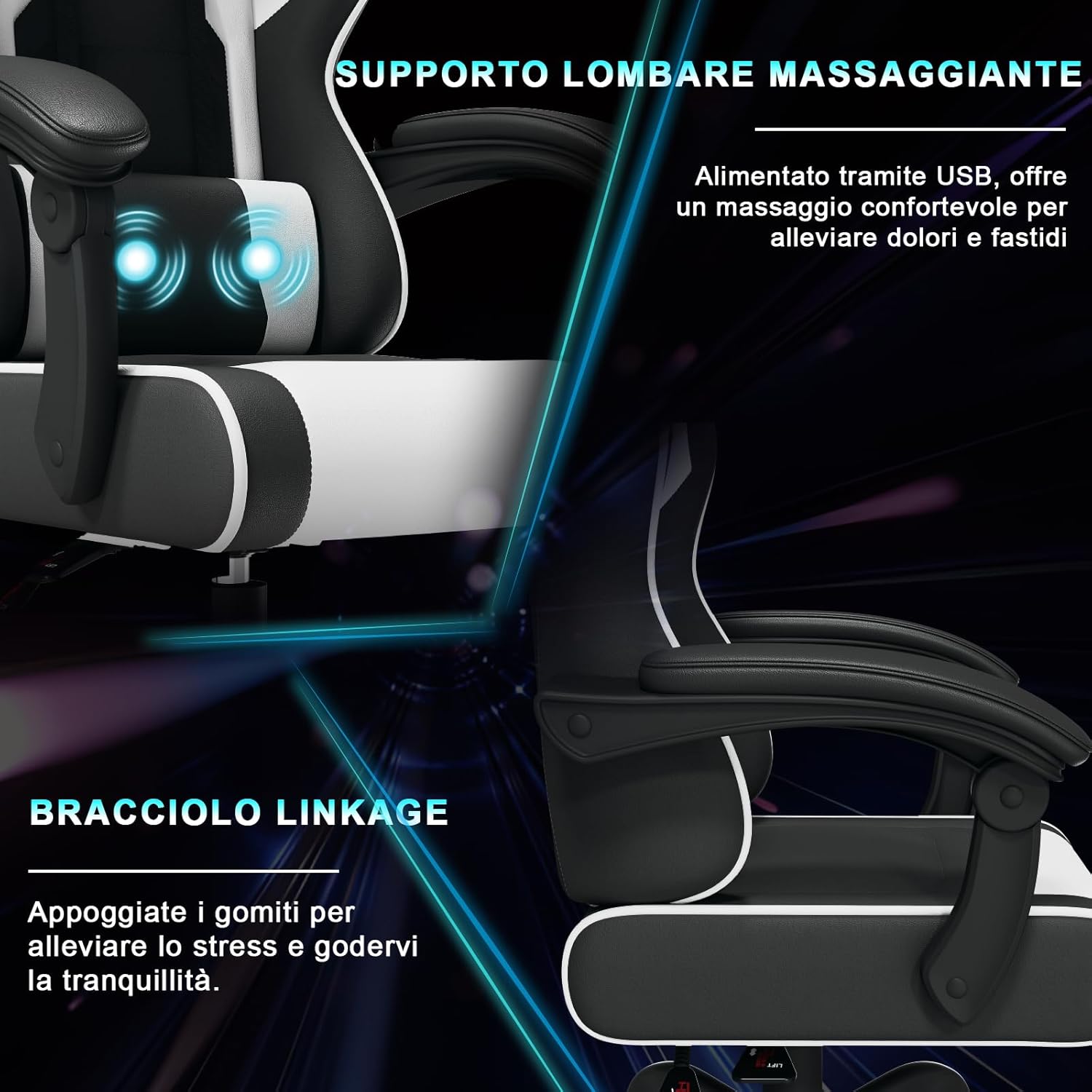
Figure 6: Detail of the massaging lumbar support and linkage armrests.
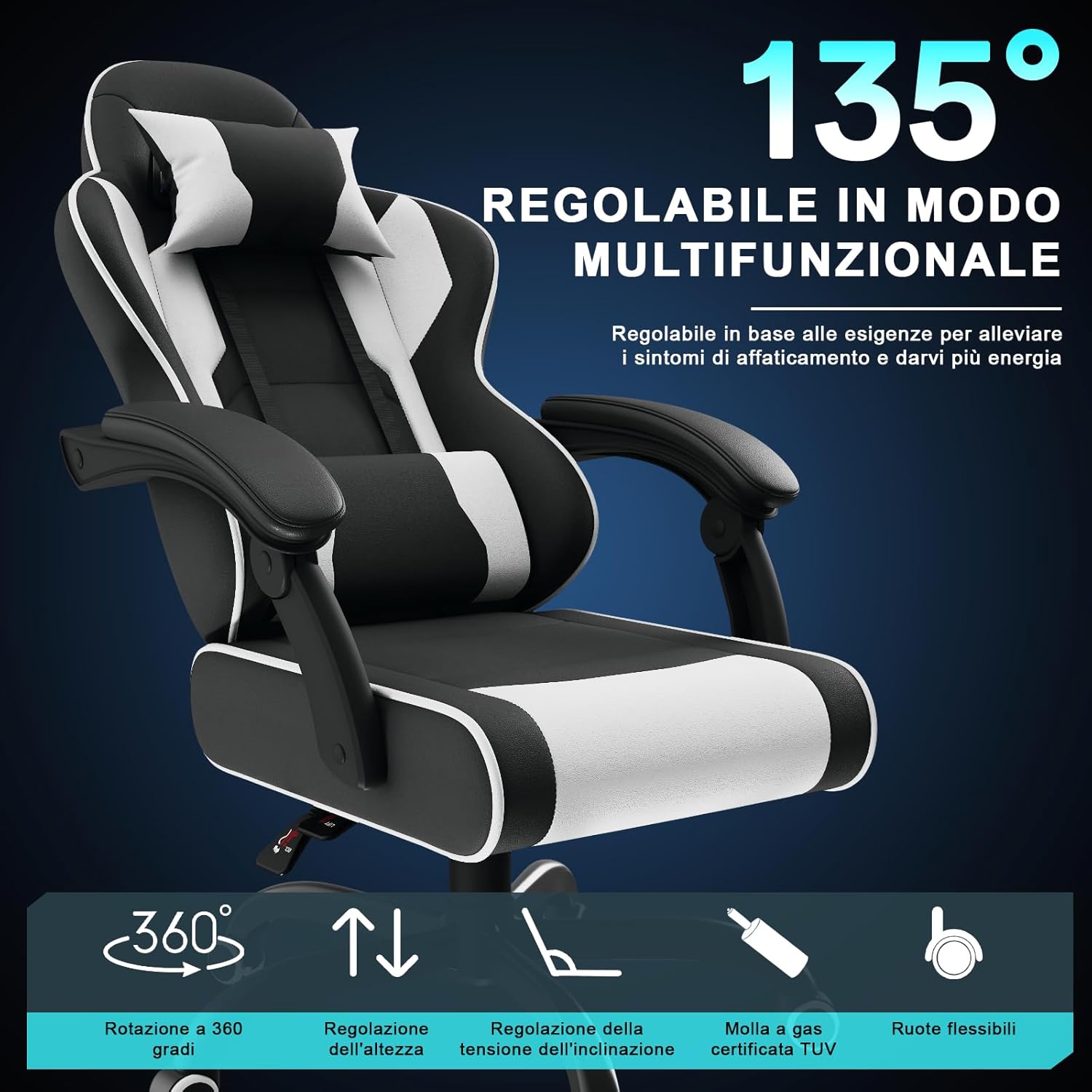
Figure 7: Overview of chair adjustability features including recline, rotation, and height.
Maintenance
- Cleaning: Wipe the PU leather surfaces with a soft, damp cloth. For stubborn stains, use a mild soap solution and wipe dry immediately. Avoid harsh chemicals or abrasive cleaners.
- Caster Care: Periodically check casters for hair or debris and clean as needed to ensure smooth movement.
- Hardware Check: Every few months, check all screws and bolts to ensure they are tight. Retighten if necessary.
- Storage: If storing the chair for an extended period, keep it in a cool, dry place away from direct sunlight.
Troubleshooting
| Problem | Possible Cause | Solution |
|---|---|---|
| Chair does not adjust height | Gas lift cylinder malfunction or lever not engaged. | Ensure the height adjustment lever is fully pulled. If the issue persists, the gas lift may need replacement. Contact support. |
| Backrest does not recline or lock | Recline lever not engaged or mechanism obstruction. | Ensure the recline lever is fully pulled and released. Check for any obstructions in the recline mechanism. |
| Chair wobbles or is unstable | Loose screws or uneven assembly. | Check and tighten all assembly screws, especially those connecting the seat, backrest, and mechanism plate. Ensure casters are fully inserted. |
| Casters do not roll smoothly | Debris caught in casters. | Remove any hair, dust, or debris from the caster wheels. |
| Massage function not working | USB cable not connected or power source issue. | Ensure the USB cable from the lumbar cushion is securely connected to a working USB power source. Try a different USB port or power source. |
Specifications
| Brand | JUMMICO |
| Model Number | 0482A |
| Color | White (with black accents) |
| Product Dimensions (D x W x H) | 19.69"D x 18.9"W x 47.24"H (approximate, fully upright) |
| Seat Dimensions | 50cm (19.7") wide |
| Item Weight | 35.2 pounds (16 kg) |
| Maximum Load Capacity | 150 kg (330 lbs) |
| Material | PU Leather, Metal Frame |
| Recline Angle | 90°, 120°, 150° |
| Included Components | Headrest Cushion, Lumbar Support Cushion (with massage) |
| UPC | 788418999900 |

Figure 8: Illustration of the chair's robust construction, including a reinforced tray and gas lift for a 150 kg load capacity.

Figure 9: Seat cushion thickness and width details.

Figure 10: Cushion construction with soft leather and high-density foam for comfort.
Warranty and Support
JUMMICO products are designed for durability and performance. For warranty information, technical support, or to order replacement parts, please contact JUMMICO customer service through the retailer where the product was purchased or visit the official JUMMICO website.
Please have your model number (0482A) and proof of purchase ready when contacting support.