
Introduction
The Daylight StitchSmart 2 Magnifier & Chartholder is an integrated workstation designed to enhance embroidery and crafting activities. This unit combines a sturdy, adjustable stand with an LED magnifier lamp and a chartholder, providing optimal support and visibility for detailed work. It features a 360° swivel jaw system for frame support, high-CRI LED lighting, and flexible arms for precise positioning of the magnifier and chartholder.
Package Contents
Please verify that all components are present before assembly:
- StitchSmart 2 Stand Base
- Main upright pole
- Frame support jaw system
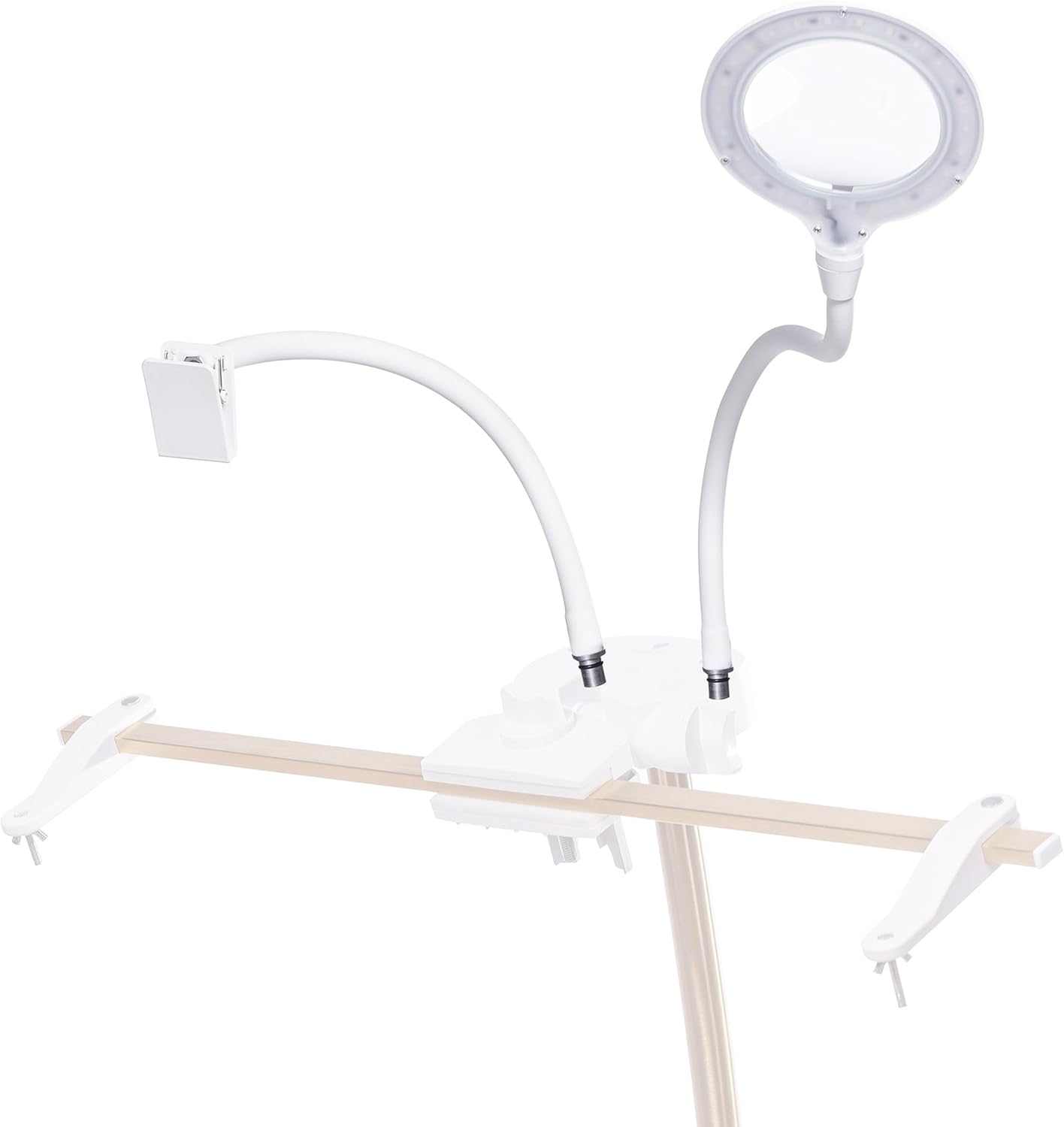
- LED Magnifier Lamp with flexible arm
- Chartholder with flexible arm
- Power Adapter
Setup and Assembly
The StitchSmart 2 is designed for quick assembly, typically taking less than a minute with its three main parts. Follow these steps for proper setup:
- Attach the Upright Pole to the Base: Securely insert the main upright pole into the stand's base. Ensure it is firmly seated.
- Mount the Frame Support Jaw System: Place the frame support jaw system onto the top of the upright pole. Tighten any securing mechanisms to prevent movement.
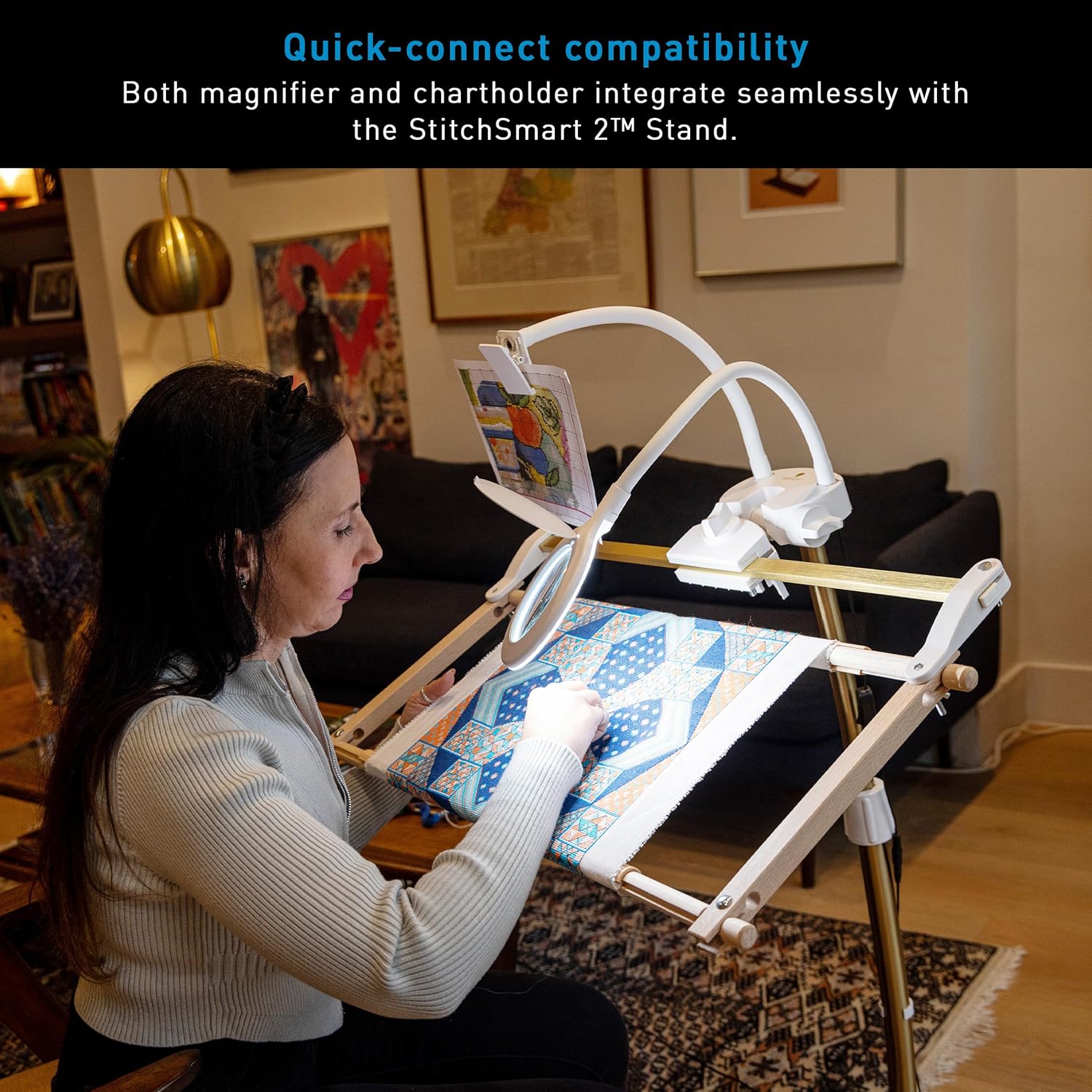
- Install Magnifier and Chartholder: Attach the flexible arms for the LED Magnifier Lamp and the Chartholder to the designated slots on the frame support system. These are designed for quick-connect compatibility.
- Connect Power: Plug the power adapter into the LED Magnifier Lamp and then into a suitable power outlet.
Operating Instructions
Using the Embroidery Frame Support
- Securing Your Frame: Open the jaw system on the stand and place your embroidery frame (up to 26" / 66 cm) securely within it. Tighten the jaw to hold the frame firmly.
- Adjusting Frame Position: The stand features a 360° swivel jaw system. This allows you to rotate your frame to access any part of your project without removing it from the stand. Adjust the height of the stand as needed for ergonomic comfort.
Utilizing the LED Magnifier Lamp
- Powering On/Off: Locate the power switch on the magnifier lamp head to turn the LED light on or off.
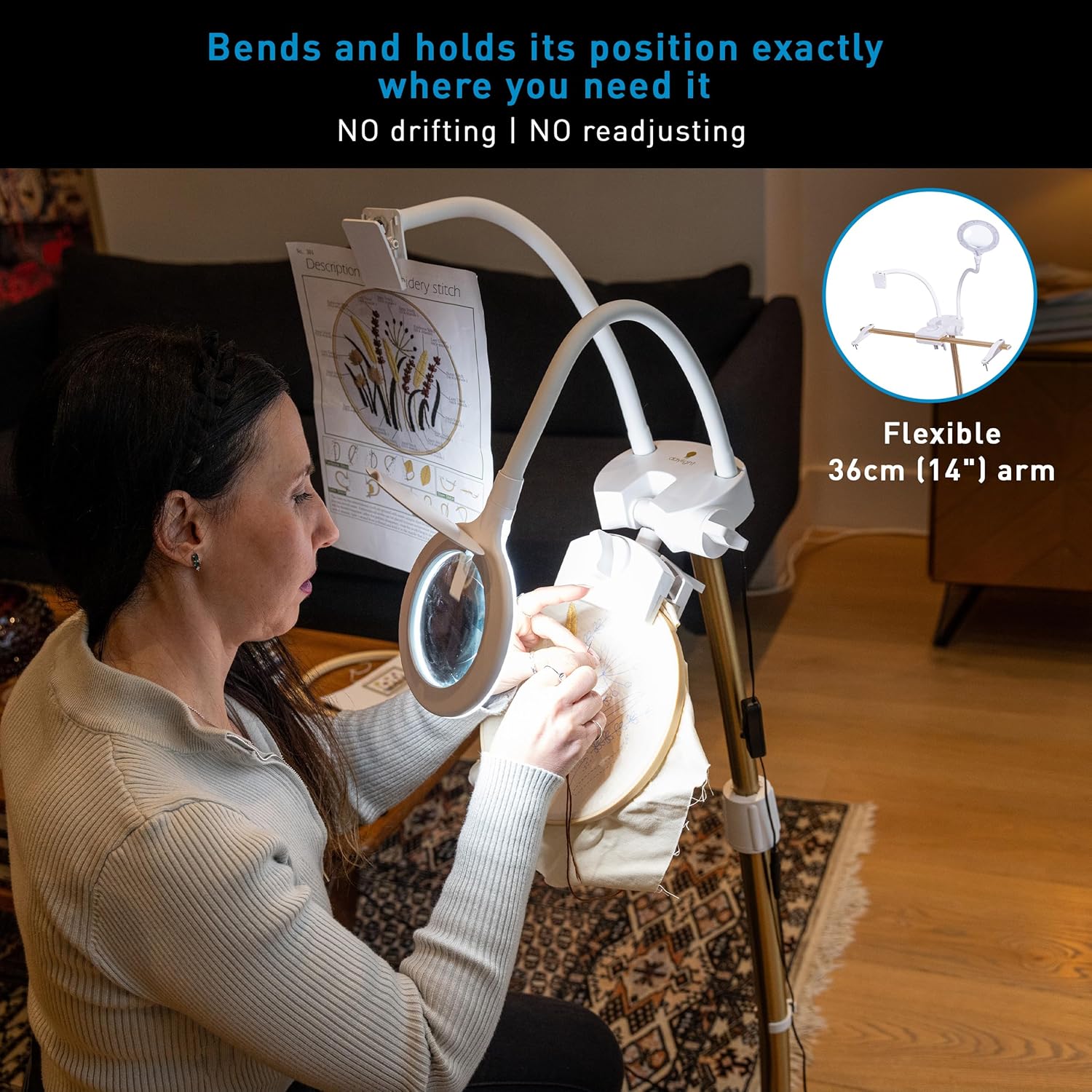
- Positioning the Magnifier: Use the 36 cm (14") flexible arm to position the 3 Diopter (1.75X) magnifying glass directly over your work area. The arm is designed to hold its position without drifting.
- Lens Protection: A built-in cover protects the magnifying lens when not in use. Ensure the cover is closed to prevent dust and scratches.

Using the Chartholder
- Attaching Charts: Use the chartholder's clip to secure your patterns or instructions.
- Positioning the Chartholder: Adjust the chartholder's flexible arm to place your chart at an optimal viewing angle, keeping your patterns clearly visible and your hands free.


Maintenance
- Cleaning: Wipe the stand, magnifier, and chartholder with a soft, dry cloth. For stubborn marks, a slightly damp cloth can be used, followed by immediate drying. Avoid abrasive cleaners or solvents.
- Lens Care: Use a specialized lens cleaning cloth and solution for the magnifying glass to avoid scratches and ensure clear vision.
- Tightening Connections: Periodically check and tighten any screws or adjustment knobs to ensure the stand remains stable and secure during use.
Troubleshooting
- Issue: Magnifier lamp does not turn on.
- Ensure the power adapter is securely plugged into both the lamp and a working electrical outlet.
- Check if the power switch on the lamp head is in the "on" position.
- Verify the power outlet is functional by testing it with another device.
- Issue: Embroidery frame feels loose or unstable.
- Ensure the jaw system holding the frame is tightened sufficiently.
- Check all assembly points of the stand (base, upright pole, jaw system) for secure connections. Retighten if necessary.
- Issue: Flexible arms do not hold position.
- The flexible arms are designed to hold position. If they are not, ensure they are correctly inserted into their attachment points. If the issue persists, contact customer support.
Specifications
| Feature | Detail |
|---|---|
| Model Name | StitchSmart 2 Magnifier & Chartholder |
| Item Model Number | U25088 |
| Brand | Daylight |
| Light Source | LED |
| Brightness | 4,200 Lux at 15 cm (6") |
| Color Temperature | 6,000K (Daylight White) |
| Color Accuracy (CRI) | 95+ CRI |
| Magnification | 3 Diopter (1.75X) |
| Lens Diameter | 9 cm (3.5") |
| Flexible Arm Length | 36 cm (14") |
| Max Frame Size Supported | 26" (66 cm) |
| Material | Metal |
| Product Dimensions | 7.09"L x 19.69"W x 0.1"H (Accessories) |
| Item Weight | 2.55 pounds (Accessories) |
| Power Consumption | 8W |

Warranty Information
This product is covered by a 2 Year Manufacturer Warranty. Please retain your proof of purchase for warranty claims. For detailed terms and conditions, refer to the manufacturer's official website or contact their customer support.
Support and Contact
For further assistance, technical support, or to inquire about replacement parts, please contact Daylight customer service:
- Website: Visit the official Daylight website for FAQs and support resources.
- Email: Refer to your product packaging or the official website for contact email.
- Phone: Refer to your product packaging or the official website for contact phone number.
When contacting support, please have your product model number (U25088) and purchase date available.
