
Winnes 22A02004 Sonnette
Winnes Wireless Doorbell with Camera
Model: 22A02004 Sonnette User Manual
1. Introduction
Thank you for choosing the Winnes Wireless Doorbell with Camera. This manual provides detailed instructions for the proper installation, operation, and maintenance of your device. Please read this manual thoroughly before use to ensure optimal performance and safety.
2. Product Overview
The Winnes Wireless Doorbell with Camera is designed to enhance your home security by providing real-time visitor notifications, two-way audio communication, and video monitoring. It features infrared night vision and supports cloud storage for recorded events.

Image: The Winnes Wireless Doorbell unit (right) and its plug-in receiver (left), highlighting Night Vision and 2-Way Audio features.
Key Features:
- Visitor Notification: Receive instant push messages on your mobile phone when the doorbell is pressed.
- Video Call & Two-Way Audio: Engage in real-time video calls with visitors and use the voice changer for enhanced privacy.
- Infrared Night Vision: Clear visibility even in low-light conditions.
- Cloud Storage: Supports 3-day cloud storage for video recordings.
- Doorbell Sharing: Share access to the doorbell monitoring with family members via the app.
- Low Battery Reminder: App notifications for timely charging.
- Wireless Connectivity: Operates on 2.4GHz WiFi for video communication.
3. Setup
3.1 App Download
To use the doorbell's smart features, you need to download the TUYA Smart application.
- For Android phones: Search for "TUYA Smart" in your device's built-in app market or the Google Play Store.
- For iOS phones: Search for "TUYA Smart" in the iOS App Store.
Note: Ensure you download or update to app version 4.3.0 or higher for the best user experience and full functionality.
3.2 Pairing Signals
Follow these steps to pair the doorbell unit with its receiver:
- Connect the USB end of the receiver to a power supply.
- Press and hold the receiver's pairing key for 3 seconds until its synthetic light starts flashing.
- Press the doorbell button on the main unit. The receiver will ring, indicating successful pairing.

Image: Visual guide for pairing the doorbell receiver to a power supply, pressing the pairing key, and then pressing the doorbell button for successful signal matching.
4. Operating Instructions
4.1 Visitor Notification and Video Call
When a visitor presses the doorbell, your mobile phone will receive an instant push notification from the app. Click on the notification to enter the video call interface. This allows you to communicate with your visitor even when you are not at home.
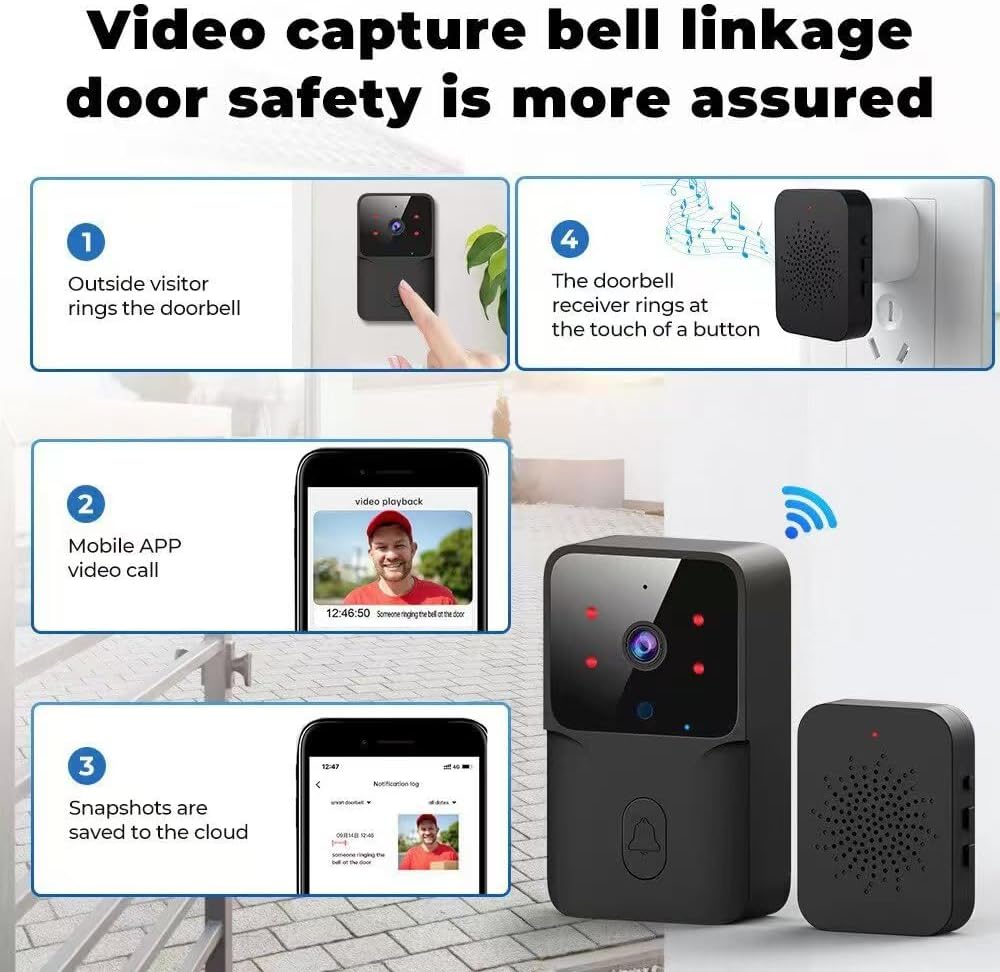
Image: A four-step diagram showing the doorbell operation: 1. Visitor rings doorbell. 2. Mobile app receives video call. 3. Snapshots are saved to the cloud. 4. The doorbell receiver rings.
During a video call, press and hold the microphone button within the app to speak through the intercom. Release the button to listen. The doorbell also features an intelligent voice changer to protect your identity during conversations.

Image: An illustration demonstrating the two-way talk feature with an intelligent voice changer, allowing a user to communicate with a visitor while altering their voice.

Image: A user interacting with the doorbell via a smartphone app, showing a video call with a delivery person and text bubbles indicating a voice changer feature for privacy.
4.2 Doorbell Sharing
To share doorbell access with family members:
- Open the app and navigate to the real-time interface.
- Click the top right corner to access device settings.
- Select "Add Sharing" and enter the registered account of the family member.
The main account retains exclusive permissions and can grant one-click sharing permissions to other family members, allowing them to monitor the doorbell.
4.3 Cloud Storage
The doorbell supports cloud storage, providing 3 days of storage time for video recordings. This allows you to review past events at your convenience.
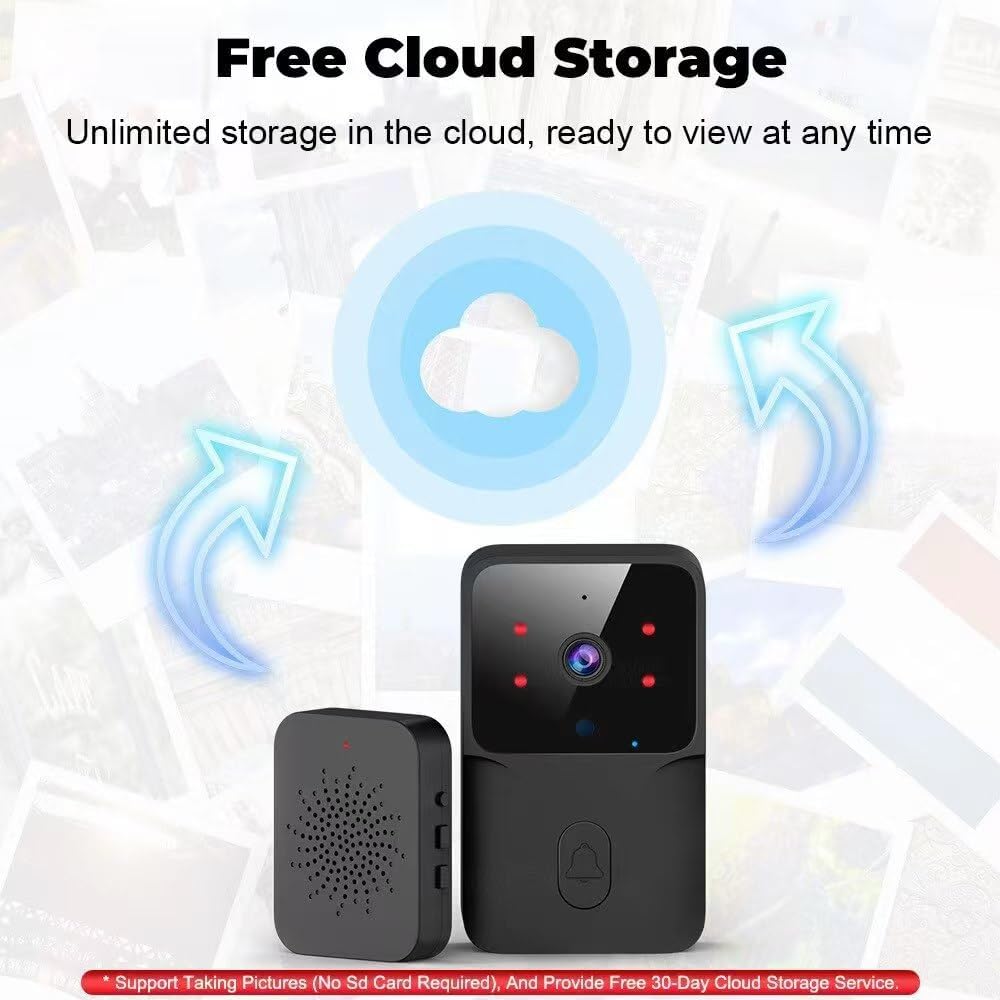
Image: The doorbell unit and receiver with a cloud icon, indicating support for free cloud storage for recordings, ready for viewing at any time.
5. Maintenance
5.1 Battery Charging
The doorbell is equipped with a 400 mAh lithium battery. When the battery level is low, the app will send a low battery reminder. Please charge the device promptly. A full charge takes approximately 1.5 hours and provides about 3 months of usage under normal conditions.
Important: Do not use the doorbell while it is charging.
5.2 General Care
To ensure the longevity of your doorbell, keep it clean and free from excessive dust or moisture. Avoid exposing it to extreme temperatures.
6. Troubleshooting
6.1 No Motion Detection Function
Please note that this doorbell model does not have a motion detection function. The app is universal for various models, so please do not subscribe to or expect motion detection features within the app for this specific device.
6.2 Connectivity Issues
The doorbell only supports 2.4GHz WiFi networks. It is not compatible with 5G WiFi or WiFi networks with special symbols in their names. Ensure your router is configured for 2.4GHz and that the network name is standard.
6.3 Offline Notification
This is a low-power doorbell. If no one rings the doorbell for an extended period, the device will enter an offline hibernation state to conserve power. This is normal behavior. You can check the device status via the app. For push notification settings, please adjust them within the app according to your phone model's requirements.

Image: A smartphone screen displaying an "Offline Notification" setting in the doorbell app, indicating that the equipment can be monitored even when not at home, with a visual of the doorbell unit showing a "Power failure equipment offline" message.
7. Specifications
| Feature | Detail |
|---|---|
| Brand | Winnes |
| Model Name | 22A02004 Sonnette |
| Use Environment | Outdoor |
| Connectivity Protocol | Bluetooth (Note: 2.4GHz WiFi required for video calls) |
| Mounting Type | Door Mount |
| Video Capture Resolution | 480p |
| Included Components | Doorbell Unit, Plug-in Receiver |
| Product Dimensions (L x W x H) | 30 x 20 x 10 millimeters |
8. Support
If you have any questions or require further assistance with your Winnes Wireless Doorbell, please contact customer service via WhatsApp:
WhatsApp: +8617673858002
Related documents22A02004 Sonnette


Ask a question about this manual
Ask about setup, troubleshooting, compatibility, parts, safety, or missing instructions. Manuals+ will review the question and use this page’s manual context to help answer it.