
HW HAOWORKS A006 Voice Amplifier
HW HAOWORKS A006 Voice Amplifier User Manual
Model: A006 Voice Amplifier
Introduction
This manual provides comprehensive instructions for the HW HAOWORKS A006 Voice Amplifier with Wireless Lapel Microphone. Designed for clear and reliable audio amplification, this portable PA system is ideal for teachers, presenters, tour guides, and anyone needing to project their voice effectively. Please read this manual thoroughly before operating the device to ensure optimal performance and longevity.
What's in the Box
- 1* Amplifier Speaker
- 1* Wireless Lapel Microphone
- 1* Adjustable Strap
- 1* Charging Cable
- 1* Manual

Image: The A006 Voice Amplifier and its accompanying wireless lapel microphone, showcasing the compact design of both units.
Setup
The A006 Voice Amplifier and Wireless Lapel Microphone are designed for effortless setup with automatic pairing.
- Charge Devices: Ensure both the amplifier speaker and the wireless lapel microphone are fully charged using the provided charging cable.
- Power On: Turn on the amplifier speaker and the wireless lapel microphone. They will automatically pair with each other.
- Position Microphone: Clip the lapel microphone to your clothing, ideally near your mouth, for optimal sound pickup.
- Position Amplifier: The amplifier can be carried using the adjustable strap or clipped to a belt. Keep it separate from the microphone to avoid audio delay or feedback.

Image: Visual guide demonstrating the three-step automatic pairing process: Power on speaker and mic, auto pairing, and connected status.
Operating Instructions
Basic Operation
- Power On/Off: Press and hold the power button on both the amplifier and microphone to turn them on or off.
- Volume Adjustment: Use the volume control buttons on the microphone to adjust the output level.
- Mute Function: The lapel microphone features a one-touch mute button for instant audio cutoff.

Image: Diagram illustrating the simple and intuitive controls on both the amplifier and the lapel microphone, including power, volume, and mute buttons.
Connectivity
The A006 offers versatile connectivity options:
- Bluetooth: Connect the amplifier to your smartphone, tablet, or other Bluetooth-enabled devices for seamless audio streaming.
- USB Playback: Insert a USB flash drive into the amplifier's USB port to play audio files directly.

Image: Illustration showing the amplifier's Bluetooth and USB capabilities, allowing connection to various devices for audio playback.
Usage Scenarios
The A006 Voice Amplifier is suitable for a wide range of applications:
- Teaching: Enhance voice projection in classrooms.
- Public Speaking: Ensure clarity during speeches and presentations.
- Fitness Instruction: Project voice clearly in noisy environments.
- Tour Guiding: Maintain clear communication with groups.
- Meetings: Facilitate discussions in small to medium-sized rooms.
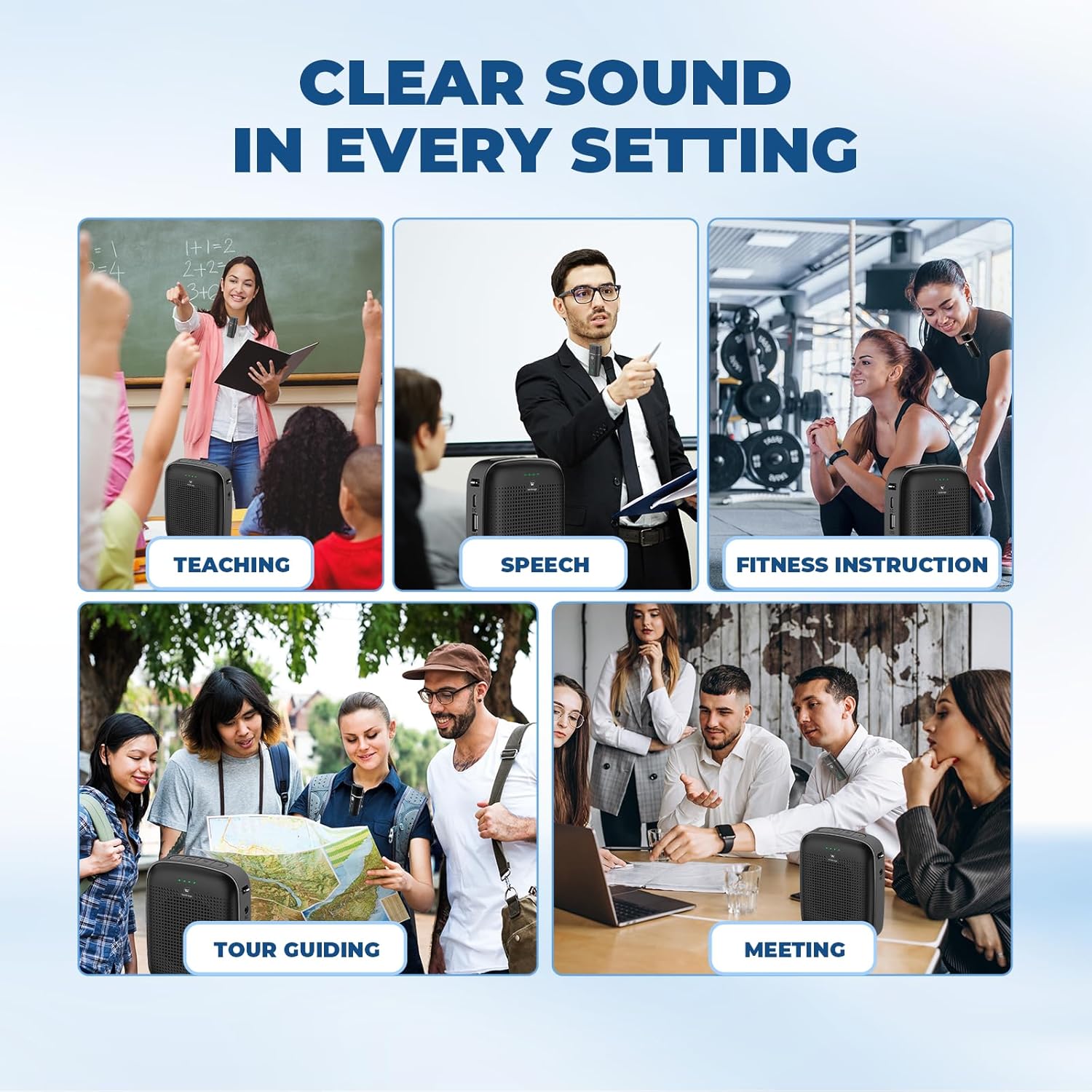
Image: Collage depicting the A006 Voice Amplifier being used in diverse professional settings, highlighting its versatility.
Maintenance
- Cleaning: Wipe the device with a soft, dry cloth. Do not use abrasive cleaners or solvents.
- Storage: Store the amplifier and microphone in a cool, dry place away from direct sunlight and extreme temperatures.
- Battery Care: For optimal battery life, fully charge the devices before first use and recharge them regularly, even if not in frequent use. Avoid complete discharge.
Troubleshooting
| Problem | Possible Cause | Solution |
|---|---|---|
| No sound from amplifier. | Device is off; low battery; microphone not paired; volume too low. | Ensure both units are powered on; charge batteries; re-pair microphone; increase volume. |
| Sound distortion or feedback. | Microphone too close to amplifier; volume too high; interference. | Increase distance between mic and amplifier; lower volume; move away from other electronic devices. |
| Microphone not pairing. | Out of range; pairing mode not active. | Bring microphone closer to amplifier; power cycle both devices to re-initiate automatic pairing. |
| Short battery life. | Incomplete charging; aging battery. | Ensure full charge cycle; consider battery replacement if issues persist after proper charging. |
Specifications
| Feature | Detail |
|---|---|
| Brand | HW HAOWORKS |
| Model Number | A006 Voice Amplifier |
| Output Wattage | 15 Watts |
| Power Source | Battery Powered |
| Connectivity Technology | Wireless, Bluetooth, USB |
| Material | Acrylonitrile Butadiene Styrene (ABS) |
| Item Weight | 12.6 ounces |
| Package Dimensions | 5.83 x 5.24 x 2.44 inches |
| Amplifier Battery Runtime | 12-15 hours (2600mAh) |
| Microphone Battery Runtime | 15+ hours (400mAh) |
| Wireless Range | Up to 15 meters (49 feet) |
Warranty and Support
HW HAOWORKS products are designed for durability and performance. For specific warranty details and customer support, please refer to the warranty card included with your product or visit the official HW HAOWORKS website. For any technical assistance or inquiries, please contact our customer service team.
Ask a question about this manual
Ask about setup, troubleshooting, compatibility, parts, safety, or missing instructions. Manuals+ will review the question and use this page’s manual context to help answer it.